


Key Takeaways:
To build a Mureka-like app, start with a clear idea, a focused MVP, and the right AI model or API, then test music quality before launch.
Core features like text-to-music, AI lyrics, voice options, remixing, and editing keep creators engaged and coming back.
Plan early for challenges such as music quality, AI costs, copyright, training data, misuse, and generation speed.
Rising demand from creators, marketers, and gamers makes creating an AI generator app like Mureka a smart investment.
A mix of freemium, subscriptions, credits, API usage, and licensing helps an AI music app earn steady revenue.
What if anyone could turn a few lines of text into a full song in minutes? That is the idea behind Mureka, an AI music platform that has caught the attention of creators, brands, and investors.
Music creation used to need studios, instruments, and long hours. Today, AI changes that. Users type a prompt or add lyrics, and the app produces vocals, beats, and melodies within seconds.
This shift has opened a new space for founders who want to build in the creative tech market.
If you plan to develop an app like Mureka, you need more than just a good idea. You need the right features, a smart tech plan, a clear budget, and a team that understands AI.
This guide explains each of these in simple words, so you can move from idea to launch with full confidence.
An Overview of Mureka App
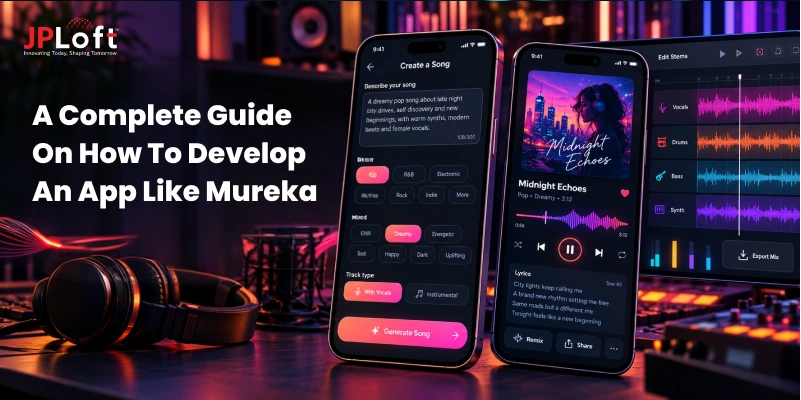
Mureka is an AI music platform that turns text prompts or lyrics into complete songs, with vocals and instruments included. Creators, brands, and hobbyists rely on it to produce original music quickly, without needing a studio or any musical training.
The application has gained huge popularity, with 5M+ downloads on the Play Store and a 4.8-star rating on the App Store. This consumer-facing product has successfully attracted around 10 million users globally.
It works like this:
-
Prompt or lyrics: Users describe a style or paste lyrics.
-
Song planning: MusiCoT maps the song structure, then creates vocals and instruments.
-
Refine and edit: Users regenerate takes, extend tracks, and export stems or MIDI.
Why Build an AI Music App Like Mureka?
AI music apps are creating new ways to produce songs, soundtracks, and creative audio, giving businesses opportunities to serve creators, artists, marketers, and everyday users.
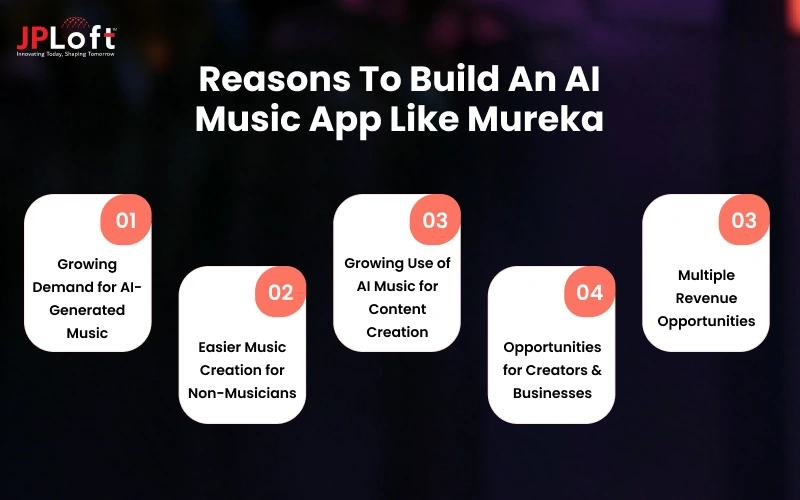
Below we will discuss the reasons businesses should consider developing an AI music app like Mureka.
1. Growing Demand for AI-Generated Music
Demand for AI-assisted music is rising alongside the wider digital music market. According to a report, the global AI music market is projected to reach $60.44 billion by 2034, at a CAGR of 27.8%. This expanding market creates room for new AI music products.
2. Easier Music Creation for Non-Musicians
AI music tools reduce the technical skills needed to create songs. Users can start with prompts, choose styles, and generate musical ideas without mastering instruments or production software. This opens music creation to broader audiences.
3. Growing Use of AI Music for Content Creation
Creators increasingly need music for videos, podcasts, games, ads, and social posts. AI tools can help them produce original-sounding tracks faster, making music generation useful for content workflows where speed, customization, and flexible production matter.
4. Opportunities for Creators & Businesses
An AI music app can serve different user groups, from independent artists and video creators to brands and businesses. Each group can use generation, editing, soundtrack, or voice features for different creative and commercial needs.
5. Multiple Revenue Opportunities
AI music apps can combine subscriptions, credit-based generation, premium tools, commercial licenses, and API access. The opportunity is supported by a growing paid music ecosystem, with millions of paid streaming subscription accounts.
Key Features to Include in an AI Music App Like Mureka
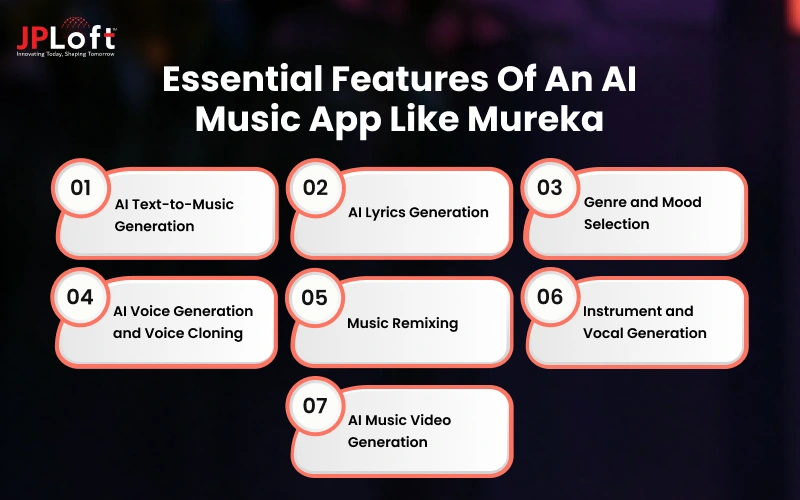
Features decide whether users stay or leave. A strong AI music product needs tools that feel simple, work fast, and give creators real control. These important AI music app features form its base.
1. AI Text-to-Music Generation
This is the very heart of the product. Users type a short prompt, such as calm piano for studying, and the AI builds a complete, ready-to-play track in seconds. It removes the need for any music skills, instruments, or software.
2. AI Lyrics Generation
Many users have a theme but no words. This feature writes lyrics from a topic, mood, or story. Users can edit every line, change the tone, and send the final text straight into the song generator without leaving the screen.
3. Genre and Mood Selection
Users should pick a genre like pop, lo-fi, rock, or classical, then add a mood such as happy, dreamy, or intense. These simple choices quickly guide the AI and make results feel more accurate and personal, especially for first-time users.
4. AI Voice Generation and Voice Cloning
Vocals make a song feel real. Offer ready-made AI singers in different styles and languages. Add voice cloning, with clear consent checks, so users can sing in their own voice without recording a full studio session or hiring a singer.
5. Music Remixing
Remixing lets users give old tracks a fresh life. They can switch the genre, change the tempo, or turn a calm song into an upbeat one. It keeps people creating and sharing more content on your app every single day.
6. Instrument and Vocal Generation
Let users add or replace single layers, such as guitar, drums, piano, or backing vocals. This gives them studio-style flexibility. They can build a song piece by piece instead of accepting one fixed result.
7. AI Music Video Generation
A song often needs visuals. This feature turns a finished track into a short video with matching scenes and motion. Creators can post it straight to major social platforms, which gives your app more reach and long-term value for creators.
How to Build an App Like Mureka? Step-Wise Process
Building an AI music app is easier when you follow a clear path. These ten steps take you from the first idea to a live app, with simple, practical choices.
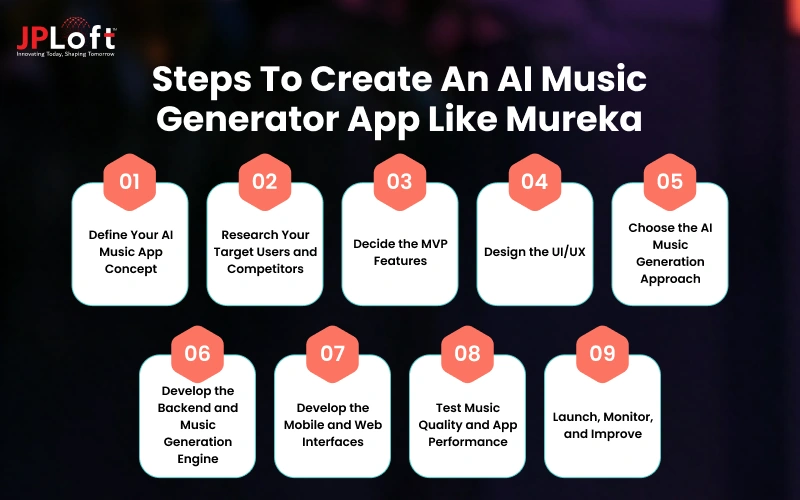
Step 1: Define Your AI Music App Concept
Every product starts with a clear idea. Decide what your app does, who it serves, and why people choose it.
► Define Core App Purpose
To develop an app like Mureka, start with one simple sentence about the problem it solves. For example, helping creators make background music fast without any music skills or a studio.
► Select Music Use Cases
Pick the main ways people will use your app, such as videos, podcasts, games, ads, or personal songs. Focusing on a few use cases keeps your first version simple.
► Set Unique Value Proposition
Decide what makes your product different from other top music streaming apps in the market. It could be better vocals, faster results, lower prices, or tools made for one group, like YouTubers.
Step 2: Research Your Target Users and Competitors
Good research saves time and money later. Learn who will use your app and how current tools already serve them.
► Segment Target Users
Split your audience into small groups, such as creators, marketers, and gamers. Each group has different needs, so before you create an app like Mureka, decide which groups come first.
► Analyse Competitors
Test Mureka, Suno, Mubert, and similar apps yourself. Note their prompts, output quality, speed, pricing, and reviews. Real use shows what users enjoy and where they feel frustrated.
► Identify Market Gaps
Look for problems that current apps leave open. These may include weak vocals, limited editing, slow generation, unclear licensing, or poor support for regional languages. Each gap is an opening.
Step 3: Decide the MVP Features
Building an MVP for your music app is considered as the best decision. It lets you test the idea before spending on every feature.
► Finalise Core Features
Choose only what the first users truly need: text-to-music, genre and mood choices, lyrics help, playback, and downloads. Leave advanced tools, like voice cloning and video, for later releases.
► Define Account Features
Add top music app features like sign-up and login, a profile, and a saved library so you can build an app like Mureka that users return to. Also include a history page for earlier prompts.
► Prioritize Monetisation
Decide early how the app will earn. A free plan with limited credits and paid plans for more tracks, longer songs, and commercial rights is a common and simple model.
Step 4: Design the UI/UX
Music creation should feel easy for beginners. Good music app design guides people from the first prompt to a finished song quickly.
► Create User Flows
Map every step a user takes, from opening the app to downloading a song. Keep the path short, with as few taps as possible, so beginners never feel lost.
► Design Prompt Journey
Make the prompt screen friendly. Add example prompts, genre and mood chips, and a clear ‘Generate’ button. Helpful hints guide users who do not know what to type.
► Build Audio Player
A good player makes the music experience more engaging and complete. Include play, pause, seek, loop, and a waveform view, plus download and share buttons for instant use.
Step 5: Choose the AI Music Generation Approach
This choice of considering AI in music apps shapes your cost, quality, and timeline. You can use existing AI music services or train your own models.
► Compare APIs vs Models
APIs are faster and cheaper to start, but you depend on another provider. Your own model gives more control and a unique sound, but needs more data, time, and budget.
► Define Music Controls
Decide what users can control, such as genre, mood, tempo, length, instruments, and vocals. More controls give better results, but too many can confuse new users.
► Evaluate Quality and Cost
Test a few options with the same prompts. For creating an AI generator app like Mureka, compare sound quality, vocal clarity, speed, and cost per track. Then pick one.
Step 6: Develop the Backend and Music Generation Engine
The backend is the engine of your app. It handles users, requests, music creation, and file storage behind the scenes.
► Build User Management
Set up secure sign-up, login, and user profiles. Add roles and plan limits, so free and paid users get the right number of credits and features.
► Develop Job Queue
Music generation takes time, so use a job queue. It lines up requests, sends them to the AI, and shows users clear progress instead of a frozen screen.
► Set Up Audio Storage
Store generated songs in secure cloud storage and deliver them through a fast content network. This keeps playback smooth and lets users return to their saved tracks anytime.
Step 7: Develop the Mobile and Web Interfaces
Now build what users see. A clean interface on both mobile and web makes your music tools easy to reach.
► Build Mobile App
To develop an AI generator app like Mureka for iOS and Android, use a cross-platform tool like Flutter or React Native. This saves time and keeps every phone's experience similar.
► Develop a Web Dashboard
Create a web version where users can generate, manage, and download tracks on a larger screen. An admin dashboard also helps your team track users, payments, and content.
► Connect Frontend and Backend
Link both interfaces to your backend through secure APIs. Make sure data like credits, track status, and saved songs stays in sync across mobile and web.
Step 8: Test Music Quality and App Performance
Testing protects your reputation. A music app idea fails if songs sound poor, the app crashes, or user data is not safe.
► Validate Audio Quality
Listen to many generated tracks across genres. Check vocals, beats, length, and mood. Real feedback matters, because every AI-music application like Mureka depends on how good its songs sound.
► Test Across Devices
Run the app on different phones, screen sizes, and internet speeds. Check that audio plays smoothly, buttons respond quickly, and downloads work even on slower connections.
► Conduct Security Testing
Check logins, payments, and file access for weak points. Protect user data and generated songs, and test your limits against abuse, such as misuse of voice cloning.
Step 9: Launch, Monitor, and Improve
Launch is the start, not the finish. Release, watch how people use the app, and keep improving based on data.
► Deploy to Stores
Prepare store listings with clear screenshots, a simple description, and the right keywords. Properly consider ways to get your music app approved on the App Store and Google Play Store music app approval guidelines, including those for AI and user content, before submitting.
► Monitor User Metrics
Track downloads, daily users, retention, and paid conversions. These numbers matter most when making an app like Mureka AI, since they show what people love and where they leave.
► Release Updates
Focus on regular updates with bug fixes, new genres, better voices, and the advanced features you saved for later, such as voice cloning and music video creation.
How Much Does it Cost to Develop an App Like Mureka?
The cost depends on your features, AI approach, and platforms. In most cases, it ranges from $15,000 to $180,000+. A simple MVP sits at the lower end, while a full platform with custom AI, voice tools, and video needs a much higher budget.
The table below shows each music app cost level.
|
App Complexity |
Features Included |
Estimated Cost |
|
Basic (MVP) |
Text-to-music, genre and mood options, basic lyrics help, user accounts, audio player, and downloads, built on existing AI APIs |
$15,000 – $50,000 |
|
Moderate |
Everything in Basic, plus voice options, song extension, remixing, credits and payments, a web dashboard, and a more polished design |
$50,000 – $110,000 |
|
Advanced |
Custom or fine-tuned AI models, voice cloning, reference-based generation, multi-track editing, music video creation, and a high-scale cloud setup |
$110,000 – $180,000+ |
Factors Affecting Development Cost
Several things push your budget up or down. Understanding them early helps you plan, avoid surprise costs, and decide which features to build first and which to leave for later.
-
AI model development or API costs: Ready-made APIs keep upfront costs low, while training your own music model requires large datasets, powerful computers, and a skilled AI team.
-
Number of platforms: Building for iOS, Android, and web together costs more than starting with one, though cross-platform tools like Flutter can reduce the extra effort.
-
Music generation complexity: Simple text-to-music is cheaper, while vocals, voice cloning, remixing, and longer songs need stronger models and more testing.
-
Cloud infrastructure: Music generation needs strong servers, GPUs, and storage, so your monthly cloud bill grows as more users create and save tracks.
-
Third-party integrations: Payments, analytics, login, lyrics tools, and social sharing each add development time and often come with their own monthly fees.
-
UI/UX complexity: A clean, simple design is faster to build, while custom animations, waveform views, and detailed creator tools take more design and development hours.
How to Monetize Your AI Music App Like Mureka?
Great products need a clear earning plan. The right music app monetization model covers your costs, rewards active users, and helps your business grow. Here are six proven ways to earn money.
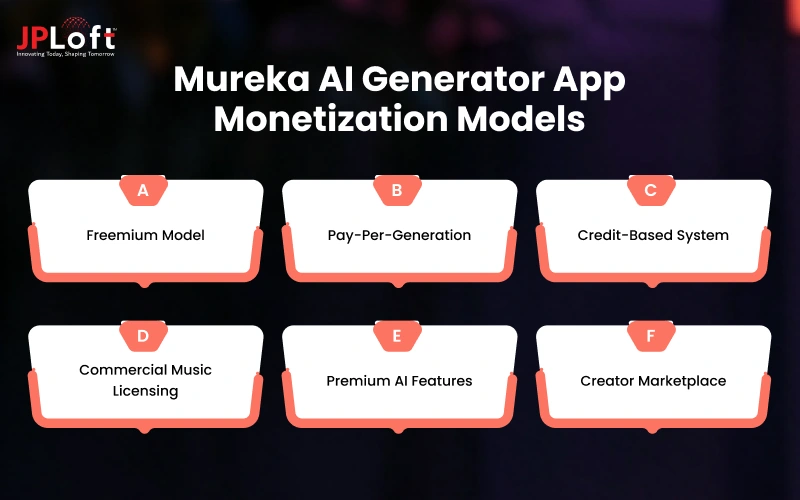
1. Freemium Model
Mureka lets users test limited generation for free, but paid plans unlock exports and commercial use. An AI-music application like Mureka can copy this: free access builds users, and upgrades bring the revenue.
2. Pay-Per-Generation
Developers can use Mureka through its API and pay for each generation. One provider lists about $0.06 for a request that returns two songs, so small projects can start cheaply.
3. Credit-Based System
Mureka ties each plan to a monthly allowance, such as up to 400 songs or 200 minutes of speech on Basic. This works like a credit pool, and heavy users upgrade for more.
4. Commercial Music Licensing
Paid Mureka plans include commercial rights, which creators need for ads, videos, and releases. Free users cannot use tracks commercially, and rights apply only to songs made while subscribed, so people keep paying.
5. Premium AI Features
Mureka's Pro plan adds voice cloning, reference audio upload, WAV and separate track downloads, an advanced editor, and up to 1,600 songs. In Mureka AI app development, such tools justify higher prices.
6. Creator Marketplace
Mureka's public pricing points to plans and API use, not a marketplace. Still, its move into music sharing and discovery shows how a marketplace could work, with a small cut from every sale.
Challenges in Developing an App Like Mureka
Every strong product faces hurdles, and AI music is no different. Before you create an app like Mureka, know the biggest challenges and the practical ways to solve each one.
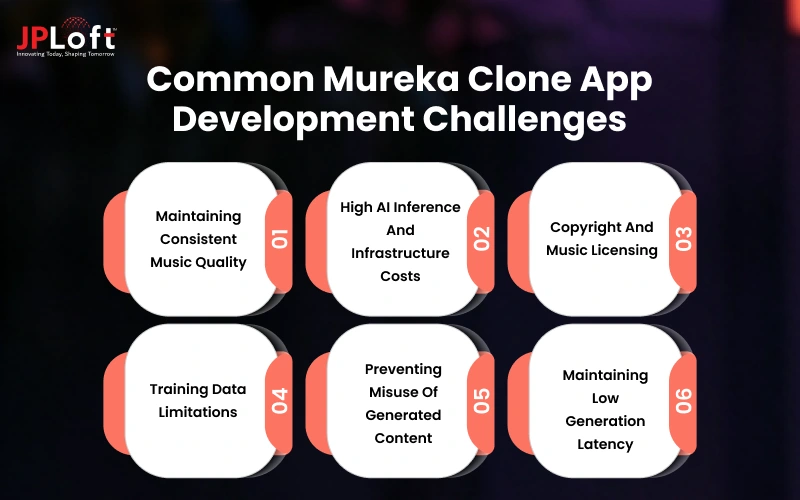
Below are some common music app development challenges discussed with solutions.
Challenge 1: Maintaining Consistent Music Quality
AI-generated songs can sound great one time and weak the next. Uneven vocals, flat beats, or off-key melodies make users lose trust quickly, and they may leave for a competing app.
Solution: Use strong models, test many genres, add automatic quality checks, and let users rate tracks so weak results get fixed.
Challenge 2: High AI Inference And Infrastructure Costs
Running AI music models needs powerful GPUs and large cloud storage. Every song a user creates has a real cost, so heavy usage can quickly push monthly bills far above your expected budget.
Solution: Use credit-based pricing, optimise speed models, cache popular results, and scale cloud servers up or down based on demand.
Challenge 3: Copyright And Music Licensing
When you build an app like Mureka, copyright is a major legal risk. Users may generate songs that sound like famous artists, and unclear licensing can lead to lawsuits, takedowns, or blocked app store listings.
Solution: Use licensed training data, add clear usage terms, block artist-name cloning requests, and offer clear commercial licenses to paid users.
Challenge 4: Training Data Limitations
AI models learn from data, and good music data is hard to get. Datasets may lack variety in genres, languages, and vocal styles, which leads to repetitive songs and poor results for some users.
Solution: Partner with music creators for licensed data, add diverse genres and languages, and keep improving the model with user feedback.
Challenge 5: Preventing Misuse Of Generated Content
Anyone can misuse AI music, for example, by creating fake songs, copying voices, or using hateful lyrics. When making an app like Mureka AI, this risk can hurt your brand and user safety.
Solution: Hire AI developers to add content filters, voice-consent checks, and watermarking for AI tracks. Ban abusive accounts quickly and let users report problems easily.
Challenge 6: Maintaining Low Generation Latency
Users expect results fast. If a song takes minutes to generate, people lose interest. Heavy traffic, long songs, and complex voice features can slow the process and cause frustrating waiting times.
Solution: Use faster models, GPU servers, and job queues. Show a progress bar so users see updates while the song builds.
Why Choose JPLoft to Create an App like Mureka?
JPLoft is a trusted development partner that helps startups and enterprises turn bold ideas into working products. With offices across the globe, our team understands what founders, CTOs, and product managers need from a technology partner.
As a dedicated provider of music app development services, we bring AI engineers, designers, backend experts, and testers together under one roof. We choose the right AI models, build scalable cloud systems, and design simple, engaging interfaces that creators enjoy.
Whether you want to develop an AI generator app like Mureka or start with a lean MVP, we plan every step clearly, keep communication open, and protect your idea with strict confidentiality.
After launch, we stay with you through updates, monitoring, performance checks, and long-term growth. Partner with JPLoft today and turn your AI music vision into a product users truly love.
Conclusion
AI music is growing fast, and users now expect tools that turn simple ideas into full songs. Mureka shows what is possible, but there is still room for new products with a fresh angle.
Start with a clear concept, study your users, and launch a focused MVP with core features like text-to-music, lyrics, and genre options. Choose your AI approach carefully, since it shapes your quality, speed, and cost.
To develop an app like Mureka, plan a budget between $15,000 and $180,000+, depending on complexity. Prepare for challenges like music quality, copyright, misuse, and high cloud bills, and solve them early.
Finally, pick a monetization model that fits your audience, such as freemium, credits, or licensing. Go step by step, listen to your users, and keep improving. That is how a simple idea grows into a music product people love.
FAQs
Start by defining your idea and users, then plan an MVP, design a simple interface, choose your AI model or API, build the backend, test music quality, and launch it.
To keep users engaged and returning, make an app like Mureka with text-to-music, AI lyrics, voice options, genre and mood controls, remixing, song editing, and music video tools for creators.
Common challenges include keeping music quality steady, controlling high AI and cloud costs, handling copyright and licensing, finding good training data, preventing misuse, and keeping song generation fast for users.
Demand for AI music is rising among creators, marketers, and gamers. A well-built product can earn through subscriptions and licenses while serving users who need fast, affordable, and original music.
These apps earn through freemium access, monthly subscriptions, credit packs, API usage, and commercial licenses. A smart mix of these models helps any AI-music application like Mureka earn steady revenue.

Conor has 10+ years of experience in software development, application engineering, solution design, and UX/UI. He has worked across digital products in restaurant technology, food and grocery delivery, healthcare, media, streaming, and social platforms, bringing both technical and user-experience perspectives to product development. His experience working with large organizations and growth-focused digital products helps businesses translate complex requirements into practical, user-focused solutions.


Share this blog