


Key Takeaways:
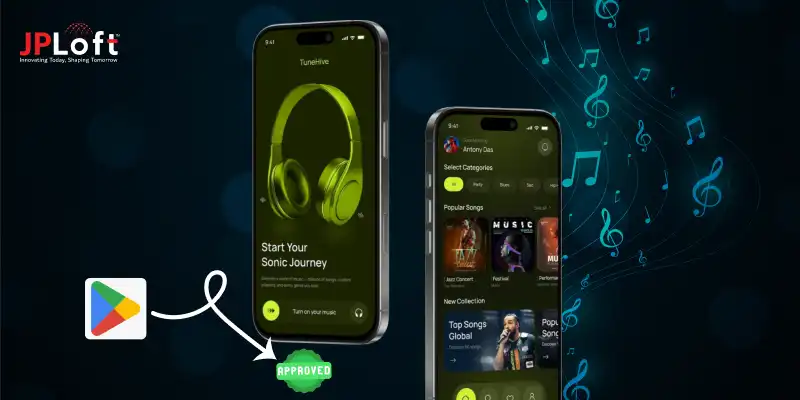
To get your music app approved on the Play Store, focus on policy compliance, proper licensing, and accurate Play Store metadata from the very beginning.
Meeting technical standards like crash-free performance, secure streaming, proper permissions, and AAB submission is critical for approval.
Following pre-submission practices such as testing streaming quality, preparing store assets, and completing privacy forms improves approval chances.
Music apps are often rejected due to copyright issues, poor performance, incorrect content ratings, or missing privacy disclosures.
Apps can be resubmitted after rejection once all highlighted issues are fixed and tested thoroughly.
JPLoft helps businesses build compliant, secure, and high-performance music apps with end-to-end Play Store approval support.
Getting your music app live on Google Play is exciting, but approval can be more challenging than it looks. Many well-built apps face rejection due to overlooked policies, missing documentation, or compliance gaps.
If your goal is to get your music app approved on the Play Store, understanding the rules early can save you time, effort, and repeated submissions. The music app approval process involves much more than uploading an APK.
Google carefully reviews content licensing, app performance, user data handling, and overall experience before allowing your app to go live. Even small mistakes can delay approval or lead to rejection.
In this guide, we’ll break down the exact steps, requirements, and best practices you need to follow to confidently get your music app approved on the Play Store.
Google Play Policies Every Music App Must Follow
To get your music app approved on the Play Store, following Google’s policies is non-negotiable. Google Play Store app approval depends heavily on how well your app aligns with content, data, and performance guidelines.
Below are the key policies every developer must follow when submitting or planning to build a music streaming app:
-
Copyright & Licensing Compliance: Ensure you have legal rights to stream, distribute, or allow downloads of music content. Unauthorized content is a common reason for rejection during Google Play Store app approval.
-
User Data & Privacy Policy: Clearly disclose how user data is collected, stored, and used. A visible and accurate privacy policy is mandatory in any Play Store app submission guide.
-
Permissions Transparency: Request only essential permissions (storage, audio, background playback) and explain their purpose clearly within the app.
-
Content Safety & Moderation: If your app includes user-generated content, implement strong moderation and reporting mechanisms.
-
App Performance & Stability: Your app must be crash-free, responsive, and optimized to meet Play Store quality standards.
Apart from these, Google regularly updates its policies to ensure a safe and high-quality app ecosystem.
To stay fully informed and avoid unexpected issues during submission, it’s always a good idea to review the complete and latest guidelines directly from Google.
In Google's developer Policy Center, you can explore all official Play Store policies in detail.
Pre-Submission Practices to Launch Music Streaming App
Before submitting your app, following the right pre-submission practices is essential to understand how to publish a music app on Play Store smoothly and without delays.
These steps help you comply with music app Play Store guidelines and improve your chances of Play Store approval, especially if you plan to start a music streaming business.
1. Ensure Copyright & Licensing Compliance
Make sure all music content is legally licensed. Copyright violations are one of the most common reasons apps fail to pass Play Store approval for music streaming apps.
2. Test App Performance & Streaming Quality
Check buffering speed, background playback, offline mode, and battery usage. A poorly performing app can delay how to publish a music app on Play Store.
3. Follow Music App Play Store Guidelines Closely
Review Google’s developer policies for media apps, permissions, ads, and subscriptions to avoid rejection during submission.
4. Prepare Store Listing Assets in Advance
Create accurate app descriptions, screenshots, feature graphics, and demo videos that clearly reflect your app’s functionality.
5. Set Up Privacy Policy & Data Safety Forms
Clearly disclose how user data is collected and used. Completing these forms correctly is critical for developers looking to start a music streaming business.
By completing these steps before submission, you significantly reduce rejection risks and move closer to a successful Play Store launch.
Technical Requirements to Meet While Approving Music Streaming App
Meeting technical standards is just as important as policy compliance when submitting a music app. Google reviews whether your app is secure, stable, and technically sound before approval.
Ignoring these checks can delay publishing, even if your content follows copyright rules and music licensing requirements for apps.
The table below works as a quick Android app publishing checklist to help you prepare your app for review.
|
Technical Requirement |
What Google Expects |
Why It Matters |
|
App Performance & Stability |
Crash-free app with smooth playback and fast load times |
Poor performance can lead to rejection |
|
Secure Streaming |
Encrypted data transfer and protected audio streams |
Ensures user safety and content protection |
|
Copyright & Licensing Setup |
Proper implementation of licensed music content |
Required to meet copyright rules for music apps |
|
Permission Management |
Only necessary permissions with clear explanations |
Prevents policy violations |
|
Backend Scalability |
Reliable servers to handle concurrent users |
Supports long-term growth |
|
Music Streaming App Tech Stack |
Optimized frameworks, APIs, and media players |
Ensures seamless streaming experience |
|
App Bundle (AAB) Format |
Correct app bundle upload via Play Console |
Mandatory for submission |
Following this checklist ensures your app meets Google’s technical expectations while aligning with music licensing requirements for apps.
When your music streaming app tech stack is well-optimized and compliant, approval becomes faster and far more predictable.
How to Get Your Music App Approved on the Play Store?
Launching a music app is exciting, but the real challenge begins when you aim to get your music app approved on the Play Store without delays or rejections.
Many developers assume approval is automatic once development is complete, but Google’s review system is far more detailed. To succeed, you must understand how to get a music app approved on Google Play by aligning technical quality, legal compliance, and user transparency from day one.
A well-prepared submission not only speeds up approval but also builds long-term trust with users and the platform.
Step 1: Understand Google’s Review Expectations Early
Before submitting, familiarize yourself with the music app Play Store guidelines. These policies cover copyright, user data handling, ads, subscriptions, and background audio behavior.
Ignoring even a small rule can result in rejection under Google Play app policy violations, which often leads to repeated review cycles. Beyond reading policies, analyze similar approved apps to understand acceptable patterns.
Keeping compliance in mind during development reduces last-minute fixes. This is also where music streaming app compliance plays a major role, your app must clearly prove that it respects both users and content creators.
Step 2: Prepare a Complete Google Play Console Setup
A smooth Google Play console setup is the foundation of approval. Create your developer account, configure app details correctly, and upload your app bundle (AAB).
Incomplete or incorrect console information is a common reason developers struggle to get your music app approved on the Play Store efficiently.
Double-check version codes, release tracks, and tester access if using internal testing. Keep all developer contact information updated so Google can reach you quickly if clarification is required. A clean setup helps avoid unnecessary back-and-forth during review.
Step 3: Meet Legal & Security Requirements
Music apps face strict scrutiny due to licensing risks. Ensure your app complies with copyright laws and demonstrates proper music app security, such as encrypted streaming and protected APIs.
Any ambiguity around content ownership can block Play Store approval for music streaming apps instantly. Additionally, your app privacy policy for music apps must clearly explain how user data is collected, stored, and used.
This document should be accessible both inside the app and on the Play Store listing. Transparency builds credibility and reduces rejection risks.
Step 4: Optimize App Performance & Stability
Google thoroughly tests app performance during review. Your app should be crash-free, responsive, and optimized for different Android devices. Buffering issues, broken playback, or excessive battery usage negatively impact Play Store approval for music streaming apps.
Mobile app testing on multiple screen sizes and Android versions. Make sure background playback works as expected and doesn’t violate system limitations.
A reliable backend and scalable infrastructure also help ensure long-term success once your app goes live.
Step 5: Follow the Steps to Publish Correctly
One of the most overlooked areas is understanding the steps to publish a music streaming app properly. This includes uploading the app bundle, filling in store listing details, setting pricing and distribution, and completing compliance forms.
At this stage, developers often ask how long does Play Store app approval take. While timelines vary, delays usually occur due to missing information or failed checks.
Submitting accurate information and completing every required form carefully helps speed up the review process. If needed, choosing to hire Android app developers can ensure technical accuracy, reduce errors, and minimize back-and-forth, ultimately improving your chances of quicker approval.
Step 6: Create a Clear & Honest Store Listing
Your app description must align with actual functionality. Google cross-checks claims made in your listing against app behavior during the Play Store app review process explained by Google’s internal systems.
Meeting Play Store metadata requirements for apps means writing accurate descriptions, uploading relevant screenshots, and avoiding misleading keywords or exaggerated promises.
A truthful listing not only helps approval but also improves user retention after installation.
Step 7: Configure Content Rating & Age Classification
Music apps must complete the content rating questionnaire honestly. Selecting the correct Play Store content rating for music apps ensures your app reaches the right audience and avoids unnecessary restrictions or rejection.
If your app includes explicit content or user-generated uploads, mention it clearly and apply appropriate safeguards. Incorrect ratings can lead to app removal even after approval, so accuracy is critical.
Proper content rating also builds trust with users and demonstrates your commitment to providing a safe and enjoyable music streaming experience.
Step 8: Final Testing & Submission
Before you publish an app to Google Play Store, test everything one last time, login flows, playback controls, subscriptions, and permissions. This final polish significantly increases your chances to get your music app approved on the Play Store on the first attempt.
Once submitted, monitor feedback inside the Play Console regularly. If changes are requested, address them promptly and resubmit with confidence.
A proactive approach shows professionalism and speeds up final approval. Keeping a checklist during this stage ensures nothing is overlooked and helps your app pass the review smoothly the first time.
Approval isn’t just about passing a review, it’s about proving your app is secure, compliant, and valuable to users. Follow these steps carefully, and you’ll be well on your way to launching a Play Store–ready music app with confidence.
Why Does Your Music Streaming App Get Rejected on the Play Store?
Even after careful preparation, some music apps face rejection due to some usual music app development challenges. Knowing the common reasons music apps get rejected helps you avoid mistakes, address technical and compliance gaps early, and save valuable time during submission.
Here are the key factors:
-
Copyright & Licensing Issues: Using unlicensed music or failing to provide proper documentation often leads to rejection. Always ensure your app complies with music licensing rules.
-
Incomplete Store Listing or Metadata: Errors in descriptions, screenshots, or app titles can violate the Play Store app compliance checklist. Accurate and honest metadata is critical for approval.
-
Poor App Performance or Stability: Crashes, buffering issues, slow loading times, or background playback problems frequently cause apps to fail review.
-
Inaccurate Content Rating & Age Classification: Incorrect or misleading ratings can block your app or cause future removal from the Play Store.
-
Privacy Policy & Data Handling Violations: Missing, incomplete, or unclear app privacy policy for music apps often triggers rejection due to Google Play’s strict data protection rules.
-
Excessive or Unnecessary Permissions: Requesting permissions without clear justification may be seen as a violation of user trust and Play Store guidelines.
Understanding these common pitfalls helps you prepare better and avoid unnecessary delays. By working with an experienced Android app development company and addressing these issues proactively, you increase your chances of a smooth and successful app approval on the Play Store.
Practices to Adopt if Your Music Streaming App Gets Rejected
If your app faces rejection, it’s important to act quickly and strategically. Rejection doesn’t mean failure, it’s an opportunity to improve your app and ensure it meets all app compliance checklist requirements.
Follow these practices to fix issues and improve your chances of approval:
A] Review the Rejection Feedback Thoroughly
Carefully read Google’s rejection notes to identify exactly which guideline or technical issue caused the problem. Feedback usually includes helpful hints, such as missing permissions, metadata issues, or licensing concerns.
Take the time to cross-check each point with your app’s current setup. If you’re unsure how to fix certain issues, consulting a trusted mobile app development company in USA can help.
B] Fix Issues & Test Again
Address every issue highlighted in the rejection notice, whether it’s bugs, crashes, buffering problems, or incorrect metadata. Conduct testing on multiple devices and Android versions to ensure stability, smooth streaming, and proper UI functionality.
If your app includes background playback or offline features, make sure these are seamless. Thorough testing increases confidence that the app will pass review the next time.
C] Update Your App Metadata & Compliance Documents
Correct all errors in your app description, screenshots, feature graphics, and other store assets. Ensure your app privacy policy for music apps is complete and clearly explains data collection and usage.
Verify that permissions requested align with functionality and are transparent to users. Double-check music licensing documentation and ensure it’s properly reflected in your app description.
D] Optimize Performance & Security
Evaluate your app’s performance, streaming quality, and server reliability. Slow loading times, crashes, or excessive battery consumption can lead to rejection.
Implement mobile app security measures such as encrypted streaming, secure APIs, and data protection best practices. Ensuring robust backend support and scalable architecture not only helps approval but also creates a better experience for users.
E] Resubmit with Confidence
Once all issues are addressed, resubmit your app through the Google Play Console. Highlight the changes you made if requested in the review notes. Track the app review progress closely and be ready to respond promptly to additional queries.
A confident and organized resubmission reduces the likelihood of repeated rejection and demonstrates your commitment to quality and compliance.
F] Plan for Continuous Compliance
Even after your app is approved, approval isn’t the end of the journey. Regularly update your app, maintain valid licenses, and follow music app Play Store guidelines for new features or content.
Periodically review your Play Store app compliance checklist to ensure ongoing adherence. This proactive approach prevents future rejections and helps maintain a trusted, long-lasting presence on the Play Store.
Following these practices ensures that your music app not only gets approved but also maintains long-term success on the Play Store. Staying proactive and attentive to compliance can save time, reduce rejections, and build a reliable experience for your users.
JPLoft- Your Trusted Partner for Music App Development & Approval
Getting a music app approved on the Play Store requires more than just great features, it demands technical precision, strict policy compliance, and deep platform expertise.
JPLoft helps businesses navigate this entire journey with confidence by offering complete end-to-end support, from initial planning and development to final submission and approval.
As a trusted music streaming app development company, JPLoft focuses on building secure, scalable, and high-performing music apps that align perfectly with Play Store guidelines.
Our team understands complex approval requirements, music licensing standards, data privacy rules, and performance benchmarks that Google expects. Beyond development, we proactively identify potential risks that may lead to rejection and resolve them before submission.
With a strong focus on quality, compliance, and user experience, JPLoft helps you reduce approval delays, avoid repeated rejections, and successfully launch your music app faster and smarter.
Final Wrap-Up
Getting your app live isn’t just about development, it’s about preparation, compliance, and execution. To get your music app approved on the Play Store, you must align with Google’s policies, optimize performance, ensure proper licensing, and submit accurate metadata.
From pre-submission checks to handling rejections strategically, every step plays a vital role in approval success. A well-tested, secure, and transparent music app not only speeds up the review process but also builds long-term trust with users and the platform.
By following the right practices and staying proactive with compliance, you can confidently get your music app approved on the Play Store and launch it without unnecessary delays.
FAQs
To get your music app approved on the Play Store, ensure it follows Google’s policies, uses licensed music content, includes a clear privacy policy, and has accurate store listing details before submission.
Common reasons include copyright violations, missing privacy policies, poor app performance, and incorrect content ratings.
Yes, proper music licensing is mandatory. Apps using unlicensed content are often rejected immediately.
Absolutely. After fixing the issues mentioned in the rejection feedback, you can resubmit your app via Google Play Console.
Follow Play Store guidelines closely, test your app thoroughly, submit accurate metadata, and ensure compliance before publishing.

Conor has 10+ years of experience in software development, application engineering, solution design, and UX/UI. He has worked across digital products in restaurant technology, food and grocery delivery, healthcare, media, streaming, and social platforms, bringing both technical and user-experience perspectives to product development. His experience working with large organizations and growth-focused digital products helps businesses translate complex requirements into practical, user-focused solutions.


Share this blog