


Key Takeaways:
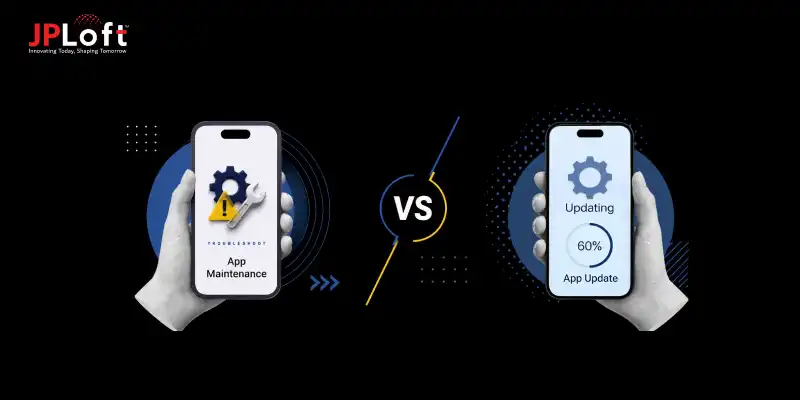
App maintenance and app updates serve different roles after launch. Maintenance ensures stability and performance, while updates focus on improving features and user experience.
Maintenance should always come first if your app is facing crashes, slow speed, security issues, or system instability.
Updates are the right choice when your app is stable but needs new features, better design, or improved usability based on user expectations.
Ignoring maintenance can lead to performance failures, security risks, and loss of users due to a poor experience.
Ignoring updates can make your app outdated and less competitive, even if it is technically stable.
The best-performing apps strike a balance in which maintenance protects the system and updates drive continuous improvement and growth.
Launching the app is considered one of the significant milestones that startups or enterprises celebrate, but it is also the point when the real responsibility begins.
Users expect smooth performance, quick responses, and regular improvements. If an app fails to meet these expectations, they do not wait; they move on.
At this stage, businesses have two options: either to plan for app maintenance or focus on an app updates. One keeps the app stable and reliable in daily use. The other helps it grow with better features and improved experiences.
That’s why it is important to understand the difference between app maintenance and app updates, because the wrong choice can lead to poor performance, user drop-off, and wasted effort.
In this blog, we will break down the app maintenance vs app updates in a simple way so you can clearly decide what your app needs and when.
Understanding the Core Difference Between App Maintenance and Update
Before choosing what your app needs, it is important to clearly differentiate between app updates and maintenance. They often get mixed, but they serve very different purposes after an app goes live.
Let’s break them down simply and practically.
1. What is App Maintenance?
Maintenance means taking care of your app after launch so it keeps running without issues. It focuses on stability, safety, and smooth performance.
It does not aim to introduce major feature changes or app redesign. Instead, it fixes issues that appear over time and keeps the system steady.
This process of maintaining an app includes bug fixes, performance tuning, server monitoring, security updates, and support for new devices or OS changes.
Pros of App Maintenance
-
Keeps the app stable and reduces unexpected crashes
-
Improves speed and overall performance
-
Strengthens security and protects user data
-
Ensures smooth working across devices and systems
-
Helps prevent bigger technical issues later
Cons of App Maintenance
-
Does not introduce new features for users
-
Improvements are mostly invisible to end users
-
Requires ongoing effort and cost, even without major issues
2. What is an App Update?
App updates focus on changing or improving what users see and use. The app owners need to plan when and how often to update their app so that it can support their product growth.
Updates can include new features, design changes, improved flows, or better functionality based on user needs or business goals.
Unlike maintenance, updates are clearly visible because they change how the app feels or works.
Pros of App Updates
-
Adds new features that improve user experience
-
Helps the app stay useful and relevant
-
Supports business growth and user retention
-
Improves engagement with better functionality
-
Allows improvements based on user feedback
Cons of App Updates
-
Can introduce new bugs if testing is weak
-
May affect user comfort if changes are too frequent
-
Needs time, planning, and development effort
-
Sometimes impacts performance after major changes

Side-by-Side Comparison of Mobile App Maintenance & Updates
Let’s focus on the difference between mobile app maintenance & updates side by side, so that you can practically understand how they actually differ in purpose and impact.
If you are wondering when to choose app maintenance or app updates, it can be concluded that both support your app after launch, but they solve very different problems.
This comparison will help you clearly see when each one is needed.
|
Aspect |
Maintaining An App |
Updating An App |
|
Purpose |
Focuses on keeping the app stable, secure, and fully functional after launch |
Focuses on improving the app by adding new features or upgrading existing ones |
|
Core Focus |
Handles bugs, performance issues, server health, and security patches |
Introduces new features, improves UI, and enhances user experience |
|
User Impact |
Users may not see it directly, but they feel fewer crashes and smoother performance |
Users clearly notice changes like new screens, features, or improved flows |
|
Frequency |
Happens continuously or on a regular schedule in the background |
Happens in planned release cycles based on product goals |
|
Technical Scope |
Includes bug fixes, code optimization, database health, and compatibility updates |
Includes feature development, UI changes, and functional improvements |
|
Cost Impact |
The cost to maintain a mobile app is more predictable and usually lower compared to major feature work |
Higher cost since it involves the design, development, and testing of new features |
|
If Ignored |
App becomes slow, unstable, insecure, and may start crashing |
App feels outdated, loses user interest, and falls behind competitors |
|
Business Goal |
Ensure long-term stability and reliable performance |
Drive growth, engagement, and business expansion |
How to Decide When Your App Needs Maintenance Vs Updates
Choosing between mobile app maintenance and app updates is not always obvious. It depends on the real condition of your app, how users are interacting with it, and your app's operational goals.
A clear evaluation across key factors helps you make the right decision without wasting time or budget, as well as help you decide when to hire dedicated developers.
Below are the key factors that can help you decide when to choose app maintenance or app update:
1. App Performance Health
If your app is experiencing slow loading times, crashes, or delayed responses, it is a clear sign that the system needs attention at the core level. These issues affect trust and user experience directly, and they must be fixed before adding anything new.
When the app runs smoothly, but users still expect a better interface, improved navigation, or smoother flow, the focus naturally shifts toward enhancing the product experience rather than fixing stability issues.
If performance is breaking the experience, stability or maintenance comes first. If performance is stable but experience feels limited, improvement or an update becomes the next step.
2. User Feedback and Experience Signals
When user reviews highlight bugs, errors, or broken mobile app features, it shows that the app’s foundation needs immediate correction. These are not feature requests but functional issues that affect usability.
On the other hand, when users are satisfied with core functionality but start requesting new features, better usability, or added convenience, it signals a need for product enhancement.
Technical complaints often point to underlying system issues, showing that it is time to rely on the right app maintenance tools to fix and stabilize the product. Feature expectations point toward upgrading the app to take it to the next level.
3. Stability and System Reliability
Apps that face backend errors, scaling issues, or inconsistent performance after updates require attention to system stability. In such cases, the focus remains on restoring reliability and ensuring smooth core operations.
When the system is stable and consistently reliable, the app is in a healthy position to evolve with new capabilities, better design, or improved workflows.
Instability justifies why user feedback is needed in app maintenance and helps identify key improvement areas. Further, the stability creates space for improvement and supports updates.
4. Business Objective Alignment
If the priority is to ensure uninterrupted service, retain users, and avoid downtime, the focus remains on strengthening the existing system. This helps protect the current user base and maintain trust.
When the business focus shifts toward growth, expansion, and increasing engagement, the app needs enhancements that support new goals and user expectations.
Protection of the current value requires stability and predictive maintenance approaches. However, expansion of value requires planned app updates.
5. Startup and Product Stage
Early-stage products, especially MVPs, often face unpredictable behavior, performance gaps, and frequent bug reports. At this stage, the priority is to stabilize the product so that it can support real users without friction.
Once the product reaches stability or starts showing product-market fit, the focus naturally moves toward adding features, improving onboarding, and scaling capabilities.
Early uncertainty needs maintenance, not a full upgrade. But a product that is ready for growth needs a complete evolution or app upgrade.
How to Maintain the Right Balance Between App Updates & Maintenance?
The expert mobile app development company rarely recommends choosing app maintenance and app updates as separate priorities.
In most real-world apps, both need to work together in a planned cycle. The key is knowing what is included in app maintenance, what should run continuously, and when to shift focus from stability to growth.
The right balance is about giving each one the right attention based on your app’s current condition, user expectations, and business goals.
[A] Start With Stability Before Planning Improvements
The first rule experts follow is simple: do not build new improvements on a weak foundation. If your app has unresolved bugs, performance issues, or security gaps, maintenance must take priority first.
Start by:
-
Fixing bugs that affect key functions
-
Improving speed and responsiveness
-
Checking backend and server reliability
-
Conducting security audits and compatibility fixes
[B] Use Updates Only After The App Is Healthy Enough To Support Them
Updates create value only when the app is already stable. If the mobile app tech stack is weak, new features often create more friction instead of improving the experience.
Once maintenance has stabilized the app, developers can plan to:
-
Add new features that users are asking for
-
Improve app design and navigation
-
Refine workflows and engagement paths
-
Support changing business or market needs
[C] Treat Maintenance As Ongoing, Not Occasional
One of the biggest mistakes businesses make is treating maintenance as a one-time fix after launch. In reality, experts recommend ongoing maintenance as a continuous layer that supports the app in the background, and regular maintenance helps save money.
This means regularly:
-
Monitoring performance and uptime
-
Fixing emerging bugs
-
Maintaining security standards
-
Adapting to OS, device, and API changes
[D] Plan Updates In Cycles, Not In Random Bursts
Maintenance practice should be planned in phases, and so should the updates. Updates should not happen only when the app starts feeling outdated. A better approach is to plan them in clear cycles based on user feedback, business goals, and app performance data.
This helps:
-
Avoid rushed releases
-
Prioritize features with real value
-
Conduct thorough app testing
-
Align product changes with market demand
[E] Reassess The Balance As Your App Grows
The right balance between maintenance and updates is not fixed forever. As you know why app maintenance is important for mobile apps, it is also important to reassess its need and align it with update practices as your app moves from MVP to growth stage and then to a mature product.
For example:
-
Early-stage apps may need heavier maintenance to stabilize the product
-
Growth-stage apps may need more frequent updates to improve user experience
-
Mature apps often need to run side by side in a structured way

How JPLoft Helps Businesses With App Updates and Maintenance
After understanding the difference between maintenance and app updates, it is important to see how proper support keeps an app stable in real use. A strong system is not maintained once. It needs continuous care to avoid performance drops and user issues.
This is where structured support makes a real difference.
It includes real-time monitoring to catch issues early, regular bug fixing to improve speed and stability, and security updates to protect user data. It also ensures apps stay compatible with new devices and operating system changes, preventing unexpected failures.
Over time, this approach helps reduce downtime, improve user experience, and maintain consistent performance even as the app grows.
As a reliable mobile app maintenance services provider, JPLoft helps businesses avoid costly breakdowns and keep the product running smoothly after launch, creating a strong base for future updates and long-term growth.
Wrapping Up
Deciding between app maintenance vs app updates is not a competing choice to be made. They solve different problems at different stages of your app’s life.
Maintenance keeps your app stable, secure, and free from performance issues. Updates improve features, design, and overall user experience to keep the product relevant in the market.
A strong app always needs both to work together. Stability comes first, followed by improvement.
When this balance is maintained, the app runs smoothly, users stay engaged, and long-term performance becomes more reliable. The key is knowing when to fix and when to improve.
FAQs
Maintenance focuses on fixing bugs, improving performance, and keeping the app stable. App updates focus on adding new features, improving design, and enhancing user experience.
Maintenance practices for apps should always come first. A stable and error-free app provides the right base before adding new features or making improvements.
Without maintenance, apps can become slow, crash frequently, face security issues, and lose users due to poor performance and reliability problems.
It depends on user needs and business goals, but most apps follow regular update cycles like monthly or quarterly, based on feedback and market changes.
Yes, both can work together. Maintenance ensures stability while updates improve functionality. A balanced approach helps the app stay reliable and competitive over time.

Meet Yashwant, the CTO of JPLoft. With 18+ years of industry experience, he brings deep technical expertise and visionary leadership to complex digital challenges. From scalable software architectures to emerging technology implementations, Yashwant drives innovation that empowers businesses across diverse industries to build future-ready, secure, and high-performing digital solutions.


Share this blog