



Key Takeaways:
Technical expertise in existing codebases, integrations, and deployment environments is essential when choosing a maintenance partner.
Strong SLAs, security practices, monitoring procedures, and incident response processes help ensure reliable app support.
Comparing service scope, pricing, contract terms, onboarding processes, and client references helps identify the right provider.
Clearly defined service inclusions, exclusions, response times, and responsibilities help avoid misunderstandings.
Secure access, complete documentation, and structured handover procedures support a smooth transition to a new maintenance partner.
JPLoft helps businesses address ongoing technical issues, maintain app stability, improve performance, and keep applications compatible with changing technologies.
Your mobile app is live, but keeping it running smoothly takes more than fixing bugs when they appear. Slow-loading screens, failed transactions, compatibility issues, and unexpected crashes can affect the user experience and disrupt business operations.
That’s where a reliable app maintenance partner can help. From resolving recurring issues to keeping your app updated, the right team can help maintain performance and address changing technical requirements.
But when should you hire a maintenance partner, and how can you determine if a provider is the right fit for your app?
This guide covers the key signs that you need maintenance support, the factors to evaluate before hiring a provider, and the steps to take when transitioning to a new partner.
When Should You Hire a Mobile App Maintenance Partner?
Some app issues may seem minor at first but can signal the need for ongoing technical support.
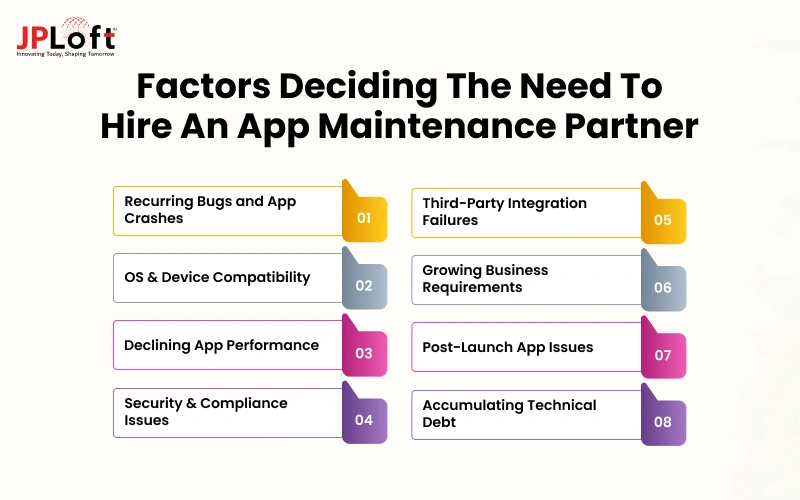
The following signs can help you determine when to bring in an expert to maintain your mobile app.
1. Recurring Bugs and App Crashes
Frequent crashes, persistent errors, or repeated user complaints may indicate deeper technical issues that require systematic debugging and timely fixes to maintain app reliability.
2. Operating System and Device Compatibility Issues
New iOS or Android releases, changes in device specifications, and outdated dependencies can affect app functionality, making regular compatibility testing and updates necessary.
3. Declining App Performance
Slow loading times, unresponsive screens, and failures during peak traffic can frustrate users and require performance analysis, code optimization, or infrastructure improvements.
4. Security Vulnerabilities and Compliance Updates
Newly discovered vulnerabilities, outdated libraries, and changing data protection requirements may require security patches, dependency updates, and regular reviews to protect application data.
5. Third-Party Integration Failures
Changes to payment gateways, APIs, authentication services, or other connected systems can disrupt essential features and require integration updates, compatibility checks, and troubleshooting.
6. Growing User and Business Requirements
Increasing user activity, new feature requests, or expansion into new markets may require application updates, infrastructure adjustments, and technical improvements to support changing demands.
7. Issues After App Updates or Releases
Unexpected bugs, broken features, or deployment failures following an update may require regression testing, debugging, and release corrections to restore expected functionality. Such factors justify why you need to maintain a mobile app and hire experts.
8. Accumulating Technical Debt
Outdated code, undocumented changes, and obsolete dependencies can complicate future updates, increase maintenance effort, and make the application more vulnerable to technical issues.
10 Key Factors to Consider When Choosing an App Maintenance Partner
Choosing one among the mobile app maintenance companies requires more than comparing service packages or hourly rates.
The right partner should understand your existing application, work with its tech stack, and provide reliable support as your business requirements change.
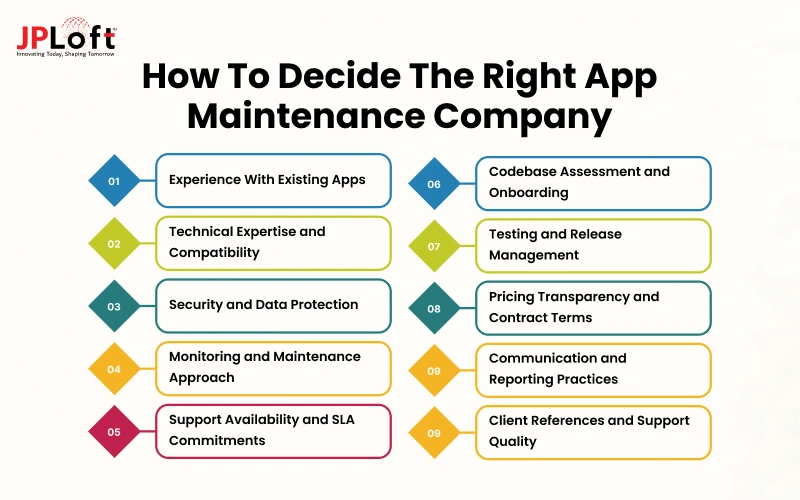
Here are the key factors that can help you decide how to choose a mobile app maintenance company that meets your technical needs and operational expectations.
1. Experience Maintaining Existing Mobile Applications
A provider's experience should reflect its ability to maintain applications after launch, not just develop new ones.
Ongoing maintenance can involve inherited codebases, legacy components, complex integrations, and technical issues that require investigation before a fix can be implemented.
Review the provider's experience with apps similar to yours in terms of technology stack, complexity, industry, and integrations. Ask how its team approaches unfamiliar code, diagnoses recurring bugs, and handles Android and iOS app maintenance with limited documentation.
Case studies demonstrating these technical capabilities can help you assess whether the provider is equipped to work with your existing app.
2. Technical Expertise and Compatibility With Your App
Your maintenance partner should be familiar with the technologies used across your application, including its frontend framework, backend services, databases, APIs, cloud infrastructure, and deployment environment.
A mismatch can increase onboarding time and make troubleshooting more difficult. Share your application's technology stack with shortlisted providers and ask how they would assess its current architecture.
For example, if your app uses Flutter with a Node.js backend and several third-party APIs, confirm that the assigned team can work across these components. Similarly, if you are looking for cloud-based app maintenance, then consider the service provider with relevant expertise.
Also verify its experience with your app's distribution setup, build pipelines, and relevant platform requirements.
3. Security and Data Protection Practices
A maintenance provider may need access to source code, production environments, user data, and administrative systems.
Its security practices should therefore be part of your selection criteria, particularly if the application handles financial, healthcare, or other sensitive information.
Ask how the company manages access permissions, protects credentials, reviews code changes, and handles security incidents. Check whether it uses role-based access controls, encrypted data transfers, secure development practices, and documented incident response procedures.
If your business must meet requirements such as GDPR or HIPAA, verify the provider's relevant experience and contractual responsibilities rather than relying on general compliance claims.
4. Proactive Monitoring and Maintenance Approach
Some providers respond only after a client reports a problem, while others use monitoring and maintenance tools and defined review procedures to identify issues earlier.
Understand how each company detects application errors, performance degradation, failed integrations, and infrastructure problems.
Ask for a sample monitoring report or an explanation of its alerting and escalation process. Clarify which metrics are tracked, who receives critical alerts, and how the team distinguishes urgent incidents from routine issues.
You should also establish whether monitoring is included in the proposed service or charged separately.
5. Support Availability and SLA Commitments
Support arrangements should match your application's operational requirements. An app used for essential business transactions may need a different response model from an internal application used during office hours.
Review the provider's service-level agreement (SLA) for support hours, response targets, incident severity levels, escalation procedures, and service exclusions.
Pay particular attention to the difference between response time and resolution time. A provider may acknowledge a critical issue quickly without committing to a specific resolution deadline.
Confirm whether emergency support is available outside standard working hours, which communication channels are supported, and whether additional charges apply to urgent incidents or extended coverage.
6. Codebase Assessment and Onboarding Process
Before committing to ongoing maintenance, understand how the provider will take ownership of your existing application. A structured onboarding process helps the new team identify technical risks, understand dependencies, and establish a reliable baseline before making changes.
Ask whether the company conducts initial security audits in app maintenance, codebase audits, reviews architecture and dependencies, checks build and deployment workflows, and documents known issues.
Clarify what deliverables you will receive from this assessment and how the team will prioritize identified problems.
For applications previously managed by another vendor, confirm how the provider will handle knowledge transfer, missing documentation, repository access, and unresolved tickets. These details can affect the time and effort required to begin maintenance.
7. Testing and Release Management
Maintenance updates can introduce new problems if changes are released without adequate testing. Evaluate how the provider verifies fixes and updates before they reach users.
Ask about its approach to automation in the maintenance process, regression testing, device compatibility checks, staging environments, and release approval procedures. For example, a fix to the login flow should also be tested against related functions such as password recovery and session management.
Clarify who approves production releases, how failed deployments are handled, and whether the team maintains a rollback plan.
You should also understand how the provider coordinates releases with your internal team and any third-party vendors.
8. Pricing Transparency and Contract Terms
A low initial quote may not reflect the actual cost of maintaining your application. Compare proposals based on the work included, support limits, billing rules, and circumstances that trigger additional charges.
Review whether the agreement covers bug fixes, operating system compatibility updates, monitoring, security patches, third-party integrations, and emergency support.
Check the treatment of unused hours, work outside the agreed scope, minimum contract periods, renewal terms, and termination clauses.
Ask each provider to explain its assumptions and exclusions in writing. For a more detailed breakdown of maintenance expenses, refer to JPLoft's mobile app maintenance cost guide. If you are comparing billing structures, the guide to monthly vs. hourly app maintenance plans can help you assess the available options.
9. Communication and Reporting
A technically capable team still needs to communicate clearly with your stakeholders. You should know who manages your account, how issues are tracked, and how decisions about application changes are documented.
Ask what reporting the provider supplies and how frequently you will receive updates. Useful reports may cover resolved and outstanding tickets, recurring issues, completed releases, monitoring alerts, and work completed against the agreed scope.
Confirm whether you will have access to a shared project management or ticketing system.
Also establish who will explain technical risks in business terms, notify you about release delays, and obtain approval for changes that affect application functionality or timelines.
10. Client References and Ongoing Support Quality
Client references can help you understand how a provider performs throughout a maintenance engagement.
Ask to speak with clients whose applications have comparable support requirements and whose engagements have lasted long enough to demonstrate consistency.
Ask about the provider's responsiveness, communication, handling of complex issues, continuity of assigned resources, and ability to meet agreed commitments.
Independent reviews and testimonials can offer additional context, but prioritize feedback that specifically addresses ongoing maintenance rather than initial app development. This helps you assess the working relationship you can expect after onboarding.
How to Switch to a New Partner for App Maintenance?
Switching maintenance providers requires careful coordination to avoid service interruptions, lost technical knowledge, or deployment issues.
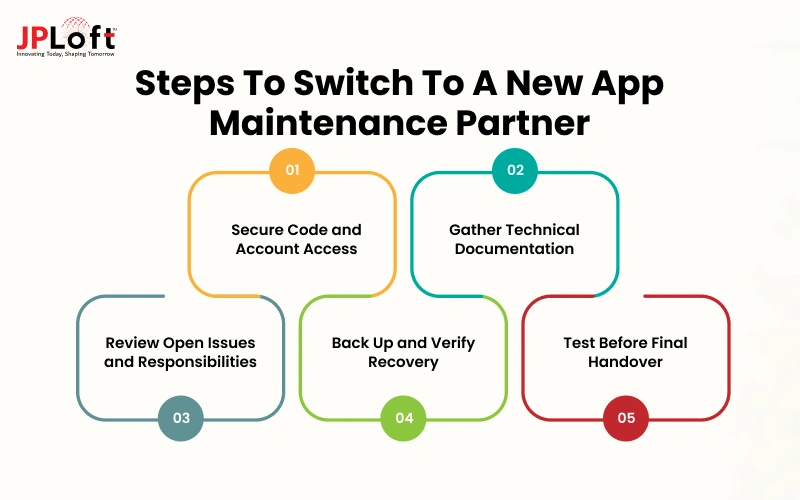
Before ending the existing engagement, establish a handover plan that gives the incoming team the access, documentation, and context needed to take responsibility for your application.
Step 1. Secure Source Code and Account Access
Confirm ownership and access to code repositories, cloud infrastructure, app store accounts, domain settings, analytics tools, and third-party services. Transfer administrative access securely and plan the removal of outdated permissions.
Step 2. Collect Technical Documentation
Gather architecture diagrams, API documentation, environment configurations, deployment instructions, known bugs, and records of previous changes. Document essential dependencies so the incoming team can understand the existing application.
Step 3. Review Outstanding Issues and Responsibilities
Prepare a list of unresolved tickets, known vulnerabilities, pending updates, and planned releases. Agree on which provider will handle each open task during the transition to prevent delays or duplicated work.
Step 4. Back Up the Application and Verify Recovery Procedures
Confirm that source code, databases, configuration files, and essential deployment assets are backed up where applicable. Verify that the team can restore the necessary environments if a deployment or migration goes wrong.
Step 5. Test the Application Before Completing the Handover
Ask the incoming team to verify the build process, critical user journeys, integrations, and deployment workflow. Confirm that monitoring and incident escalation procedures are working before formally closing the previous engagement.
Why Choose JPLoft for Your Mobile App Maintenance?
Maintaining an existing app requires more than fixing bugs as they appear. JPLoft provides mobile app maintenance and support services covering bug fixes, performance monitoring, security patching, platform compatibility, software upgrades, and feature enhancements.
Its team also supports backend infrastructure, backups, and database management as part of its broader systems maintenance offerings.
The support approach includes requirement analysis, performance monitoring, issue resolution, security updates, and feature upgrades. Businesses can explore different maintenance plans based on their support needs, with options that vary in monitoring, bug-fix coverage, and availability.
JPLoft also brings 16+ years of development experience and a portfolio of 1,250+ delivered projects across its broader business, providing additional context when evaluating its technical experience.
If your existing app needs ongoing support, compatibility updates, or performance improvements, connect with JPLoft experts to discuss your app requirements.
Conclusion
Choosing the right maintenance partner for your mobile app requires a clear understanding of your application's needs, the provider's technical capabilities, and the level of support your business expects.
Evaluate each shortlisted company based on its experience with existing applications, security practices, service commitments, communication, and pricing transparency. Before signing a contract, confirm the scope of work, onboarding process, and responsibilities for handling critical issues.
A reliable maintenance partner should be able to work with your existing application, address current challenges, and support future changes as your business grows. Review your options carefully and choose a provider that aligns with your technical requirements and long-term product goals.
FAQs
Consider hiring a maintenance partner when recurring bugs, performance issues, security vulnerabilities, compatibility problems, or delayed updates require consistent technical attention to keep your application reliable.
Common services include bug fixes, performance monitoring, security patches, operating system compatibility updates, third-party integration support, regression testing, and technical improvements based on your application's needs.
Evaluate the provider's experience with existing applications, technical expertise, security practices, support availability, service-level agreements (SLAs), onboarding process, pricing transparency, communication, and client references.
The transition can take days to several weeks, depending on codebase complexity, documentation quality, account access, and the completeness of the technical handover.
Yes. A provider can assess the existing codebase, technology stack, dependencies, documentation, and deployment process to understand the application's condition and plan the transition.

Yashwant Sharma is the CTO of JPLoft, with 18+ years of experience in software engineering, solution architecture, and digital innovation. His expertise spans scalable application development, AI-powered systems, RAG solutions, cross-platform development, software maintenance, and emerging mobility technologies such as EV and EV-charging platforms. He works across complex technical environments to help businesses build secure, maintainable, and high-performing digital products for industries including education, fitness, aviation, and healthcare.



Share this blog