


Key Takeaways:
Motion design and micro-interactions play a critical role in fuel delivery apps by guiding orders, confirming actions, and visually communicating system status without relying on instructions.
Real-time animations reduce user anxiety during payments and delivery tracking by showing progress clearly, which improves trust and lowers order abandonment.
Purposeful micro-interactions improve task completion by simplifying inputs, preventing repeated taps, and making complex flows feel intuitive and controlled.
Well-optimized motion design boosts retention by creating responsive, predictable experiences that encourage repeat fuel orders over time.
Balanced animation improves performance and accessibility by keeping interactions fast, meaningful, and comfortable across devices and user preferences.
JPLoft helps businesses apply motion design strategically, building fuel delivery apps that convert better, retain users longer, and scale reliably without sacrificing performance.
The on-demand fuel delivery market is projected to reach multi-billion-dollar by 2030, with mobile apps driving the majority of bookings.
As entrepreneurs and investors flood this rapidly growing sector, the challenge isn't just building another fuel delivery app; it's creating experiences that convert and retain users in an increasingly competitive landscape.
What role do motion design and micro-interactions play in fuel delivery apps?
These subtle animations and responsive elements are the difference between generic functionality and delightful experiences that drive engagement, build trust, and encourage repeat orders.
From smooth booking flows to real-time tracking animations, motion design transforms routine transactions into satisfying interactions.
This comprehensive guide explores the essential roles, diverse types, implementation challenges, and best practices for integrating motion design and micro-interactions into fuel delivery applications.
What is Motion Design?
Motion design is the use of purposeful animation to guide users, communicate system status, and make digital interactions feel clear and responsive.
In apps, it appears through transitions, loading indicators, button feedback, and micro-interactions that respond to user actions. Motion design helps users understand what is happening on the screen without reading instructions.
It reduces friction by showing cause and effect, improves usability by directing attention, and creates a sense of continuity between actions. When done right, motion design makes interfaces feel faster, more intuitive, and more trustworthy rather than decorative or distracting.
The examples of motion design are real-time tracking animation, loading and confirmation animations, and many others. These are an important part of mobile app design that one can select to enhance the user interface.
After having a glance at motion design, let’s evaluate the complete role of motion design in fuel delivery apps in the following section.
Role of Motion Design in Fuel Delivery Apps
The main function of motion design in fuel delivery apps is to enhance the user experience (UX) by providing clear visual feedback, guiding the user flow, and building trust as well as clarity.
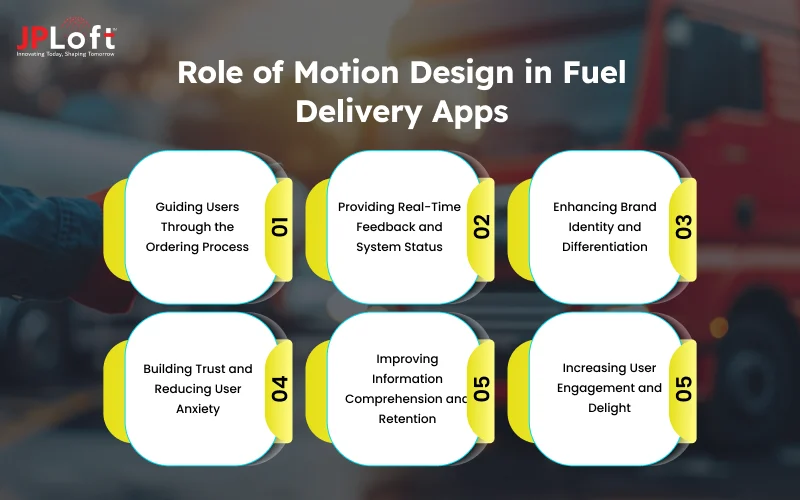
Let’s learn the complete role of motion design in fuel delivery apps, below.
1. Guiding Users Through the Ordering Process
Motion design establishes a clear visual hierarchy that guides users through each step of the fuel ordering flow. Smooth transitions between screens help users understand where they are and what comes next.
Animated cues highlight critical actions like selecting fuel type, location, or confirming the order. This structured flow reduces cognitive load and lowers order abandonment.
2. Providing Real-Time Feedback and System Status
Motion design communicates system responses instantly through animated loaders, confirmations, and progress indicators. Users receive immediate reassurance when an order is placed or a payment is being processed.
Real-time animations for driver movement, delivery status, and ETA updates create transparency. This reduces anxiety and prevents repeated actions caused by uncertainty.
3. Enhancing Brand Identity and Differentiation
Custom animations and signature transitions give fuel delivery apps a unique visual personality. Consistent motion styles reinforce brand recognition across screens and interactions.
Thoughtful animation timing conveys professionalism and reliability. These visual details help the app stand out in a competitive market and feel more premium.
4. Building Trust and Reducing User Anxiety
Responsive animations confirm that the app is actively responding to user input. Visual feedback during payments, order verification, and security checks builds confidence in the system.
Predictable motion patterns create a sense of stability and control. This trust is essential for first-time users and repeat orders alike.
5. Improving Information Comprehension and Retention
Animated price breakdowns and delivery updates make complex information easier to understand. Motion highlights important changes like discounts or delivery fees without overwhelming users.
Progressive animations help users absorb data step by step. Clear visual communication reduces confusion and support requests.
6. Increasing User Engagement and Delight
Subtle micro-interactions turn routine actions into engaging moments. Celebratory animations for successful orders or loyalty milestones create positive emotional responses.
These small touches encourage users to explore the app further. Over time, this emotional connection improves retention and brand loyalty.
Proceeding with this role of micro interactions in fuel delivery apps, let's get ahead to the micro interactions below.
What are Micro-Interactions in Fuel Delivery Apps?
When it's about the micro-interactions in fuel delivery apps, they are small, purposeful animations and feedback responses that occur when users perform actions like selecting fuel type, confirming orders, or tracking delivery.
They provide instant visual or tactile feedback that confirms the app has registered the action. These interactions guide users, prevent errors, and make the experience feel responsive and reliable.
When designed well, micro-interactions improve usability without drawing unnecessary attention. Now, let's proceed with the micro-interactions in fuel delivery apps, below.
Now, let's begin with the role of micro-interactions in fuel delivery apps, below.
Role of Micro-Interactions in Fuel Delivery Apps
The role of micro-interactions in fuel delivery apps includes providing instant feedback on user actions, simplifying the input processes, enhancing navigation and app exploration, and many more.
If you want to adopt the current trends of fuel delivery apps, you cannot ignore the implementation of micro-interactions.
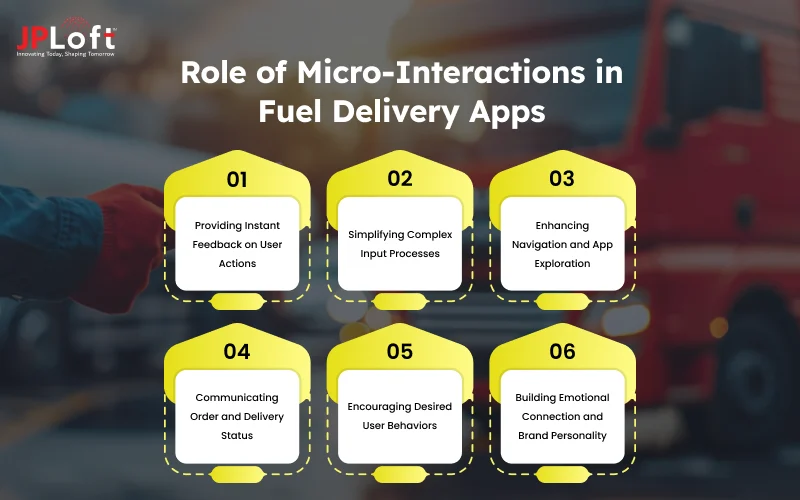
Hence, let's evaluate the impact of micro interactions in fuel delivery apps below.
1] Providing Instant Feedback on User Actions
Micro-interactions immediately confirm that user actions have been registered through visual responses like button state changes, color shifts, or subtle animations when tapped.
This instant feedback eliminates uncertainty about whether the app recognized a tap, swipe, or selection, preventing users from repeatedly clicking buttons or becoming frustrated. This is one of the crucial roles of micro interactions in fuel delivery apps, to be noted.
For critical actions like "Place Order" or "Confirm Payment," micro-interactions provide reassuring visual and sometimes haptic feedback that the command was successfully executed.
2] Simplifying Complex Input Processes
Micro-interactions make form filling and data entry more intuitive through real-time validation indicators, auto-complete suggestions appearing smoothly, and input field highlighting that guides users through required information.
When users enter delivery addresses, animated dropdown suggestions and auto-formatting of phone numbers or payment details reduce friction and speed up the ordering process. Error messages appear contextually with helpful animations that draw attention without being jarring, clearly indicating what needs correction and how to fix it.
Hence, one of the core functions of micro interactions is simplifying the complex input processes. These small interactions transform potentially tedious tasks into smooth, almost effortless experiences that encourage order completion.
3] Enhancing Navigation and App Exploration
Subtle animations when switching between tabs, expanding menus, or revealing additional options help users understand the app's structure and available features without overwhelming them.
Micro-interactions like tab indicators sliding smoothly, menu items fading in sequentially, or drawer animations opening from the edge create spatial awareness and mental models of the interface.
These navigational cues reduce the learning curve and help users discover functionality they might otherwise miss.
4] Communicating Order and Delivery Status
Dynamic micro-interactions display order progress through animated status badges, checkmarks appearing sequentially, or progress rings filling as delivery milestones are reached.
Notification badges with numeric indicators and animated entry effects alert users to updates, messages, or completed deliveries without being intrusive.
These status communications reduce customer anxiety about service fulfillment and minimize support inquiries about "where's my order?" Hence, it can be stated as one of the important role of micro-interactions in fuel delivery apps.
5] Encouraging Desired User Behaviors
Micro-interactions subtly guide users toward beneficial actions through visual rewards like animated checkmarks for completed profile information, progress bars encouraging subscription sign-ups, or celebratory effects when referral codes are shared.
Interactive elements like sliders for fuel quantity that snap satisfyingly to common amounts, toggle switches with smooth transitions for recurring orders, or star ratings that fill with color encourage engagement and completion.
Other than this, gamification elements such as animated loyalty points accumulating, achievement badges enhance user behaviors, and depict how micro-interactions in fuel delivery apps are efficient in the current era.
6] Building Emotional Connection and Brand Personality
Carefully crafted micro-interactions inject personality into the app through playful loading animations, friendly error messages with sympathetic icons, or delightful success confirmations that make users smile.
Brand-consistent animation timing, easing curves, and visual styles across all micro-interactions create a cohesive experience that feels uniquely yours and reinforces brand identity with every interaction. Hence, building emotional connection is one of the crucial roles of micro-interactions in fuel delivery apps.
Contextual animations like fuel pump icons filling during payment processing, vehicle animations during delivery tracking, or eco-friendly leaf effects for sustainable fuel choices tell your brand story subtly.
Types of Mobile App Micro Interactions
If you proceed with the fuel delivery app design, it is important to consider different types of mobile app micro interactions when you wish to include them in your app.
Let’s check out the different types of mobile app micro interactions below.
|
Type |
Description |
|
Button and Touch Feedback |
Visual and haptic responses when users tap buttons, including color changes, scale animations, and ripple effects that confirm touch registration. |
|
Toggle and Switch Interactions |
Animated transitions for on/off settings with smooth sliding movements and color changes that clearly indicate current state. |
|
Form Field Validation |
Real-time feedback during data entry with animated checkmarks for valid inputs and error indicators for mistakes. |
|
Pull-to-Refresh |
Gesture-based interaction where users pull down to reload content, featuring loading spinners or branded animations during the refresh process. |
|
Swipe Gestures |
Interactive responses to horizontal or vertical swipes for navigation, deletion, or revealing hidden actions with animated feedback. |
|
Loading and Progress Indicators |
Animated spinners, progress bars, or skeleton screens that communicate system activity and reduce perceived wait times. |
|
Notification Badges and Alerts |
Animated counters, dots, or icons indicating new activity with entrance animations and pulsing movements to draw attention. |
|
Scroll-Based Animations |
Content that responds to scrolling with parallax effects, fade-ins, or transformations that create depth and engagement. |
|
Drag and Drop Interactions |
Visual feedback when moving items with shadow effects, scale changes, and drop zone highlighting for intuitive organization. |
|
Selection and Highlighting |
Animated responses when selecting items with color changes, checkmarks, or border highlights that confirm selection. |
|
Input Sliders and Adjusters |
Interactive controls for adjusting values with smooth dragging animations, haptic feedback, and real-time value updates. |
|
Expandable and Collapsible Elements |
Smooth animations when revealing or hiding content through accordions, dropdowns, or expandable sections. |
|
Like, Favorite, and Bookmark Actions |
Animated engagement responses featuring heart fills, star animations, or particle effects that create emotionally satisfying feedback. |
|
Search and Filter Interactions |
Dynamic responses during searches with real-time result updates, animated filter chips, and auto-complete suggestions. |
|
Onboarding and Tutorial Highlights |
Animated spotlights, tooltips, or overlays that guide new users through features with pulsing indicators and step-by-step progression. |
Challenges Faced in Motion Design & Micro Interactions Integration
When you get ahead with the software development life cycle (SDLC), you might come across diverse fuel delivery app development challenges.
Similarly, if you are integrating motion design & motion interactions, there might be a certain number of issues that your app might face.
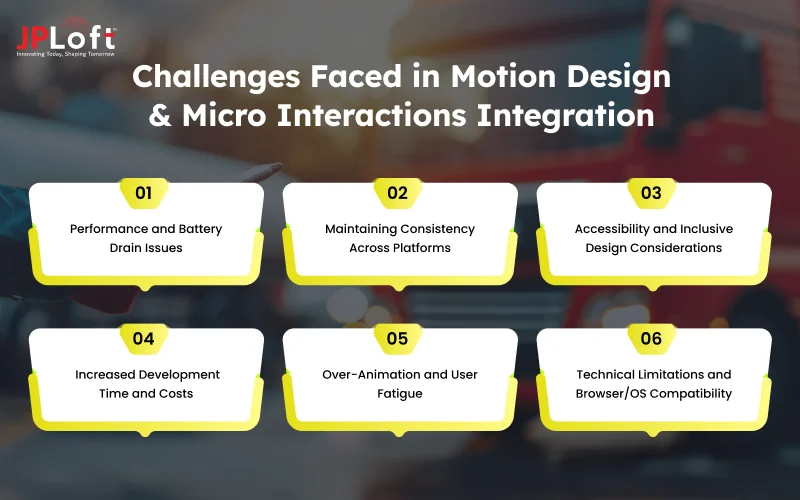
Hence, let’s explore all these challenges below.
Challenge 1: Performance and Battery Drain Issues
Complex animations and continuous micro-interactions can significantly impact app performance, causing lag, stuttering, or frame drops, especially on older or budget devices with limited processing power.
Poorly optimized animations consume excessive CPU and GPU resources, leading to faster battery drain that frustrates users and may cause app uninstalls. Hence, this is one of the significant challenges of implementing motion design & micro interactions that you cannot ignore.
Challenge 2: Maintaining Consistency Across Platforms
iOS and Android have different design guidelines, animation standards, and user expectations that make creating consistent motion design across platforms challenging without compromising platform-specific conventions.
Native platform animations have distinct timing curves, durations, and behaviors that users have grown accustomed to, and deviating too much can make the app feel foreign or uncomfortable. This matters when you submit a fuel delivery app on the Play Store or launch a fuel delivery app on the App Store.
Cross-platform development frameworks may not support all native animation capabilities, forcing compromises that dilute the intended design vision.
Challenge 3: Accessibility and Inclusive Design Considerations
Motion-heavy interfaces can trigger motion sensitivity, vestibular disorders, or seizures in users with certain conditions, making accessibility compliance both ethically important and legally required in many jurisdictions.
Users who enable "reduce motion" settings expect animations to be minimized or eliminated, but poorly implemented alternatives can break functionality or create confusing interfaces.
Ensuring adequate color contrast in animated elements, providing text alternatives for motion-based feedback, and maintaining usability without animations requires additional design and development effort. Balancing delightful animations for most users while respecting accessibility needs demands careful planning and often multiple design variants.
Challenge 4: Increased Development Time and Costs
Implementing sophisticated motion design and micro-interactions requires specialized skills, additional development cycles, and extensive testing that significantly extend project timelines and budgets.
Design teams need motion designers with animation expertise, developers need proficiency in animation libraries and performance optimization, and both teams require close collaboration throughout implementation. Thus, selecting the designers can impact the overall cost to build a fuel delivery app.
Organizations must weigh the user experience benefits against the additional 20-40% increase in design and development costs that comprehensive motion design entails.
Challenge 5: Over-Animation and User Fatigue
Excessive or unnecessarily elaborate animations can annoy users, slow down task completion, and make interfaces feel gimmicky rather than professional, ultimately harming rather than helping user experience.
What designers find delightful in isolation can become tedious when encountered repeatedly throughout daily app usage, especially for power users completing routine tasks. Finding the right balance between engaging motion and efficient functionality requires extensive user testing and a willingness to simplify or remove animations that don't serve clear purposes.
The challenge lies in knowing when animation adds value versus when it becomes decorative friction that users will eventually resent.
Challenge 6: Technical Limitations and Browser/OS Compatibility
Different devices, operating systems, and browser versions support varying levels of animation capabilities, creating fragmentation that complicates implementation and testing across the ecosystem.
Older devices may not support modern animation APIs, requiring fallback solutions or graceful degradation strategies that maintain functionality without motion.
Web-based applications face additional challenges with inconsistent CSS animation support, JavaScript performance variations, and the need to accommodate users on slower connections, where animations may not load properly.
Developers must implement progressive enhancement strategies, conduct extensive cross-platform testing, and maintain multiple code paths to ensure consistent experiences across all user environments. Hire the best UI/UX design services to address such issues with fuel delivery apps.
Now, after evaluating the current challenges, let's evaluate the complete list of best practices to include motion design & micro interactions in the section, proceeding below.
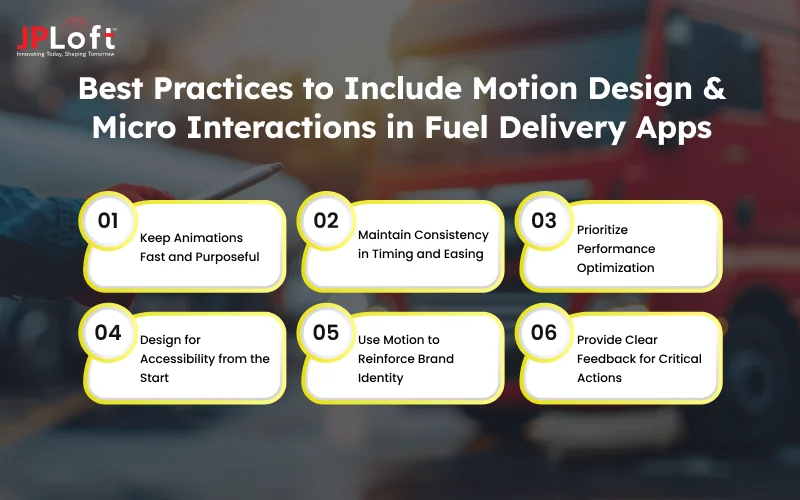
Best Practices to Include Motion Design & Micro Interactions in Fuel Delivery Apps
The best practices to include while proceeding with motion design & micro interactions in fuel delivery apps are making animations fast and purposeful, maintaining consistency in timing and easing, prioritizing performance optimization, and much more.
Let’s get ahead with the best practices below.
1. Keep Animations Fast and Purposeful
Keep micro-interactions within 200–400 milliseconds so the interface feels instant. Every animation should signal feedback, guide attention, or show status. Cut anything decorative that slows users down.
2. Maintain Consistency in Timing and Easing
Use a single animation system with consistent durations and easing curves across the app. Predictable motion helps users feel oriented and builds a polished, cohesive experience.
3. Prioritize Performance Optimization
Rely on lightweight animations like transforms and opacity for smooth performance. Test on low-end devices and slower networks to avoid lag, stutter, or battery drain.
4. Design for Accessibility from the Start
Support reduced-motion preferences and avoid excessive movement or flashing effects. Always pair motion with clear visual or text cues so information stays accessible to everyone.
5. Use Motion to Reinforce Brand Identity
Create subtle signature animations that reflect your brand’s tone and personality. Consistent motion style makes the app feel recognizable and intentional, not generic.
6. Provide Clear Feedback for Critical Actions
Use simple, unmistakable animations for actions like payments, confirmations, and errors. Clear visual feedback builds trust and removes any doubt about what just happened.
Partner With JPLoft and Build Your Effective Fuel Delivery App Design
Over 70 percent of on-demand service users abandon apps that feel slow, confusing, or unreliable during critical actions like ordering and payments. In fuel delivery apps, trust and speed matter even more because users expect accuracy, safety, and real-time updates without friction. What this really means is that design is not optional anymore. It directly impacts adoption, repeat usage, and long-term retention.
That’s where JPLoft steps in. We design fuel delivery apps with a clear focus on usability, performance, and business scalability. From intuitive ordering flows to real-time tracking and secure payments, every element is built with purpose. If you want to work with the Best fuel delivery app development company, JPLoft combines smart design thinking with proven technical expertise to deliver apps that perform in the real world.
Conclusion
Motion design and micro-interactions are no longer visual add-ons in fuel delivery apps. They directly shape how users perceive speed, reliability, and trust. From guiding orders to confirming payments and showing real-time delivery progress, purposeful motion reduces confusion and keeps users confident at every step.
When implemented thoughtfully, these elements improve usability, engagement, and long-term retention without overwhelming the experience. The key lies in balance. Fast, consistent, accessible animations that serve a clear function always outperform decorative effects.
For fuel delivery platforms competing on convenience and reliability, motion design becomes a quiet but powerful differentiator that turns everyday transactions into smooth, dependable experiences users return to.
FAQs
Motion design helps users clearly understand what is happening on the screen without relying on instructions. It guides ordering steps, confirms actions, and shows progress visually. This reduces confusion, builds trust, and makes the app feel faster and more reliable during critical moments.
Micro-interactions provide instant feedback for taps, swipes, and inputs so users know their actions are registered. They simplify form filling, prevent repeated clicks, and reduce frustration. Over time, these small responses make the app feel smooth, intuitive, and easy to use.
Yes, excessive or poorly optimized animations can slow down the app and drain battery life. This is especially noticeable on low-end devices or slow networks. Purpose-driven and lightweight animations ensure performance stays smooth without sacrificing user experience.
They require additional design and development effort, which can increase initial costs. However, when planned early, they reduce usability issues, support requests, and user drop-offs. In most cases, the long-term gains outweigh the upfront investment.
Clear visual feedback during payments, confirmations, and delivery updates reassures users that the system is functioning correctly. Predictable motion patterns reduce anxiety and uncertainty. This is especially important for first-time users placing orders.
Yes, supporting reduced-motion preferences improves accessibility and inclusivity. It ensures users with motion sensitivity can still use the app comfortably. This also helps apps meet accessibility standards and deliver a better experience for a wider audience.

Savannah is a passionate tech enthusiast with a sharp understanding of client needs across diverse digital domains. With expertise spanning financial platforms, on-demand solutions, and emerging technologies, she brings a unique blend of analytical insight and interpersonal skills, helping businesses decode complexities and make informed decisions in today's rapidly evolving digital world.


Share this blog