


Key Takeaways:
Contactless dining enhances convenience, speed, and safety for both diners and restaurant staff.
Digital menus, QR codes, and mobile apps streamline ordering and reduce operational errors.
Contactless payments are secure, encrypted, and integrated with modern POS systems.
Small restaurants can adopt lightweight ordering and booking systems for fast, cost-effective implementation.
AI and automation are shaping the future of contactless dining, from smart ordering to voice-enabled interactions.
Continuous maintenance, testing, and system upgrades ensure smooth and reliable operations.
Partnering with experts like JPLoft helps restaurants create innovative, user-friendly, and scalable contactless dining solutions.
The way people dine out has changed dramatically in the past few years. Customers now expect faster service, safer interactions, and seamless digital convenience from the moment they enter a restaurant to the moment they pay the bill.
This shift has pushed restaurants to rethink traditional service models and explore smarter, contactless ways to manage orders, menus, and payments.
Contactless dining technology has become a key player in this transformation, helping restaurants cut wait times, boost efficiency, and deliver smoother experiences.
From QR menus to mobile ordering and AI-powered workflows, these systems are reshaping how modern restaurants operate. This blog explores the role of contactless dining technology along with its benefits, costs, and the future trends in 2026.
What Is Contactless Dining and How Does It Work?
Contactless dining is a digital-first way of ordering and paying at restaurants where customers use their own smartphones, without physical menus, cash, or card swipes.
With the rise of convenience-focused dining, contactless dining technology has become essential for modern restaurants wanting faster, safer, and more seamless service.
Contactless Dining Adoption: Key Stats
-
62% of full-service diners prefer paying via contactless or mobile payments, highlighting the need for secure digital payment options.
-
59% of diners are willing to view menus on their smartphones using QR codes, showing rising demand for contactless ordering.
-
49% of diners consider contactless payments a top technology priority, emphasizing the importance of seamless payment integration.
-
Over 70% of restaurants focus on digital customer engagement, including QR menus and contactless payments, to meet evolving consumer expectations.
As restaurants move toward long-term digital transformation, many invest in custom digital solutions to offer a fully branded contactless ordering experience beyond basic QR menus.
How Contactless Dining Works (Simple Breakdown)
Here’s how contactless dining works without physical contact or manual staff interaction.
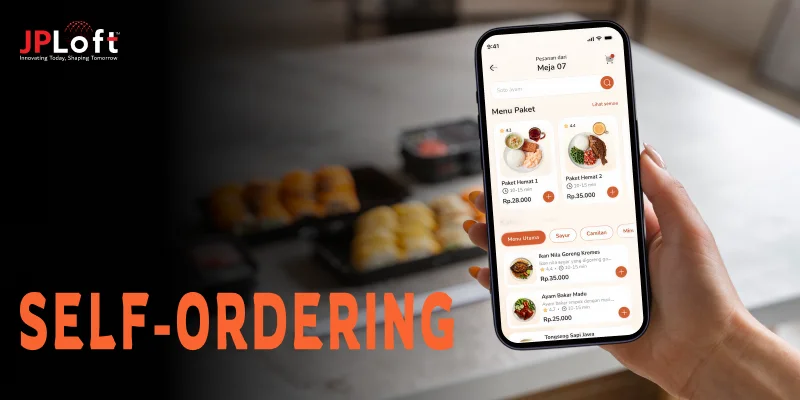
1. Scan a QR Code
Customers scan a table QR to open a digital menu. This eliminates printed menus and allows restaurants to update prices or items instantly.
2. Browse the Digital Menu
Instead of flipping pages, diners explore categories, images, dish descriptions, allergens, and customizations. This smooth experience is why many businesses now explore how to develop a restaurant app for more advanced personalization.
3. Place an Order Digitally
Once selected, orders go directly to the POS or kitchen display system. This reduces dependency on staff and ensures quicker service.
4. Pay Without Physical Contact
Payments are completed via UPI, wallets, cards, or online gateways, enabling fast and secure contactless restaurant ordering.
5. Real-Time Updates & Receipts
Diners receive instant confirmations, order updates, and digital receipts, making the process friction-free.
By adopting contactless dining technology, restaurants can deliver faster service, enhanced safety, and a seamless digital experience that meets modern customer expectations.
Why Are Restaurants Switching to Contactless Ordering?
Restaurants are increasingly moving toward contactless ordering, and the reasons go beyond hygiene or pandemic-driven shifts.
Digital ordering systems are now central to enhancing customer experience, operational efficiency, and overall business growth.
1. Faster Service and Smoother Operations
With contactless ordering, diners can place their orders directly from a smartphone or tablet. This reduces wait times for order-taking, allowing staff to focus on timely delivery and better in-person service.
2. Increased Accuracy and Less Mistakes
Manual order-taking often leads to errors, particularly during busy hours. A well-integrated restaurant ordering system ensures that orders go directly to the kitchen, reducing mistakes and boosting customer satisfaction.
3. Enhanced Customer Experience
Contactless systems make dining convenient and modern. Customers can explore digital menus, customize orders, and make payments without waiting for staff. Restaurants adopting the best restaurant apps often see higher engagement and repeat visits because of the smooth, tech-enabled experience.
4. Data-Driven Insights
Digital platforms allow restaurants to track customer preferences and menu performance. By exploring innovative restaurant app ideas, owners can create personalized offers, targeted promotions, and loyalty programs that strengthen relationships with diners.
5. Revenue Growth Opportunities
Contactless ordering platforms can showcase recommended dishes, meal upgrades, and promotions directly in the app. This often leads to higher average order values while providing a seamless user journey for the customer.
6. Keeping Up With Modern Expectations
Today’s diners expect convenience and technology-driven service. Offering contactless ordering positions restaurants as modern and customer-friendly, giving them a competitive edge in a digital-first marketplace.
Do Customers Like Contactless Dining or Prefer Traditional Service?
As restaurants embrace contactless dining, one critical question remains: do customers truly prefer digital ordering, or do they still favor traditional table service?
The answer varies based on convenience, personalization, and dining habits.
1. Convenience and Control
Many diners enjoy the speed and ease of placing orders via their smartphones. Contactless menus let them browse options, customize dishes, and pay without waiting.
Restaurants that offer top restaurant app features such as digital menu browsing, real-time order updates, and loyalty integration, tend to create a smoother, more satisfying experience for tech-savvy guests.
2. Reducing Errors and Enhancing Accuracy
Manual order-taking can lead to mistakes, especially during peak hours. Digital ordering ensures that customer preferences are captured correctly, enhancing overall satisfaction.
This accuracy is one reason why contactless dining continues to gain acceptance among diners who value precision and efficiency.
3. Maintaining Human Interaction
Despite the appeal of contactless systems, some customers still prefer personal service.
Whether for menu recommendations, special requests, or casual interaction, restaurants that allow a balance of traditional service alongside digital ordering often achieve higher customer loyalty.
4. Business Impact of Digital Preference
Understanding customer behavior in the context of contactless dining helps restaurants optimize revenue.
By leveraging ordering patterns and offering personalized deals, owners can enhance profitability. Many explore how restaurant apps make money as a strategy to integrate digital convenience with business growth.
5. Supporting Entrepreneurship
Digital ordering also empowers new restaurant ventures. Entrepreneurs researching how contactless dining helps in transforming restaurant apps can streamline operations, attract tech-oriented diners, and scale efficiently.
Those interested often research how to start an online restaurant business to combine contactless service with a modern digital presence.
How Much Does It Cost to Add Contactless Ordering to a Restaurant?
The cost of adding contactless ordering to a restaurant generally ranges from $10,000 to over $50,000+, depending on the features, platform, and level of customization.
Smaller restaurants can start with QR code menus and digital payments, while larger operations may opt for a full-scale app with loyalty programs, analytics, and table management.
Investing in a solution like how to build a restaurant booking app ensures seamless table reservations and a smoother ordering experience for customers.
For mid-sized and large restaurants, creating a custom solution becomes essential. Partnering with a trusted mobile app development company in Denver can be the right choice for creating a custom solution, POS systems, digital payments, personalized offers, and menu updates in real time.
These tools not only enhance customer convenience but also streamline operations, reduce errors, and boost overall satisfaction.
By understanding these cost factors, restaurants can plan budgets effectively and select solutions that balance affordability with operational efficiency and long-term growth.
Contactless Ordering Cost Estimates
|
Solution Type |
Approx. Cost (INR) |
Key Features |
|
Basic QR Menu Setup |
10,000 – 30,000 |
Digital menu, basic ordering |
|
Mid-range Mobile App |
30,000 – 40,000 |
Custom app, payments, loyalty integration |
|
Advanced Restaurant App |
40,000 – 50,000+ |
Full POS integration, table booking, analytics |
QR Code Menu vs Restaurant App: Which Should You Use?
When deciding between a QR code menu and a full-fledged restaurant app, several factors come into play, including budget, customer experience, and long-term scalability.
Both solutions offer unique challenges and benefits of implementing contactless dining technology.
1. QR Code Menus
QR code menus are simple, cost-effective, and easy to implement. Customers scan the code, view the menu on their device, and place an order digitally. This option works well for small restaurants, pop-ups, and establishments that want to start with minimal investment.
► Benefits:
-
Quick setup and low cost
-
Easy menu updates
-
Minimal staff training
► Limitations:
-
Limited customization
-
Basic analytics
-
No advanced loyalty or upselling features
2. Restaurant Apps
A dedicated restaurant reservation software provides a comprehensive digital experience. It can include ordering, payment, table booking, loyalty programs, and AI-based recommendations.
Many businesses explore how to develop a restaurant finder app to integrate location-based services and enhance customer convenience.
► Benefits:
-
Advanced customization and branding
-
Seamless payment and ordering experience
-
Analytics, upselling, and loyalty features
► Limitations:
-
Higher development costs
-
Requires marketing to drive app adoption
3. Future-Ready Features
Restaurants looking to integrate AI for smart table management often consider how to build an AI table reservation app, which enables automated scheduling, predictive seat allocation, and enhanced customer convenience.
QR Code Menu vs Restaurant App
|
Feature / Aspect |
QR Code Menu |
Restaurant App |
|
Setup Cost |
Low |
Medium to High |
|
Customization |
Limited |
High |
|
Ordering & Payment |
Basic |
Advanced |
|
Analytics & Reporting |
Minimal |
Comprehensive |
|
Loyalty & Promotions |
Not available |
Available |
|
AI & Advanced Features |
No |
Yes |
What’s the Best Contactless Dining System for Small Restaurants?
Finding the best contactless dining system for a small restaurant comes down to simplicity, cost-efficiency, and the ability to enhance the customer experience without overwhelming your team. Here’s a clear breakdown to help small restaurants choose the right fit.
1. QR Code–Based Ordering Systems
QR-based systems are ideal for small restaurants that want fast implementation and minimal training. Customers scan the code, browse the menu, and place orders instantly.
Why it works: Affordable, zero hardware investment, and reduces staff dependency while still leveraging contactless dining technology effectively.
2. Lightweight Restaurant Ordering System
A compact Restaurant Ordering System designed for small restaurants offers a unified experience for viewing menus, placing orders, and making payments.
Why it works: Provides better menu control, smoother order flow, and improved accuracy during rush hours, something essential when scaling up operations.
3. Table Booking System for Small Restaurants
Managing peak-time crowds becomes easier with a Table Booking System For Small Restaurants, helping reduce wait times and improve guest satisfaction.
Why it works: Offers a smoother dining journey and pairs well with contactless ordering for restaurants.
4. AI-Enhanced Contactless Ordering
Modern small restaurants increasingly explore features like AI voice ordering in restaurant apps, allowing customers to reorder quickly without browsing the entire menu.
Why it works: Faster repeat orders, fewer errors, and a futuristic dining experience that improves operational efficiency.
How Do You Set Up Contactless Ordering?
Setting up contactless ordering involves selecting the right technology, digitizing your menu, enabling secure payments, and ensuring operational workflows run smoothly.
Restaurants of all sizes use contactless dining technology today to minimize wait times, reduce staff dependency, and deliver a faster, modern dining experience.
Step 1: Choose the Right Contactless Ordering Platform
Start by selecting a platform that supports browsing, ordering, and payment without physical contact.
Whether you pick QR-based ordering or a lightweight restaurant ordering system, the platform should be intuitive and able to integrate with dining booking system software for a seamless experience.
► User-Friendly Interface
Choose a system that offers easy navigation, clean layouts, and quick onboarding so customers can place orders without confusion or delays.
► Menu Management Features
Ensure the platform allows fast edits, price updates, item toggles, and custom modifiers, which are essential for smooth restaurant operations.
► POS & Kitchen Integration
A connected workflow ensures orders instantly reach the kitchen, improving speed and reducing manual handovers.
► Role-Based Access
Allow different access levels for managers, staff, and kitchen members to streamline internal processes and reduce errors.
Step 2: Build a Professional Digital Menu
Your menu is a crucial part of contactless ordering for restaurants, so it must be clear, scannable, and visually appealing.
A great digital menu enhances customer decisions and increases order value, especially when optimized to design a mobile app that customers love using.
► Visual Layout & Structure
Use appealing images, well-structured categories, and simple descriptions to make ordering fast and enjoyable.
► Dietary & Allergen Tags
Add clarity with tags like gluten-free, vegan, and spicy to help customers choose confidently.
► Real-Time Edit Capabilities
Ensure you can update availability, pricing, and daily specials instantly without reprinting menus.
► Smart Menu Suggestions
Some platforms include automated recommendations that boost order value while making the customer journey smoother.
Step 3: Enable Secure Contactless Payments
Customers expect fast and secure payment options. Integrating digital wallets, UPI, cards, and pay-at-table features enhances convenience and strengthens contactless restaurant ordering experiences.
► Multiple Payment Channels
Offer UPI, cards, Apple Pay, Google Pay, and digital wallets to reduce friction at checkout.
► Instant Billing
Digital bills minimize errors and help reduce staff workload during busy hours.
► Secure Payment Standards
Choose PCI-compliant providers to ensure payment encryption and customer data protection.
► Transaction Insights
Centralized payment logs help restaurants analyze peak hours, best-selling items, and refund patterns.
Step 4: Connect Reservations, Scheduling & Backend Workflow
A fully integrated system creates a smooth journey from table booking to order completion. Linking ordering platforms with reservations and scheduling tools strengthens operational flow.
► Reservation Management
Tools such as the Free Table Booking System for Restaurants help organize dine-in traffic and reduce queue times.
► Staff Allocation
Using restaurant scheduling software improves staff readiness during peak demand and ensures efficient table service.
► Inventory Coordination
Synchronizing menus with inventory prevents customers from ordering items that are unavailable.
► POS Synchronization
A unified POS link reduces delays, ensures accurate order routing, and keeps teams aligned.
Step 5: Build a Custom App
Restaurants ready for deeper digital transformation often explore building their own apps. This is where structured planning and technical architecture come into play, supported by a well-crafted restaurant app design approach.
► UX & Journey Mapping
A clean, intuitive design enhances customer retention and ensures the ordering experience feels seamless.
► Performance Testing
Thorough restaurant app testing ensures fast load times, reliable order processing, and smooth performance across all devices.
► App Architecture & Stack
Choosing the right backend, frontend, and database as part of your restaurant app tech stack plays a crucial role in speed and reliability.
► Deployment Workflow
Plan backend services, menu APIs, reservation APIs, and kitchen dashboards to create a unified ecosystem.
Step 6: Maintain & Upgrade Your System Post-Launch
Once your restaurant app goes live, ongoing maintenance becomes essential to ensure smooth performance, strong security, and a consistently reliable user experience. Regular updates also help you adapt to evolving customer expectations and industry standards.
► Routine Performance Updates
Continuous monitoring and optimization ensure your app loads quickly, handles peak traffic efficiently, and stays compatible with modern devices.
► UI/UX Enhancements
Post-launch refinements allow you to improve usability, enhance navigation, and introduce fresh design elements that keep the interface intuitive and engaging.
► Technical Audits & Fixes
Comprehensive audits help identify bugs, performance bottlenecks, and security vulnerabilities early, ensuring stability as new features roll out.
► Long-Term Maintenance Support
Partnering with experts offering mobile app maintenance services ensures your platform remains updated, secure, and well-optimized, providing users with a consistently smooth experience.
Is Contactless Payment Safe at Restaurants?
Contactless payments have become a preferred choice for diners thanks to their speed, hygiene, and convenience. But with digital transactions increasing, many restaurant owners wonder whether these payment methods are truly secure.
The good news: modern contactless systems are built with multiple layers of protection that safeguard both customers and businesses.
1] Encrypted Transactions Reduce Payment Fraud
Modern contactless systems use tokenization and end-to-end encryption, ensuring customer card details are never exposed during transactions.
This significantly minimizes fraud attempts and keeps payment activity secure, even during high-traffic hours.
2] Compliance Measures Boost Overall Payment Safety
From PCI-DSS standards to secure gateway integrations, compliant systems ensure restaurants follow global payment safety guidelines.
Smart restaurateurs also evaluate deployment best practices, like how to launch a restaurant app on the app store, ensuring the entire ecosystem from app to POS meets stringent safety and security benchmarks.
3] Biometric & Device-Level Authentication Adds Extra Protection
Most contactless payments rely on device-level safeguards, biometric locks, PINs, and secure mobile wallets.
These layers make it harder for unauthorized users to complete a transaction, reinforcing trust among diners.
4] POS Integration Ensures Smooth & Secure Processing
When restaurants integrate contactless payments with a robust POS ecosystem, transaction data becomes synced, monitored, and logged in real time.
This reduces manual errors and strengthens fraud detection. Businesses looking into how to build a restaurant POS system often prioritize these security capabilities from day one.
What Are the Challenges of Contactless Dining?
While contactless dining delivers convenience and efficiency, it also introduces operational, technical, and customer-experience hurdles that restaurants must navigate strategically.
Understanding these challenges helps brands build more resilient systems and avoid common pitfalls associated with digital dining models.
1] Adapting Staff to New Digital Workflows
Shifting from traditional order-taking to digital systems requires retraining staff, redefining workflows, and ensuring everyone understands the technology.
Many restaurants struggle during the transition phase because employees need time and support to adjust.
2] Customer Resistance & Technology Comfort Levels
Not all customers are comfortable with QR menus, digital wallets, or app-based ordering.
Older diners and non-tech-savvy users may find the process confusing, which can slow service and affect satisfaction.
This challenge often overlaps with early restaurant app development challenges that restaurants face when introducing new digital tools.
3] Connectivity & Infrastructure Limitations
Contactless dining is heavily dependent on reliable WiFi, stable mobile networks, and uninterrupted server performance.
Weak connectivity can disrupt ordering, delay payments, and frustrate customers, creating avoidable friction during peak hours.
4] Poor UX Leading to Drop-Offs
If the digital ordering interface is clunky, slow, or confusing, users will abandon the flow entirely.
This is one of the biggest reasons why restaurant apps fail, especially when menus are overloaded, navigation is unclear, or checkout steps are too long.
Is Contactless Dining Here to Stay or Just a Trend?
The short answer: Yes, contactless dining is here to stay.
While initially accelerated by the pandemic, this technology has evolved beyond a temporary convenience to become a permanent fixture in modern restaurants. Let’s evaluate all the current trends, below.
1. Consumer Habits Have Permanently Shifted
Diners now expect faster, app-driven experiences. From QR menus to mobile payments, convenience has become the baseline.
Studies show that over 60% of consumers prefer contactless or digital ordering options whenever possible. This behavioral change signals long-term adoption rather than a passing trend.
2. Restaurants See Real Operational Gains
Contactless systems streamline ordering, reduce staff dependency, minimize errors, and accelerate table turnover.
These operational efficiencies directly affect revenue and customer satisfaction. As a result, digital ordering is increasingly treated as a core workflow, not a temporary extension.
3. Technology Advances Support Growth
AI-driven menu personalization, predictive analytics, and voice-enabled ordering are enhancing the contactless dining experience.
These innovations align with broader restaurant app development trends, showing that restaurants are investing in smarter, long-term digital solutions.
4. Global Market Adoption Confirms Longevity
Leading restaurant brands and POS providers worldwide are expanding digital-first solutions, mobile ordering, kiosks, and secure contactless payments.
With the ecosystem growing stronger every year, the reality is clear: contactless dining is becoming the standard, not a fleeting fad.
Contactless dining is far more than a post-pandemic trend; it is the future of restaurant operations, combining efficiency, safety, and customer-centric experiences that modern diners now expect.
What Contactless Technologies Will Restaurants Use in 2026?
Contactless dining in 2026 will be driven by smarter automation, hyper-personalized ordering, and seamless customer experiences powered by emerging technologies. Restaurants will adopt tools that reduce wait times, boost efficiency, and deliver touch-free convenience while improving operational visibility.
1. AI-Driven Smart Ordering Systems
AI will power dynamic menu recommendations, intelligent upselling, and automated routing of orders to the right kitchen stations. These systems help restaurants serve guests faster while improving order accuracy and boosting revenue.
Predictive models will also optimize preparation times based on past customer behavior and demand patterns.
2. Voice-Based Ordering & Hands-Free Interactions
Voice interfaces will become a core part of dine-in and drive-through workflows, enabling guests to place orders without tapping screens or scanning menus.
This is where the role of AI agents in restaurant apps becomes transformative, as they improve comprehension, reduce friction, and personalize the entire ordering journey.
3. Advanced Computer Vision for Self-Service Experiences
By 2026, restaurants will leverage computer vision for customer identification, automated check-ins, table tracking, and even real-time kitchen monitoring.
These systems will help reduce staffing pressure while improving speed and operational efficiency, especially in high-volume environments.
4. Unified Contactless Payment Ecosystems
Restaurants will consolidate QR payments, tap-to-pay, biometric wallets, and app-based wallets into a unified payment hub.
As part of this shift, innovation in AI in restaurant apps will boost fraud detection, anomaly alerts, and secure payment routing, making contactless transactions more trusted than ever.
How JPLoft Helps You Build a Contactless Dining App?
Building a seamless, efficient contactless dining app requires expertise in design, development, and testing. JPLoft, a trusted restaurant app development company, specializes in creating apps that streamline ordering, payments, and reservations while enhancing the overall dining experience.
From crafting intuitive interfaces to integrating secure payment gateways and AI-based features, JPLoft ensures your app delivers a modern, frictionless experience for both customers and staff.
Our team also focuses on performance optimization, post-launch support, and continuous maintenance to keep your app running smoothly. Partnering with JPLoft empowers restaurants to adopt next-generation contactless dining technology and stay ahead in a competitive, tech-driven market.
Conclusion
Contactless dining is transforming the restaurant experience by making ordering, payments, and reservations faster and more convenient. Integrating contactless dining technology helps streamline operations and improve customer satisfaction, while enhancing the overall efficiency of restaurant workflows.
With tools like a restaurant ordering system and smart booking software, restaurants can reduce manual errors and better manage table turnover. The role of contactless dining technology in restaurant apps ensures a smooth digital experience, from menu browsing to payment.
By embracing these innovations, restaurants not only meet modern customer expectations but also position themselves for long-term growth in an increasingly technology-driven dining landscape.
FAQs
Contactless dining allows customers to place orders, make payments, and manage reservations without physical interaction. This is achieved through digital menus, mobile apps, QR codes, and other touch-free technologies.
Contactless payment is highly secure, using encryption, tokenization, and device-level authentication. Most systems comply with global standards like PCI-DSS, reducing the risk of fraud and data breaches.
Yes. Small restaurants can start with QR-based menus, lightweight ordering systems, and simple table booking tools to streamline operations without significant investment.
It enhances customer convenience, reduces wait times, minimizes staff workload, and improves order accuracy. It also supports seamless integration with digital restaurant systems.
While contactless dining is growing, traditional service is unlikely to disappear entirely. Many restaurants offer a hybrid approach, combining touch-free technology with personal service.

Conor has more than 10 years of experience in software development, app creation, solution engineering, and UX/UI design. With an impressive track record of high retention and growth working with Fortune 500 companies, he brings the technical depth and strategic perspective needed to help businesses build impactful, user-focused digital solutions.


Share this blog