


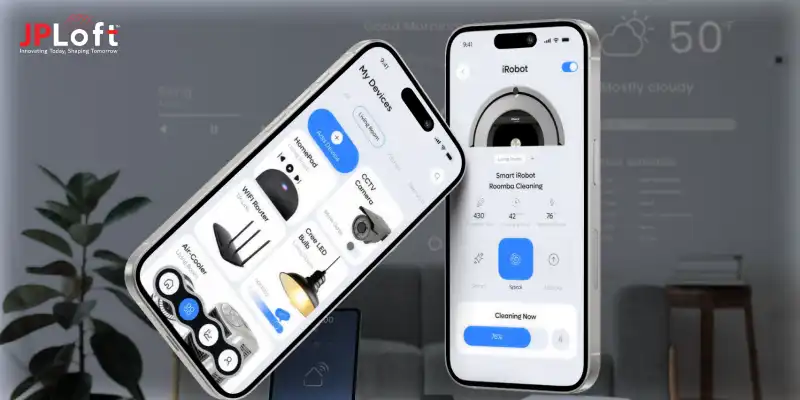
Key Takeaways:
Creating a successful smart home app requires strategic planning, user-focused features, and scalable IoT architecture.
Development timelines vary based on app complexity, supported devices, and custom integration requirements.
Core features directly impact usability, automation quality, and long-term user engagement.
Choosing the right technologies ensures secure connectivity and reliable smart device communication.
Addressing technical challenges early helps prevent performance, security, and scalability issues later.
Partnering with experts like JPLoft can simplify development and accelerate your smart home app launch.
Smart homes are no longer a future concept. They are becoming a part of everyday life for modern households. From smart lights and thermostats to connected security systems, users now expect easy control from one mobile app.
This growing demand has pushed many businesses to invest in connected living solutions and smart home platforms. For startups and enterprises alike, launching a smart home app creates new ways to engage users and build recurring revenue.
However, success requires more than a simple interface. Businesses need the right strategy, strong backend systems, secure device connectivity, and a scalable product roadmap.
This smart home app development guide explains everything you need to know before building your platform. You will learn about core features, estimated development costs, and the full development process.
Whether you want to know how to build a smart home app for a new product or expand your IoT business, this guide will help you plan smarter.
How Smart Home Apps Work in Modern IoT Ecosystems?
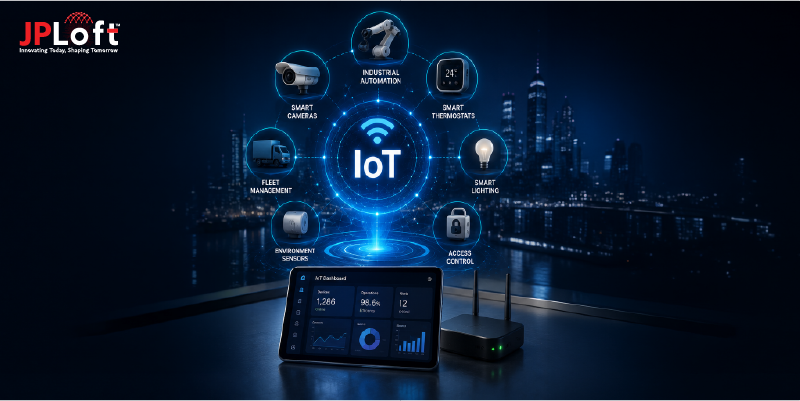
Smart home apps act as the control center of a connected home ecosystem. To understand the smart home app development process, businesses must first know how these platforms operate behind the scenes.
Below is a simple breakdown of how modern smart home apps work:
-
Device Connection and Pairing - The app connects smart devices through supported wireless protocols.
-
Cloud and Edge Communication - Data moves between devices, servers, and local hubs.
-
Centralized Device Management - Users control all connected devices from one dashboard.
-
Automation Rule Execution - Preset rules trigger automatic device actions.
-
Real-Time Notifications and Alerts - The app sends updates for important device events.
-
Data Collection and Insights - Usage data helps improve automation and efficiency.
Why Businesses Are Investing in a Smart Home Automation App?
Smart home technology is growing fast.
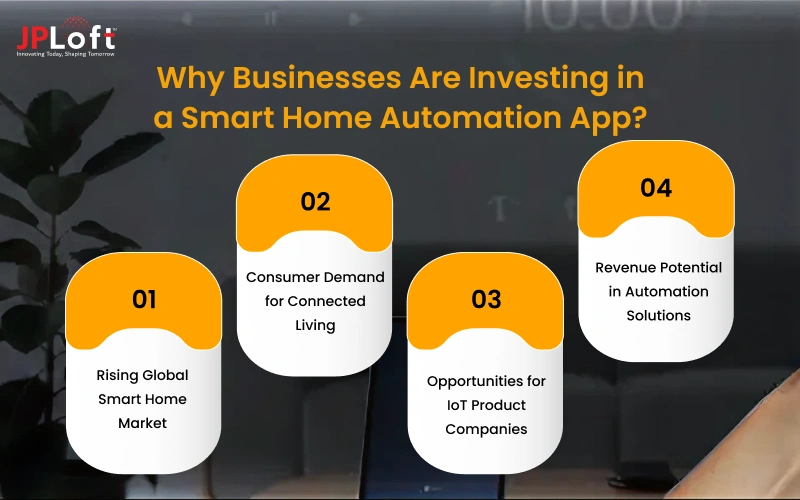
For businesses planning to enter this space, understanding the market opportunity is a key part of a complete guide to smart home app development.
1. Rising Global Smart Home Market
The global smart home market is projected to reach $537.27 billion by 2030, at a strong CAGR of 27%. Hence, this rapid growth creates major opportunities for businesses entering the sector.
2. Consumer Demand for Connected Living
According to a survey, around 70% of consumers already own at least one connected home product. However, users increasingly expect homes to be automated, secure, and remotely manageable.
3. Opportunities for IoT Product Companies
Smart device manufacturers can expand product value by pairing hardware with custom apps. This approach helps investors create a smart home app that strengthens their ecosystem and improves customer satisfaction.
4. Revenue Potential in Automation Solutions
Smart home businesses can generate income through subscriptions, premium automation features, device integrations, and white-label partnerships. Many brands now treat software as a recurring revenue stream.
Essential Features to Include in a Smart Home App
Smart home apps need more than basic device controls to deliver a smooth user experience. Businesses that follow a strong smart home automation software development guide focus on app features that improve usability, automation, and long-term engagement.
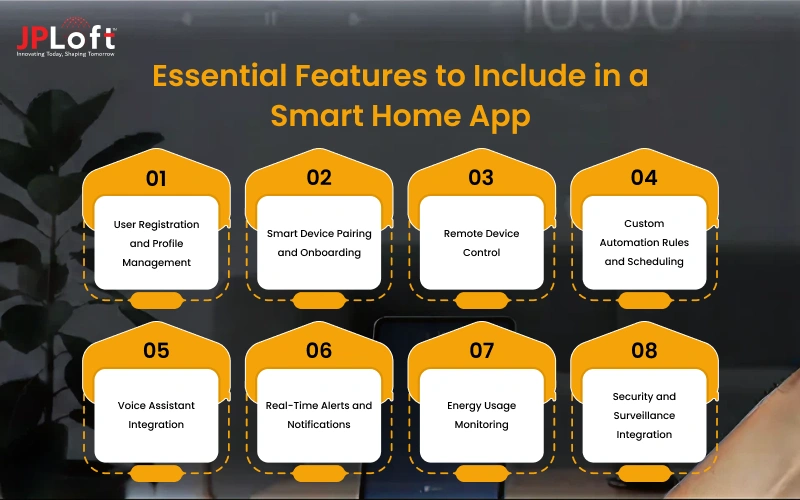
Let’s discuss in detail.
[1] User Registration and Profile Management
This feature allows users to create secure accounts and manage their personal settings in one place. It stores user preferences, connected devices, and saved automation routines. A strong profile system also supports personalized experiences across multiple devices.
[2] Smart Device Pairing and Onboarding
Users need a simple and guided process to connect new smart devices to the app. Smooth onboarding reduces setup issues and improves first-time user satisfaction. Clear pairing instructions also lower support requests for businesses.
[3] Remote Device Control
A remote control lets users operate connected devices from anywhere using their smartphones. They can turn lights on, adjust thermostats, or lock doors instantly. This feature adds convenience and improves overall user engagement.
[4] Custom Automation Rules and Scheduling
Users can create custom rules to automate device behavior based on time or triggers. For example, lights can switch on automatically at sunset. This reduces manual effort and makes the smart home experience more efficient.
[5] Voice Assistant Integration
Voice assistant support enables hands-free device control through popular platforms like Alexa or Google Assistant. Users can manage devices using simple voice commands. This improves accessibility and enhances convenience.
[6] Real-Time Alerts and Notifications
This feature sends instant updates when important events happen in the home. Users receive alerts for motion detection, door activity, or device malfunctions. It helps improve awareness and security.
[7] Energy Usage Monitoring
Energy tracking shows users how much power their connected devices consume. This helps them identify wasteful usage patterns and optimize efficiency. Many users value apps that support lower energy bills.
[8] Security and Surveillance Integration
Security integrations connect the app with cameras, alarms, door sensors, and smart locks. Users can monitor live feeds and receive instant security updates. This makes the app more valuable as a complete home management platform.
Advanced Features to Consider for a Smart Home Automation App
Advanced features help smart home apps stand out in a competitive market. Businesses that want to develop a smart home app with stronger user retention often invest in premium capabilities beyond standard controls.
|
Advanced Feature |
Description |
|
AI-Based Predictive Automation |
Uses behavioral data to learn user habits and automate actions based on past patterns. |
|
Geofencing and Location-Based Triggers |
Activates devices automatically when users enter or leave a defined location. |
|
Scene and Routine Management |
Let's users control multiple devices together through preset scenes or routines. |
|
Matter Protocol Compatibility |
Enables broader device interoperability across different smart home ecosystems. |
|
Usage Analytics Dashboard |
Displays device usage trends, energy data, and automation insights. |
|
Device Health Monitoring |
Tracks device status, battery levels, and maintenance alerts in real time. |
Step-by-Step Smart Home Automation App Development Process
To build a mobile app for a smart home requires a clear and structured execution plan.
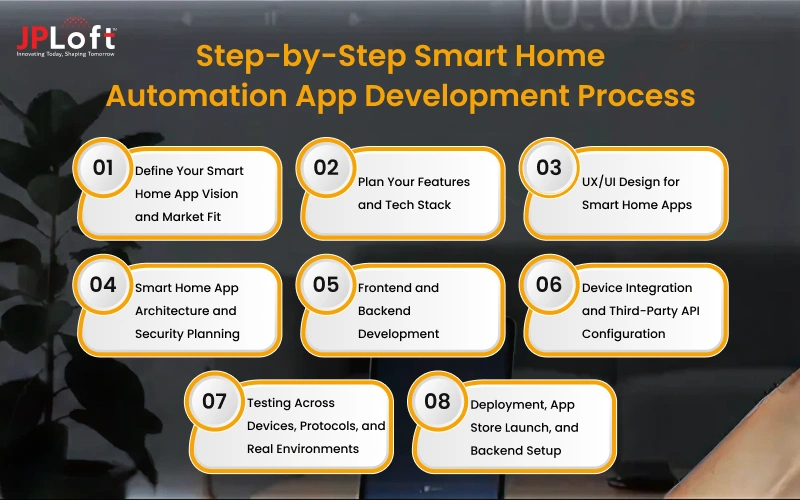
Businesses that follow a proper smart home automation app development process can reduce development risks, improve scalability, and launch a reliable connected product faster.
Step 1: Define Your Smart Home App Vision and Market Fit
Every successful product starts with clear market validation and strategic planning. Hence, this step helps businesses align product goals with real customer demand.
►Competitor Benchmarking and Feature Gap Analysis
Analyze existing smart home apps to identify strengths, weaknesses, popular features, and market gaps your product can target for better positioning.
►Target User and Device Ecosystem Scoping
Define your ideal users and determine which smart devices or ecosystems your app will support at launch.
►MVP Feature Prioritization and Project Scope Definition
Select the most valuable launch features and define clear project boundaries to plan development efficiently.
Step 2: Plan Your Features and Tech Stack
Technical planning lays the foundation for performance, scalability, and seamless device compatibility. Choosing the right tech stack early prevents costly technical limitations later.
►Must-Have Features and Platform Selection
Finalize the essential app features required for launch and determine whether the product will support Android, iOS, or both. Platform decisions should align with audience behavior and business priorities.
►IoT Protocol Selection
Select communication protocols based on supported devices, compatibility requirements, and expected ecosystem integrations.
►Cloud Infrastructure Planning
Plan backend infrastructure for secure device communication, real-time processing, and scalable data storage.
Step 3: UX/UI Design for Smart Home Apps
The UI/UX design services play a critical role in smart home app adoption and retention. The interface must simplify complex device controls while keeping navigation clear and accessible for all users.
►User Persona, Flow Mapping, and Onboarding Design
Map user personas and interaction flows to understand expected behaviors and usage patterns. Design onboarding experiences that simplify registration, device setup, and first-time interactions.
►Dashboard and Device Control Screen Layout
Design intuitive dashboards that organize connected devices clearly and make controls easily accessible. Structured layouts improve usability and help users manage multiple devices efficiently.
►Voice Assistant and Accessibility UI Considerations
Ensure the interface complies with accessibility standards and supports voice-based interactions for broader usability. This improves convenience for users while making the app more inclusive and future-ready.
Step 4: Smart Home App Architecture and Security Planning
Strong architecture and security planning ensure the platform remains stable, scalable, and protected. This stage defines how data moves, devices communicate, and security measures safeguard user information.
►IoT Architecture Design
Choose the right architecture model based on latency, scalability, and processing needs. Cloud, edge, or hybrid structures affect performance, reliability, and overall platform responsiveness.
►Data Flow, Real-Time Sync, and Device Communication
Plan how commands, device states, and user data will move across the ecosystem. Proper flow design ensures fast synchronization and reliable real-time communication.
►End-to-End Encryption, Compliance, and Scalability Planning
Implement strong encryption, compliance measures, and scalable architecture standards to secure sensitive data. This preparation supports long-term platform growth while protecting user trust.
Step 5: Frontend and Backend Development
Development teams now assess designs and begin IoT app development. This phase focuses on building the user-facing interface and backend systems that power app operations.
►Cross-Platform Mobile App Interface Development
Build responsive mobile interfaces optimized for Android and iOS devices. Cross-platform development can reduce costs while maintaining consistent user experiences across platforms.
►Server-Side Logic, APIs, and Database Architecture
Develop backend systems, APIs, and database structures to manage users, devices, automation rules, and real-time communication throughout the platform.
►Automation Rules Engine and Scene Development
Create automation logic systems that support triggers, routines, and scene-based controls. This engine powers the smart behaviors users expect from connected home platforms.
Step 6: Device Integration and Third-Party API Configuration
Device connectivity determines how reliably the platform performs in real-world environments. This stage ensures seamless integrations across supported hardware and external smart home ecosystems.
►Smart Device Pairing, Discovery, and Onboarding Flow
Build smooth device discovery and pairing workflows that simplify setup for users. Efficient onboarding improves adoption and reduces frustration during first-time configuration.
►Voice Assistant and Third-Party SDK Integration
Integrate voice assistants and third-party SDKs to expand ecosystem compatibility. These integrations increase product value and improve convenience for end users.
►Real-Time Command Handling and Device State Sync
Ensure device commands execute instantly and state changes reflect accurately across the app. Reliable synchronization is essential for user trust and smooth automation.
Step 7: Testing Across Devices, Protocols, and Real Environments
Smart home platforms require extensive app testing because they operate across multiple devices and conditions. Thorough validation ensures stable performance before the product reaches users.
►Functional and Compatibility Testing on Real Devices
Test app functionality across supported smartphones, tablets, and connected hardware. Compatibility validation ensures consistent performance throughout the intended device ecosystem.
►Protocol, Interoperability, and Security Penetration Testing
Validate protocol communication, cross-device interoperability, and resistance to security threats. These tests reduce technical failures and strengthen overall platform reliability.
►Performance and Beta Testing in Real Household Environments
Conduct beta testing in real homes to evaluate performance under live usage conditions. Real-world testing reveals practical issues missed in controlled environments.
Step 8: Deployment, App Store Launch, and Backend Setup
Deployment prepares the platform for public release and long-term operations. A structured launch strategy helps businesses ensure reliability, performance, and post-launch scalability.
►App Store Submission and Backend Infrastructure Deployment
Submit the app to the App Store or publish the app on the Play Store. Proper deployment planning reduces launch issues and improves release stability.
►OTA Firmware Update and Analytics Integration
Enable over-the-air firmware updates and integrate analytics tools for monitoring. These systems support device maintenance and continuous performance tracking.
►Post-Launch Monitoring, Support, and Bug Fix Protocol
Establish monitoring and support workflows to track issues after launch. Continuous app maintenance improves performance, user satisfaction, and long-term platform success.
So, once you understand how to make a smart home app, it is important to know the effective cost of development. Consider the next section for more details.
Smart Home App Development Cost Breakdown
The cost to build a smart home app typically ranges from $10,000 to $150,000+, depending on the platform’s complexity, feature depth, and integration requirements.
Basic smart home apps with simple device controls, limited integrations, and essential user features usually cost around $10,000 to $30,000.
Mid-level apps with automation rules, cloud connectivity, analytics, and broader device support generally range between $30,000 and $80,000.
Advanced enterprise-grade platforms with AI automation, voice assistants, multi-device ecosystems, and complex backend infrastructure can exceed $80,000 to $150,000+.
The final cost of an IoT app depends on your project scope, technical requirements, and long-term scalability goals.
Factors Affecting the Cost of Developing a Smart Home App
Several factors influence the app development cost when businesses think of how to develop a smart home app. Understanding these variables helps founders estimate project costs more accurately and make better investment decisions.
-
App Complexity and Feature Set - More features, automation logic, and custom workflows increase development effort and overall pricing.
-
Number of Supported Smart Devices - Supporting more hardware integrations raises technical scope and testing requirements.
-
IoT Protocol Compatibility - Multi-protocol support increases development complexity and backend configuration needs.
-
Third-Party Integrations - Voice assistants and external APIs add implementation effort.
-
UI/UX Design Complexity - Advanced interfaces require additional design and frontend work.
-
Backend Infrastructure Requirements - Scalable cloud architecture increases server-side development costs.
-
Security and Compliance Needs - Enhanced protection standards require extra implementation effort.
-
Development Team Location - The regional cost to hire app developers impacts the final project budget significantly.
Major Challenges in Building a Smart Home App
Building a smart home platform involves more than connecting devices through a mobile interface. When teams build a smart home app without addressing these issues early, performance, reliability, and user experience often suffer.
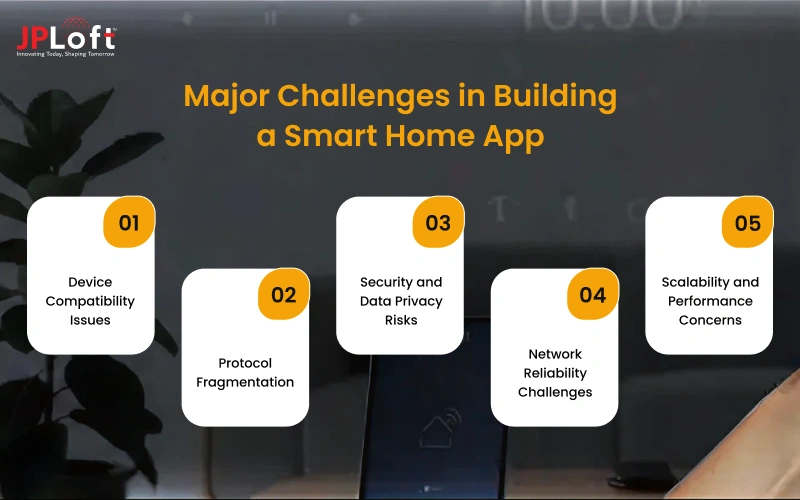
Below, we discuss crucial smart home app development challenges in detail.
Challenge 1: Device Compatibility Issues
When businesses create a smart home app, they must support devices from multiple manufacturers and hardware ecosystems. Different device standards can make integrations difficult and increase development complexity.
Poor compatibility often leads to failed connections and inconsistent user experiences.
Solution: Use flexible integration layers and support widely adopted device standards.
Challenge 2: Protocol Fragmentation
Teams that develop a smart home app often face challenges handling multiple communication protocols. Devices may use Zigbee, Z-Wave, Matter, Thread, Wi-Fi, or Bluetooth standards.
Managing all protocols together increases integration and interoperability complexity.
Solution: Hire dedicated developers to implement protocol abstraction layers to simplify multi-standard support.
Challenge 3: Security and Data Privacy Risks
Any business planning to make a smart home app must prioritize platform security. Smart home apps handle sensitive household data and connected security devices.
Weak protection can lead to breaches, unauthorized access, and compliance issues.
Solution: Implement encryption, secure authentication, and privacy-focused architecture.
Challenge 4: Network Reliability Challenges
A strong smart home app development process must account for network instability. Smart home apps depend heavily on reliable internet and local connectivity.
Poor network performance can delay commands and disrupt automation.
Solution: Work with the top app development company UK to build offline support and optimize synchronization architecture.
Challenge 5: Scalability and Performance Concerns
Businesses using a proper smart home automation software development guide plan for future growth early. As users and devices increase, backend systems face greater load and complexity.
Weak infrastructure can cause slow performance and unstable automation.
Solution: Use scalable cloud architecture and performance-optimized backend systems.
Monetization Models for Smart Home Apps
Launching a smart home platform creates opportunities beyond device control and automation.
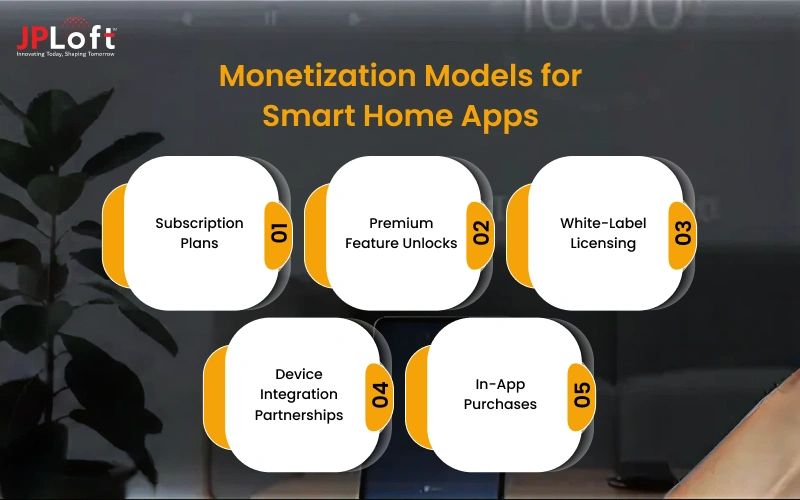
Businesses that follow a strong, complete guide to smart home app development often build monetization strategies early to generate recurring and scalable revenue.
[A] Subscription Plans
Offer monthly or yearly subscriptions for premium automation, cloud storage, or advanced analytics. Hence, creating predictable recurring revenue while increasing customer value.
[B] Premium Feature Unlocks
Charge users for advanced routines, AI automation, or enhanced customization options. It helps monetize power users without restricting essential app functionality.
[C] White-Label Licensing
License your platform to manufacturers wanting branded smart home software solutions. This approach opens B2B revenue opportunities beyond direct consumer sales.
[D] Device Integration Partnerships
Partner with hardware brands for paid ecosystem integrations or featured placements. Such partnerships expand device compatibility while generating additional income.
[E] In-App Purchases
Sell add-on automation packs, premium themes, or specialized feature modules. This supports incremental monetization after the initial user acquisition stage.
Why Choose JPLoft to Develop a Smart Home Automation App?
JPLoft brings the technical expertise and industry experience needed to build scalable, secure, and high-performing smart home solutions. As a trusted IoT app development company, we help startups and enterprises turn innovative smart home ideas into market-ready digital products.
Our team specializes in creating custom smart home applications with advanced automation, real-time device control, multi-protocol integration, and intuitive user experiences.
From initial strategy and architecture planning to development, testing, and post-launch support, we manage the complete product lifecycle under one roof.
We focus on building future-ready platforms that support seamless device connectivity, strong security standards, and long-term scalability.
Whether you need a consumer-facing smart home app, white-label automation platform, or enterprise IoT solution, our experts deliver tailored development aligned with your business goals.
Partnering with JPLoft means gaining a technology team committed to innovation, transparency, and measurable product success.
Conclusion
Smart home technology is reshaping modern living and creating major opportunities for businesses in the connected device market.
Whether you plan to launch a new platform or expand an existing IoT product, understanding the smart home automation app development guide is essential for making informed decisions.
From feature planning and technology selection to cost estimation and technical execution, every development stage directly impacts product success.
A well-designed platform can improve customer engagement, unlock recurring revenue streams, and strengthen your competitive position.
Businesses that follow a structured smart home app development process can reduce technical risks, improve scalability, and accelerate time to market.
Partnering with the right development team ensures your solution is built for long-term growth, reliable performance, and evolving user expectations in the smart home ecosystem.
FAQs
To create a smart home app for modern households, businesses must define user needs, plan essential features, choose the right IoT technologies, and develop a secure, scalable platform with seamless device integration.
Most smart home apps take around 3 to 9 months to develop, depending on project scope, supported devices, and feature complexity.
A smart home automation app should include device pairing, remote control, automation rules, alerts, voice integration, user profiles, and energy monitoring.
Common technologies include IoT protocols like Matter, Zigbee, Z-Wave, and cloud platforms such as AWS IoT, Google Cloud, and Azure.
Major challenges include device compatibility, protocol fragmentation, network reliability, data security, and scalability concerns.
The cost to build a smart home app typically ranges from $10,000 to $150,000+, depending on app complexity, features, integrations, and backend infrastructure requirements.

Rahul Sukhwal is the CEO and Founder of JPLoft, a visionary technologist with 18+ years at the forefront of emerging tech innovation and software engineering. He channels deep software engineering and AI expertise into building smarter, scalable solutions that shape how forward-thinking businesses worldwide harness the true power of AI.



Share this blog