


Key Takeaways:
Restaurants can choose table ordering, counter ordering, takeaway, room service, food court, or multi-location QR ordering solutions.
QR code restaurant ordering integration involves selecting platforms, creating menus, generating QR codes, connecting systems, testing workflows, and training restaurant staff.
Development costs range between USD 8,000 and USD 75,000+, depending on features, complexity, integrations, and integration difficulty.
Restaurant QR code ordering provides faster service, fewer errors, lower costs, and greater customer convenience than traditional POS systems.
Restaurants face challenges like adoption, connectivity, integration, security, maintenance, and staff training during QR code implementation.
JPLoft develops customized restaurant QR ordering solutions with modern features, scalability, integrations, and restaurant-focused digital experiences.
What if your restaurant could take more orders, reduce wait times, and improve table turnover without adding extra staff? This is the power of the QR code for ordering in restaurants.
Today, diners expect speed, convenience, and a contactless experience from the moment they sit down. Whether you own a cafe, quick-service restaurant, fine dining establishment, or multi-location chain, a QR ordering solution can transform your guests’ dining experience.
A QR code ordering system for food businesses has become a preferred solution for modern dining. This simple shift can streamline operations for restaurant businesses, while guests can access the services seamlessly through their smartphones.
In this blog, we will explore how to integrate a QR ordering system, its key benefits, essential features, and why it has become a smart investment for modern restaurants.
What is a QR Code Ordering System for Restaurants?
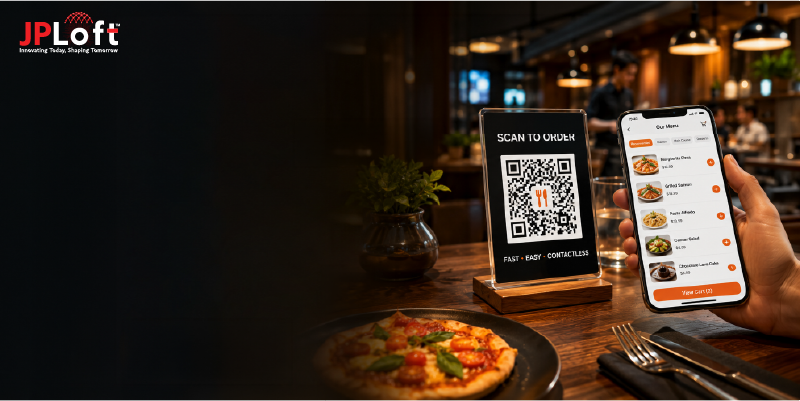
A QR ordering system for restaurants is a digital solution that lets customers view the menu, place orders, and complete payments by scanning with their smartphones. Instead of relying on printed menus or waiting for staff to take orders, diners can access an interactive digital menu instantly.
The system connects directly to the restaurant’s ordering and point-of-sale (POS) software, making the entire ordering process faster, more accurate, and easier to manage.
How It Works
The entire process creates a faster, contactless, and seamless dining experience for both customers and restaurant staff:
-
Customers scan a QR code placed on the table, menu stand, or receipt using their smartphone.
-
The QR code opens a digital menu with dishes, prices, descriptions, and customization options.
-
Customers browse the menu, customize items, add products to the cart, and place their orders.
-
The restaurant management system automatically sends the order to the kitchen or bar for preparation.
-
Kitchen staff prepares the order while the system updates its status in real time.
-
Restaurant staff serve the meal or notify customers when their order is ready for pickup.
-
Customers can complete secure online payments, add digital tips, and settle bills directly through the system.
Why Invest in a QR Ordering System for Restaurants?
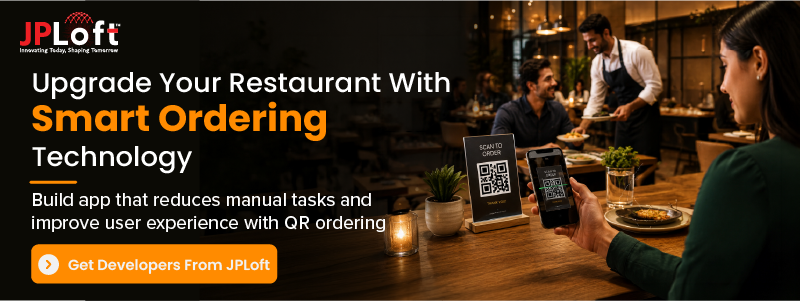
Investing in a restaurant QR code ordering system improves efficiency, reduces costs, and meets the growing demand for contactless dining. Beyond replacing printed menus, it creates a connected digital ordering experience that benefits both customers and restaurant owners.
Here are the reasons why investing in a QR code food ordering system is beneficial for restaurant businesses:
1. Increase Restaurant Revenue
Digital menus can promote combo meals, premium add-ons, and limited-time offers during the ordering process. These personalized recommendations encourage larger orders and increase the average bill value.
2. Improve Operational Efficiency
Orders are sent directly to the POS and kitchen, eliminating manual entry. This speeds up service, reduces staff workload, and helps restaurants handle more customers during peak hours.
3. Meet Changing Customer Expectations
Modern diners prefer quick, self-service experiences. A QR code restaurant ordering system helps customers browse menus, place orders, and pay without waiting for staff, resulting in faster and more convenient service.
4. Reduce Ordering Errors
Since customers enter their own orders, the chances of miscommunication are significantly lower. This system in the best restaurant apps improves order accuracy, reduces food waste, and enhances customer satisfaction.
5. Lower Operational Costs
Restaurants can reduce spending on printed menus, menu reprints, and repetitive order-taking tasks. Staff can focus on customer service instead of manually recording orders.
6. Access Real-Time Business Insights
The best restaurant QR code ordering system provides valuable analytics, including sales performance, popular menu items, customer preferences, and peak ordering hours. These insights help owners make data-driven business decisions.
7. Easily Update Menus and Pricing
Restaurants can instantly modify menu items, prices, promotions, or availability without reprinting menus. This flexibility keeps information accurate and reduces ongoing costs.
8. Gain a Competitive Advantage
As digital dining continues to grow, restaurants with QR ordering systems offer a faster and more convenient experience than businesses still relying on traditional ordering methods. This helps attract new customers and improve retention.
Types of QR Ordering Systems
Restaurants follow different service models, so a single ordering approach may not fit every business. A QR ordering system for restaurants can be customized for various operations, improve speed, reduce manual tasks, and deliver a smoother customer experience.
Choosing the right type depends on your business size, customer experience goals, and operational needs:
|
Type |
Best For |
How It Works |
|
Table-Side QR Ordering Systems |
Full-service restaurants, cafés, and fine dining |
Customers scan a QR code placed on the table to browse the menu, place orders, and pay without waiting for staff. |
|
Counter-Service QR Ordering Systems |
Quick-service restaurants (QSRs), bakeries, and coffee shops |
Customers scan a QR code at the counter, place their order on their phone, and collect it when it's ready. |
|
Scan-to-Order and Pay QR Systems |
Fast-food chains and food courts |
Customers begin ordering at a self-service kiosk and can scan a QR code to continue or complete the order on their mobile device. |
|
Takeaway and Pickup QR Ordering Systems |
Restaurants offering click-and-collect services |
Customers scan a QR code from promotional materials or storefront displays, order online, and pick up their food at the scheduled time. |
|
Outdoor Dining QR Ordering Systems |
Shopping malls, airports, and shared dining spaces |
Customers order from multiple food outlets using QR codes and receive notifications when their food is ready. |
|
Multi-Branch QR Ordering Systems |
Restaurant chains and franchises |
Customers access location-specific menus, pricing, and offers by scanning QR codes unique to each branch. |
Key Features of a QR Code Ordering System
A best restaurant QR code ordering system simplifies the ordering process while improving restaurant operations. The following features of a QR system help deliver a faster, more convenient, and personalized dining experience:
-
QR Code Menu Access: Allows customers to scan a QR code and instantly access the digital menu without downloading an app.
-
Menu Customization: Lets customers modify ingredients, choose portion sizes, add toppings, and include special instructions before ordering.
-
Table-Based Ordering: Associates each order with a specific table, ensuring accurate food delivery and smoother dine-in operations.
-
Secure Online Payments: Supports credit/debit cards, digital wallets, UPI, and other payment methods for fast and secure transactions.
-
POS Integration: Automatically transfers customer orders to the restaurant's POS system, eliminating manual data entry.
-
Kitchen Display System (KDS) Integration: Sends orders directly to the kitchen, helping staff prepare meals faster and reducing communication errors.
-
Order Tracking: Allows customers and staff to monitor the order status from preparation to serving or pickup.
-
Customer Reviews and Ratings: Collects customer feedback after each order to help restaurants improve food quality and service.
-
Sales and Analytics Dashboard: Provides insights into sales trends, customer preferences, peak hours, and best-selling menu items for better decision-making.
-
Admin Dashboard: Gives restaurant managers complete control over menus, orders, users, payments, promotions, and business reports from a single platform.
How to Implement a QR Code Ordering System?
Integrating a QR code food ordering system requires careful planning, the right restaurant app tech stack, and seamless integration with existing restaurant operations. A well-integrated system should make ordering easier for customers while helping restaurants manage menus, payments, and kitchen workflows efficiently.
Step 1: Define Business Requirements and Select the Right Solution
Start developing a restaurant app with QR code by identifying the restaurant’s goals, service model, and operational requirements. Decide whether the system will support dine-in ordering, takeaway, delivery, room service, or multi-location management.
Based on requirements, choose between a ready-made QR ordering solution or a custom-built QR code with advanced features and integrations.
The right technology approach helps restaurants build a scalable system that supports future business growth and evolving customer expectations.
Step 2: Build and Configure the Digital Menu
Convert the traditional menu into an interactive digital format with food images, descriptions, prices, categories, customization options, and availability updates.
The menu should allow customers to modify orders, add special instructions, and view important details such as ingredients and allergens.
A well-designed QR code menu ordering system improves customer engagement and helps restaurants promote high-margin dishes, seasonal items, and special offers.
Step 3: Generate QR Codes and Connect Ordering Pages
Create unique restaurant QR ordering for tables, counters, rooms, or restaurant locations. Each QR code should direct customers to the correct digital menu and ordering interface.
Restaurants can display these codes on tables, receipts, packaging, or promotional materials for easy customer access.
Dynamic QR codes also allow businesses to update menus, track scans, and manage multiple locations without replacing printed codes.
Step 4: Integrate POS, Kitchen, and Payment Systems
Connect the QR code restaurant ordering platform with the restaurant’s POS system, kitchen display system, and payment gateway.
This integration automatically transfers orders to the kitchen, updates inventory, processes payments, and reduces manual order entry errors.
A connected system creates a smooth workflow between customers, servers, kitchen staff, and restaurant managers.
Step 5: Test the Ordering Workflow and Train Staff
Before launching, test the complete customer journey, including QR scanning, menu browsing, order placement, payment processing, and kitchen communication.
Train restaurant staff to manage digital orders, update menus, handle customer concerns, and use the admin dashboard effectively.
Proper restaurant app testing and employee training ensure faster adoption and prevent operational issues after deployment.
Step 6: Launch the System and Monitor Performance
Deploy the QR-based ordering system across the restaurant and guide customers on how to use it. Monitor key metrics such as order volume, customer preferences, average order value, and payment success rates.
Use these insights to improve menu performance and optimize restaurant operations.
Regular performance tracking helps identify improvement areas and maximize the return on investment from the system.
Step 7: Maintain and Upgrade the System
Regularly update the platform with new features, menu enhancements, customer-focused tools, and restaurant app security improvements.
Adding features such as loyalty programs, personalized recommendations, and advanced analytics helps restaurants maximize the long-term value of their QR ordering solution. Continuous improvements keep the system reliable, secure, and aligned with evolving customer needs.
A properly integrated QR ordering solution helps restaurants with the ordering process, improves operational efficiency, and provides customers with a modern digital dining experience.
How Much Does it Cost to Develop a QR-Based Ordering System?
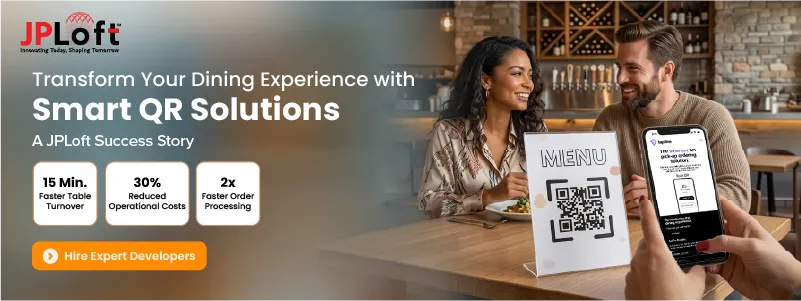
The cost to develop a QR code ordering system for restaurants generally varies from USD 8,000 to USD 75,000+. The final cost to develop a restaurant app with a QR code system depends on the requirements, feature complexity, platform choice, and level of customization.
A basic QR ordering solution with digital menus and online ordering requires less investment. On the other hand, an advanced system with POS integration, analytics, loyalty programs, and multi-location support requires a high budget.
Here is a breakdown of the cost for the restaurant QR ordering system development:
|
Type of QR Ordering System |
Estimated Development Cost |
Development Timeline |
Best For |
|
Basic QR Menu System |
$8,000 - $20,000 |
2 - 3 months |
Small restaurants, cafés, and food outlets |
|
Standard QR Ordering System |
$20,000 - $45,000 |
3 - 5 months |
Growing restaurants requiring ordering, payments, and POS integration |
|
Advanced QR Ordering Platform |
$45,000 - $75,000+ |
5 - 8+ months |
Restaurant chains, franchises, and multi-location businesses |
Factors Affecting QR-Based Ordering System Development Cost
The core factors that affect the development cost of a QR code ordering system for restaurants are:
-
Features and Functionalities: Advanced features such as loyalty programs, analytics, inventory management, real-time tracking, and AI in restaurant apps increase development time and costs.
-
Platform Selection: Developing for web, Android, and iOS simultaneously requires additional resources, longer timelines, and higher development and maintenance costs.
-
Design Requirements: Custom UI/UX designs, interactive menus, animations, and branded experiences require more effort in restaurant app design, increasing project costs and development duration.
-
Third-Party Integrations: Integrating POS systems, payment gateways, CRMs, kitchen displays, and inventory software adds complexity, development effort, testing, and integration expenses.
-
Development Team Location: Developer hourly rates vary by region, making location a significant factor influencing the total budget for building the solution.
-
Maintenance and Updates: Ongoing restaurant app maintenance, security patches, feature enhancements, cloud hosting, and performance optimization require continuous investment after launch.
A well-planned QR code menu ordering system can become a valuable long-term investment by reducing operational costs, improving order accuracy, and increasing customer satisfaction.
QR Ordering vs Traditional POS Ordering System
Both e-commerce QR code ordering system for restaurants and traditional POS ordering systems help restaurants manage orders. The difference appears in how customers interact with the restaurant and how staff handle operations.
While traditional POS systems rely heavily on servers to take orders, QR ordering allows customers to browse menus, place orders, and make payments directly from their smartphones.
|
Factor |
QR Ordering System |
Traditional POS Ordering System |
|
Order Accuracy |
High accuracy since customers enter their own orders. |
Greater risk of human errors during order taking. |
|
Staff Workload |
Reduces repetitive tasks and allows staff to focus on service. |
Requires more staff involvement throughout the ordering process. |
|
Menu Updates |
Menu items, prices, and offers can be updated instantly. |
Printed menus require reprinting whenever changes are made. |
|
Upselling Opportunities |
Automatically suggests add-ons, combos, and special offers. |
Upselling depends on the server's recommendations. |
|
Kitchen Integration |
Orders are sent directly to the kitchen or KDS in real time. |
Orders are forwarded after staff enters them into the POS. |
|
Business Insights |
Provides detailed analytics on customer behavior, popular dishes, and sales trends. |
Primarily focuses on transaction records and sales reports. |
|
Scalability |
Easily supports multiple locations and growing restaurant operations. |
Expanding often requires additional hardware and manual setup. |
|
Operational Cost |
Reduces printing costs and optimizes staffing requirements. |
Higher costs due to printed menus and greater dependence on staff. |
|
Customer Experience |
Offers a faster, self-service, and contactless dining experience. |
Provides a traditional, staff-assisted dining experience. |
Which One Should You Choose?
A restaurant QR code ordering platform is ideal for restaurants looking to improve operational efficiency, reduce waiting times, and offer a modern digital dining experience. A traditional POS ordering system remains a good option for fine dining restaurants or establishments where table service is a core part of the customer experience.
Common Challenges in Implementing QR Code Ordering Systems
While a QR code restaurant ordering system offers significant operational and customer experience benefits, implementation is not without challenges.
Being prepared for these restaurant app development challenges ensures a smooth development, maximizes adoption, and achieves long-term success with digital ordering.
Challenge 1: POS and System Integration
Integrating the QR ordering system with existing POS, kitchen, inventory, and payment systems can be technically challenging, especially when using outdated restaurant software.
Solution: Choose compatible APIs, conduct integration testing, and work with experienced development teams for seamless connectivity.
Challenge 2: Data Security and Privacy
Restaurants must protect customer payment information and data collected through QR ordering systems from cyber threats while complying with industry security standards and privacy regulations. Unauthorized QR code manipulation or data breaches can become the reason for restaurant app failure.
Solution: Implement encryption, secure payment gateways, regular security audits, and compliance with applicable data protection standards.
Challenge 3: Menu Management
Keeping digital menus updated with accurate pricing, item availability, and promotional offers requires regular monitoring to avoid customer dissatisfaction and incorrect orders.
Solution: Use AI to automatically update menu availability, pricing, and promotions based on inventory and customer demands, reducing manual effort and ordering errors.
Challenge 4: Initial Implementation Cost
Developing and integrating customized QR codes for restaurant menus and ordering requires upfront investment in software, integrations, testing, and staff onboarding before long-term operational savings.
Solution: Start with essential features and scale gradually as customer adoption and business growth increase.
Challenge 5: Customer Adoption
Some customers, especially first-time users or older diners, may hesitate to follow up with this new restaurant app trend. Scanning QR codes or navigating digital menus can lead to slower adoption and reduced engagement during the initial rollout.
Solution: Provide simple instructions, staff assistance, and an option for traditional ordering during the transition period.
Challenge 6: Poor Internet Connectivity
Slow or unstable internet connections can prevent customers from accessing digital menus, placing orders, or completing payments, negatively affecting the overall dining experience.
Solution: Optimize the app for low bandwidth and offer offline menu caching where possible.
Challenge 7: Staff Training
Employees may require time to understand new workflows, manage digital orders, update menus, and assist customers using the QR ordering system efficiently.
Solution: Conduct practical training sessions, provide user guides, and offer continuous technical support after deployment.
Why Choose JPLoft to Build a Scalable Restaurant QR Code Ordering System?
Building a successful QR-based ordering system for a restaurant requires more than basic menu digitization.
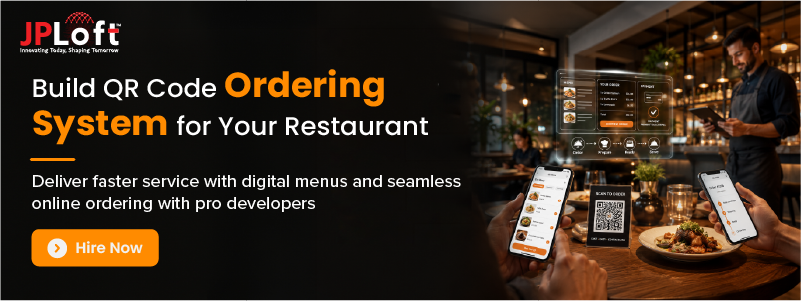
JPLoft, a highly experienced restaurant software development company, helps restaurants develop scalable solutions that simplify ordering, improve operations, and support future growth.
With expertise in restaurant technology solutions, JPLoft builds feature-rich QR ordering systems with digital menus, secure payments, POS integrations, analytics dashboards, and customized workflows.
The team focuses on creating user-friendly experiences for customers while providing restaurant owners with powerful management tools. From small cafés to multi-location restaurant chains, JPLoft develops solutions that match unique business requirements and operational goals.
By combining modern technology with industry-focused strategies, JPLoft helps reduce manual tasks, improve service efficiency, and deliver a seamless digital dining experience for your restaurant customers.
Conclusion
An e-commerce QR code ordering system for restaurants is more than a contactless ordering solution. It is a smart investment that helps streamline operations, improve order accuracy, and deliver a faster dining experience.
From digital menus and secure payments to POS integration and real-time analytics, these systems enable restaurants to serve customers more efficiently while reducing operational costs. As customer expectations continue to shift toward convenience and self-service, adopting a QR ordering solution can provide a lasting competitive advantage.
Whether you run a small cafe, a fine dining restaurant, or a multi-location chain, investing in the right technology supports long-term growth and customer satisfaction. The right development company ensures your QR ordering system is scalable, secure, and tailored according to your business needs.
FAQs
Integrating a QR code ordering app requires selecting the right platform, creating a digital menu, generating QR codes, connecting POS and payment systems, and testing workflows. Proper staff training and regular system updates ensure smooth operations and a better customer ordering experience.
Restaurants can use table ordering, counter ordering, takeaway, room service, and multi-location QR systems. Each type supports different service models based on restaurant operations and customer requirements.
A QR ordering system should include digital menus, payment integration, POS connectivity, analytics, and order tracking. These features help restaurants streamline operations while creating a convenient experience for customers.
The development cost usually ranges from $8,000 to $75,000+ based on features and customization needs. Advanced integrations, multiple platforms, and analytics increase the overall development investment.
Restaurants may face challenges like customer adoption, system integration, security concerns, and staff training requirements. Proper planning and reliable technology solutions help overcome these implementation difficulties effectively.

Conor has 10+ years of experience in software development, application engineering, solution design, and UX/UI. He has worked across digital products in restaurant technology, food and grocery delivery, healthcare, media, streaming, and social platforms, bringing both technical and user-experience perspectives to product development. His experience working with large organizations and growth-focused digital products helps businesses translate complex requirements into practical, user-focused solutions.


Share this blog