


Key Takeaways:
The right restaurant management software features streamline operations, minimize errors, and elevate customer service.
Essential features like POS, inventory, menu control, CRM, and analytics directly boost efficiency and scalability.
Advanced tools, automation, compliance tracking, AI insights, and integrations, keep restaurants competitive and future-ready.
Knowing what features to include in restaurant management software helps restaurants invest in the right tools for growth.
JPLoft builds modern, scalable digital solutions that help restaurants work smarter and grow faster.
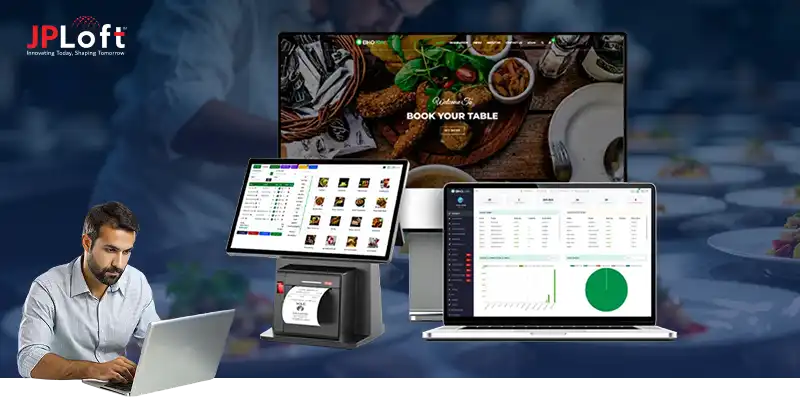
Running a restaurant involves juggling multiple responsibilities, such as managing orders, inventory, staff, and customer experiences, all at the same time. Without the right tools, these tasks can become overwhelming, impacting efficiency and customer satisfaction. This is where restaurant management software becomes essential.
So, what features to include in restaurant management software?
At its core, it should automate daily operations, streamline order processing, track inventory accurately, ensure compliance, and provide actionable analytics. Advanced functionalities like AI-driven recommendations, seamless integration with third-party tools, and customizable admin and user panels can further elevate operations and decision-making.
In this comprehensive guide, we’ll explore the essential, advanced, and top features that make restaurant management software a must-have solution for restaurants looking to optimize efficiency, enhance service, and stay competitive.
An Overview of Restaurant Management Software
Running a restaurant involves juggling multiple responsibilities from handling orders and managing staff to keeping track of inventory and ensuring customer satisfaction. Restaurant management software simplifies these tasks by offering an integrated platform to manage operations efficiently.
Essentially, it’s a digital system designed to streamline workflows, reduce errors, and provide actionable insights to improve business performance. Modern software goes beyond order management, enabling restaurants to optimize their resources, enhance guest experiences, and maintain compliance with regulations.
Here’s a snapshot of why restaurant management software is becoming indispensable:
-
Operational Efficiency: With a modern POS/software system, some restaurants report up to a 30% improvement in overall operational efficiency, meaning faster order processing, better staff coordination, and smoother workflows.
-
Order Accuracy & Error Reduction: Many systems help cut order errors by up to 30%, reducing mistakes related to wrong orders, miscommunication, or manual entry.
-
Waste & Cost Savings: Restaurants that adopted advanced inventory tracking or AI‑based waste‑tracking saw a 23–51% reduction in avoidable food waste, helping save costs on supplies and reduce spoilage.
-
Data‑Driven Decisions & Profitability Potential: With real-time analytics and waste tracking, restaurants have the potential to enhance profitability by optimizing inventory use and reducing waste, though the exact gain depends on implementation.
Key Benefits of Restaurant Management Software
-
Centralized Operations: Combines POS, inventory, staff scheduling, and reporting in one place.
-
Improved Accuracy: Minimizes human errors in orders, billing, and inventory management.
-
Compliance Tracking: Monitors food safety standards, labor laws, and financial regulations.
-
Scalability: Adapts to growing operations, whether a single outlet or a multi-chain restaurant.
When thinking about how to build a modern restaurant management system, it’s important to prioritize features that directly impact operational efficiency and customer experience.
The right software should integrate seamlessly with POS systems, support multiple payment methods, and offer real-time reporting.
In short, restaurant management software is not just a tool, it’s the backbone of modern restaurant operations. It helps managers save time, reduces operational errors, and provides insights that can guide business growth.
Whether you’re a small café or a large chain, understanding these software capabilities is the first step in choosing the right system for your restaurant.
List of the Best Restaurant Management Features
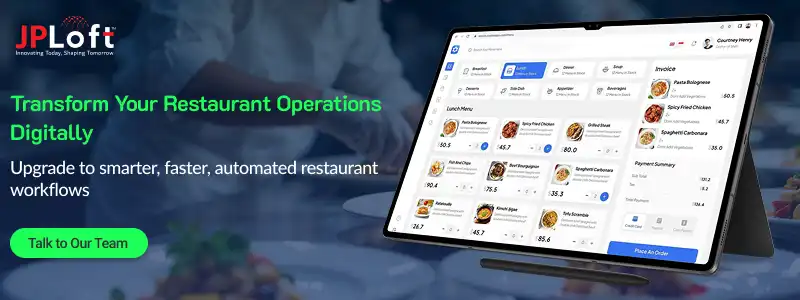
Choosing the right restaurant management features is crucial for smooth daily operations from reservations and orders to inventory and staff control. Understanding these features helps you estimate the cost to create a restaurant software and compare top platforms.
This section highlights the essential features across the Admin and User Panels, with references to solutions like Crunchtime, Fourth, and Workday for real-world context.
1. Admin Panel Features
The admin panel is the operational core of the software where owners, managers, and supervisors control everything.
Modern restaurants depend heavily on these restaurant management software features to streamline operations, reduce manual workload, and improve accuracy.
► Real-Time Analytics & Performance Dashboard
This is one of the foundational features of restaurant management software, providing instant access to:
-
Total sales
-
Peak service hours
-
Fast-selling and low-performing items
-
Customer visit frequency
-
Order fulfillment times
-
Staff performance reports
-
Outlet-wise comparisons
Why it matters: Restaurants using analytical dashboards report up to 35% faster decision-making and 20% increased profitability through optimized menu engineering.
Platforms such as Crunchtime restaurant management software feature Excel by offering granular, real-time metrics.
► Menu Engineering and Digital Menu Control
A must-have in any list of top restaurant management software features.
Your admin panel should allow:
-
Dynamic price adjustments
-
Instant sync across kiosks, apps, POS, and web ordering
-
Creation of combos, add-ons, modifiers
-
Seasonal or outlet-specific menus
-
Auto upselling recommendations based on customer history
This form of centralized control helps high-volume chains maintain consistency across branches.
► Inventory Management & Vendor Coordination
Without robust restaurant inventory management software features, costs can spiral out of control.
Core capabilities include:
-
Automated stock updates
-
Ingredient-level tracking
-
Wastage logs and variance reports
-
Auto-purchase orders for low-stock items
-
Vendor price comparison
-
FIFO-based tracking
-
Perishable item alerts
Restaurants using accurate inventory systems reduce wastage by 15–30%, a major contributor to the bottom line.
Advanced systems inspired by Fourth restaurant management software features integrate AI-based demand forecasting to predict usage for the next 7–30 days.
► Employee Scheduling & Labor Management
Modern restaurants rely on efficient workforce scheduling tools modeled after Workday restaurant management software features.
Key functionalities include:
-
Role-based access control
-
Smart scheduling based on peak traffic
-
Shift swaps & approvals
-
Performance dashboards
-
Biometric attendance
-
Payroll & tip distribution automation
Restaurants implementing these capabilities save 8–12 hours per week on scheduling and administrative tasks.
► Multi-Outlet & Franchise Management
For brands with multiple branches, these leading restaurant management software features are essential:
-
Unified dashboards for all outlets
-
Centralized menu and pricing
-
Regional offers and promotions
-
Raw material transfers & logistics planning
-
Franchise-level permissions
-
Chain-wide reporting & analytics
Chains that adopt unified systems maintain 100% menu consistency and reduce communication delays by 40%.
► Compliance & Security Management
This is where restaurant management software with compliance features becomes crucial.
It includes:
-
Temperature log automation
-
FSSAI / HACCP compliance templates
-
Hygiene and safety checklists
-
Regulatory invoicing formats
-
Staff certification renewals
-
Audit-ready documentation
-
Tax compliance automation
Enterprises often require restaurant management software compliance features to handle multi-state regulatory differences.
► Financial Management & Billing Automation
This includes:
-
GST/VAT-compliant invoices
-
Tip and gratuity management
-
End-of-day reconciliation
-
Credit management for corporate clients
-
Automated ledger syncs
-
Integration with bookkeeping tools
These features strengthen financial accuracy and transparency across the organization.
2. User Panel Features
While the admin panel handles operations, the user panel defines the customer experience. The better the interface and convenience, the higher the customer satisfaction.
These are the best restaurant management software features from a customer-facing perspective.
► Customer Onboarding & Profile Personalization
A smooth onboarding flow helps users quickly start interacting with the system.
Features include:
-
One-click login via Google/Apple
-
Phone number OTP login
-
Saved favorites & order history
-
Personalized menu recommendations
-
Dietary and allergy preferences
This personalization is powered by the advanced features of restaurant management software that utilize data-driven suggestions.
► Online Ordering & Table Reservations
One of the most critical restaurant management system software features.
Expected capabilities:
-
Multi-category browsing
-
Customizations and add-ons
-
Real-time table reservation system
-
Pre-ordering for dine-in
-
Scheduled orders
-
Group ordering support
► Digital Payments & Smart Checkout
Today's customers expect variety and convenience.
Supported methods include:
-
UPI/wallets
-
Net banking
-
Credit/debit cards
-
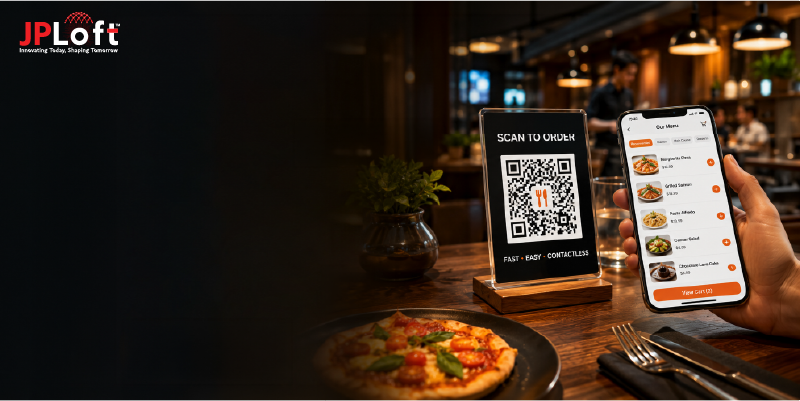
QR-based payments
-
Bill-splitting and group payments
-
Tip options
Restaurants offering multi-mode digital payments experience checkout speeds that are 2× faster.
► Order Tracking & Live Updates
Enhances transparency and customer trust.
Live updates include:
-
Order accepted
-
Being prepared
-
Ready for pickup
-
Out for delivery
-
Delivered
This feature reduces customer support queries by 25–35%.
► Feedback, Ratings & Loyalty Rewards
These features drive retention and community building.
Includes:
-
Multi-step rating system
-
Feedback categories
-
Discount-based loyalty tiers
-
Referral bonuses
-
Membership programs
This aligns with many top restaurant management software features used to increase repeat visits.
These features collectively are the answer to your question: what features to include in restaurant management software. Today, they define the efficiency, flexibility, and intelligence of a modern restaurant ecosystem.
Restaurant Management Software Advanced Features
Advanced restaurant management features help automate operations, improve decision-making, and enhance customer experiences at scale.
With AI analytics, automation, and real-time monitoring, these capabilities go far beyond basic POS tools.
They boost efficiency, accuracy, and profitability while helping restaurants adapt to changing demand and expectations.
Below is a breakdown of the most essential advanced features to include in restaurant management software.
1. AI-Powered Inventory & Demand Forecasting
Modern restaurants face unpredictable customer inflow, rising procurement costs, and complex inventory cycles.
AI forecasting solves these challenges by:
-
Predicting order volumes based on seasonality, weather, and past patterns
-
Reducing food wastage by offering precise reorder suggestions
-
Automatically creating inventory purchase schedules
-
Highlighting upcoming stock shortages
This ties directly into restaurant inventory management software features, helping managers maintain real-time control over stock movement. AI-driven automation also supports compliance and vendor audit trails.
2. Unified Multi-Channel Order Management
With dine-in, takeaway, online delivery, and third-party aggregators, order management can easily become chaotic.
Advanced systems now offer:
-
Unified dashboard for ALL orders across channels
-
Automated ticket printing to the correct kitchen station
-
Intelligent order routing based on kitchen workload
-
Real-time delivery partner API sync
This feature optimizes preparation time and ensures a better customer experience.
3. Enterprise-Grade Reporting & Business Intelligence (BI)
Data is the backbone of profitable decision-making.
Advanced BI includes:
-
Profitability breakdown by branch, menu item, or time slot
-
Real-time staff performance analytics
-
Heatmaps of peak ordering times
-
Sales vs. wastage comparisons
-
Customizable dashboards for managers and franchise owners
These systems often include automation features offered by enterprise providers like Workday restaurant management software features, helping standardize analytics.
4. Automated Compliance & Regulatory Support
Compliance mistakes can lead to legal penalties and closures.
Advanced systems help maintain:
-
Food safety compliance
-
Expiry tracking
-
Ingredient traceability
-
Tax automation
-
Audit-ready digital logs
This aligns well with the increasing demand for restaurant management software with compliance features and restaurant management software compliance features, especially for multi-location brands.
5. Cloud-Based Multi-Branch Management
For growing restaurant chains, cloud-based architecture is essential.
Key capabilities include:
-
Centralized brand-wide menu updates
-
Cross-location performance comparison
-
Remote staff monitoring
-
Cloud POS access anywhere, anytime
-
Central procurement management
This is also where solutions like Crunchtime restaurant management software features and Fourth restaurant management software features excel, offering robust controls for enterprise multi-branch environments.
6. Integration-Friendly Architecture (APIs + Third-Party Tools)
Your RMS should connect seamlessly with external tools such as:
-
Payment gateways
-
Accounting platforms
-
HRMS
-
Food delivery apps
-
CRM systems
-
Marketing automation tools
This is a perfect place to use software development services, which allow brands to build custom integrations tailored to their operational workflows.
7. Automated Staff Scheduling & Workforce Optimization
An advanced restaurant management system helps automate:
-
Shift scheduling
-
Break management
-
Attendance tracking
-
Overtime alerts
-
Productivity reports
AI can also recommend optimum staff count based on expected footfall.
8. Predictive Maintenance & System Health Monitoring
A scalable system must stay functional without failure.
Predictive maintenance helps track:
-
POS hardware performance
-
Network load
-
Database stability
-
API uptime
For long-term stability, brands often rely on software maintenance services to ensure peak performance.
9. Guest Experience Personalization
To drive loyalty, advanced systems now include:
-
AI-based guest profiling
-
Personalized offer suggestions
-
Preference-based menu recommendations
-
Automated loyalty campaign triggers
These influence repeat orders and improve average order value (AOV).
10. Menu Engineering Tools
Helps identify which menu items are:
-
High-profit
-
High-volume
-
Low-performing
-
Slow-moving
With visual dashboards, managers can make quick pricing or menu redesign decisions.
11. Smart Kitchen Display Systems (KDS)
Modern KDS features include:
-
Real-time order queue sync
-
Color-coded order statuses
-
Automatic rerouting during kitchen overload
-
Chef-level workstation analytics
This ensures faster and more accurate order preparation.
12. Offline Mode for Zero Downtime
Even if the internet fails, restaurants cannot stop functioning.
Advanced software supports:
-
Local data caching
-
Syncing once the network is restored
-
Offline billing and order processing
This maintains seamless operations at all times.
How to Select the Best Restaurant Management Software Features?
Selecting the right restaurant management software features is a strategic decision that directly influences operational efficiency, customer satisfaction, and long-term scalability.
Since every restaurant model, QSRs, cloud kitchens, fine-dine outlets, cafes, and multi-branch franchises, has unique workflows, the ideal feature set should align with your daily operations, growth roadmap, staffing patterns, and automation needs.
Below is a clear, AEO-powered breakdown to help you evaluate the most important features with confidence.
1. Map Your Restaurant’s Core Operational Needs
Begin by analyzing daily workflows such as order volume across dine-in, takeaway, and delivery, inventory turnover, vendor coordination, table management, and billing processes.
This clarity helps you identify which RMS features are essential for smooth and efficient operations.
2. Distinguish Must-Have Features from Good-to-Have Enhancements
Prioritize core features like POS billing, real-time inventory tracking, menu management, kitchen display systems, and seamless multi-channel order integration.
Complement these with optional enhancements like AI-based forecasting, CRM automation, loyalty systems, and advanced reporting to strike the right balance between performance and cost.
3. Evaluate Compliance, Integrations & Technical Compatibility
Choose software that supports compliance requirements such as food safety logs, expiry tracking, tax automation, and digital documentation.
Also review the integration ecosystem, delivery platforms, payment gateways, accounting tools, HR systems, CRM platforms, suppliers, and ERP solutions. Strong API support ensures long-term flexibility and smoother scalability.
4. Ensure Scalability & Customization for Future Growth
If your growth plan includes adding outlets, launching new service formats, or managing franchise operations, your RMS must support cloud infrastructure, centralized dashboards, multi-location management, and granular access controls.
For more complex workflows or brand-specific processes, many businesses prefer to hire dedicated developers to build custom modules that perfectly align with their operational structure.
5. Check UX Simplicity, Vendor Reliability & Security Standards
The system should be intuitive, easy to adopt, and designed with minimal learning curves to avoid operational delays.
Evaluate vendors based on update frequency, server stability, security patching, backup protocols, support responsiveness, and product roadmap.
Security must include encrypted transactions, role-based access, two-factor authentication, and detailed activity logs.
6. Test the Software Through Demos, Trials & Real-World Scenarios
Always validate the system using a live demo, free trial, or pilot environment. Test POS speed, menu syncing, reporting accuracy, integration performance, and inventory updates using your real workflows and sample menus.
This practical evaluation helps confirm whether the RMS meets your operational needs and long-term goals.
Connect with JPLoft and Build Your Restaurant Management Software
Building a powerful, future-ready restaurant management system requires a partner who understands both technology and real-world restaurant challenges.
JPLoft, a leading restaurant management software development company, delivers end-to-end solutions tailored to your operational flow, whether you run a fast-paced QSR, a multi-outlet chain, a cloud kitchen, or a full-service dine-in brand.
Our team focuses on creating scalable software architectures, intuitive dashboards, seamless integrations, and automation-driven features that help boost efficiency and profitability.
From custom module development to security enhancements and ongoing optimization, JPLoft ensures your software stays modern, stable, and aligned with your long-term goals.
Partner with us to build a high-performance system designed to grow with your restaurant business.
Conclusion
Choosing the right restaurant management software features is essential for building a smooth, efficient, and future-ready restaurant operation.
From inventory control and staff management to advanced analytics, compliance tools, and automation, the right system can significantly enhance performance and customer satisfaction.
As restaurants grow, these features help streamline daily workflows, reduce operational errors, and support smarter decision-making across every department.
With technology evolving rapidly, investing in a flexible, scalable solution ensures you stay competitive and prepared for the next wave of digital transformation.
Prioritize features that align with your goals, operational structure, and growth plans to build a system that truly elevates your restaurant business.
FAQs
Restaurant management software is a digital system that helps streamline daily operations like billing, orders, inventory, staff scheduling, menu updates, and reporting. It centralizes workflows, improves accuracy, and ensures smoother restaurant operations.
Essential features include POS and billing, inventory management, menu control, kitchen display systems, reporting tools, table management, CRM, and multi-channel order integration. Advanced systems also offer automation, compliance tracking, and AI-driven insights.
It reduces manual tasks, automates ordering and inventory, minimizes billing errors, speeds up service, and provides real-time insights for better decision-making. This leads to faster workflows and improved customer satisfaction.
Yes. Modern systems scale easily and offer features tailored for small outlets, including simple inventory tools, easy billing, cloud access, and cost-effective modules that grow alongside your business.
Most modern systems integrate with platforms like Swiggy, Zomato, Uber Eats, and Deliveroo. This enables centralized order management, faster processing, and reduced operational chaos.

Conor has more than 10 years of experience in software development, app creation, solution engineering, and UX/UI design. With an impressive track record of high retention and growth working with Fortune 500 companies, he brings the technical depth and strategic perspective needed to help businesses build impactful, user-focused digital solutions.


Share this blog