


Quick Answer:
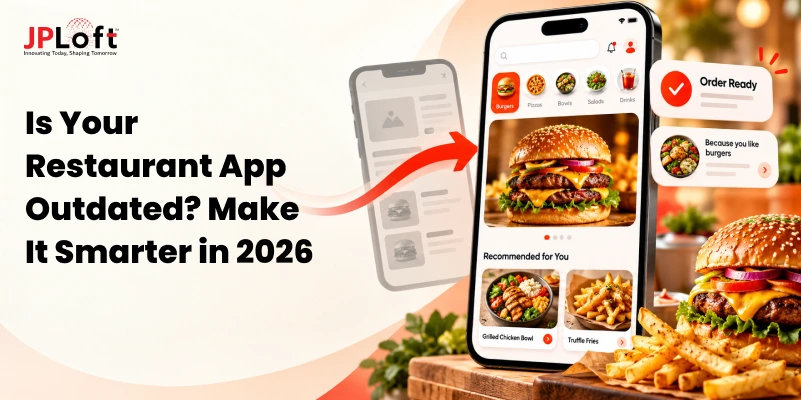
To make an outdated restaurant app smarter, integrate AI-powered recommendations, automated reservations, real-time order tracking, POS connectivity, and personalized loyalty programs. Start by identifying customer pain points and operational inefficiencies, then prioritize improvements based on business impact, budget, and technical feasibility. Depending on your app's condition, you can upgrade existing features, modernize backend systems, or rebuild the application.
Your restaurant app may still accept orders, show the menu, and take reservations. But if customers struggle to check out, returning guests have to rebuild the same order, or staff must correct information that never reaches the POS, is the app doing enough for your restaurant?
An outdated restaurant app is not always one with an old design. Sometimes the bigger warning signs are unreliable order updates, disconnected systems, or everyday tasks that take more effort than they should.
Making the app smarter can mean fixing those basics first, then adding useful automation, personalization, or AI where it solves a real problem. Further, partnering with an experienced restaurant app development company can help you identify the right improvements without unnecessary redevelopment.
This guide explains how to spot the signs your restaurant app needs an upgrade, which smart features can improve the customer and staff experience, and how to prioritize changes.
It also covers when to upgrade versus rebuild your app and how to measure whether the improvements are working.
What Makes a Restaurant App Smart?
A smart restaurant app does more than let customers browse a menu and place orders. It uses connected restaurant systems, automation, and relevant customer data to make the ordering and dining experience more responsive. AI in restaurant apps can further enhance this experience by supporting intelligent features and personalized interactions.
For example, it can show accurate item availability, remember a guest’s usual order, and update pickup times based on actual order progress.
The key difference is that a traditional app largely relies on fixed information and manual updates, while a smarter app responds to changes in real time. AI can support features such as personalized recommendations or customer assistance, but reliable integrations and simpler workflows are what make those capabilities useful.
7 Signs Your Restaurant App Needs an Upgrade
Not every disappointing scenario points to outdated software. Delivery delays might be due to understaffing, while low repeat orders may be due to uncompetitive menu pricing.
Here are the common signs that indicate your restaurant app needs an upgrade.
1. Customers Abandon Orders Before Checkout
Longer loading times, repeated form fields, unclear fees, or a payment screen that fails after a customer has built a cart create avoidable friction. Review the journey from menu opening to confirmed payment. Separate slow screen rendering, failed payment attempts, and abandoned carts: each has a different cause and fix.
2. The App Is Difficult to Navigate
If guests have to dig through categories to find popular items, cannot read modifier choices easily, or miss the cart button, the restaurant app design may be working against them. Watch how new customers complete common tasks rather than judging the design only by how modern it looks.
3. Returning Customers Must Start From Scratch
Regular guests expect convenience, yet some apps make them rebuild recurring orders, re-enter instructions, or search for favorites. This is a missed opportunity to save time. It is not, by itself, proof that sophisticated personalization is required.
4. Reservations and Wait Times Are Unreliable
An app that accepts unavailable tables, fails to reflect cancellations, or gives an unrealistic queue estimate creates frustration for both guests and the front-of-house team. Check whether digital availability follows the actual seating rules, table turnover, and host workflow.
5. POS, Kitchen and Inventory Information Do Not Match
When staff retypes app orders into the POS, an out-of-stock item remains available online, or an order fails to reach the kitchen, the problem extends beyond the phone screen. Understanding how to build a restaurant POS system with seamless app integration can help prevent these gaps, which can produce refunds, delays, and manual reconciliation.
6. Loyalty and Offers Feel Irrelevant
If every user receives the same promotions, guests may ignore notifications or stop opening the app. Before adding more campaigns, examine repeat-order behavior, offer redemption, consent preferences, and whether existing loyalty benefits are easy to understand.
7. Order and Delivery Updates Cannot Be Trusted
A status that stays on “preparing” after pickup, or an arrival estimate that never changes, is not useful tracking. Find out which milestones are available from the kitchen, delivery provider, or staff. Accurate, modest updates are better than a visually impressive timeline driven by guesses.
Also read: Why restaurant apps fail?
7 Practical Ways to Make Your Restaurant App Smarter
Once you know where the experience breaks down, choose improvements that address a real cause. The top restaurant app features should focus on solving these issues and improving the overall user experience.
The following options range from simple usability changes to integrations and AI-enabled features. They should not all be treated as mandatory.
1. Make Reordering and Menu Discovery Easier
Make it easier for customers to find favorite dishes and repeat past orders. Add clear menu categories, saved favorites, recent orders, and a prominent “Order Again” option. Before checkout, confirm that items, prices, and customizations are still available.
Once these basics work reliably, consider personalized recommendations based on purchase history and preferences customers choose to share. AI may help with larger, varied menus, but most restaurants should prioritize convenient navigation and accurate reordering first.
2. Offer Conversational Help Where It Solves a Problem
A chatbot can answer routine questions about operational hours, menu ingredients, ordering instructions, or reservation policies. More advanced assistance may initiate a booking or help assemble an order, but only when it has verified access to the relevant systems and a clear confirmation step. The role of AI agents in restaurant apps is to make these interactions more intelligent by handling multi-step tasks, automating routine processes, and providing contextual customer assistance.
Design an escape route for staff, especially for allergies, payment disputes, and unusual requests. Responses about availability or dietary safety should never be invented by a language model. Measure successful resolutions and handoffs, not just the number of chat conversations.
3. Connect Ordering With the POS, Kitchen and Menu Data
A connected flow can send confirmed orders to the correct fulfillment system, show valid modifiers, and keep menu availability aligned across channels. Decide which system owns each piece of information: the POS may be the source for item availability, while a kitchen display system (KDS) may supply preparation milestones.
Integration feasibility depends on your provider, contract, endpoints, and permission level. For example, Toast publishes separate API access types and notes that permissions vary; standard access is not equivalent to unrestricted ordering or stock-write capability. Plan for retries, duplicate-order prevention, synchronization failures, and a staff fallback before launch.
4. Improve Reservations and Waitlist Management
A connected reservation tool in an AI table reservation app can display available slots, capture party size, reflect cancellations, and notify diners when a table is ready. Useful automation must respect actual seating capacity, service duration, and walk-in policies. Otherwise, the app simply automates incorrect promises.
For restaurants that do not accept reservations, a digital waitlist with clear status and opt-in alerts may be more relevant than building a full booking engine.
5. Make Loyalty and Notifications More Relevant
Link loyalty balances and rewards to a guest’s account, explain how rewards are earned and redeemed, and allow customers to control notifications. Segment offers around meaningful patterns, such as customers who frequently order lunch, rather than messaging everyone whenever business slows.
Location-based promotions should be used sparingly and with suitable permission. A nearby offer can be useful, but excessive targeting may feel intrusive and produce opt-outs. Track redemptions alongside discount costs, not opens alone.
6. Provide Order Updates That Reflect Real Events
Keep customers informed with order updates based on actual POS, kitchen, or delivery events. Show clear milestones such as confirmed, preparing, ready for pickup, and out for delivery.
When supported, integrate delivery partner tracking to provide accurate progress and arrival estimates. Notify customers when an order’s status changes and offer an easy way to report delays or contact the restaurant. Reliable updates reduce uncertainty for customers and help staff spend less time answering routine order-status questions.
7. Reduce Checkout Friction and Improve Reliability
Keep checkout simple by displaying the total payable amount upfront, preserving carts when possible, and clearly presenting pickup and delivery options. Ensure customers can recover from payment errors without restarting their orders.
Use trusted payment providers to handle sensitive transactions securely. Professional restaurant app development services can help optimize loading speeds, API response times, crash rates, and order processing reliability, ensuring a smooth checkout experience from start to finish.
Also read: Restaurant app development cost.
Which Smart Features Should You Prioritize First?
Understanding the latest restaurant app development trends can help you identify which smart features will deliver the most value to your restaurant. The right choice depends on customer expectations, operational challenges, available data, and your budget. Consider prioritizing the following capabilities based on your restaurant's specific needs:
-
AI-Powered Menu Recommendations: Suggest relevant dishes, add-ons, and meal combinations based on customer preferences and ordering history.
-
Predictive Inventory Management: Analyze historical sales, demand patterns, and inventory levels to anticipate stock requirements and minimize waste.
-
Intelligent Order Management: Use real-time order volumes and kitchen capacity to improve preparation estimates and order coordination.
-
AI Chatbots and Virtual Assistants: Handle routine customer inquiries, provide menu assistance, and support ordering or reservations through connected systems.
-
Smart Customer Segmentation: Identify purchasing patterns to deliver more relevant loyalty rewards, personalized offers, and customer engagement campaigns.
-
Predictive Demand Forecasting: Anticipate busy periods and order volumes using historical transactions, seasonal trends, and other relevant data.
Also read: AI Voice Ordering in Restaurant Apps
Should You Upgrade Your Existing Restaurant App or Rebuild It?
The decision to upgrade or rebuild your restaurant app depends on its technical condition, integration capabilities, maintenance requirements, and business needs. Understanding common restaurant app development challenges can help you determine the most suitable approach.
|
Approach |
When to Choose It |
Recommended Action |
|
Upgrade Your Existing App |
The app performs reliably, its codebase is maintainable, and existing APIs support new features. |
Improve checkout, add smart features, enhance navigation, or integrate supported tools without rebuilding the application. |
|
Modernize Existing Systems |
Outdated backend services, disconnected databases, or limited integrations prevent new capabilities. |
Upgrade specific components, improve APIs, and connect systems while preserving functional parts of the app. |
|
Rebuild the App |
Unsupported technology, recurring security or performance problems, and major architectural limitations make incremental fixes impractical. |
Develop a new application with updated architecture, planned data migration, and minimal operational disruption. |
How Do You Know Your Restaurant App Upgrades Are Working?
The success of a restaurant app upgrade should be measured through improvements in customer experience, operational efficiency, and business performance.
Compare key performance indicators (KPIs) before and after implementation to determine whether the new features are delivering meaningful results.
1. Order Completion Rate
Track the percentage of customers who complete checkout. A higher completion rate may indicate that simplified navigation, faster checkout, and improved payment options are reducing friction.
2. Repeat Purchase and Customer Retention Rates
Monitor how frequently customers return to place orders. Improvements can help assess whether personalized recommendations, one-tap reordering, and loyalty features encourage repeat business.
3. Order Accuracy and Processing Time
Measure incorrect orders, preparation delays, and average processing times. These indicators help evaluate the effectiveness of POS integration, automated ordering, and kitchen coordination.
4. Reservation and Waitlist Efficiency
Track booking conflicts, average wait times, and the accuracy of seating estimates. Better results can indicate that automated reservations and digital waitlists are improving table management.
5. App Performance and System Reliability
Monitor app crashes, loading times, payment failures, and synchronization errors. These metrics reveal whether technical upgrades are creating a more stable and dependable experience.
6. Customer Engagement and Satisfaction
Evaluate loyalty reward redemptions, personalized offer engagement, customer feedback, and support inquiries. These insights help determine whether smart features are meeting customer expectations.
7. Revenue Impact and Operational Costs
Compare changes in average order value, contribution margin, labor efficiency, and ongoing maintenance costs. This helps assess whether the upgrades are delivering sustainable business value rather than simply increasing order volume.
Also read: How to Develop a Restaurant App
Make Your Restaurant App Smarter With JPLoft
An outdated restaurant app shouldn't limit your customer experience or operational efficiency. With the right technology partner, you can modernize your application, introduce intelligent capabilities, and improve everyday restaurant operations.
With 16+ years of industry experience and 1,250+ projects delivered, JPLoft brings expertise in mobile app development, AI integration, automation, and backend modernization. Our on-demand restaurant app development services help businesses transform existing applications into smarter, more connected platforms.
Our experience in developing restaurant technology solutions includes POS integrations, intelligent ordering systems, real-time analytics, and automated workflows. A restaurant platform featured in our portfolio reported:
-
30% reduction in operational costs
-
2x faster order processing
-
15-minute improvement in table turnover
These figures represent reported outcomes from a specific project, not guaranteed results for every restaurant.
Whether you're planning to enhance existing features, integrate AI capabilities, or rebuild an outdated application, JPLoft can help you develop a modernization strategy aligned with your restaurant's business goals.
Ready to make your restaurant app smarter? Connect with JPLoft to discuss your requirements and explore the next steps.
FAQs
Often, yes, provided the app has maintainable interfaces, suitable data, and a clear use case. Start by checking the accuracy of menu, order, and customer data, the cost of integration, and how recommendations or chatbot responses will be evaluated and supervised. AI is optional for many valuable upgrades.
The cost to make the restaurant app smarter can range anywhere from $10,000 to $115,000 depending on the current codebase, feature scope, interface redesign, integrations, data quality, security work, and testing. Small usability changes and a multi-system modernization project require very different budgets.
Yes, if its architecture and dependencies can support the changes safely. A technical assessment should review the mobile code, backend services, integrations, security updates, and release process. If only one component is limiting progress, selective modernization may be enough.
Potentially, but compatibility cannot be assumed from the provider name alone. Available APIs, merchant configuration, permissions, integration approval, and required operations differ by platform. Confirm the exact actions needed, such as reading menus, submitting orders, or updating stock, with the provider and implementation team before promising an integration.
Timelines depend on complexity, technical debt, integration access, design changes, and the amount of regression testing needed. An isolated interface improvement may be much simpler than replacing an ordering backend or connecting several restaurant locations. Request a phased plan with discovery, development, pilot testing, and rollout milestones.

Conor has 10+ years of experience in software development, application engineering, solution design, and UX/UI. He has worked across digital products in restaurant technology, food and grocery delivery, healthcare, media, streaming, and social platforms, bringing both technical and user-experience perspectives to product development. His experience working with large organizations and growth-focused digital products helps businesses translate complex requirements into practical, user-focused solutions.



Share this blog