


A leaky tap at 9 PM. A TV that needs mounting. A shelf that will not stay straight.
Today, homeowners fix these with a few taps on their phone. That is why handyman app business models are getting so much attention from founders.
But here is the catch. Not every handyman app works the same way. Some run marketplaces. Some are powered by one company. Some sell software.
The model you choose also determines the booking, payment, and provider-management capabilities a handyman app development company will need to build.
This guide covers the seven models, shows how handyman apps make money, and helps you pick the right path before you spend a dollar.
What Is a Handyman App Business Model, and How Does It Work?
Before you choose a model, get one thing clear. How your app runs is not the same as how it earns.
A handyman service app brings three groups together:
-
Customers who need a repair, installation, or fix.
-
Professionals who do the work.
-
Business operators who manage the platform, the team, or both.
The operating model answers who serves the customer. It also decides who sets prices and who owns the customer relationship.
The revenue model answers a different question. Who pays, how much, and when?
Here is a simple example. Two apps can both be marketplaces. One earns a commission on each job. The other sells leads to pros. Same operating model. Different revenue model.
Keep this split in mind. It will make the next section much easier.
What Are the Different Types of Handyman App Business Models?
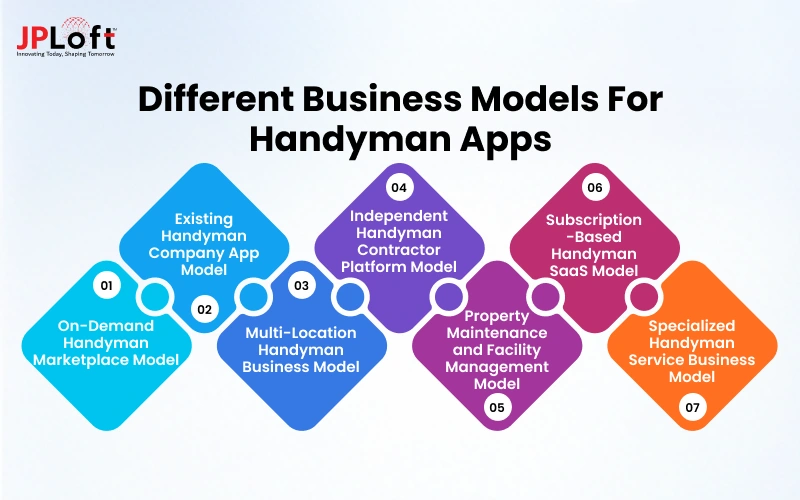
If you are planning to start an online handyman business, here are seven main models.
Each has its own customer, workflow, and risk. Let’s go through them one by one:
1. On-Demand Handyman Marketplace Model
This is the model most people picture first. A customer books a job. The app matches them with a nearby pro. Payment happens inside the app, and the platform keeps a share.
It is the classic handyman marketplace business model. It also has the toughest balancing act:
-
Too many customers and too few pros means missed jobs and bad reviews.
-
Too many pros and too few jobs means your best pros leave.
The fix is to start small. Launch in one city with a few services and grow from there.
2. Existing Handyman Company App Model
You already have technicians and loyal customers. You just want to work faster.
In this model, the app digitizes your daily work:
-
Online booking and instant quotes
-
Technician assignment and live job status
-
In-app payments and invoices
-
Customer history and repeat booking
You are not building a marketplace. You own the team and the customer. The app simply removes the phone calls and paperwork.
3. Multi-Location Handyman Business Model
This model fits a business that runs in several cities or branches.
It needs a few key pieces:
-
Service territories for each branch
-
A central dashboard for owners
-
Local teams with their own schedules
-
Reports that compare branches side by side
The real challenge is consistency. Customers in every city should get the same pricing logic and the same quality.
4. Independent Handyman Contractor Platform Model
Here the pros run their own business. The platform gives them the tools.
A pro can:
-
Build a public profile
-
Set weekly availability
-
Receive job requests
-
Send estimates and get paid
This is not a fully managed marketplace. In a managed model, the platform controls pricing, quality, and support. In this one, the pro stays in charge.
5. Property Maintenance and Facility Management Model
This one serves landlords, property managers, and commercial buildings.
The flow is simple. A tenant raises a request. The manager approves it. A vendor or in-house crew gets the repair assigned. Recurring maintenance contracts keep work steady all year.
Approval workflows and clear records matter more here than flashy booking screens.
6. Subscription-Based Handyman SaaS Model
In this model, you do not do the repairs. You sell the software.
Each handyman company gets its own business account on one shared platform. This is called a multi-tenant setup. Customers pay a recurring fee based on tiered plans.
Freemium also lives here. A free basic plan can bring solo handymen in the door. Paid tiers then unlock team tools and reports. Think of freemium as a pricing and customer-acquisition tactic. It is not an eighth model.
7. Specialized Handyman Service Business Model
Some founders win by going narrow. They focus on one clear need:
-
Furniture assembly
-
Rental property repairs
-
Home inspections
-
Preventive maintenance
Specialization changes the business. Skilled work supports higher and fixed prices. It also needs trained pros, the right tools, and strict checklists.
Handyman App Business Models Compared
|
Model |
Target customers |
Service fulfillment |
Primary revenue options |
Operational complexity |
Best fit |
|
On-demand marketplace |
Homeowners and renters |
Independent local pros |
Commission, booking fees, featured listings |
High |
Startups testing a local market |
|
Existing company app |
Your current and new customers |
Your own technicians |
Service revenue, memberships |
Low to medium |
Established handyman firms |
|
Multi-location |
Customers across cities |
Branch teams |
Service revenue, recurring plans |
High |
Regional chains and franchises |
|
Independent contractor platform |
Homeowners and small businesses |
Self-managed pros |
Subscriptions, lead fees, featured listings |
Medium |
Freelancer and service networks |
|
Property maintenance |
Landlords, property managers, tenants |
Vendors or in-house crews |
B2B contracts, recurring plans |
Medium to high |
Property and facility firms |
|
Subscription SaaS |
Handyman companies |
The customer's own staff |
Subscriptions, tiered plans |
Medium |
Software entrepreneurs |
|
Specialized service |
Niche buyers |
Trained specialists |
Fixed-price jobs, premium fees |
Medium |
Focused repair or inspection brands |
You now know how the models run. Next comes the money part.
How Do Handyman Apps Make Money: 7 Monetization Strategies
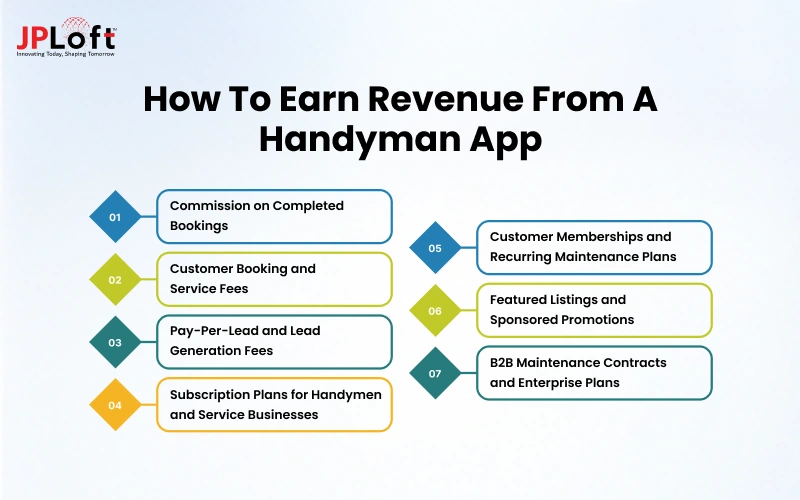
Understanding the cost to develop a handyman app is only one part of the investment. Choosing the right revenue streams also helps build a profitable business.
Here are seven handyman app monetization strategies to consider. All figures are illustrative and not market benchmarks.
1. Commission on Completed Bookings
The platform keeps a percentage of each finished job.
-
Who pays: The pro loses a share of the job value, or the customer sees it built into the price.
-
When: After the job is completed and paid.
-
Suits: On-demand marketplaces and managed platforms.
-
Advantage: You earn only when work happens.
-
Limitation: Pros may take repeat customers off the app.
-
Example: A $150 job at 20% earns $30. At 500 jobs a month, that is $15,000.
2. Customer Booking and Service Fees
The customer pays a small fee on top of the job price.
-
Who pays: The customer.
-
When: At checkout.
-
Suits: Marketplaces and managed booking apps.
-
Advantage: Pros keep more of their earnings, which helps supply.
-
Limitation: A high fee can hurt conversions.
-
Example: A 6% fee on a $150 job adds $9. At 500 jobs, that is $4,500 a month.
3. Pay-Per-Lead and Lead Generation Fees
Pros pay to receive customer requests. The platform does not need to handle the job.
-
Who pays: The pro.
-
When: When the lead is delivered or unlocked.
-
Suits: Contractor platforms and discovery marketplaces.
-
Advantage: Fast revenue with simple booking logic.
-
Limitation: Pros get upset when they pay for leads that never reply.
-
Example: 300 leads sold at $15 each brings $4,500. If a pro closes 20% of leads, each won job costs that pro about $75.
4. Subscription Plans for Handymen and Service Businesses
Businesses pay a monthly fee to use your tools or your platform.
-
Who pays: The handyman or the company.
-
When: Monthly or yearly.
-
Suits: SaaS and independent contractor platforms.
-
Advantage: Predictable income.
-
Limitation: Churn is a constant risk if the software is not sticky.
-
Freemium angle: Offer a free starter plan. Charge for team seats, reports, and automation.
-
Example: 80 businesses at $49 a month bring $3,920 monthly. If 1,000 free users exist and 5% upgrade, that adds 50 paid accounts and $2,450 more.
5. Customer Memberships and Recurring Maintenance Plans
Customers pay a regular fee for priority service or planned upkeep.
-
Who pays: The customer.
-
When: Monthly or yearly.
-
Suits: Existing company apps, multi-location firms, and specialized services.
-
Advantage: Loyal customers and steady cash flow.
-
Limitation: You must deliver real, visible value each month.
-
Example: 400 members at $15 a month bring $6,000.
6. Featured Listings and Sponsored Promotions
Pros pay to appear higher in search or on category pages.
-
Who pays: The pro or business.
-
When: Weekly or monthly.
-
Suits: Marketplaces with enough traffic.
-
Advantage: Extra income without touching job payments.
-
Limitation: It only works once you have real demand. Overuse hurts trust.
-
Example: 30 providers paying $100 a month bring $3,000.
7. B2B Maintenance Contracts and Enterprise Plans
Businesses pay for ongoing repair coverage across many properties.
-
Who pays: Property managers, landlords, and commercial clients.
-
When: Monthly retainers or per work order.
-
Suits: Property maintenance and multi-location models.
-
Advantage: Large, repeat revenue.
-
Limitation: Long sales cycles and strict service expectations.
-
Example: Six clients at $2,500 a month bring $15,000.
One tip before moving on. Many strong apps mix two streams. A commission plus a membership is a common pair.
Which Handyman App Business Model Is Best for Your Business?
The right business model shapes your growth. Adding AI in handyman app features can improve service matching, automate bookings, and simplify daily operations.
Choose a model that supports your business goals without adding unnecessary complexity;
►For Startups Launching a Local Handyman Marketplace
Choose the on-demand marketplace model. It fits founders who have a local market and an idea but no team of technicians yet.
Your job is to connect customers with nearby pros. The app handles booking, payment, and reviews. You earn from each completed job.
Here is how to start smart:
-
Pick one city. Dense areas make matching faster.
-
Offer three to five services. Think TV mounting, furniture assembly, and minor repairs.
-
Test commission first. It is easy to explain to pros and ties your income to real jobs.
-
Recruit pros before customers. An app with no available pros loses trust fast.
Keep one risk in mind. Supply and demand must grow together. Add a new city only after your first one runs smoothly.
►For Established Handyman Companies Going Digital
Choose the existing company app model. You already have technicians and customers. The app simply makes your daily work faster.
It helps you:
-
Take bookings online at any hour
-
Assign the right technician to each job
-
Collect payments and send invoices on the spot
-
Keep customer history in one place
Running more than one branch? Step up to the multi-location model. It adds branch dashboards, local service areas, and side-by-side reports.
Then add memberships to boost repeat work. A yearly maintenance plan gives customers a reason to stay. It also gives you steady income.
Because you own the team and the customer, you keep full control over quality and pricing.
►For Independent Contractors and Service Networks
Choose the independent contractor platform model. Pros stay in control of their own business. Your app gives them the tools to run it.
A pro can build a profile, set availability, receive requests, and send estimates. You can earn from this in a few ways:
-
Subscriptions: Pros pay a monthly fee for tools and visibility.
-
Lead fees: Pros pay to unlock customer requests.
-
Featured listings: Pros pay for a better spot in search.
The trade-off is control. You do not set prices or guarantee the work. So build trust with reviews, verified profiles, and clear rules.
Keep fees simple. Pros leave fast when charges feel unfair.
►For Property Managers and Commercial Maintenance Providers
Choose the property maintenance model. It suits property managers, landlords, and commercial maintenance providers who handle repairs across many units.
With the right handyman app development services, you can build a platform that follows a clear workflow:
-
Tenants raise a request with photos and details.
-
Managers review and approve the work.
-
The right vendor or crew gets assigned.
-
Everyone tracks the status until the job closes.
Recurring contracts are where the money is. Monthly retainers and planned inspections create steady income.
Also add reports on cost per property and response time. Clients will ask for them.
Sales cycles are longer here. But the contracts also last longer.
►For Entrepreneurs Building Handyman SaaS Software
Choose the subscription SaaS model. You do not do the repairs. You sell the software that handyman businesses use to run their work.
Each customer gets a separate business account on one shared platform. Your product might include scheduling, quotes, invoices, payments, and customer records.
Here are a few pricing tips:
-
Use tiered plans based on team size or features.
-
Test a freemium entry plan to bring in small operators.
-
Move users to paid tiers when they need team seats, reports, or automation.
Remember that freemium is a pricing tactic and not a separate model.
Watch churn closely. If handymen do not use the app daily, they will cancel.
►For Businesses Targeting Specialized Repair Services
Choose the specialized service model. Instead of doing everything, you become the go-to name for one thing.
Good niches include furniture assembly, rental property repairs, home inspections, and preventive maintenance.
Here is why this model works:
-
Fixed prices: Standard jobs are easy to quote upfront.
-
Higher trust: Customers prefer experts for focused tasks.
-
Cleaner operations: Checklists and tools stay the same from job to job.
The limit is market size. A narrow niche means fewer customers.
So pick a need that comes up often. Then build your brand around it.
Still unsure? This table helps.
|
Your situation |
Best-fit model |
First revenue option to test |
|
New startup with no team |
On-demand marketplace |
Commission |
|
Existing technicians and customers |
Existing company app |
Customer memberships |
|
Branches in many cities |
Multi-location |
Recurring maintenance plans |
|
Network of freelancers |
Independent contractor platform |
Subscriptions or lead fees |
|
Serving landlords and property managers |
Property maintenance |
B2B contracts |
|
Selling software to handyman firms |
Subscription SaaS |
Tiered plans with freemium |
|
One niche skill |
Specialized service |
Fixed-price jobs |
Theory is useful. Real platforms teach even more.
Real-World Handyman App Business Models: What Can You Learn?
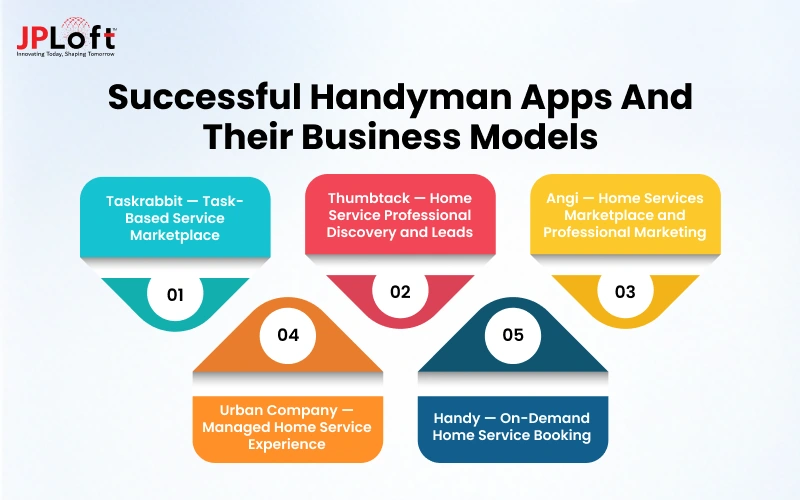
Five well-known platforms show how these ideas play out. The details below come from the companies' own pages and public filings. Fee levels vary by market and change over time.
Taskrabbit — Task-Based Service Marketplace
Taskrabbit makes finding trusted local help as easy as booking a service online.
If you want to create an app like TaskRabbit, focus on quick bookings, verified professionals, clear pricing, and smooth payments that keep customers coming back.
-
How it works: Clients browse Taskers by skill, reviews, and hourly rate. Taskers set their own rates.
-
How it earns: Clients pay a service fee. Many markets also add a trust and support fee. Taskrabbit states that Taskers pay a one-time registration fee.
-
Lesson: Trust is a product. Protection and support can justify a fee. Keep the fee clear so clients do not feel surprised.
Thumbtack — Home Service Professional Discovery and Leads
Thumbtack helps customers find the right professionals for everything from home repairs to large improvement projects.
If you plan to develop an app like Thumbtack, focus on service discovery, customer reviews, lead management, and easy ways for professionals to connect with potential clients.
-
How it works: A customer describes a job. Thumbtack matches them with local pros.
-
How it earns: Finding and hiring a pro is free for customers. Pros pay for access to leads. Costs vary by category and local competition.
-
Lesson: Lead selling is fast to launch. But pros complain loudly when leads go cold. Lead quality and fair refund rules protect your supply side.
Angi — Home Services Marketplace and Professional Marketing
Angi connects homeowners with service professionals through reviews, quotes, and local listings. To build an app like Angi, focus on trust, visibility, and lead generation.
-
How it works: Angi helps homeowners find pros. It also offers booking and managed projects through Angi Services.
-
How it earns: Its public filings list advertising, fees for consumer matches, and memberships. Service revenue comes from booked jobs and larger managed projects.
-
Lesson: A mature platform rarely depends on one stream. Discovery and booking can live under one roof.
Urban Company — Managed Home Service Experience
Urban Company makes booking trusted home services simple with verified professionals and transparent pricing.
If you want to build an app like Urban Company, focus on easy bookings, service quality, and reliable professional management.
-
How it works: It vets and trains its professionals. It controls the service experience from booking to delivery.
-
How it earns: Public reporting points to commission as its largest source of revenue. It also sells products to service partners and offers customer memberships.
-
Lesson: A managed model costs more to run. But it can build a strong brand on quality. Note that Urban Company is rooted in India and other markets. Use it as a lesson in operations rather than a direct US copy.
Handy — On-Demand Home Service Booking
Handy connects customers with local professionals for cleaning, repairs, and other home services. To develop an app like Handy, focus on quick bookings, flexible scheduling, transparent pricing, and reliable service providers.
-
How it works: Customers pick a time and get instant pricing. The platform describes its pros as independent and background-checked.
-
How it earns: Handy joined Angi in 2018. It also works with retailers to offer assembly and installation after a product purchase.
-
Lesson: Fixed pricing removes friction. Retail partnerships can bring in demand without heavy ad spend.
All five started by choosing the right business model. Their handyman app features and development costs followed based on that choice.
What Does It Cost to Operate Different Handyman App Business Models?
Building the app is only the start. Running the business costs money every month.
This section covers running costs only. App development pricing is covered in our separate cost article:
►Marketplace Costs: Customer Acquisition, Provider Onboarding and Support
A marketplace has to win over two groups at once. You need customers who book jobs. You also need pros who accept them.
That gets costly fast. You will spend on ads and SEO to bring customers in. You will also pay for background checks and skill checks before a pro goes live.
Then comes support. Disputes, refunds, and no-shows all need a real person to handle them. Add payment fees and protection programs on top.
Many marketplaces spend heavily before any revenue arrives. Plan your cash for that gap.
Cost Impact: Expect around $5,000–$15,000 in operating expenses, mainly for customer acquisition, provider onboarding, payment processing, and support.
►Existing Business Costs: Scheduling, Workforce Management and Integrations
Your costs here are easier to predict. You already have a team and a customer base.
Most of the spending goes into scheduling and dispatch tools. You will also need a way to track technicians and link their hours to payroll.
Next come integrations. The app should talk to your accounting, CRM, and payment tools. Your staff will also need training on the new system.
The real work is making the app fit how your team already operates.
Cost Impact: Budget approximately $2,000–$8,000 for scheduling tools, workforce management, integrations, and staff training.
►SaaS Costs: Hosting, Customer Support, Billing, and Product Maintenance
SaaS costs grow with every new account. Cloud hosting is the first one to watch.
Each business customer also needs onboarding and support. Someone has to answer questions and fix problems. Billing adds more work. Failed payments and refunds happen every month.
Then there is product upkeep. You will ship updates, security fixes, and new features all the time.
SaaS earns well at scale. But churn can quietly eat your gains if the product is not sticky.
Cost Impact: Plan for around $3,000–$12,000 to cover cloud hosting, customer support, billing operations, and product maintenance.
►Property Maintenance Costs: Coordination, Compliance and Reporting
Property maintenance runs on coordination. Someone must manage vendors and talk to tenants every day.
Compliance is the next cost; you need insurance, licenses, and safety records in order. Clients often ask to see them; this is why you also need reporting.
Property managers want to see cost per property and response time. Service-level promises add more pressure. You need backup crews ready when a vendor cancels. This model runs on reliability. Missed deadlines can cost you a whole contract.
Once you know the costs, it is time to test your handyman app idea.
Cost Impact: Operating expenses can range from $4,000–$15,000, depending on vendor coordination, compliance, reporting, and backup workforce requirements.
How to Validate Your Handyman App Business Model Before Investing?
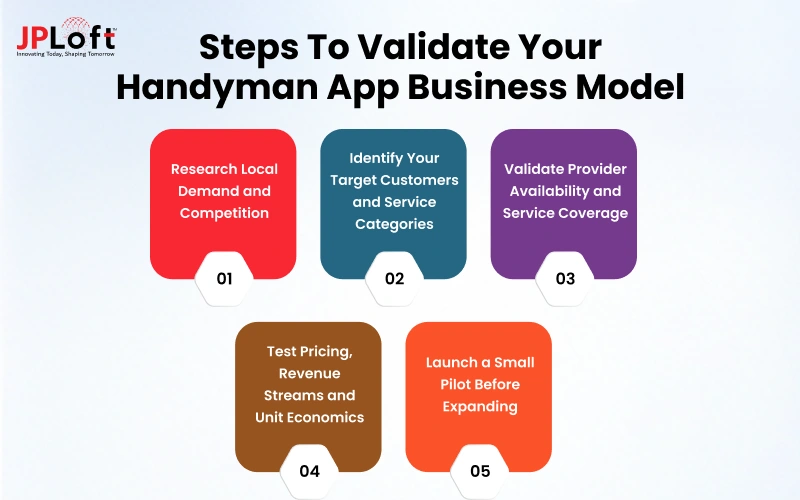
Before investing in development, test customer demand, study competitors, estimate costs, and check if your handyman app model can generate revenue:
1. Research Local Demand and Competition
Search what homeowners in your area ask for. Check local competitors, review sites, and existing apps. Look for gaps such as slow replies, unclear pricing, or no weekend slots.
2. Identify Your Target Customers and Service Categories
Do not serve everyone. Pick one customer group and three to five services. Small repairs, TV mounting, and furniture assembly are common starting points.
3. Validate Provider Availability and Service Coverage
A marketplace needs pros before it needs customers. Talk to local handymen. Ask which areas they cover and what hours they can work. Check whether they would accept your fee.
4. Test Pricing, Revenue Streams and Unit Economics
Check whether one booking makes money. Here is a simple example. These are assumptions for illustration only:
-
Average booking value: $150
-
Commission: 20%
-
Customer service fee: 5%
-
Card processing: 2.9% plus $0.30
-
Support cost: $4 per booking
-
Refund and claims reserve: $3 per booking
-
Customer acquisition cost: $20 per new customer
The first booking barely pays off. Now look at repeat use. If the same customer books three times and you pay acquisition once, you keep about $56.89 across three jobs. That is roughly $19 per booking.
The lesson is clear. Repeat bookings decide whether the model works.
5. Launch a Small Pilot Before Expanding
Run a pilot in one neighborhood for four to eight weeks. Track these numbers:
-
Booking requests and completion rate
-
Repeat booking rate
-
Average job value
-
Cost per new customer
-
Support tickets per booking
If the numbers hold, expand. If not, adjust before you scale.
How to Choose the Right Business Model for Your Handyman App?
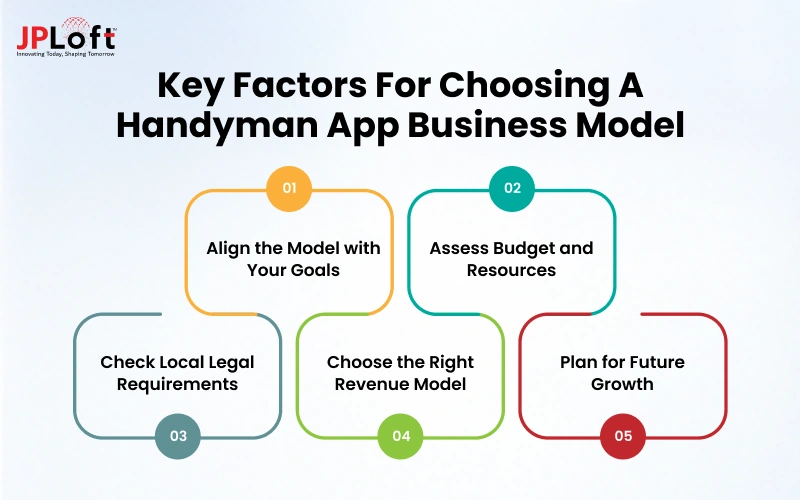
You understand the available models, revenue options, and validation steps. Now use these five factors to choose the right business model for your handyman app:
a] Align the Model with Your Goals
Want fast growth in a new market? A marketplace fits. Want steady income from current customers? Choose the company app or memberships. Want recurring software revenue? Go with SaaS.
b] Assess Budget and Resources
Be honest about your team and cash. A marketplace needs money for both supply and demand. A company app needs less. A managed model needs strong operations.
c] Check Local Legal Requirements
Rules differ by state and city. Many places require licenses for certain jobs or above certain job values. Insurance expectations also vary. Check your state contractor board and talk to a local attorney before launch. This is general information and not legal advice.
d] Choose the Right Revenue Model
Ask both sides what feels fair. Pros dislike surprise fees. Customers dislike hidden charges. The best handyman app revenue streams feel clear to everyone.
e] Plan for Future Growth
Start with one model and one or two revenue streams. Add more only when the numbers support it. Complex apps are hard to fix and harder to explain.

How Can JPLoft Help You Build a Handyman App Around Your Business Model?
The right app starts with the right model. JPLoft helps you turn your chosen model into a working product.
Here is how the process maps to each model:
-
Requirements discovery: We study your customers, services, and goals. This shapes whether you need a marketplace, a company app, a SaaS tool, or a property workflow.
-
Booking workflows: Scheduling, quotes, job status, and notifications built around how your jobs actually run.
-
Provider management: Profiles, verification, availability, ratings, and payouts for pros and technicians.
-
Payments: Commission splits, service fees, subscriptions, and invoices set up for your revenue plan.
-
Integrations: Accounting, CRM, maps, and messaging tools connected to your daily work.
-
Phased development: Launch a lean version first. Add features as real usage guides you.
Ready to start? Explore JPLoft's on-demand handyman app development services and plan your build with confidence.
Conclusion
There is no single best handyman app business model.
The right one depends on who you serve and how the work gets done. Your team, your budget, and your unit economics matter just as much.
A high-earning monetization method means little if your pros leave or your customers do not return. Pick a model that you can run well. Test it on a small scale. Then grow with proof.
Start simple. Learn fast. Scale what works.
FAQs
The seven common ones are on-demand marketplace, existing company app, multi-location, independent contractor platform, property maintenance, subscription SaaS, and specialized service models.
They earn through commissions, customer fees, lead fees, subscriptions, memberships, featured listings, and B2B contracts. Most apps combine two or three of these.
Many marketplace startups begin with commission. It is simple to explain and links your income to completed jobs. Test it in a pilot before you commit.
Commission suits platforms that handle booking and payment. Pay-per-lead suits platforms that mainly connect customers and pros. Lead fees can frustrate pros if leads do not convert.
Yes. A marketplace may mix commission with featured listings. A company app may mix service revenue with memberships. Just avoid adding streams too early.
It depends on your state, city and the services involved. Check local contractor and business rules before launch and consult a legal professional.

Kris Jacobs brings 20+ years of experience in digital product strategy, user-focused design, and solving complex product challenges. She has worked across on-demand services, travel, entertainment, sports, insurance, education, and service marketplaces, including handyman, dog-walking, courier, event-management, and equine platforms. Her focus is on shaping practical, scalable digital experiences that align user needs with business goals and long-term product growth.



Share this blog