


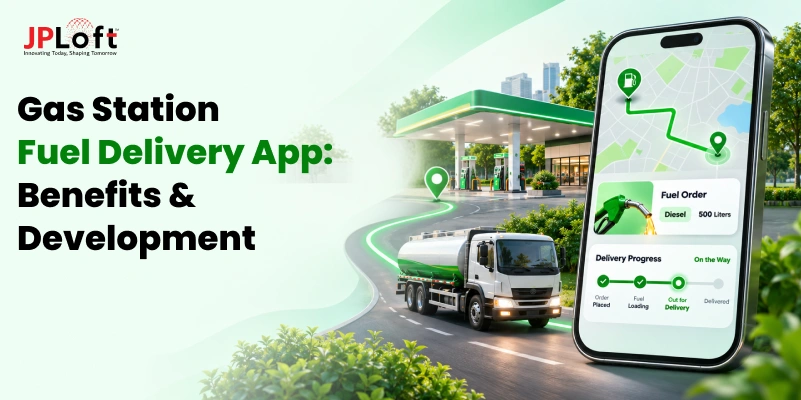
Gas stations have traditionally depended on customers driving in to refuel. But what if fuel could reach customers wherever they need it?
With growing demand for convenience, gas station owners have an opportunity to expand beyond their physical locations. A fuel delivery app can help them serve individual customers, local businesses, and commercial fleets without requiring every customer to visit the station.
From scheduled fuel deliveries to real-time order tracking, these apps can simplify the entire process for customers, drivers, and station owners. They also create opportunities to increase sales, build repeat business, and reach new customers.
However, starting a fuel delivery service requires proper planning, suitable technology, and compliance with local regulations.
In this guide, we explain the benefits, essential features, business models, and development steps for building a fuel delivery app for gas stations in the USA.
Visit: Fuel Delivery App Development Company
Why Should Gas Stations Use On-Demand Fuel Delivery Apps?
An on-demand fuel delivery app helps gas station owners manage orders, reach more customers, and simplify delivery operations. By connecting customers, drivers, and station management through one platform, these apps make it easier to offer fuel delivery services.
1. Reach Customers Beyond Walk-In Traffic
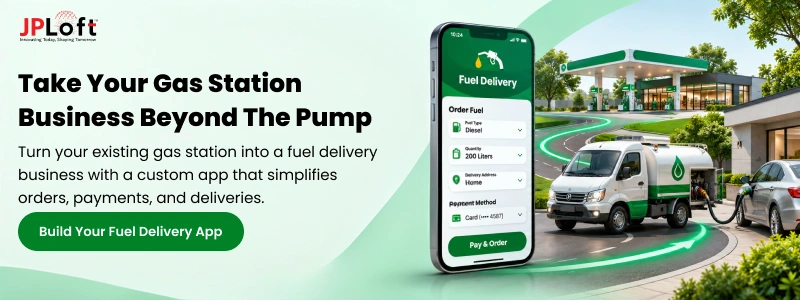
A fuel delivery app allows gas stations to accept orders from customers who cannot visit their physical locations. Customers can select fuel types, share delivery addresses, and schedule refueling directly through their smartphones.
This helps station owners reach customers across approved delivery areas, expand their service coverage, and attract new business without opening additional gas stations.
2. Serve Local Businesses And Commercial Fleets
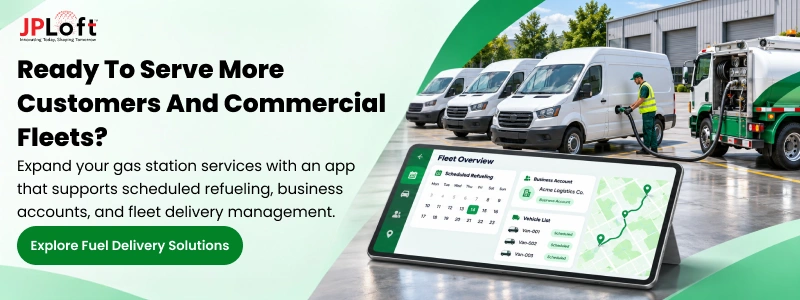
Local businesses and commercial fleets often require regular fuel supplies for their vehicles. A fuel delivery app allows gas stations to manage commercial orders, customer accounts, and delivery requests through one platform.
Station owners can also track fleet orders, manage delivery schedules, and generate digital invoices, making it easier to serve businesses with frequent refueling needs.
3. Offer Scheduled Refueling And Repeat Orders
Managing repeat fuel orders manually can take time, especially when serving customers with regular refueling needs. A fuel delivery app allows customers to schedule deliveries in advance or set up recurring fuel orders.
Gas station owners can view upcoming requests, plan driver assignments, and manage delivery schedules, helping them handle repeat orders without depending on phone calls.
4. Build An Additional Digital Sales Channel
Gas stations traditionally depend on customers visiting their locations to purchase fuel. A fuel delivery app creates another sales channel where customers can browse fuel options, place orders, and make payments online.
Through an admin dashboard, station owners can monitor digital orders, update delivery prices, manage customer information, and track sales performance alongside their existing station operations.
How Does a Fuel Delivery App Work for Gas Stations?
A fuel delivery app connects customers, gas station owners, and delivery drivers through one platform. Customers can order fuel without visiting a station, while owners can manage incoming requests, assign drivers, and monitor deliveries. The entire process, from placing an order to completing payment, is managed digitally, making fuel delivery operations easier to handle.
Here's how the process works:
-
Customer Places an Order: Customers select fuel type, quantity, delivery location, and preferred delivery time.
-
Station Receives the Request: Gas station owners review orders, check fuel availability, and confirm delivery details.
-
Driver Gets Assigned: The station assigns an available driver to complete the fuel delivery.
-
Delivery Tracking: Customers and station owners track delivery progress through real-time updates.
-
Fuel Delivery: Drivers reach the approved location, complete refueling, and confirm the delivered quantity.
-
Payment and Confirmation: Payments are processed, and customers receive digital receipts after order completion.
Also Read: How Fuel Delivery Apps Work? A Complete Guide
Essential Features of a Fuel Delivery App for Gas Station Owners
A fuel delivery app needs dedicated features for customers, drivers, and gas station owners. Each feature helps manage fuel orders, simplify deliveries, and improve daily business operations.
1. Customer App Features
The customer app allows users to order fuel directly from their smartphones. It simplifies fuel selection, delivery scheduling, payments, and tracking previous orders without visiting gas stations.
→ User Registration and Login
Customers can create accounts using their email addresses, phone numbers, or supported social login options. Secure authentication helps protect personal details while making it easier for returning customers to access their accounts.
→ Fuel Type and Quantity Selection
Customers can choose available fuel types, such as gasoline or diesel, and enter their required quantity. The app displays relevant pricing and availability based on the selected delivery location and gas station.
→ Delivery Location Pinning
GPS-based location selection allows customers to enter or pin their preferred refueling location. The app can check whether the address falls within approved delivery areas before allowing customers to proceed with an order.
→ Fuel Delivery Scheduling
Customers can select available delivery dates and time slots based on their refueling needs. This feature helps gas stations organize upcoming requests and plan deliveries according to driver availability and service area coverage.
→ Secure Payment Options
Integrated payment gateways allow customers to pay through supported credit cards, debit cards, or digital wallets. The app can also provide payment confirmations, helping gas station owners maintain accurate transaction records for every order.
→ Order History and Tracking
Customers can view previous fuel orders, payment details, and delivery records directly within the app. Real-time tracking also helps them monitor active orders and receive updates about driver assignments, estimated arrivals, and completed deliveries.
2. Driver App Features
The driver app connects delivery personnel with gas station operations. It helps drivers receive assignments, navigate delivery routes, update order progress, and confirm successful refueling at customer locations safely.
→ Order Assignment Notifications
Drivers receive notifications whenever new fuel delivery orders are assigned to them. Each request includes relevant information, such as delivery address, fuel type, quantity, and scheduled time, helping drivers prepare for upcoming deliveries.
→ GPS Navigation and Route Guidance
Integrated GPS navigation helps drivers locate customer addresses and follow suitable delivery routes. Gas station owners can also use location updates to monitor driver progress and manage multiple deliveries across their approved service areas.
→ Fuel Delivery Verification
Drivers can confirm completed deliveries by recording the delivered fuel quantity and required customer details. The app may also support digital signatures, photographs, or delivery confirmation codes to maintain accurate records of completed orders.
→ Real-Time Delivery Status Updates
Drivers can update order statuses, including accepted, in transit, arrived, and completed. These updates help gas station owners monitor ongoing deliveries while keeping customers informed about their orders without requiring repeated phone calls.
3. Admin Dashboard Features
The admin dashboard gives gas station owners control over fuel delivery operations. It brings order management, inventory monitoring, driver assignments, pricing, and business reports together in one centralized system.
→ Fuel Order Management
Gas station owners can view incoming orders, confirm delivery requests, and monitor order progress through the dashboard. They can also manage cancellations, update order details, and handle delivery issues from one centralized interface.
→ Fuel Inventory Management
Inventory management features help station owners monitor fuel availability and track quantities allocated for delivery orders. Connecting the app with existing inventory systems can reduce manual updates and prevent accepting orders beyond available stock.
→ Fuel Pricing Management
Station owners can update fuel prices, set delivery charges, and manage applicable service fees through the dashboard. Pricing rules can also account for delivery areas, fuel types, and changing operational costs when required.
→ Driver Management
The dashboard allows gas station owners to add drivers, manage their availability, and assign delivery requests. It also helps track ongoing assignments, review completed deliveries, and maintain driver information needed for daily operations.
→ Sales and Performance Reporting
Built-in reports help station owners monitor fuel delivery sales, completed orders, payment records, and customer activity. These insights make it easier to understand delivery performance, identify repeat customers, and review business results.
4. Business Management Features
Additional business features help gas stations handle regular customers and commercial fuel orders. They support recurring deliveries, fleet accounts, digital billing, and customer management as delivery operations grow.
→ Recurring Fuel Orders
Recurring order features allow customers to schedule fuel deliveries at regular intervals. Gas station owners can review upcoming requests, organize fuel availability, and plan driver assignments based on repeat delivery schedules.
→ Commercial Fleet Accounts
Gas stations can create dedicated accounts for businesses operating multiple vehicles. These accounts help manage authorized users, vehicle details, fuel orders, and billing information while keeping commercial transactions separate from individual customer orders.
→ Digital Invoices and Billing
Automated invoicing allows gas stations to generate digital bills after completed fuel deliveries. Commercial customers can receive detailed invoices showing fuel quantities, delivery charges, and payment information for easier accounting and recordkeeping.
→ Customer Relationship Management
Customer management features help gas stations maintain contact details, delivery preferences, and order records in one place. Owners can use this information to handle support requests, manage business accounts, and serve returning customers better.
Also Read: Must-Have Features for Fuel Delivery App in 2026
Fuel Delivery Business Models for Gas Stations
Gas stations can offer fuel delivery services through different business models based on their resources, customer needs, and service areas. Choosing the right model helps station owners manage deliveries and grow their business.
1. Station-Operated Delivery
Under this model, gas stations manage fuel deliveries using their own vehicles and trained drivers. A fuel delivery app helps owners receive customer orders, assign deliveries, track driver locations, and manage payments while maintaining direct control over operations.
2. Multi-Location Fuel Retail Chains
Gas station chains operating across multiple locations can manage fuel deliveries through one centralized platform. The app allows businesses to assign orders to suitable stations, monitor fuel availability, manage delivery areas, and track sales across different branches.
3. Partnerships With Delivery Operators
Gas stations can partner with licensed fuel delivery operators instead of managing their own delivery vehicles. The app connects customer orders with delivery partners, helping station owners coordinate fuel requests, monitor order progress, and manage payments through one platform.
4. B2B Fleet Refueling
Gas stations can offer scheduled fuel delivery services to businesses operating commercial vehicles, such as delivery vans, trucks, and service fleets. A dedicated app helps manage business accounts, recurring fuel orders, vehicle details, delivery schedules, and digital billing.
Also Read: How to Start a Fuel Delivery Business?
How to Build a Fuel Delivery App for Gas Stations?
Building a fuel delivery app requires proper planning, regulatory checks, and the right technology. Following a structured development process helps gas station owners launch an app that supports their delivery operations.
Step 1: Business Analysis
The development process begins by understanding the gas station's business goals, target customers, and delivery requirements. This helps determine what the application should offer and how it will support existing station operations.
Key activities include:
-
Identifying target customers and delivery areas.
-
Selecting a suitable fuel delivery business model.
-
Defining essential app features and user panels.
-
Estimating development costs and project timelines.
Step 2: Regulatory Feasibility
Before development begins, gas station owners must check whether fuel delivery is permitted in their intended service areas. Regulations can vary across US states and local jurisdictions.
Important considerations include:
-
Local permits and fire safety requirements.
-
Fuel transportation and handling regulations.
-
Approved delivery vehicles and equipment.
-
Driver training and insurance requirements.
These checks help identify operational restrictions before investing in development.
Step 3: UI/UX Design
Once the requirements are clear, designers create the app's layout and user experience. The goal is to make fuel ordering, delivery management, and driver navigation simple for every user.
The design process includes:
-
Creating user journeys for customers, drivers, and station owners.
-
Designing wireframes and interactive prototypes.
-
Planning easy navigation and clear ordering steps.
This helps identify usability issues before development begins.
Step 4: App Development
After design approval, developers start building the customer app, driver app, admin dashboard, and backend system. Each component is developed to support the gas station's selected delivery model.
Development activities include:
-
Building fuel ordering and scheduling features.
-
Developing driver assignment and tracking tools.
-
Creating inventory, pricing, and order management functions.
-
Setting up secure user authentication and data storage.
Step 5: Integrations
A fuel delivery app should connect with the systems gas stations already use. These integrations help synchronize business information and reduce the need to manage delivery operations separately.
Common integrations include:
-
POS systems for sales and payment records.
-
Payment gateways for secure transactions.
-
GPS and mapping services for delivery tracking.
-
Fuel inventory systems for stock updates.
-
Accounting software for invoices and financial reports.
Step 6: Testing
Before launching the app, developers test its features, performance, and security. This helps identify technical issues that could affect fuel ordering, payments, or delivery management.
Testing focuses on:
-
Checking order placement and scheduling.
-
Verifying payment processing and transaction records.
-
Testing GPS tracking and driver notifications.
-
Reviewing app security and user access.
-
Checking performance across supported devices.
Any identified issues are resolved before release.
Step 7: Rollout
After successful testing, the application is prepared for launch. Gas station owners can begin with a limited service area to monitor operations before expanding delivery coverage.
The rollout process includes:
-
Publishing customer and driver applications.
-
Training station staff and delivery drivers.
-
Testing operations with initial customers.
-
Monitoring orders, payments, and delivery performance.
-
Collecting feedback and making improvements.
This approach supports a more controlled launch and future expansion.
Visit: on-demand fuel delivery app development company
Final Words
Fuel delivery apps offer gas station owners an opportunity to expand their services beyond traditional pump sales and reach more customers. With the right application, businesses can manage fuel orders, schedule deliveries, track drivers, and handle payments through one platform.
Whether serving individual customers, local businesses, or commercial fleets, a fuel delivery app can simplify daily operations and create new revenue opportunities.
However, building a successful app requires more than adding essential features. Gas station owners must choose a suitable business model, understand local fuel delivery regulations, and plan the development process carefully.
By investing in the right technology and following a structured approach, gas stations can introduce fuel delivery services, improve customer convenience, and build a business that supports future growth in an increasingly digital market.
FAQs
Yes, gas stations can offer on-demand fuel delivery in certain US locations, provided they meet applicable regulations. Station owners must check local permissions, approved delivery areas, vehicle requirements, and safety standards before launching. Availability depends on state and local rules governing mobile fueling operations.
Yes, gas stations generally need specific permits and approvals to operate fuel delivery services. Requirements vary by location and may include fire department approval, vehicle permits, and approved fueling sites. Owners should consult local authorities before starting operations to ensure compliance with applicable regulations.
Fuel delivery app development in the USA can cost approximately $25,000 to $150,000 or more, depending on complexity. Basic applications cost less, while advanced platforms require larger budgets. Features, integrations, supported devices, and customization needs influence the final development cost.
A basic fuel delivery app typically takes around three to five months to develop. Advanced applications may require six months or longer. Development time depends on app features, customer and driver panels, third-party integrations, testing requirements, and the complexity of the project.
Yes, gas stations may use their existing fuel inventory for delivery operations, subject to applicable storage, handling, and transport regulations. Inventory management integration can help owners monitor available stock, allocate fuel for delivery orders, and maintain accurate records across station sales and deliveries.
Yes, fuel delivery apps can integrate with existing gas station POS systems when compatible APIs or integration methods are available. These connections can synchronize sales records, payments, and relevant inventory information. Integration requirements depend on the POS provider, system capabilities, and available technical support.
Separate customer and driver apps are recommended because both users perform different tasks. Customers need fuel ordering, scheduling, payments, and tracking features. Drivers require delivery assignments, navigation, status updates, and delivery verification. These functions can also be managed through role-based interfaces within one application.
Yes, a fuel delivery app can support multiple gas station locations through a centralized management system. Owners can monitor orders, manage fuel availability, assign deliveries, and track sales across branches. Customers can also receive services from suitable stations based on their delivery locations.

Savannah Bustos is a technology professional with experience across financial platforms, mobility solutions, and on-demand digital products. Her areas of expertise include FinTech, digital banking, eWallets, lending, BNPL, stock trading, fuel delivery, and taxi-booking platforms. She combines a strong understanding of business requirements with practical technology insight, helping companies evaluate challenges, define product needs, and make informed decisions about scalable digital solutions.


Share this blog