


Key Takeaways
The event app development cost usually ranges between USD 8,000 to USD 60,000+, based on features, design, and overall complexity.
Prior development budget planning helps control and prevent unnecessary features that increase development cost and hidden technical workload.
MVP development reduces early cost and allows upgrades later based on real user feedback and event performance needs.
Real-time features, analytics, and cross-platform support significantly influence overall development cost and require skilled technical handling.
Custom UI and branding improve user experience but take extra development effort, affecting total cost and project timelines.
Post-launch maintenance ensures security and smooth performance, adding recurring annual expenses often overlooked during budget planning.
A skilled development team like JPLoft helps deliver reliable event apps within budget while reducing risks and unnecessary rework.
Planning an event takes time, focus, and the right tools. Today, many businesses rely on event apps to manage everything from event registrations to reminders. It helps users stay organized, interact with guests, and improve their overall experience. The first thing that comes to mind if you want to create one is, how much does it cost to create an event app.
The cost to develop an event app falls between USD 8,000 to USD 60,000+. This range depends on the type of features, design, user needs, and the level of customization you choose. You can add additional features like digital tickets, live polls, maps, schedules, and analytics. Understanding the breakdown of event app development cost from the start helps you plan better.
In this guide to event app development cost, you will learn what affects the cost, which features matter the most, and how you can build a successful app within your budget. Guides your choices and keeps your project within a safe limit. Each extra feature adds more value and influences the final budget.
All About Event App
An event app is a digital tool that helps planners manage everything related to an event in one place. It keeps information organized and helps users follow schedules, updates, and activities without confusion. These apps are used for business meetings, concerts, workshops, trade fairs, weddings, and community programs.
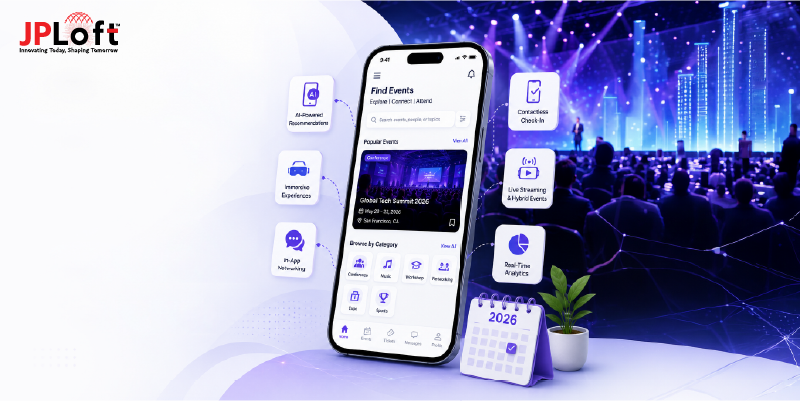
Event apps make communication easy because the attendees can check details, receive alerts, and connect with others in real time. Most event apps include features like registration, ticketing, session planning, maps, and chat tools. Users can join discussions, share feedback, and save sessions they want to follow.
Event apps reduce the manual work and help planners avoid common mistakes, especially when handling large crowds. Planners can send quick alerts if the timings change or if a session gets crowded, helping users choose the best. Many apps also offer analytics to study engagement and people's choices. This helps organizations plan better events in the future.
Key Functionalities of An Event App
A good event app brings every part of the event together in one place. These features help organizers design apps that help attendees plan better, stay updated, and enjoy a smooth event experience.
-
Easy user registration that lets attendees sign up in a few steps and saves their details for quick check-in.
-
Simple ticket booking where users can buy passes, view ticket types, and get instant confirmations inside the app.
-
Event schedules and reminders that keep everyone updated about sessions, timings, and any last-minute changes.
-
Speaker or guest profiles that share details about hosts, presenters, and performers to help attendees plan their visit.
-
Venue maps and floor guides that facilitate easier navigation, especially during large events with multiple halls or booths.
-
Push notifications for updates that deliver quick alerts about announcements, delays, or special activities.
-
Secure payment options that support safe transactions for tickets, add-ons, and premium features without complications.
Recent Event App and Related Market Statistics
Below, we have stated the most recent statistics of the event app:
-
The global event-management software market is projected to grow from USD 15.5 billion in 2024 to USD 34.7 billion by 2029, with a CAGR of about 17.4%, according to GlobalNewsWire.
-
LLCBuddy estimated that more than 83% of event organizers use mobile event apps to track interactions and collect analytics. This helps avoid confusion and keeps attendees engaged throughout the event.
-
In research by Grand View Research, the U.S. event management market size was estimated at USD 285.18 billion in 2024 and is projected to reach USD 471.44 billion by 2033, growing at a CAGR of 5.7% from 2025 to 2033.
-
The global hybrid event market is expected to expand by approximately 23% through 2030. By 2025, an estimated 15% of all North American events are expected to follow hybrid formats, according to DriveTech Partners.
-
According to Future Market Insights, the global events industry is projected to reach USD 2.5 trillion by 2035, up from USD 736.8 billion in 2021, at a CAGR of 6.8% from 2024 to 2035.
After understanding what an event app offers and how the market is growing, the next important step is knowing the budget you need. So let’s look at how much does it costs to create an event app and the different factors shaping the final amount.

What's the Cost to Develop an Event App?
The event app development cost normally falls between USD 8,000 and USD 60,000+. The exact development cost depends on your choice of features, design, team experience, and the complexity of the app.
Simple apps with basic tools like registration, schedules, and reminders stay near the lower range of cost to develop an event app. Apps with maps, chats, analytics, or integrations move toward the higher range. The choice of platform also matters. Building for both Android and iOS costs more than choosing one platform first.
Good planning, an MVP approach, and a skilled mobile app development company in Denver help you stay within your preferred budget while still delivering a strong and user-friendly event app.
Here is a table showing the estimated total cost to make an event app based on different app complexities:
|
App Complexity |
Description |
Total Cost (in USD) |
|
Basic Event App |
Core features like registration, schedule, reminders, simple ticketing, and push alerts. Best for small events. |
$8,000 – $15,000 |
|
Moderate Event App |
Includes maps, speaker profiles, chats, polls, feedback forms, and basic analytics. Suitable for medium-sized events. |
$15,000 – $35,000 |
|
Advanced Event App |
Covers AI tools, networking rooms, smart recommendations, live streaming, advanced analytics, and multi-event support. Ideal for large events. |
$35,000 – $60,000+ |
Now that you know the expected event app development cost, it’s time to understand what actually goes into building a strong and useful app. Let’s explore the key factors influencing what's the cost to develop an event app that creates a smooth experience for both organizers and attendees.
Factors to Include in an Event App
While creating an event app, you should make sure it serves both the event organizers and attendees. Here is the breakdown of event app development cost for the key factors included for a smooth, engaging, and useful experience:
1. Feature Set and Functional Complexity
The number of features you choose directly affects the cost to develop an event app and the time. Simple apps need basic tools like schedules and tickets, while advanced apps include networking rooms, analytics, and real-time interactions. More features require more planning, testing, and backend setup, which gradually increases the overall complexity.
|
Complexity |
Description |
Estimated Cost (in USD) |
|
Basic |
Event listing, schedules, simple profiles |
$8,000–$15,000 |
|
Moderate |
Chat, reminders, ticket scans |
$15,000–$30,000 |
|
Advanced |
AI matchmaking, live streaming, networking tools |
$30,000–$55,000+ |
2. Platform Choice (iOS, Android, Cross-Platform)
Your selected platform decides how much development work is needed and hugely impacts the overall cost to build an event app. Building for one platform keeps the process simple, but supporting iOS, Android, and web together increases cost. Cross-platform frameworks reduce extra work but still need optimization. Your audience and event type help determine the best platform mix to invest in.
|
Platform |
Description |
Estimated Cost (in USD) |
|
Native iOS App |
Built with Swift |
$10,000–$40,000 |
|
Native Android App |
Built with Kotlin |
$10,000–$40,000 |
|
Cross-Platform |
Flutter/React Native App One codebase for iOS + Android |
$15,000–$50,000+ |
3. Backend Infrastructure Needs
A strong backend is essential because it manages users, tickets, sessions, and analytics across the app. When an event expects heavy traffic, the backend must handle sudden load spikes, which increases development hours and setup costs. Adding scalable servers, advanced databases, a top-level mobile app tech stack, and performance optimization raises the technical complexity and can significantly increase the overall cost to create an event app.
|
Complexity |
Description |
Estimated Cost (in USD) |
|
Basic |
Simple backend with limited traffic. Simple APIs, core database |
$5,000–$10,000 |
|
Moderate |
Moderate user load and data. Real-time updates, cloud setup |
$10,000–$25,000 |
|
Advance |
High traffic, multi-event support. High traffic support, microservices |
$25,000–$60,000+ |
4. Custom UI/UX Requirements
Unique mobile app design and branded layouts take more time than using standard templates. Custom animations, color themes, and interactive layouts need extra development hours. Since design impacts user experience, spend additional time ensuring smooth navigation. All this makes custom UI/UX a hidden contributor to the event app development cost.
|
Complexity |
Description |
Estimated Cost (in USD) |
|
Basic |
Template-based UI |
$500 – $2,000 |
|
Moderate |
Branded screens and icons |
$2,000 – $6,000 |
|
Advance |
Custom animations and micro-interactions |
$6,000 – $12,000+ |
5. Third-Party Integrations
Integrating external tools enhances app functionality, but each integration adds extra setup cost and testing. Payment gateways, ticketing systems, CRM platforms, and streaming tools require secure connections and proper configuration. Complex or custom integrations take longer, quietly increasing the final cost to create an event app.
|
Integrations |
Examples |
Estimated Cost (in USD) |
|
Payments |
Simple list of sessions |
$800–$3,000 |
|
Ticketing Tools |
Personal schedule builder |
$1,000–$4,000 |
|
CRM |
Smart recommendations |
$1,500–$6,000 |
|
Live Streaming |
Vimeo, YouTube Live, Zoom |
$2,000–$8,000 |
6. Secure Payment Options
Secure payments increase development costs because they require encryption, fraud checks, and reliable gateways. Adding multiple payment methods also raises integration expenses. However, this investment reduces losses from fraud, boosts ticket sales, and prevents revenue drops caused by abandoned transactions.
|
Complexity |
Description |
Estimated Cost (in USD) |
|
Basic |
Payment gateway setup |
$800 – $1,800 |
|
Moderate |
Multiple payment modes |
$1,800 – $3,300 |
|
Advanced |
Wallet + refunds |
$3,300 – $5,000+ |
7. Authentication and User Roles
A secure login system helps different user types access the right features. Whether you use email, phone OTP, or social logins, each option needs development time and budget. Adding user roles for attendees, speakers, and admins adds another layer of complexity to both the backend and frontend, thus increasing the final cost.
|
Authentication Type |
Description |
Estimated Cost (in USD) |
|
Basic Login |
Email/Password |
$500–$1,500 |
|
Social Login |
Google, Facebook, Apple |
$800–$2,500 |
|
Multi-role System |
Admin, organizer, attendee |
$1,500–$5,000+ |
8. Analytics Dashboard for Organizers
Analytics tools help planners track engagement levels, ticket sales, popular sessions, and feedback trends, but adding them increases the cost to make an event app. These features often require custom dashboards, data storage, and reporting modules. The added investment gives organizers clear insights into audience behavior and reduces the risk of costly guesswork during future event planning.
|
Complexity |
Description |
Estimated Cost (in USD) |
|
Basic |
Simple charts |
$1,500 – $3,000 |
|
Moderate |
Multi-event insights |
$3,000 – $5,000 |
|
Advanced |
Deep analytics + AI trends |
$5,000 – $8,000+ |
9. Quality Testing and Device Compatibility
Mobile app testing across devices, screen sizes, and networks is crucial. According to the event app development cost guide, hidden costs arise when the app needs optimization on older devices or different operating systems. The more features your app has, the more testing is required, increasing the cost.
|
Complexity |
Description |
Estimated Cost (in USD) |
|
Basic |
Limited device testing |
$500 – $2,000 |
|
Moderate |
Multiple devices and browsers |
$2,000 – $6,000 |
|
Advance |
Full compatibility matrix |
$6,000 – $12,000+ |
10. Location of the Developers
The location of the development team plays a big role in the final app cost. Developer rates change from country to country based on living costs, skill availability, and market demand. Hiring teams in regions like North America or Western Europe usually cost more, while countries in Asia or Eastern Europe offer the same work at more affordable rates. Choosing the right region depends on your budget, timeline, and preferred communication style.
|
Location |
Cost/Hour (in USD) |
Estimated Cost (in USD) |
|
America |
80–150/hr |
$50,000–$70,000+ |
|
Europe |
60–120/hr |
$40,000–$60,000+ |
|
Asia |
20–40/hr |
$12,000–$50,000+ |
By including a combination of these features from the guide to event app development cost, it can significantly improve both the user experience and the efficiency of event operations. Now it’s also important to look at the less visible parts. These hidden elements can quietly influence what's the cost to develop an event app, so understanding them helps you plan your budget more accurately.

Hidden Factors Impacting the Complete Event App Development Cost
When creating a mobile app for events, the cost can vary greatly depending on several factors that go beyond just the basic features and functionality. These hidden factors can dramatically impact the overall development cost. Let's get a breakdown of event app development cost of some of these elements to give you a better understanding:
1. Multi-Language Support
If your event attracts global users, the app must support multiple languages. This involves translation setups, layout adjustments, and right-to-left adaptations. Ensure content fits well without breaking UI structure. The additional work increases the overall cost to build an event app.
|
Complexity |
Description |
Estimated Cost (in USD) |
|
Basic |
Two languages |
$500 – $1,500 |
|
Moderate |
Four to five languages |
$1,500 – $4,000 |
|
Advance |
Global language pack |
$4,000 – $8,000+ |
2. Ongoing Hosting, Servers, CDN, and Bandwidth Usage
These costs depend on how many users join your event and how fast the app needs to load. Larger events require stronger servers, more CDN support, and higher bandwidth. These monthly charges can grow during peak usage, making them an important hidden cost that impacts your long-term budget.
|
Usage Level |
Monthly Cost |
Yearly Cost |
|
Low traffic (small events) |
$50–$150 |
$600–$1,800 |
|
Medium traffic (mid-size events) |
$200–$500 |
$2,400–$6,000 |
|
High traffic (large events) |
$800–$2,500 |
$9,600–$25,000 |
|
Heavy global CDN usage |
$1,000–$3,500 |
$12,000–$42,000 |
3. Cross-Platform Optimization
If you want your event app on both Android and iOS, optimization is required for each platform. Mobile app development service providers adjust layouts, test devices, and fix platform-specific bugs. Even with hybrid frameworks, platform differences add work, time, and thus a higher cost. This hidden factor increases cost beyond basic development.
|
Complexity |
Description |
Estimated Cost (in USD) |
|
Basic |
One platform only |
$500 – $2,000 |
|
Moderate |
Hybrid build for two platforms |
$2,000 – $6,000 |
|
Advance |
Full native optimization |
$6,000 – $12,000+ |
4. Long-Term Maintenance and Updates
Mobile app maintenance covers bug fixes, performance tuning, feature updates, and OS changes. Each update takes developer time, which adds to the overall cost. These long-term expenses are not optional because they keep the app stable and secure. Without regular updates, the app can break or lose performance during big events.
|
Maintenance Type |
Estimated Cost |
Frequency |
|
Bug fixes & small updates |
$500–$2,000 |
Monthly |
|
OS & device compatibility updates |
$1,500–$4,000 |
2–3 times a year |
|
Security patches |
$800–$2,500 |
Quarterly |
|
Feature upgrades |
$3,000–$10,000 |
As needed |
5. Licensing Fees for SDKs, APIs, and Third-Party Tools
Some tools and services charge monthly or yearly fees that increase with usage. Features like video streaming, maps, ticket scanning, payments, and analytics often require paid licenses. These charges may rise as your event grows, creating an ongoing hidden cost you must include in your full project budget.
|
Tool Type |
Average Fee |
Billing Cycle |
|
Maps & geolocation |
$10–$200 |
Monthly based on usage |
|
Video streaming SDK |
$100–$1,000+ |
Monthly |
|
Payment gateway |
2–3% per transaction |
Per transaction |
|
Ticket scanning or QR tools |
$50–$300 |
Monthly |
|
Analytics tools |
$20–$500 |
Monthly |
6. Compliance Audits, Security Reviews, and Pen-testing
Security checks ensure your app protects user data, payment details, and personal information. These processes include audits, penetration tests, and documentation work. They take time and usually involve security experts. These required steps add to the total development cost because they must be repeated to maintain compliance.
|
Compliance Task |
Estimated Cost |
Notes |
|
Basic security audit |
$1,000–$3,000 |
For small apps |
|
Full penetration test |
$4,000–$15,000 |
Depends on complexity |
|
Data privacy compliance (GDPR/CCPA) |
$2,000–$8,000 |
One-time + renewals |
|
Payment compliance (PCI-DSS) |
$5,000–$10,000 |
Required for payment apps |
7. Data Security and Compliance
Events involve sensitive data like contacts, payments, and user insights. Ensuring mobile app security through encryption, secure gateways, role-based access, and compliance checks requires extra work. If your event spans multiple regions, then the app must follow different data laws. This increases complexity and affects the cost to make an event app quietly.
|
Complexity |
Description |
Estimated Cost (in USD) |
|
Basic |
Standard encryption |
$800 – $2,500 |
|
Moderate |
Stronger authentication |
$2500 – $6,000 |
|
Advance |
Compliance with GDPR-like rules |
$6,000 – $12,000+ |
8. App Store Approval Delays and Resubmissions
If your app does not meet Apple or Google guidelines, it may get rejected. Fixing issues, rebuilding features, and resubmitting the app increases developer hours and overall cost to develop an event app. Multiple rejections can push the project timeline and increase expenses, especially when urgent fixes are needed to launch on time.
|
Issue Type |
Added Cost |
Impact |
|
Minor guideline fix |
$200–$800 |
Additional developer time |
|
Major feature rebuild |
$1,000–$5,000 |
Affects launch timeline |
|
Multiple resubmissions |
$500–$2,000 |
Extra QA and testing |
|
Urgent fixes for tight deadlines |
$1,000–$3,500 |
Priority charges |
By carefully considering these elements with an estimated event app development cost breakdown early on. You can better anticipate the budget and make informed decisions, ensuring the app meets your event’s needs while staying within budget.
After exploring the hidden factors that quietly raise the overall development cost, the next step is learning how to manage them wisely. With the right planning and choices, you can minimize the cost to create an event app and still build a strong, user-friendly product.
How to Minimize the Overall Event App Development Cost?
Minimizing the overall cost to build an event app requires careful planning, strategic decision-making, and using the right resources effectively. Here are several approaches to help you reduce costs without affecting the quality or functionality of the app:
1. Start With a Clear Feature List
Planning features early helps you avoid unwanted work later. When you define what matters most, the development team stays focused. This reduces delays and keeps the design simple. A clear plan also prevents repeated edits, which helps you stay within the planned cost to create an event app.
2. Choose an MVP Approach
According to the guide to event app development cost, an MVP includes only the features your users need at the start. It helps you launch faster while spending less. You can upgrade the app later based on real user feedback. This method of mobile app prototyping lowers the early development cost and avoids spending on features that people may not use.
3. Outsource to an Experienced Team
Hiring dedicated developers helps you finish the app faster with fewer errors. They already know the common event app needs and avoid costly mistakes. An experienced team also guides you on cost-saving choices. This reduces rework and keeps your event app development cost breakdown under control throughout the project.
4. Use Pre-Built Templates
Pre-built templates save time during development because you do not need to design every element from scratch. These templates already follow good design rules. You only need small changes to match your brand. This lowers design hours and helps manage your cost to develop an event app more effectively.
5. Avoid Overloading Features
Adding too many features increases the time and cost to make an event app. Start with core tools like schedules, reminders, and registration. Extra event app ideas, like advanced analytics or AI tools, can come later. Keeping the first version simple helps you maintain a smooth budget and improves the app’s performance at launch.
6. Test Regularly During Development
Regular testing helps you find issues early, when they cost less to fix. Small updates during are easier than major changes after launch. Testing also ensures every feature works smoothly. This reduces bugs, saves time, and keeps the event app development cost under control.
By combining these strategies, you can reduce development costs, streamline the process, and ensure that you are focusing the resources on the area. These resources offer the most value for your users and your business.
Let’s look at the best monetization strategies you can include to make your app profitable and sustainable.
Monetization Strategies to Include in the Event App
Monetizing an event app can be approached in various ways, depending on the features and audience. Here are six popular monetization strategies for event apps from the expert’s guide to event app development cost:
1. Ticket Sales and Registration Fees
Model: Charge event organizers a fee for each ticket sold or for registration management.
How It Works: You can offer a platform for event organizers to manage ticket sales directly within the app, either through individual ticket purchases or bulk registration for larger events.
Revenue Source: A commission on each ticket sale or a flat fee for event registration.
2. Premium Listing and Featured Events
Model: Charge event organizers for premium placement or to be featured on the app's homepage or top event listings.
How It Works: Organizers can pay for higher visibility within the app, such as a "Featured Event" banner, better search ranking, or inclusion in top recommendations.
Revenue Source: One-time or recurring fee for premium placement.
3. In-App Advertising
Model: Display ads from third-party networks or directly from sponsors.
How It Works: Integrate banner ads, interstitial ads, or native ads within the app. You can also offer sponsors the opportunity to advertise their products or services within the app.
Revenue Source: Payment per impression (CPM), per click (CPC), or per action (CPA).
4. Subscription or Freemium Model
Model: Offer a basic version of the app for free and charge for premium features.
How It Works: Free users can access basic event information, but premium users get access to exclusive content, early bird registration, networking features, or VIP access.
Revenue Source: Monthly or yearly subscription fees for premium access.
5. In-App Purchases (Merchandising)
Model: Sell event-related merchandise such as event T-shirts, tickets for after-parties, digital products, or exclusive content.
How It Works: Event attendees can purchase additional products or services directly through the app.
Revenue Source: A cut of each transaction or a flat sales fee.
6. Data Analytics and Insights Sales
Model: Provide event organizers with data insights or analytics on attendee behavior, engagement, or preferences.
How It Works: The app can track user interactions, session attendance, and event feedback, then sell anonymized data or detailed analytics reports to event organizers.
Revenue Source: Charge event organizers for access to detailed reports or data
These mobile app monetization models can be combined in various ways, such as charging for premium features while also running ads or selling event-specific products. The key is to provide enough value to the users or event organizers to justify the cost while keeping the experience seamless and user-friendly.
Connect with JPLoft and Build an Event App
Building a powerful event app becomes much easier when you have the right development team working on your app. JPLoft brings years of experience in creating smooth, fast, and feature-rich mobile apps that support all kinds of events.
Whether you are planning a small community program or a large business conference, our team helps you build an app that fits your needs and stays within your planned budget. JPLoft focuses on giving you clear communication, clean design, and strong performance.
You get help with every part of the project, from choosing the best features to managing integrations, backend architecture, and real-time tools.
With a highly specialized event app development company like JPLoft, you get flexible development options, on-time delivery, and continuous support after launch. We ensure your app runs smoothly, handles high traffic, and offers a great experience to both organizers and attendees.
Connect with JPLoft today and start building an event app that matches your vision and supports your growth.
Conclusion
Starting an event app journey becomes easier when you understand all the factors that shape the final cost to develop an event app. Knowing the estimated development cost helps you plan your project with confidence. The right combination of features, clear design, and smart technology choices makes a big difference.
Hidden elements like integrations, backend quality, testing, and multi-language support also influence the final cost. When you plan for these parts early, you avoid uncertain expenses and delays. A successful event app improves communication, boosts engagement, and creates a smooth experience for both organizers and attendees.
With the right development team and an event app development cost guide, you can build a strong and user-friendly app without crossing your budget. The key is to start simple, grow with user needs, and focus on long-term value rather than unnecessary features.
FAQs
The development cost of an event app usually stays between USD 8,000 and USD 60,000+. The final amount depends on the features, design, backend strength, platform choice, and hidden factors like integrations and testing needs.
The main factors influencing the cost are real-time tools, sophisticated analytics, multilingual support, and unique user interface components. These features take more time and require expert development, which increases the total budget compared to basic event app features.
You can lower the cost by choosing an MVP approach, using pre-built templates, and avoiding unnecessary features. A clear plan and an experienced development team also reduce rework and help you stay within your budget.
Hidden factors like integrations, backend setup, testing, and cross-platform support require extra time and technical work. These tasks are not visible to users but are important for performance, security, and reliability, which increases the cost.
Post-launch maintenance is usually billed separately. It includes bug fixes, updates, server management, and new features. Annual maintenance costs vary depending on the app’s complexity and can influence long-term budgeting.

Kris Jacobs brings 20+ years of experience solving complex digital product challenges through strategic thinking and user-centric design. With deep exposure to on-demand services, entertainment, travel, and interactive platforms, she collaborates across teams to shape scalable, engaging solutions that align business goals with intuitive user experiences across evolving digital landscapes.


Share this blog