



Key Takeaways:
Successful equine app design starts with user understanding, simple navigation, secure data handling, offline access, and scalable design.
Engaging design improves user interaction, efficiency, and loyalty while building emotional connections and improving credibility.
Designing tools like Figma, Adobe XD, Sketch, InVision, Canva, and Zeplin simplify designing and collaboration.
The design process includes research, defining purpose, wireframing, UI/UX design, prototyping, testing, and continuous refinement.
Cost to design an equine app ranges between USD 5,000 and USD 25,000, depending on app complexity, features, and complexity.
Design challenges include meeting diverse user needs, managing data, offline use, security, and integrating wearable technology.
Best practices to design include audience research, clean UI/UX, accessibility, personalization, and cross-device compatibility.
Partnering with JPLoft’s experts ensures your equine app is beautifully designed, user-centered, and perfectly aligned with your business.
Designing an equine app requires a clear understanding of the horse industry and the daily needs of riders, trainers, breeders, and stable owners. From tracking horse health and training schedules to managing events and community forums, an equine app can cover it all. It can bring convenience, organization, and connection to everyone involved in the equestrian world.
Knowing how to design an equine app that truly stands out demands thoughtful features, smooth usability, an attractive UI, and a deep focus on user needs. To design an equine app, focus on user needs, simple navigation, appealing visuals, accessibility, and continuous feedback to deliver a functional, engaging experience for horse enthusiasts.
This blog will explore best practices to design an equine app that combines technology with equestrian passion. You will learn to create an engaging user experience, use intuitive navigation, and ensure accessibility for all riders, from regular horse lovers to professional equestrians.
All About Equine App
An equine app is a digital solution designed to support horse owners, riders, trainers, breeders, and veterinarians in managing every aspect of equestrian life. It brings the horse community closer while simplifying daily care, tracking, and management tasks.
These apps are built to handle various functions, such as health monitoring, feeding schedules, training plans, and performance analysis. Users can log vaccination records, track nutrition, monitor activity levels, and even connect with vets or farriers for quick responses.
Many equine apps also include community features that let users join forums, share photos, find local events, or connect with other horse lovers. This builds engagement and makes the app more like a companion than just a management tool.
For professionals, equine apps can serve as business tools, offering features for client management, appointment scheduling, billing, and communication. Breeds and stables use them to maintain detailed records of horses, track lineage, and manage sales more efficiently.
Equine App and Related Market Statistics
-
Market Report Analytics estimated the global equine app market size at USD 500 million in 2025, with projections to reach approximately USD 1.5 billion by 2033, reflecting a CAGR of ~15%.
-
According to Data Horizon Research, North America currently holds the largest market share, driven by high equestrian activity and advanced technology adoption, followed by Europe.
-
As per Market Report Analytics, the competitive landscape includes established players like EquineM, BarnManager, and Hippovibe, with the top 10 companies holding about 60% of the market share.
-
Equine apps with integrated wearables and cloud analytics can generate ARPU (average revenue per user) between USD 35 to USD 60 annually, according to Market Report Analytics.
Overall, a guide to design an equine app bridges tradition and technology, transforming how people care for and interact with horses. Next, let’s explore the basic principles in this equine app UI/UX guide that form the foundation of a well-designed platform.
Basics to Design an Equine App
Designing an equine app is not about packing features. It is about clarity, trust, and ease of use for people who spend more time in barns than behind screens. Here are the key basics to keep in mind as a UI/UX guide to design an equine app:

1. Consistency Across Screens
Every screen should feel familiar. Buttons, colors, icons, and navigation patterns must stay consistent so users do not have to learn or remember difficult steps to access a functionality in the app. Consistency reduces errors and builds confidence, especially for non-technical users.
2. Clear and Practical UI
The user interface should be clean and uncluttered. Large buttons, readable fonts, and high-contrast colors work best since many users access equine apps outdoors, often in bright sunlight or dusty environments.
3. Strong UX Focused on Real Workflows
The user experience should reflect how horse owners, trainers, and vets actually work. Logging health data, tracking training schedules, or updating feeding plans should take minimal steps and zero confusion.
4. Simple Navigation Structure
Avoid deep menus. Key features like health records, schedules, alerts, and profiles should be reachable within one or two taps. A flat navigation structure keeps the app fast and intuitive. Use clear headings, spacing, and subtle visual cues so users can quickly understand what matters most.
5. Offline Access
Stables and rural areas often have weak connectivity. Core features like viewing saved records or notes should work offline and sync automatically once the connection is restored. Choose an app tech stack that helps you make a software solution that can function offline as well.
6. Accessibility and Ease of Learning
Not every equine app user is tech-savvy or fluent with digital platforms. Tooltips, simple onboarding, and clear labels help users get comfortable with the app without needing instructions or support. Health stats, schedules, and progress updates should be easy to scan.
7. Trust and Reliability in Design
An equine app often handles sensitive data. The design should feel reliable and professional, with clear confirmations, error messages, and feedback so users always know what is happening.
These basics of the equine app create a solid foundation for designing. When UI and UI are done the right way, the app feels less like software and more like a helpful tool that fits naturally. Let’s look at the key benefits of creating an engaging equine app design that keeps users connected and satisfied.

Benefits of Engaging Equine App Design
With a proper UI/UX guide to design an equine app, you can create an app that helps users connect emotionally. While making their daily horse-related tasks easier and more enjoyable. A thoughtful design keeps users coming back, builds trust, and enhances the overall experience.
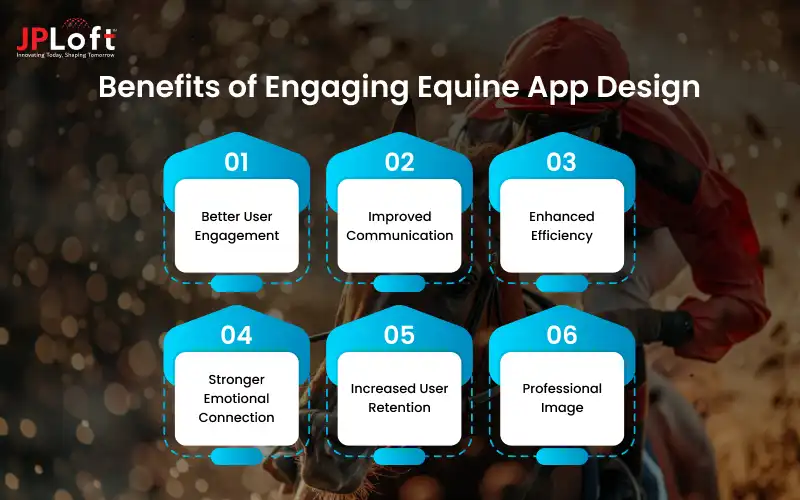
Here are the key benefits of making a thoughtful equine app design:
1] Better User Engagement
A visually appealing and intuitive design encourages users to explore features, log data regularly, and stay active within the app. It motivates consistent usage, ensuring users make the most of every tool the app offers.
2] Improved Communication
When design supports smooth navigation and clear layouts, trainers, vets, and horse owners can easily share updates, notes, or reminders without confusion. This leads to quicker decision-making and stronger teamwork among all equine professionals.
3] Enhanced Efficiency
An organized interface saves time by simplifying recordkeeping, scheduling, and performance tracking. Users can complete tasks with fewer taps. It helps users focus more on horse care and less on navigating complicated menus.
4] Stronger Emotional Connection
Beautiful visuals and horse-themed design elements create a sense of belonging for users who are passionate about horses. It strengthens user loyalty by making the app feel like a natural part of their equestrian lifestyle.
5] Increased User Retention
A positive first impression through design leads to long-term use. If the app feels easy, friendly, and reliable, users are more likely to stay loyal. A smooth, enjoyable design experience ensures the app becomes a daily habit for users.
6] Professional Image
A polished, well-structured design helps establish the brand’s credibility in the equine industry, attracting both casual users and professionals. It shows that the brand values quality and understands the unique needs of the equestrian community.
An engaging design transforms an equine app from a simple management tool into a trusted daily companion for horse lovers and professionals alike. After understanding the benefits of an engaging equine app design, the next step is putting those ideas into action. Let’s go through the step-by-step process of how to design an equine app that’s user-friendly, easily scalable, and visually appealing.
How to Design an Equine App?
The equine app design guide informs about a creative process that combines user understanding, visual design, and usability to deliver an experience that feels natural to horse owners, riders, trainers, and equestrian professionals.

A well-designed app should balance aesthetics, simplicity, and functionality while reflecting the essence of the equestrian world. Below are the key steps to design an equine app:
Step 1. Research and Understand Your Audience
Study your target audience to learn about their needs, daily habits, and challenges. The equine community includes different groups, such as riders, breeders, veterinarians, and stable managers, and each uses the app differently.
Create detailed user personas that describe who they are, what tasks they perform, and what problems they face. Observe how they currently manage horse care, track performance, or schedule activities. The better you understand their routines, the easier it becomes to design an app that fits their lifestyle.
Step 2. Define the App’s Core Purpose and Features
Once you understand your users, define what your app will achieve. Will it track horse health, manage stables, or connect riders to events? The app’s purpose guides every design decision that follows.
List all potential features, but only keep the most important ones for the first version. Prioritizing essential features ensures a clean, clutter-free design that users can easily navigate. Avoid overwhelming the interface with unnecessary options, as simplicity enhances usability.
Step 3. Create a Clear Information Architecture
Information architecture defines how data, menus, and screens are structured. It ensures users can find what they need quickly without confusion. Start by mapping out how each section connects. For example, try to keep the most regularly used functions of the app on the user dashboard, like horse profiles, health records, and training dates.
Use flowcharts or site maps to plan this structure visually. Keep the hierarchy shallow, meaning users shouldn’t have to click through too many screens to complete a task. Clear organization lays the foundation for an intuitive design experience.
Step 4. Design Wireframe
Wireframes act as blueprints for your app. They outline where buttons, menus, and images will appear without focusing on colors or graphics yet. Create a low-fidelity equine app wireframe (simple sketches) first to test layout ideas quickly.
Then move to high-fidelity wireframes with more detail once you’re confident about the flow. Mobile app wireframes help identify usability issues early and ensure the design logic is easy to follow.
Step 5. Focus on UI/UX Design
Now it’s time to bring your wireframes to life. UI (User Interface) design focuses on the app’s visual elements, such as color schemes, icons, typography, and images, while UX (User Experience) design ensures the app feels easy and natural to use.
Choose soft, earthy tones and clean typography to reflect the equestrian lifestyle for the UI/UX of equine app. Keep icons self-explanatory. The navigation should be minimal and consistent throughout the app. Always prioritize readability and comfort, especially for users managing tasks outdoors or in low light.
Step 6. Add Personalization Options
A personalized UI/UX of equine apps improves user satisfaction and retention. Allow users to customize dashboards, notifications, or data categories based on their needs.
For example, a stable manager might prioritize feeding schedules and maintenance logs, while a rider may prefer training history and performance tracking. Customization makes the app feel personal and relevant to each user.
Step 7. Ensure Accessibility and Responsiveness
Your design should be inclusive and easy for everyone to use. Add large, readable fonts, high-contrast visuals, and simple icons to help users of all ages, according to the equine app design guide.
Design for multiple devices and screen sizes, including smartphones, tablets, and desktops. Many equine users may switch between devices, so the layout must adjust smoothly without losing quality or usability.
Step 8. Integrate Visual Consistency
A consistent design builds trust and makes the app easier to navigate. Use the same color palette, button styles, and font choices across all screens.
This consistency reduces the learning curve for new users. Incorporate horse-themed visuals like silhouettes, icons, or soft background textures to match the equine environment without making the design feel heavy or cluttered.
Step 9. Design Interactive Prototypes
Equine app prototyping turns static designs into clickable, interactive models. Tools like Figma, Adobe XD, or InVision allow you to simulate how users will move through the app.
Testing mobile app prototypes helps spot usability problems early and gives a realistic idea of the final experience. You can adjust screen transitions, navigation flow, and user interactions before coding begins.
Step 10. Conduct Usability Testing
Usability testing ensures that your design is functional, comfortable, and intuitive. Invite real users, like riders or stable managers, to test the prototype. Ask them to perform common actions, such as logging a horse’s activity or setting a reminder.
Observe how easily they complete each task. Note where they hesitate or get confused. This direct feedback is valuable for refining layouts, button placements, and content hierarchy before finalizing the design.
Step 11. Refine Based on Feedback
After testing, review user feedback carefully and make necessary improvements. Sometimes small changes, like adjusting button size, font weight, or color contrast, can make a big difference.
Continue testing multiple rounds until the app feels simple, clear, and enjoyable. Remember, a great design evolves through feedback and real-world use.
Step 12. Prepare Design Handoff for Development
To create a mobile app, once your design is complete and tested, prepare it for the development team. Use tools like Zeplin or Figma Inspect to share design specifications, color codes, font styles, and spacing details.
Organize design files clearly so developers can easily translate them into the final product. A well-documented handoff reduces confusion, maintains design accuracy, and ensures the app looks exactly as intended.
Step 13. Maintain and Update the Design
Design doesn’t end after launch. As user needs evolve, continuously review analytics and feedback to identify areas for improvement. Hire an experienced mobile app maintenance service to get the most accurate design updates.
Regularly update the equine app UI/UX to fix usability issues, refresh visuals, or add new personalization options. This ongoing effort keeps your equine app engaging, modern, and aligned with user expectations.
By focusing on audience research, simplicity, accessibility, and continuous improvement, you can create a design that enhances the bond between humans and horses. Now that you know the steps to design an equine app, the next step is choosing the right design tools.
Let’s explore the most effective tools that can help you create professional, consistent, and visually appealing app designs.
Effective Tools Required to Design an Equine App
Designing a mobile app for equestrians requires the right set of tools that help create user-friendly layouts, engaging visuals, and smooth user experiences. These tools used to design an equine app make it easier to plan the workflow of the app, visualize the user journey, and bring creative ideas to life.
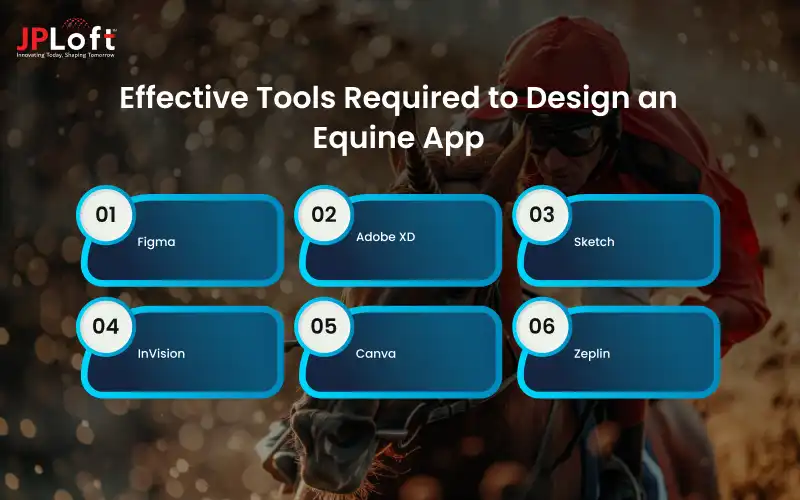
1. Figma
Figma is one of the most popular design tools for creating app interfaces. It allows real-time collaboration, so designers, clients, and team members can review and edit the design together. Its components and responsive layout features make it perfect for designing equine app dashboards and forms.
2. Adobe XD
Adobe XD is ideal for building interactive prototypes and user flows. It lets designers visualize how users will move through the app, which is especially helpful for planning complex equine features like scheduling, data tracking, or community pages.
3. Sketch
Sketch offers a clean workspace and reusable symbols for buttons, icons, and menus. It’s great for creating consistent designs that can easily adapt across screens for both mobile and tablet versions of an equine app.
4. InVision
InVision helps turn static designs into interactive prototypes. It’s useful for presenting your design concepts and collecting feedback before moving to development. It also supports team collaboration, allowing smooth communication between designers and stakeholders.
5. Canva
Canva is an easy-to-use tool for designing marketing visuals, app icons, and presentation mockups. While it’s not for full UI design, it’s great for quick creative assets. Its templates and drag-and-drop features make it perfect for non-designers to contribute visual ideas.
6. Zeplin
Zeplin bridges the gap between designers and developers. It exports design specs, color codes, and typography automatically, ensuring the final design looks exactly as planned during development.
Here is a summarized table of the most effective tools to design an equine app:
|
Tool Name |
Primary Use |
Key Benefits |
|
Figma |
UI/UX design and collaboration |
Enables real-time teamwork, reusable components, and responsive layouts |
|
Adobe XD |
Prototyping and user flow design |
Builds interactive prototypes and helps visualize app navigation |
|
Sketch |
Interface and layout design |
Offers reusable symbols and continuity across different screen sizes |
|
InVision |
Prototype testing and presentation |
Turns static designs into clickable mockups for user testing |
|
Canva |
Graphic and visual element creation |
Simple tool for making icons, banners, and visuals aligned with the app theme |
|
Zeplin |
Design-to-development handoff |
Exports design specs, color codes, and typography for accurate implementation |
Using these tools together ensures your equine app design is visually appealing, consistent, and tailored to the unique needs of the equestrian community. After selecting the right tools to design your equine app, it’s important to understand the financial side of the design process.
Let’s break down the estimated cost to design an equine app and see how each stage contributes to the total budget.
Cost to Design an Equine App
The design cost of an equine app ranges between Challenge, depending on whether it’s a simple tracking app or a full-featured management platform. Designing an equine app involves multiple stages, each stage contributes to the total equine app development cost, which can vary depending on the complexity, features, and region of the design team.
Below is a table showing the estimated cost breakdown for each design step:
|
Design Stage |
Description |
Estimated Cost (in USD) |
|
Market Research & User Analysis |
Involves studying user needs, competitor apps, and defining user personas to guide design decisions. |
$1,000 – $3,000 |
|
Wireframing & User Flow Design |
Creates the basic structure of the app, showing how screens and features connect. |
$800 – $2,000 |
|
UI/UX Design |
Focuses on visual design, color palette, typography, and interactive elements for a smooth experience. |
$2,000 – $6,000 |
|
Prototyping |
Builds interactive mockups for testing navigation and usability before development. |
$1,000 – $4,000 |
|
Usability Testing & Feedback |
Conducts testing with real users to refine layout, accessibility, and visual flow. |
$1,000 – $3,000 |
|
Branding & Graphic Elements |
Designs app icons, logos, and other visuals matching the equine theme. |
$500 – $2,000 |
|
Total Estimated Design Cost |
$5,000 – $25,000 |
|
Costs may increase if you need custom illustrations, 3D models, or multiple design versions for iOS and Android. Investing in quality design ensures a professional, user-friendly equine app that attracts and retains users.
While understanding the cost gives you a clear picture of the investment required, it’s equally vital to know the hurdles you might face during the process. Let’s uncover the main challenges of designing an equine app and how to overcome them effectively.
Challenges to Design an Equine App
Designing an equine app comes with its own set of challenges since it serves a very specific and diverse audience. From riders and trainers to breeders and vets, each user has unique needs that must be carefully balanced in one platform.

Here are some of the major challenges you might face while you follow the guide to design an equine app:
Challenge 1: Understanding Diverse User Needs
The equine community includes both professionals and casual users, each expecting different features. It can be challenging to design an interface that satisfies everyone without becoming complex or confusing. Designers must conduct in-depth user research and testing to understand daily routines and pain points accurately.
Challenge 2: Managing Complex Data
Equine apps often handle large amounts of sensitive data like medical histories, feeding schedules, and performance stats. Structuring this data clearly while keeping it secure and easy to access is a major challenge. A well-planned database structure designed by an experienced mobile app development company, and clear data visualization tools are essential to simplify user interaction.
Challenge 3: Ensuring Offline Functionality
Many horse owners and trainers work in stables or rural areas where internet connectivity is weak. An app design that functions smoothly offline requires careful planning and strong technical support. Designers must ensure automatic data syncing once the connection is restored to prevent data loss.
Challenge 4: Designing for Simplicity
Horse enthusiasts may not be tech experts. The challenge is to design a user-friendly app with advanced features that still feels simple, clean, and non-technical to use. Balancing advanced tools with a minimal interface helps keep the experience smooth and intuitive.
Challenge 5: Integrating with External Devices
Many equine apps now sync with wearables or IoT sensors to track a horse’s activity or health. Designing seamless integrations without bugs or data delays is technically challenging. Reliable APIs and real-time syncing capabilities are vital to keep device connections smooth and accurate.
Challenge 6; Regular Updates and Maintenance
User expectations evolve quickly. Keeping the app updated, fixing bugs, and adding new features while ensuring smooth performance can be time-consuming and resource-heavy. Consistent monitoring and feedback collection help developers improve the app and maintain long-term success.
Overcoming these challenges requires a deep understanding of both equine care and smart principles to deliver a reliable, engaging, and efficient product. Knowing the challenges involved in designing an equine app helps you prepare for potential obstacles. Now, let’s move forward and explore the best practices that can help you design a smooth, engaging, and user-friendly equine app.
Best Practices to Design An Equine App
Designing an equine app isn't just about adding features, but it is also about creating a smooth and meaningful experience for the users. To make your app both useful and enjoyable, you need to follow some essential design best practices
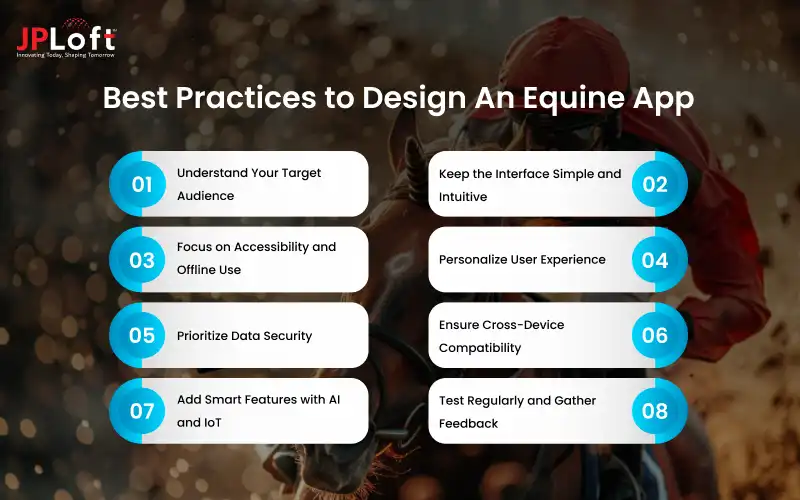
Here are the best practices for how to design an equine app effectively:
1. Understand Your Target Audience
Before designing, identify who will use your app, whether it’s riders, stable managers, breeders, or vets. Each group has different expectations and workflows. Understanding their pain points helps you design features and layouts that truly solve their daily challenges.
2. Keep the Interface Simple and Intuitive
An equine app should be easy to navigate for users of all ages and tech comfort levels. Use simple menus, recognizable icons, and minimal steps to complete tasks. A clean, clutter-free equine app UI/UX encourages users to explore and stay engaged.
3. Focus on Accessibility and Offline Use
Many users work in rural or outdoor environments with poor internet access. Ensure your app allows basic functions like record viewing, note-taking, or schedule tracking offline, syncing data automatically when reconnected.
4. Personalize User Experience
Allow users to customize their dashboards with widgets like health stats, feeding reminders, or training logs. Personalized layouts make the app more relevant and improve long-term engagement. When users feel the app reflects their unique preferences, they are more likely to stay loyal to it.
5. Prioritize Data Security
Equine data includes personal details and medical records that need protection. Use encryption, strong authentication, and backup systems to build user trust and maintain privacy. A secure design protects information and strengthens your brand’s credibility in the equine market.
6. Ensure Cross-Device Compatibility
Your app should perform equally well on smartphones, tablets, and desktops. Responsive design helps users access their data anytime, anywhere, without performance issues. Cross-platform consistency ensures that users have the same smooth experience no matter which device they use.
7. Add Smart Features with AI and IoT
Integrating AI for insights or IoT for tracking horse health adds real value. Build an AI app that can analyze performance data, while IoT sensors can monitor movement or heart rate in real time. Smart features make your app stand out and turn it into a valuable assistant for both casual and professional users.
8. Test Regularly and Gather Feedback
Continuous testing with real users helps you find bugs, improve usability, and update features based on genuine feedback. Regular improvements keep the app relevant and user-centered. Listening to user feedback ensures the app evolves with changing needs and stays competitive in the market.
Following these best practices helps you design an equine app that’s not just functional but also reliable, accessible, and truly connected to the needs of the equestrian community. Partner with the best AI app development company to integrate these design features in your equine app seamlessly.

Talk to the JPLoft's Experts and Design Your App
Designing an equine app that perfectly matches your vision requires more than just creativity. It needs expertise, industry insight, and a deep understanding of what users truly want.
That’s where JPLoft’s app design experts come in. Our team specializes in creating visually appealing, easy-to-use, and high-performing designs that make managing horse care and equestrian activities effortless.
At JPLoft, an experienced equine app development company, we craft meaningful digital experiences. Whether you want an app for horse health tracking, stable management, event coordination, or equestrian networking, our experts ensure every screen is intuitive and engaging.
With 15+ years of experience in UI/UX design and equine industry knowledge, we’ll help you design an equine app into a powerful, professional platform that stands out in the market. Talk to JPLoft’s experts today and design an equine app that not only looks amazing but also delivers lasting value to your users.
Let’s create a platform that reflects your passion, strengthens your brand, and redefines the digital equestrian experience.
Conclusion
This equine app design guide is about building a tool that genuinely improves the way horse owners, trainers, and equestrian professionals manage their daily tasks. A well-designed app should feel natural, reliable, and enjoyable to use while reflecting the passion and care that defines the horse lover community.
By focusing on user understanding, intuitive layouts, data security, and consistent visuals, designers can create an experience that blends technology with trust. Adding elements like personalization, offline access, and seamless navigation makes the app even more practical for real-world equine settings.
With thoughtful equine app UI/UX and attention to detail, an equine app can become more than just a digital tool. It becomes a daily companion that strengthens the connection between humans and horses while promoting better care, communication, and organization across the equestrian world.
FAQs
To design an equine app, start with user research, define the app’s purpose, and create clear wireframes. Focus on simple navigation, accessibility, and visual consistency. Test prototypes with real users, gather feedback, and refine the design for usability and appeal.
Essential features include horse profiles, training schedules, health records, reminders, event calendars, and offline functionality. These features make the app practical, user-friendly, and useful for both professionals and casual horse enthusiasts.
Personalization lets users customize dashboards, notifications, and categories according to their roles and routines. It creates a more relevant experience, improves satisfaction, and encourages long-term engagement with the app.
The cost to design an equine app ranges between $5,000 and $25,000, depending on complexity, features, and design quality. Custom illustrations, animations, or advanced user experiences may increase the overall design cost.
Designers often struggle to balance diverse user needs, manage complex data, and maintain offline functionality. They must also ensure strong data security while keeping the interface simple and user-friendly for all types of equine users.

Kris Jacobs brings 20+ years of experience in digital product strategy, user-focused design, and solving complex product challenges. She has worked across on-demand services, travel, entertainment, sports, insurance, education, and service marketplaces, including handyman, dog-walking, courier, event-management, and equine platforms. Her focus is on shaping practical, scalable digital experiences that align user needs with business goals and long-term product growth.




Share this blog