


Key Takeaways:
Modern event apps must go beyond basic ticket sales and offer personalized, hyper-local discovery feeds to keep users engaged.
Several essential features to have in an app like Eventbrite include discovery feed, frictionless ticketing, QR ticket wallet, push notification, and others.
Launch with a targeted Minimum Viable Product (MVP) using cross-platform frameworks to cut initial development costs and time.
Maximize your platform's profitability by combining standard ticket commissions with in-app ads, attendee service fees, and premium sponsorships.
Eliminate infrastructure bottlenecks by leveraging JPLoft's elite app development team to build secure platforms that handle massive traffic spikes seamlessly.
Everyone is talking about Eventbrite, and the numbers prove why. With more than 10 million downloads and a top-tier 4.8 rating, it is the ultimate app for live experiences.
Building an event management and ticketing app like Eventbrite needs strategic planning, intuitive design, and seamless development.
This guide covers the essential steps included to launch an app like Eventbrite. We will explore the essential and advanced features, the development process, and much more.
Overview of Eventbrite App
The Eventbrite app is a premier global ticketing and event discovery platform that simplifies how people organize and attend gatherings.
For attendees, it serves as a marketplace to find local events, buy tickets, and manage your bookings, all from your phone.
For organizers, it can sell tickets, track sales in real-time, and check in guests quickly with QR code scanning.
The success is where many entrepreneurs choose to create an app like Eventbrite when looking to enter the event technology space.
Among many other functionalities, what truly makes this app stand out is the personalized discover tab that is now packed with tailored recommendations, advanced search tools, and smart filters to spark your next adventure.
The app is available on both Android and iOS.
It’s the kind of trend-setting feature that proves why now is the perfect time to create an event app that goes beyond ticketing and taps into curated experiences.
Essential Features to Have in an App Like Eventbrite App
Without the must-have features, your app won’t be able to survive a day in the market.
Features are what drive users to the app and inspire them to keep coming back for more. Let’s get to know some key app features:
1. Discovery Feed
A user can’t even imagine an event app without a discovery feed.
Users need a highly intuitive, location-based discovery engine equipped with smart filters(date, price, mood, and genre) and a personalized feed.
If a user is looking for a jazz night or a tech conference, they should find it instantly on your app.
2. Frictionless Ticketing
The cart is where dreams go. If the checkout process is clunky, no matter how many users are coming to your app, they won’t stay.
Organizers need an easy process to create tiered tickets (VIP, Early Bird, and General Admission), and attendees need a lightning-fast checkout.
Support for Apple Pay, Google Pay, and major credit cards isn’t a luxury; it’s the baseline.
3. VIP Creator Dashboards
Giving a VIP creator dashboards in an app like Eventbrite empowers users with better and real-time analytics on ticket sales, attendee demographics, and revenue trends.
It provides smarter decisions, personalized marketing, and exclusive insights that boost engagement and event success.
4. Seamless In-App Marketing Tools
Great event, don’t matter if nobody shows up.
Having built-in marketing features allows creators to launch email blast campaigns, generate custom discount codes, and track affiliate links directly from the app.
It turns your platform from a passive listing site into an active growth engine.
5. The QR Ticket Wallet
Lost emails and dead PDFs are relics of the past. Attendees need a dedicated in-app wallet that houses their digital tickets as dynamic QR codes.
For maximum convenience, integrate this with Apple Wallet and Google Wallet so users can pull up their passes even when cellular service drops at a crowded venue.
6. Rapid– Fire QR Gate Check-In
Long lines kill the vibe before the event even starts. The app must include a high-speed camera-based QR code scanner for venue staff.
It needs to process hundreds of attendees per minute, instantly validate tickets, prevent duplicate entries, and sync data in real time across multiple entry gates.
7. Instant Push Notifications & Alerts
If you have a venue change, a sudden time shift, or an explicit warning that tickets are 90% sold out, real-time communication is important.
Push notifications keep attendees in the loop and create a sense of urgency that drives last-minute conversions for creators.
8. Secure Payouts
Trust is currency.
A secure, multi-currency payment gateway (like Stripe or PayPal integrations) ensures that attendee data is fully encrypted.
On the flip side, organizers need transparent, reliable payout schedules so they can access their funds and pay their vendors without friction.
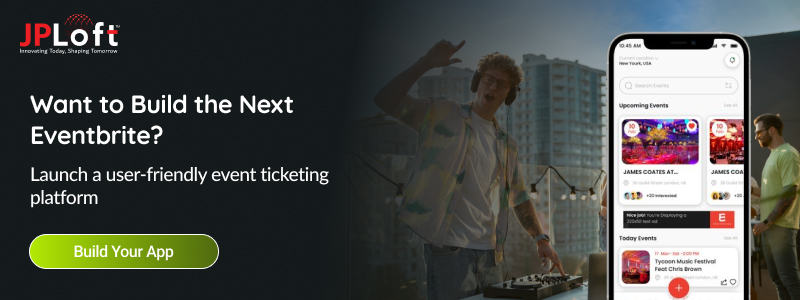
How to Develop an Event App Like Eventbrite?
Ever wondered how a single app can seamlessly connect millions of people to concerts, tech conferences, and local food festivals every single day? It’s not just magic.
When you choose to develop an event app like Eventbrite, you aren’t just building an application; you are building a digital venue where communities come alive.
Let’s get to know about the development process:
Step 1: Understand Your Niche and Research the Market
Before you start your development journey, make sure to do thorough market research and ask yourself: who are you really building for?
For example, Eventbrite targets everyone, from concerts to workshops, fundraisers, and food festivals.
The smartest founders who make an app like Eventbrite pick a line: corporate events, music festivals, hyper-local meetups, or niche communities like fitness or tech conferences.
You have to study your competitors, read the 1-star reviews to understand where your competition is failing users, and take it as an opportunity to build a solution that users love using.
Step 2: Define Your Core Features
Here’s where most founders mess up, then try to launch with 50 features. Don’t
For your MVP, focus on what actually matters:
-
Event discovery with smart filters (location, date, category, vibe)
-
Seamless ticket booking and secure payments
-
Organizer dashboards with real-time analytics
-
Push notifications for reminders and updates
-
In-app social sharing and referral systems
-
Reviews, ratings, and check-ins via QR codes
Don’t add advanced features, save AI in mobile app and VR event previews for future updates.
Step 3: Choose the Right Tech Stack
The tech you pick today can have a big impact on your tomorrow.
For mobile, React Native or Flutter lets you ship on iOS and Android without doubling your costs.
The backend? Node.js or Python paired with PostgreSQL handles scale beautifully. Add Stripe or Razorpay for payments, Twilio for notifications, and AWS or Google Cloud for hosting.
Add Stripe or Razorpay for secure payments, Twilio or OneSignal for notifications, AWS or Google Cloud for scalable hosting, and Cloudinary for handling event images and media without a hitch.
Honestly, this app tech stack has powered apps with millions of users; it'll handle yours, too.
Step 4: Design a UI/UX That Feels Effortless
When you create an event app like Eventbrite, design isn't decoration, it's the product. Users decide in a few seconds whether to keep your app or delete it.
Keep navigation smooth, use bold visuals for event listings, and make the checkout flow ridiculously simple. Three taps to a ticket. That's the gold standard.
Make sure to include social logins(like Google or Apple) so users can log in instantly. Use clear filters so people can sort events by date, price, and location without any confusion.
This is where professional UI/UX design services make a real difference. A clean layout with clear buttons will directly increase your ticket sales and keep users active on the app.
Step 5: Build, Test, and Break Things
Now comes the actual development.
Whether you're hiring an in-house team or partnering with a mobile app development company in the USA, work in agile sprints. Build a feature, test it, gather feedback, and refine.
QA testing is non-negotiable. Bugs can destroy your app, users' trust, and much more. So, it’s very important to test across devices, screen sizes, and network conditions.
Stress-test for traffic spikes when popular events drop. The stress test for traffic spikes when popular events drop. Break it, before your users do. Every bug caught in testing is a crisis avoided in production.
Step 6: Launch Your App
Once the final version of your app is ready, it is time to launch the app.
You have to submit the app to the App Store and publish the app to the Play Store, but don’t just hit “upload” and hope for the best.
Optimized your app listing with eye-catching screenshots, a compelling description, and the right keywords(App Store Optimization is your secret weapon).
Make sure your app meets each store’s strict guidelines to avoid rejection delays. Consider a smooth launch with the aim of gathering real-world feedback, fixing issues, and keeping on building buzz to make it global.
Step 7: Plan for Maintenance
Launching is just the beginning, the real work starts now. When you create an app like Eventbrite, ongoing maintenance is what separates apps that thrive from those that fade away.
Regularly update your app to fix bugs, patch security issues, and stay compatible with the latest iOS & Android versions.
You should look into user feedback closely, track in-app analytics, and roll out new features based on real user behavior, not guesswork.
Don’t forget server health, payment gateway updates, and third-party API changes that can break things overnight.
Allocate dedicated app maintenance services, because a well-maintained app builds loyalty, drives retention, and keeps your platform growing.
So, the steps to create an app like Eventbrite are clear; let’s get to know the cost.
How Much Does it Cost to Develop an App Like Eventbrite?
Developing an app like Eventbrite typically ranges from $15,000 to $100,000+. Several factors affect the overall cost, such as design complexity, project requirements, and more.
Cost Breakdown by App Size:
-
Basic App ($15,000 – $40,000): Basic ticketing, single platform, simple user profiles, email/social logins, and standard push notifications.
-
Mid-Range App ($40,000 – $80,000): Cross-platform (Flutter/React Native), robust backend, in-app chat, scanning/QR codes for check-in, and custom UI/UX branding.
-
Advanced App ($80,000 – $150,000+): Full custom enterprise solutions featuring AI-powered event recommendations, complex analytics, high-tier security protocols, and third-party integrations
Note: For a clear estimate of your project, you should consult the development cost of an event app.
With that being said, let’s explore the monetization models for your app.
Monetization Models to Have in an App Like Eventbrite
Let’s talk about the part every founder secretly cares about the most: making money.
When you decide to build an app like Eventbrite, you’re not just creating a platform; you’re building a revenue engine.
Here are the most effective app monetization models:
1. Commission on Ticket Sales
This is the classic and the most reliable. Charge organizers a small percentage (usually 2-10%) plus a flat fee per ticket sold through your platform.
It's a win-win: organizers only pay when they earn, and your revenue scales effortlessly with theirs.
2. Premium Subscription Plans
When you create an app like Eventbrite, offer tiered subscriptions for organizers: basic, pro, and enterprise.
Premium tiers unlock advanced analytics, branded event pages, priority support, and unlimited event listings, giving power users plenty of reasons to upgrade and pay monthly.
3. Featured Event Listings
Let organizers pay to boost their events to the top of search results or homepage banners. It's like Google Ads, but for events.
Organizers love the extra visibility, and you earn a steady stream of revenue without lifting a finger.
4. In-App Advertising
Partner with brands, sponsors, and local businesses to display targeted ads inside your app. Think event-related products, travel companies, or food delivery apps.
Keep ads relevant and non-intrusive, and you'll monetize without annoying your users.
5. Service Fees from Attendees
Add a small convenience fee on top of each ticket purchase, usually $1-3 per ticket.
Most users barely notice it, but multiplied across millions of bookings, it becomes one of the biggest revenue streams in your entire app.
6. Sponsorship and Partnership Deals
When you make an app like Eventbrite, you become a goldmine for sponsors.
Partner with major brands for sponsored events, co-branded campaigns, or exclusive deals. Sponsorships bring in massive lump-sum payments and elevate your platform's credibility instantly.
Challenges to Develop a Successful App Like Eventbrite and their Solutions
Let’s be real, launching an event app sounds amazing, but the road to success is riddled with technical challenges, user trust issues, and extreme competition.
Every founder who sets out to build an app like Eventbrite quickly realizes that the real challenges aren’t writing code, it’s solving the human problems that come with handling events.
The good news? Every challenge has a solution if you know where to look.
Here are the most common issues and how to resolve them:
Challenge 1: Handling Massive Traffic Spikes
When a popular concert or festival drops, thousands of users hit your app at the same time, and most apps crash under the pressure.
Solution: The best way to overcome this issue is to build on a scalable cloud infrastructure like AWS or Google Cloud with auto-scaling enabled. Use load balancers, implement Redis caching, and run regular stress tests to simulate real-world traffic spikes before they happen.
Challenge 2: Secure Payment Processing
Money flows through your app constantly, and so do hackers. A single payment breach can destroy your reputation overnight.
Solution: You should integrate PCI-DSS compliant payment gateways like Stripe or Razorpay, use end-to-end encryption, enable two-factor authentication, and conduct regular audits. Never store sensitive card data on your own servers.
Challenge 3: Fake Events and Fraudulent Organizers
Scam events tank user trust faster than any bad review. If someone gets burned once, they're gone for good.
Solution: Implement strict organizer verification with ID checks, business documents, and refund guarantees. Use AI-powered fraud detection to flag suspicious activity, and maintain a transparent review system that holds organizers accountable.
Challenge 4: Standing Out in a Crowded Market
Eventbrite, Meetup, Luma, and dozens of others are already fighting for users. Why should anyone choose you?
Solution: Choose a clear niche, corporate events, niche communities, hyper-local meetups, or premium experiences. Offer something your competitors don't: better organizer tools, lower fees, AI-powered recommendations, or community-driven features.
Challenge 5: User Retention After the First Event
Users download, book one ticket, and disappear. Sound familiar?
Solution: Drive engagement with personalized event recommendations, push notifications for upcoming events in their interests, loyalty rewards, and exclusive perks for repeat users. Build a community around your app, not just a marketplace.
Challenge 6: Cross-Platform Compatibility
An app that works flawlessly on iPhone but lags on Android loses half its market instantly. Handling different screen sizes and operating systems is one of the biggest app development challenges that you can face.
Solution: Use app frameworks like React Native or Flutter for consistent performance, and rigorously test across multiple devices, OS versions, and screen sizes before every release.
How JPLoft Can Help You Develop an Event App Like Eventbrite?
Turning a vision into a high-performing digital marketplace requires more than just standard coding; it takes a seasoned development partner.
JPLoft is an event app development company that helps businesses turn their event ideas into easy-to-use and scalable event apps that people actually enjoy using.
From smooth ticket booking and secure payments to fast QR code entry at venues, our team handles everything needed to create a reliable platform.
We focus on building apps that work smoothly on both iOS and Android while keeping the development process cost-effective with an MVP approach.
No matter if you are launching a small event platform or planning to compete with major apps like Eventbrite, JPLoft helps you create a strong and user-friendly solution that grows with your business.
Conclusion
The event industry is moving fast, shifting from simple, passive ticketing listings to deeply immersive, curated experiences.
Developing an app like Eventbrite in 2026 presents an incredible market opportunity if you execute it right.
Success comes down to focusing on a specific audience niche, perfecting a smooth checkout experience, and choosing a technology stack that scales gracefully under heavy traffic.
While the technical road has its hurdles from secure payouts to handling massive traffic spikes, the right strategy and an expert development team make all the difference.
Start with your core features, build a solid foundation, and create a digital space where communities can connect seamlessly.
FAQs
First, target a specific market niche and design a highly intuitive user interface that allows ticket checkout in just three taps. Next, build a scalable cloud backend using cross-platform frameworks like Flutter or React Native to save time and costs. Finally, integrate secure payment gateways like Stripe and rigorously stress-test the system to handle massive traffic spikes before your official launch.
Both Flutter and React Native are excellent choices for event app development. They allow you to share a single codebase across iOS and Android, which slashes your development time and costs in half. They also deliver smooth animations and rapid rendering, ensuring your event discovery feeds feel fast and responsive.
To prevent your application from crashing during massive traffic spikes, your backend must be hosted on a cloud infrastructure like AWS or Google Cloud with auto-scaling turned on. Additionally, implementing Redis caching for event listings and utilizing smart load balancers ensures thousands of users can check out at the exact same millisecond without system failure.
While booking tickets and browsing live feeds require an active internet connection, critical features like the QR Ticket Wallet must function offline. By storing ticket data locally on the user's device using secure databases like SQLite, attendees can pull up their QR entry passes effortlessly, even inside crowded venues with zero cell service.
Building a basic event app with standard ticketing and simple user profiles typically costs between $15,000 and $40,000. A mid-range app featuring cross-platform performance, QR scanners, and creator dashboards ranges from $40,000 to $80,000. For an advanced enterprise platform with AI recommendations and high-tier security, the cost can go over $100,000 to $150,000+.

Kris Jacobs brings 20+ years of experience solving complex digital product challenges through strategic thinking and user-centric design. With deep exposure to on-demand services, entertainment, travel, and interactive platforms, she collaborates across teams to shape scalable, engaging solutions that align business goals with intuitive user experiences across evolving digital landscapes.


Share this blog