


Key Takeaways:
Desktop applications contribute to over 40% of global internet usage, especially in professional environments where stability and long-session usage matter.
Core desktop application features include high processing speed, offline functionality, system-level security, rich UI capabilities, and seamless hardware integration.
The desktop application development process includes requirement analysis and UI design, development, testing, deployment, and maintenance.
Modern development frameworks such as Electron, .NET MAUI, Flutter, Qt, and Cocoa enable scalable, cross-platform, and high-performance desktop software solutions.
The cost of desktop application development typically ranges from $5,000 to $100,000+, depending on complexity, features, platform support, and scalability requirements.
Partnering with an experienced provider like JPLoft ensures access to reliable Desktop application development services focused on performance, security, and scalability.
Desktop applications continue to play a vital role in modern business environments, offering high performance, system-level control, and dependable offline functionality.
From managing complex workflows to handling large datasets securely, desktop software remains essential for organizations seeking stability and efficiency.
Desktop application development process involves a structured approach to ensure better performance and scalability.
Such a process begins with requirement analysis and UI planning, followed by design, development, testing, deployment, and ongoing maintenance to ensure performance, security, and long-term scalability.
This step-by-step process helps businesses build reliable software tailored to their operational and user needs.
This blog provides a complete guide to desktop application development, covering frameworks, costs, challenges, and emerging trends to help you make informed technology decisions.
What is A Desktop Application?
A desktop application is a software installed directly on a computer and designed to run on operating systems such as Windows, macOS, or Linux.
Unlike web applications that depend on browsers and continuous internet access, desktop applications operate using local system resources like CPU, memory, and storage.
This allows desktop apps to deliver faster performance, stronger data control, and consistent offline functionality, making them ideal for complex and long-duration tasks.
Desktop software plays a critical role in professional and enterprise environments where stability, security, and processing power are essential.
Since these applications run locally, they can access system-level features and hardware integrations that web and mobile platforms often cannot fully utilize.
Common Examples of Desktop Applications:
-
Microsoft Excel for data management
-
Adobe Photoshop for creative design
-
Visual Studio for software development
-
Enterprise accounting or CRM systems
When comparing desktop vs web vs mobile platforms, desktop applications stand out for speed, deeper system access, and reliable offline use.
For businesses focused on control, security, and long-term scalability, desktop application development remains a future-ready and strategic investment.
Reasons To Choose Desktop Application Development
Choosing the right application type has a significant impact on how the business serves its customers and the brand reputation in the marketplace.
Hence, in such a scenario, desktop application development continues to be a preferred option for companies that need strong performance, better control, and dependable long-term use.
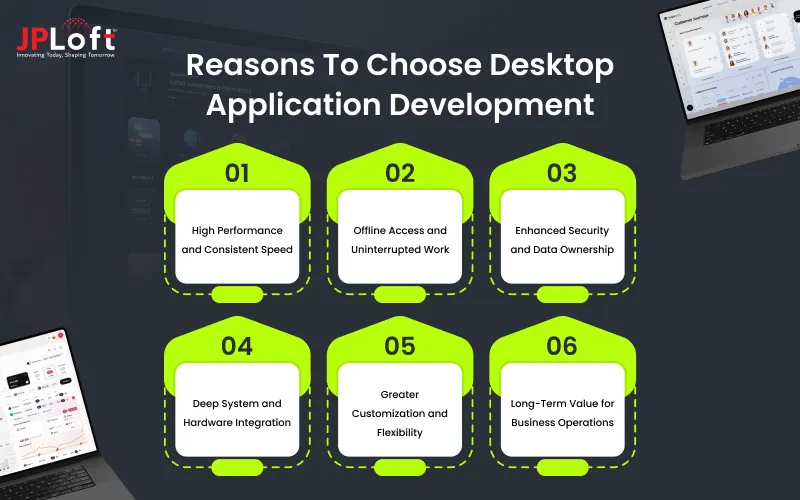
Here are some of the key reasons that justify why you should plan to develop a desktop application.
1. High Performance and Consistent Speed
A key reason to plan to develop a desktop application is that it runs directly on the system, which removes browser-related limits. This leads to faster processing, smooth navigation, and stable performance, even when the application handles large data or complex operations.
2. Offline Access and Uninterrupted Work
Another advantage of custom desktop application development is offline functionality. Such a feature ensures that the users can continue working without internet access and sync data once connectivity is restored, which helps avoid productivity loss.
3. Enhanced Security and Data Ownership
Desktop applications offer businesses better control over how data is stored and accessed. Sensitive information can remain within local systems or secure networks, reducing exposure to common online threats.
4. Deep System and Hardware Integration
Further, a key reason to create a desktop application is that it can connect easily with system hardware such as printers, scanners, and local databases.
Such integration capabilities and advanced workflows improve its adaptability and are beneficial for businesses working in complex settings.
5. Greater Customization and Flexibility
Custom desktop application development allows tailored features, workflows, and interfaces based on business-specific needs.
Such customization ensures that the companies are not limited by browser rules or platform constraints. Hence, can plan for features that can help the business to serve its audience better.
6. Long-Term Value for Business Operations
Desktop applications are a perfect solution for businesses looking for long-term value creation. Although initial development may require higher investment, they offer stable performance, lower maintenance issues, and reliable usage over time. This makes these platforms a smart long-term solution.
Key Features of Desktop Application
Along with focusing on how to develop a desktop application, it is important to understand the associated features. Desktop applications are designed for users who need focus, stability, and control while working.
Hence, for such users, custom desktop application development offers key features that support long usage hours, complex tasks, and consistent performance across business environments.
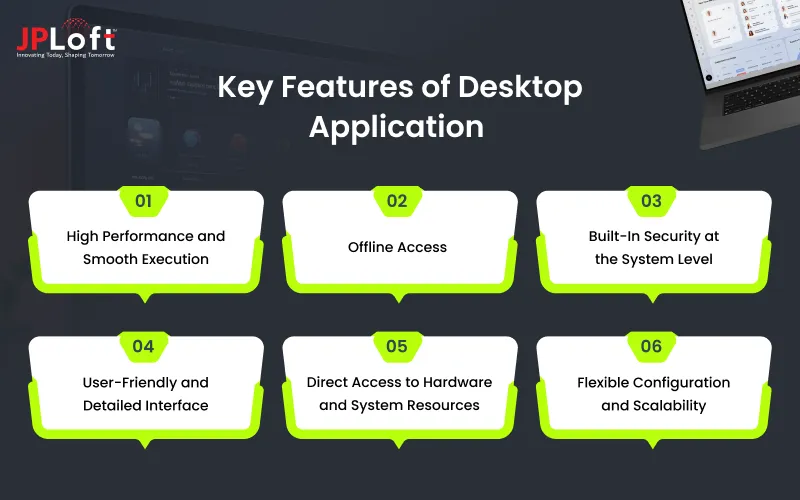
The must-have features of a desktop application to consider are:
1] High Performance and Smooth Execution
The performance of the desktop application is its primary feature. It runs directly on the system, which allows it to process tasks faster and handle heavy workloads with ease. This makes it suitable for software that manages large files, calculations, or advanced operations.
2] Offline Access
Desktop applications are not bound to work only with internet connectivity. These apps are installed on the desktop and hence have a local memory that allows the app to work without an internet connection. Users can work, save data locally, and sync updates later.
3] Built-In Security at the System Level
Security is a core strength of desktop applications. Such security ensures the presence of secure local storage, controlled user access, and system-level permissions. This helps businesses keep sensitive data protected within their environment.
4] User-Friendly and Detailed Interface
The businesses planning to build a desktop application should focus on user-friendly layouts, keyboard shortcuts, and multi-window workflows. These features are just essential to improve the app design, but they also improve efficiency and comfort for users who spend extended time using the application.
5] Direct Access to Hardware and System Resources
Desktop applications can connect directly with printers, scanners, cameras, and local databases. This allows smooth integration with existing tools and supports complex business workflows. Hence, such a feature needs to be planned when looking for “how to develop a desktop application.”
6] Flexible Configuration and Scalability
The businesses can hire dedicated developers for custom desktop application development to match business needs. Such customization ensures that the application features, access levels, and workflows can be modified as operations expand, without changing the core system.
Step-by-Step Process To Desktop Application Development
A well-defined and technical desktop application development process ensures that the app remains stable, secure, and scalable over time.
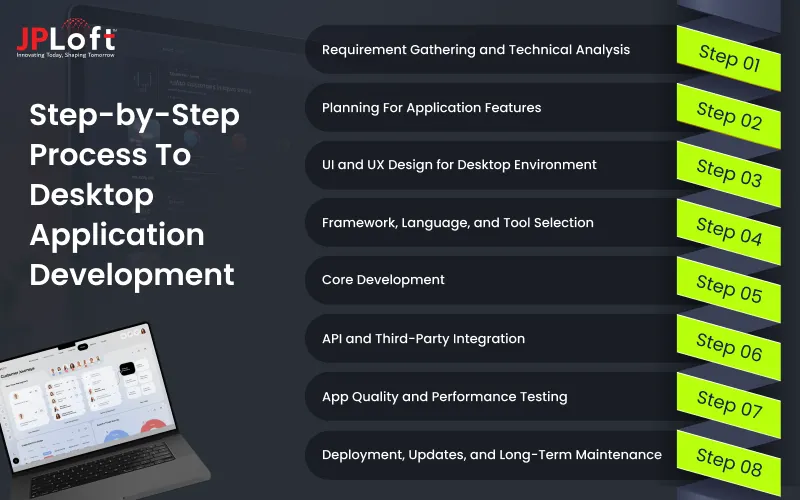
Below is a detailed breakdown of how to develop a desktop application, with each step focusing on clear execution and long-term reliability.
Step 1: Requirement Gathering and Technical Analysis
The best way to develop a desktop application is to start with requirement gathering and technical analysis. Such helps set up a base that guides the entire development process.
► Business Goal Identification
The process starts with defining the purpose of the application and the problems it aims to solve. Setting clear goals helps prioritize features and ensure the software delivers measurable business value.
► User and Workflow Analysis
The developers study how end users will interact with the application daily. Understanding workflows, usage frequency, and task complexity helps design features that feel natural and efficient.
► Technical and System Constraints
This involves identifying supported operating systems, hardware dependencies, offline requirements, and compliance needs. These constraints guide architectural and framework decisions early in the process.
Step 2: Planning For Application Features
The next step is to plan for the desktop application features when proceeding to develop a desktop application. Having key features that can boost app convenience is significantly important to ensure the app's usage, adaptability, and scalability.
► App Feature Selection
At this stage, businesses decide on the key features of the application. This choice is important as it impacts scalability, performance, and how easily the app will be able to get recognized.
► Data Flow and Storage Planning
This sub-step defines how data is processed, stored locally, and synced if required. It ensures data integrity, consistency, and controlled access across the application.
► Integration Mapping
All internal and external integrations are planned at this stage, including APIs, databases, and system services. Early mapping reduces conflicts and integration issues during custom desktop application development.
Step 3: UI and UX Design for Desktop Environment
Once the application goal and feature have been defined, the next step is to plan for the app design with the help of a UI/UX services expert.
► Wireframing and Screen Layouts
Designers create detailed wireframes that reflect desktop usage patterns, including window sizes and navigation flow. This helps visualize how users move through the application.
► Interaction and Accessibility Design
This focuses on keyboard navigation, focus management, and accessibility support. Proper interaction design improves efficiency for users who work on the application for long hours.
► UI Consistency and System Standards
Designs are aligned with platform-specific guidelines to ensure the application feels familiar to users. This improves usability and reduces the learning curve.
Step 4: Framework, Language, and Tool Selection
Further, there is a need to select the right framework, language, and tool that can help develop a scalable desktop application that aligns with the user and the business needs.
► Framework Evaluation
The developers select a framework based on performance needs, platform targets, and long-term support.
Such can be the best framework for Windows desktop application development or other operating systems. The right framework ensures stability and easier maintenance.
► Programming Language and Libraries
Languages and libraries are chosen for reliability, security, and community support. This helps reduce technical risk and improves development efficiency.
► Development and Build Tools
IDEs, build tools, and dependency managers are set up to support smooth coding and testing. Proper tooling helps maintain code quality throughout development.
Step 5: Core Development
Once the basic has been established, the developers proceed with the core desktop application development process.
► Business Logic Development
Developers implement the core rules and workflows that define how the application behaves. This layer handles processing, validations, and system interactions. Hence partnering with an expert Software development company can help plan for such development.
► UI Component Development
User interface components are built and connected with underlying logic. Reusable components help maintain consistency and reduce future development effort.
► Error Handling and Logging
This sub-step adds structured error handling and logging mechanisms. These features help detect issues early and simplify debugging after deployment.
Step 6: API and Third-Party Integration
In the process to develop a desktop application, it is further important to plan for the key APIs and third-party integrations. Such integrations improve the app’s performance and set its competitive positioning.
► API and Service Integration
External services, cloud sync, and internal APIs are connected securely. This ensures smooth data exchange and reliable communication between systems.
► Hardware and OS Interaction Testing
The application is tested for interactions with printers, file systems, and system permissions. This confirms correct behavior across different environments.
► Performance Optimization
Resource usage, such as memory and CPU load, is reviewed and optimized. This helps maintain consistent performance across varied system configurations.
Step 7: App Quality and Performance Testing
Desktop app testing is one of the key aspects to be focused on before launching the app. Such is important so that any technical or performance gap can be identified and eliminated at an early stage.
► Functional and Regression Testing
Test cases verify that all features work as expected and new updates do not break existing functionality. This step ensures application stability.
► Security and Data Protection Checks
Security testing validates encryption, authentication, and access control mechanisms. This protects sensitive data stored locally or synced externally.
► User Acceptance Testing
Real users test the application in practical scenarios. Their feedback helps confirm usability and identify final improvements before release.
Step 8: Deployment, Updates, and Long-Term Maintenance
The final stage is deploying the desktop application. But the developer’s role doesn’t end here, as they are required to ensure that the app is performing well post-launch. Also, considering user feedback and market competition, relevant updates and improvements need to be planned.
► Installation and Packaging
The application is packaged with a secure installer and clear configuration steps. This ensures a smooth setup process for end users.
► Update and Version Control Strategy
Update mechanisms are configured to deliver fixes and improvements reliably. Version control helps manage changes and roll back if needed.
► Monitoring and Ongoing Support
Post-launch monitoring tracks performance, errors, and user feedback. Regular maintenance ensures compatibility with OS updates and evolving business needs.
Best Framework For Desktop Application Development
The developers need to plan for the right framework, which depends majorly on application goals, performance needs, and long-term maintenance.
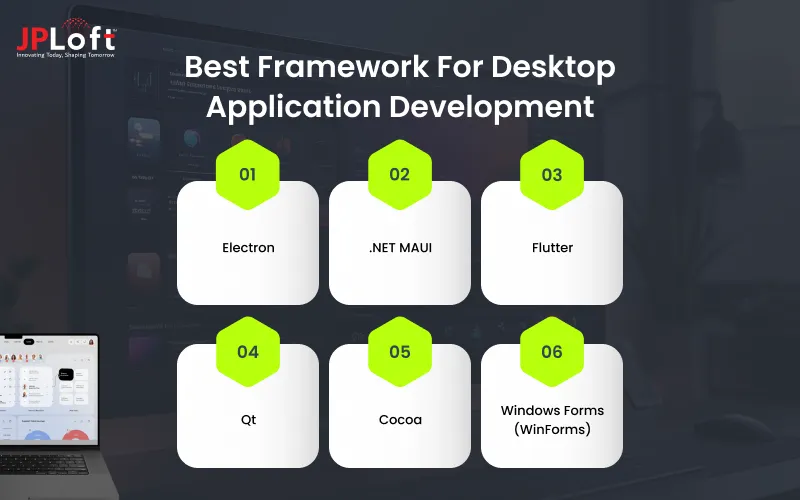
Based on current industry usage and entrepreneurs’ preferences, the following frameworks remain the most commonly chosen for modern desktop application development.
1. Electron
Electron is widely used for cross-platform desktop application development. It allows developers to build apps using JavaScript, HTML, and CSS while supporting Windows, macOS, and Linux from a single codebase. It is often chosen when faster development and shared web and desktop logic are priorities.
2. .NET MAUI
.NET MAUI is a modern Microsoft framework designed for building native applications across desktop and mobile platforms. It works well for businesses already using the .NET ecosystem and supports clean code sharing with native performance on Windows and macOS.
3. Flutter
Flutter has gained strong adoption for desktop application development due to its consistent UI rendering and single codebase approach. Hiring Flutter developers is preferred for applications that need a visually consistent experience across platforms with smooth performance.
4. Qt
Qt is a popular choice for performance-driven desktop applications. It is widely used in industries that require system-level access, high reliability, and native-like user interfaces across operating systems.
5. Cocoa
Cocoa is Apple’s native framework for macOS desktop applications. It is ideal for businesses targeting Mac users and looking for deep system integration, native performance, and a polished user experience aligned with macOS standards.
6. Windows Forms (WinForms)
WinForms remains a reliable framework for Windows-only desktop applications. It is commonly used for enterprise tools, internal software, and data-driven applications where stability, ease of development, and long-term support are key priorities.

Cost of Desktop Application Development
Desktop applications are beneficial for businesses as they offer optimized performance and better scalability. But along with these, these application types are cost-effective.
The cost to develop a desktop application ranges from $5,000 to $100,000, depending on the app's complexity, features, and the scope of the app to serve its users.
The basic MVP version of a desktop app can be built in a budget of $5,000 to $15,000 with essential features. Further amid or complex version can take up $15,000 to $75,000, and an enterprise-level desktop app can take up a cost of $75,000 to $100,000 or more.
|
Development Phase |
What This Phase Covers |
Approx. Cost Range |
|
Requirement Analysis & Planning |
Business requirement gathering, user flow analysis, technical feasibility, and platform planning |
$500 – $10,000 |
|
UI & UX Design |
Wireframes, desktop-specific layouts, interaction design, accessibility planning |
$1,000 – $15,000 |
|
Architecture & Framework Selection |
System architecture design, framework evaluation, database planning, integration mapping |
$500 – $10,000 |
|
Core Development |
Feature implementation, business logic, UI components, system-level integrations |
$3,000 – $45,000 |
|
Integration & Performance Optimization |
API integration, hardware interaction, performance tuning, and memory optimization |
$1,000 – $15,000 |
|
Testing & Quality Assurance |
Functional testing, regression testing, security validation, system compatibility testing |
$1,000 – $15,000 |
|
Deployment & Installation Setup |
Packaging, installer creation, configuration setup, and version management |
$500 – $10,000 |
|
Maintenance & Support (Optional) |
Bug fixes, updates, security patches, feature enhancements |
Varies by scope |
Challenges and Solutions of the Desktop Application Development
These applications offer strong performance and control, but they also come with specific desktop application development challenges.
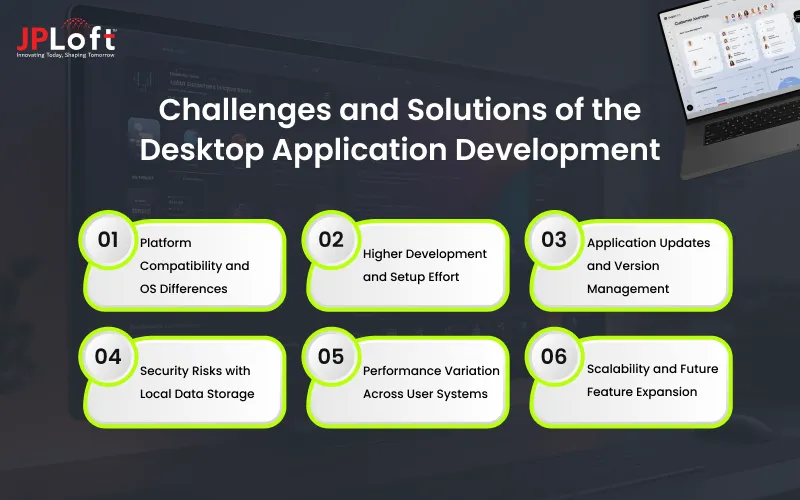
Focusing on “how to develop a desktop application” can help you better understand these challenges and eliminate them early so that businesses can plan better and avoid long-term issues.
Challenge 1: Platform Compatibility and OS Differences
Desktop applications must work across different operating systems, each with its own UI standards, system APIs, and update behavior. Managing these differences can increase development time and testing effort.
Solution: Use cross-platform frameworks or shared core logic with platform-specific UI layers to maintain consistency while meeting OS requirements.
Challenge 2: Higher Development and Setup Effort
Building a desktop application often involves deeper system access, detailed UI handling, and longer testing cycles. This can slow down the initial release.
Solution: Hire software developers and plan development in phases, reuse tested components, and choose stable frameworks to reduce complexity and speed up delivery.
Challenge 3: Application Updates and Version Management
Keeping all users on the latest version can be difficult, especially when updates rely on manual installation. Further, continuing to use outdated versions for too long may cause bugs or security issues.
Solution: Implement automatic or scheduled update systems that push fixes and improvements without interrupting user workflows.
Challenge 4: Security Risks with Local Data Storage
Desktop applications use the local system memory and frequently store sensitive data on these local systems, which increases risk if devices are lost, shared, or compromised. Hence, it is a significant challenge for both developers and business owners.
Solution: Apply data encryption, role-based access control, and secure authentication to protect local and synced data.
Challenge 5: Performance Variation Across User Systems
Every user owns or uses a diverse kind of desktop with different hardware capabilities. Hence, creating a desktop application that aligns with such broad requirements is a challenge. Also, another challenge is to ensure the application’s speed and stability across every user’s desktop.
Solution: Optimize resource usage, test on multiple system configurations, and define clear minimum hardware requirements.
Challenge 6: Scalability and Future Feature Expansion
Ensuring feature addition and application scalability is a key challenge that developers face as businesses scale. Selecting an application structure that is rigid or allows limited features leads to performance or maintenance issues.
Solution: Design a modular architecture that supports smooth feature expansion and long-term maintainability.
Future Trends in Desktop Application Development
Desktop application development continues to adapt as businesses look for software that is powerful, secure, and easier to maintain. Modern desktop applications now combine local performance with connected features to meet changing user and business needs.
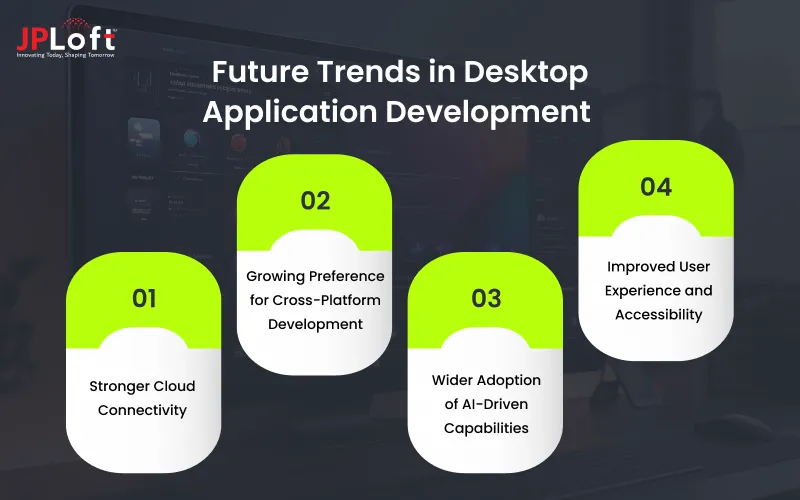
1. Stronger Cloud Connectivity
Desktop applications are increasingly built with cloud support for data storage, backups, and real-time syncing. The businesses can partner with an expert cloud development company to ensure such cloud connectivity for their desktop application.
This approach allows users to work offline while ensuring their data stays updated and accessible across devices and teams when they reconnect.
2. Growing Preference for Cross-Platform Development
Businesses are moving toward frameworks that support multiple operating systems from a shared codebase for successful cross platform desktop application development.
Such preferences reduce development effort, speed up delivery, and help maintain a consistent user experience across Windows, macOS, and Linux.
3. Wider Adoption of AI-Driven Capabilities
Artificial intelligence is becoming a practical part of desktop software. Desktop applications now use AI for automation, smart recommendations, predictive inputs, and faster decision support, helping users reduce manual effort and improve accuracy.
Partnering with an AI development company can further ease this integration process and improve the desktop application performance.
4. Improved User Experience and Accessibility
Desktop applications are placing more emphasis on clean layouts, responsive controls, and accessibility features. As they are not just a business software, but a tool that any authorized individual should be able to understand and operate.
Keyboard navigation, screen reader support, and adaptable interfaces help ensure usability for a wider range of users.
Why Partner With JPLoft For Desktop Application Development?
Choosing the right technology partner plays a major role in the success of a desktop application. JPLoft brings hands-on experience, structured development practices, and a clear focus on building reliable software that supports real business needs.
JPLoft delivers end-to-end desktop application development services, covering everything from requirement analysis and UI planning to development, testing, and post-launch support. The team focuses on understanding how users work and builds applications that are stable, secure, and easy to maintain.
With strong expertise across modern and native frameworks, JPLoft develops desktop applications that offer smooth performance, offline functionality, and deep system integration. Every solution is designed to align with business workflows rather than forcing generic features into the product.
Security and scalability remain a priority throughout the development process. JPLoft follows structured coding standards, data protection practices, and testing processes to ensure applications perform consistently across environments and system configurations.
The developers at JPLoft also emphasize transparent communication and predictable delivery. Clients receive clear timelines, regular progress updates, and long-term technical support to keep applications running smoothly as business needs grow.
By partnering with JPLoft, businesses gain access to dependable Desktop application development services that focus on quality, performance, and long-term value rather than short-term solutions.
Conclusion
Desktop applications are regaining their position due to reliable performance, better control over data, and the ability to handle complex and long-running tasks with ease. As businesses look for solutions that support stability, security, and productivity, desktop applications remain a dependable choice across industries.
With the support of modern frameworks, cloud integration, and intelligent features, desktop application development has adapted to current technology needs. Businesses can now build desktop solutions that are scalable, user-friendly, and aligned with evolving workflows rather than limited to traditional use cases.
However, the success of a desktop application depends on clear planning, the right technology stack, and an experienced development partner. When built with a structured approach and long-term vision, desktop applications can deliver consistent value and support business growth for years to come.
FAQs
Desktop application development is the process of creating software that runs directly on a computer’s operating system, such as Windows or macOS. These applications are designed for high performance, offline access, and system-level integration.
A business should choose a desktop application when it requires strong performance, secure data handling, offline functionality, or direct access to system hardware and local resources.
To build a desktop application, businesses start by defining requirements, selecting the right framework, and designing the user interface. The development process then includes coding core features, testing across systems, deploying the application, and maintaining it with regular updates.
Popular frameworks include Electron, .NET MAUI, Flutter, Qt, Cocoa for macOS, and WinForms for Windows-based applications. The choice depends on platform targets, performance needs, and future scalability.
The cost of desktop application development depends on factors such as application complexity, features, platform support, and technology stack. Enterprise-grade applications typically require higher investment due to security and scalability requirements.

Savannah Bustos is a technology professional with experience across financial platforms, mobility solutions, and on-demand digital products. Her areas of expertise include FinTech, digital banking, eWallets, lending, BNPL, stock trading, fuel delivery, and taxi-booking platforms. She combines a strong understanding of business requirements with practical technology insight, helping companies evaluate challenges, define product needs, and make informed decisions about scalable digital solutions.




Share this blog