



Key Takeaways:
Desktop applications continue to dominate enterprise environments due to their superior performance, reliability, offline functionality, and deep system-level integration.
Key challenges include cross-platform compatibility, security vulnerabilities, UI/UX consistency, system integration complexity, and long-term maintenance.
Performance optimization and efficient resource management are critical for delivering fast, stable, and responsive desktop software.
Security-first development is essential to protect sensitive data, ensure compliance, and mitigate risks related to unauthorized access, malware, and data breaches.
Scalable architecture, automated testing, continuous monitoring, and structured deployment strategies help businesses overcome development challenges.
Best practices to overcome challenges include modular architecture, cross-platform frameworks, CI/CD pipelines, and proactive maintenance.
Desktop application remains essential for delivering secure, scalable, and high-performance software across industries such as healthcare, finance, manufacturing, and enterprise IT.
Although modern frameworks like Electron, .NET MAUI, Flutter Desktop, and Qt have simplified development, several technical and strategic challenges in desktop software development persist.
The common desktop app development challenges include cross-platform incompatibility, poor performance optimization, weak security protocols, UI/UX inconsistencies, and a lack of scalability and future-ready features.
In this blog, we will explore the key challenges in desktop application development and the best practices businesses can adopt to overcome them.
Overview of Desktop Application
Modern desktop applications have evolved far beyond traditional standalone software. Today’s solutions integrate cloud connectivity, cross-platform compatibility, real-time data processing, advanced system-level integrations, and enterprise-grade security to deliver high-performance, reliable, and scalable software experiences.
Industries such as healthcare, finance, logistics, manufacturing, media, and SaaS continue to rely heavily on desktop applications for mission-critical workflows, complex data processing, automation, and advanced computing tasks.
Businesses choose desktop applications over web or mobile platforms due to several reasons. These include the need for high computational power, deep system-level control, enhanced security, reliable offline functionality, and seamless integration. The integration with enterprise systems and hardware devices, ensures uninterrupted performance even in demanding operational environments.
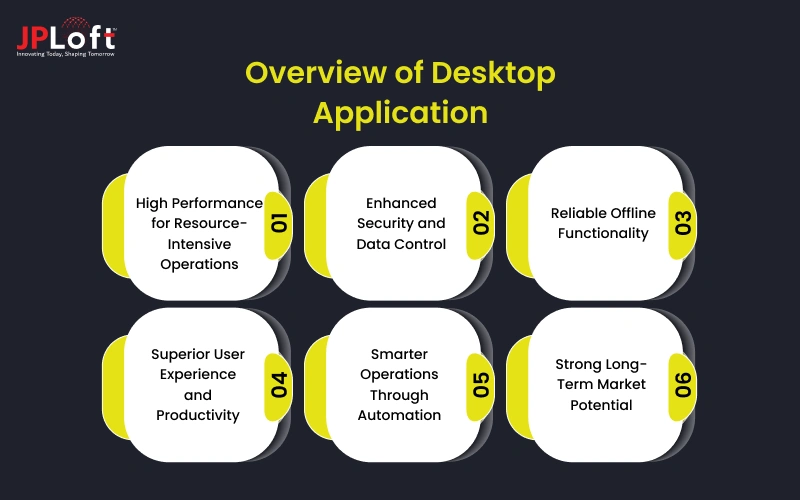
Along with such factors, several other reasons exist, which are listed below, that help understand the need to build a desktop application in the current scenario.
1. High Performance for Resource-Intensive Operations
Desktop applications can directly leverage system hardware, including CPU, GPU, and memory, enabling superior performance for data-heavy, graphics-intensive, and real-time processing tasks.
2. Enhanced Security and Data Control
Desktop software provides better control over data storage, encryption, and access permissions. Businesses dealing with sensitive data rely on desktop applications for compliance, security, and data sovereignty.
3. Reliable Offline Functionality
Unlike web-based platforms, desktop applications can operate without continuous internet connectivity. This ensures uninterrupted workflows in low-connectivity environments, making them essential for field operations, remote locations, and enterprise-grade productivity systems.
4. Superior User Experience and Productivity
Desktop applications offer faster response times, richer interfaces, keyboard-driven workflows, and advanced UI capabilities, significantly boosting employee efficiency, accuracy, and task execution speed.

Key Development Challenges of Desktop Applications
Desktop applications stand out when it comes to performance, productivity, and scalability. But with rapidly evolving operating systems, cross-platform expectations, and complex system integrations, several challenges in desktop app development also emerge.
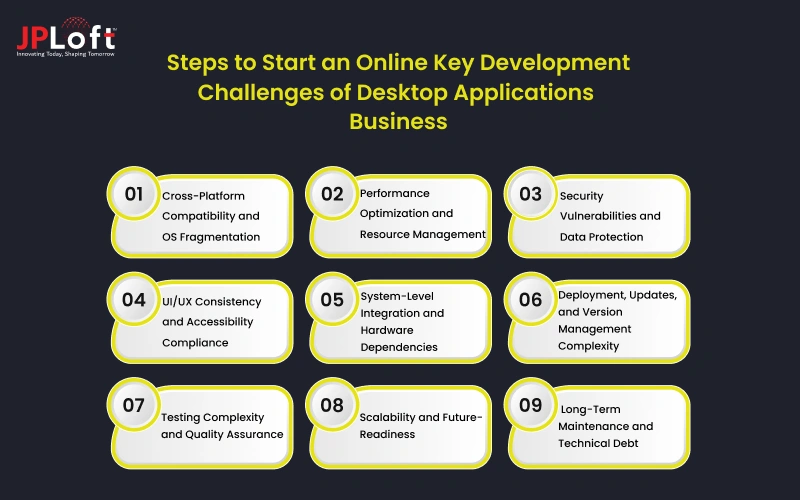
Below are the key desktop application development challenges that organizations and developers face today:
Challenge 1: Cross-Platform Compatibility and OS Fragmentation
Cross-platform compatibility remains one of the most complex desktop app challenges due to architectural differences, system-level constraints, and inconsistent UI standards across operating systems.
Key Cross-Platform Challenges Include:
-
Supporting multiple Windows versions, diverse hardware configurations, and frequent security updates
-
Maintaining backward compatibility while adopting modern system APIs
-
Managing strict macOS security frameworks, sandboxing policies, and evolving hardware architectures
-
Ensuring compliance with macOS UI/UX design guidelines and frequent OS upgrades
-
Handling Linux fragmentation across distributions, libraries, desktop environments, and package managers
-
Managing dependency conflicts, installation workflows, and UI consistency across Linux environments
These inconsistencies significantly increase development effort, testing timelines, operational costs, and long-term maintenance overhead while impacting performance stability and user experience.
Solution: Businesses can overcome cross-platform fragmentation by adopting modular architecture, robust cross-platform frameworks, CI/CD automation, containerized packaging, and continuous compatibility testing.
These strategies ensure consistent performance, smoother updates, reduced technical debt, and scalable desktop software delivery across all platforms.
Challenge 2: Performance Optimization and Resource Management
Ensuring consistently high performance, fast responsiveness, and system stability across diverse hardware environments is a key desktop application development challenge, especially for data-intensive and real-time applications.
Key Performance Challenges Include:
-
Inefficient CPU utilization leading to processing bottlenecks and slow execution
-
Poor memory management is causing excessive resource consumption and application crashes
-
Complex multi-threading and concurrency control impacting UI responsiveness
-
Background process handling that blocks main threads and disrupts user workflows
-
Hardware dependency variations across processors, RAM, storage, and GPU configurations
-
Performance inconsistency across legacy devices and modern high-end systems
These performance gaps result in slow response times, system freezes, unstable behavior, increased support overhead, and reduced user productivity.
Solution: Businesses can address desktop software development challenges by implementing performance-first development practices, efficient memory allocation strategies, optimized multi-threading models, continuous profiling, and adaptive hardware-aware optimization.
These approaches ensure faster execution, smoother responsiveness, improved stability, and scalable performance across all desktop environments.
Challenge 3: Security Vulnerabilities and Data Protection
Security vulnerabilities and data protection remain among the most critical challenges faced in desktop application development, primarily due to deep system access, local data storage, and increasing exposure to sophisticated cyber threats.
Desktop applications often manage sensitive business and user data, making them prime targets for malware attacks, unauthorized access, and data breaches.
Key Security Challenges Include:
-
Insecure local data storage and weak encryption protocols
-
Ineffective key management systems that increase data exposure risks
-
Weak authentication mechanisms and poor session handling
-
Lack of multi-factor authentication and role-based access controls
-
Vulnerability to malware, ransomware, and reverse engineering attacks
-
Limited real-time threat detection, monitoring, and vulnerability management
These security gaps can result in unauthorized system access, sensitive data leakage, regulatory non-compliance, financial losses, operational disruption, and long-term damage to brand reputation and user trust.
Solution: To strengthen desktop application security, businesses must adopt security-by-design principles across the development lifecycle.
Implementing strong encryption standards, secure authentication frameworks, and role-based access control ensures robust data protection.
Continuous vulnerability testing, proactive threat monitoring, and automated security patching further help maintain compliance, reduce risks, and ensure long-term application resilience.
Challenge 4: UI/UX Consistency and Accessibility Compliance
Designing desktop software that delivers intuitive navigation, visual consistency, and inclusive accessibility across multiple platforms remains one of the most persistent challenges in desktop app development, especially with rising user expectations and platform-specific interface standards.
Key UI/UX and Accessibility Challenges Include:
-
Maintaining a consistent look and feel across Windows, macOS, and Linux while respecting platform-specific design principles
-
Balancing visual uniformity with native UI expectations to avoid usability conflicts
-
Structuring layouts that support scalable and responsive desktop application features across multiple screen sizes and resolutions
-
Implementing accessibility standards such as screen reader compatibility, keyboard navigation, and contrast optimization
-
Meeting regulatory compliance requirements while preserving a seamless user experience
-
Managing added design complexity that emerges as a core challenge when developing a desktop application.
These challenges often lead to inconsistent user experiences, accessibility barriers, increased usability friction, and reduced adoption rates across enterprise environments.
Solution: To overcome UI/UX and accessibility challenges, businesses should follow platform-specific design guidelines combined with unified design systems.
Implementing responsive layouts, accessibility-first design practices, and continuous usability testing ensures inclusive, intuitive, and consistent user experiences.
Regular UI audits, accessibility compliance checks, and iterative design optimization further help maintain usability, engagement, and long-term product adoption.
Challenge 5: System-Level Integration and Hardware Dependencies
System-level integration remains one of the most technically demanding development challenges of a desktop application.
Modern solutions require deep interaction with operating systems, enterprise software platforms, and physical hardware devices to deliver seamless workflows and real-time processing.
Key System Integration Challenges Include:
-
Managing OS-level permissions, background services, file handling operations, and system APIs
-
Ensuring secure and stable interaction with system-level processes without affecting performance
-
Integrating printers, scanners, biometric devices, industrial machinery, and IoT equipment
-
Handling specialized drivers, device communication protocols, and real-time data synchronization
-
Maintaining consistent performance and stability across diverse hardware environments
-
Resolving compatibility issues between hardware drivers, operating systems, and application logic
These challenges can lead to workflow disruptions, performance bottlenecks, system instability, security vulnerabilities, and increased operational overhead across enterprise environments.
Solution: To overcome integration complexity, businesses should adopt modular system architecture and standardized API frameworks.
Implementing secure driver management, real-time communication handling, and extensive hardware compatibility testing ensures stable integration.
Continuous monitoring, automated testing, and proactive system optimization further help maintain reliability, security, and seamless cross-platform performance.
Challenge 6: Deployment, Updates, and Version Management Complexity
Deploying desktop applications and managing regular updates across diverse operating systems and enterprise environments is significantly more complex than web-based deployment.
Installation workflows, version control, security policies, and network restrictions introduce multiple layers of operational and technical challenges.
Key Deployment and Update Challenges Include:
-
Managing OS-specific packaging formats, signing procedures, and distribution mechanisms
-
Handling diverse installation workflows across Windows, macOS, and Linux environments
-
Implementing silent updates, rollback mechanisms, and dependency management
-
Ensuring uninterrupted user workflows during frequent updates and security patch releases
-
Managing large-scale enterprise deployments across varied device configurations
-
Navigating internal network restrictions, security policies, and controlled access systems
These complexities often lead to deployment delays, version conflicts, system instability, increased IT overhead, and disrupted business operations.
Solution: To simplify deployment and update management, businesses should adopt CI/CD pipelines, automated packaging tools, and unified deployment workflows.
Implementing silent update frameworks, version control automation, and rollback strategies ensures seamless upgrades without disrupting users.
Centralized deployment management, continuous monitoring, and proactive patch scheduling further help maintain stability, security, and enterprise-wide software consistency.
Challenge 7: Testing Complexity and Quality Assurance
Testing desktop applications is significantly more complex due to the wide diversity of operating systems, hardware configurations, system permissions, and environmental variables.
These factors make comprehensive quality assurance both resource-intensive and time-consuming, while directly influencing the cost to develop a desktop application and overall project timelines.
Key Testing and QA Challenges Include:
-
Validating consistent functionality, performance, and stability across Windows, macOS, and Linux environments
-
Managing platform-specific configurations, system permissions, and hardware dependencies
-
Handling diverse screen resolutions, device drivers, and network conditions
-
Developing and maintaining automated test suites for desktop environments
-
Performing regression testing across frequent updates, patches, and feature releases
-
Managing parallel testing workflows that increase infrastructure and operational overhead
These complexities often result in longer testing cycles, increased QA costs, delayed releases, higher defect risks, and reduced software reliability.
Solution: To streamline testing and quality assurance, businesses should implement automated testing frameworks, CI/CD pipelines, and continuous integration testing.
Using virtualization, cloud-based testing environments, and automated regression testing reduces execution time and human errors.
Proactive QA planning, performance benchmarking, and real-time defect monitoring further help maintain product quality, stability, and cost efficiency.
Challenge 8: Scalability and Future-Readiness
Building desktop applications that can evolve with growing business needs, rapid technological advancements, and changing user expectations remains a major development challenge.
Long-term flexibility, performance scalability, and architectural adaptability are critical for ensuring sustained business value and software longevity.
Key Scalability and Future-Readiness Challenges Include:
-
Poorly designed system architecture, limiting modular expansion and seamless feature integration
-
Increasing complexity in upgrading frameworks, libraries, and system dependencies
-
Frequent OS updates and emerging technology trends demand continuous system optimization
-
Architectural refactoring is required to maintain performance, stability, and compatibility
-
Ensuring seamless connectivity with cloud platforms, analytics systems, and enterprise APIs
-
Managing latency, security requirements, and performance consistency across distributed environments
These challenges often result in rigid software systems, higher modernization costs, delayed innovation cycles, and reduced competitive agility.
Solution: To ensure scalability and future-readiness, businesses should adopt modular and service-oriented architectures.
Implementing cloud-native integrations, API-driven workflows, and continuous system modernization supports seamless feature expansion and performance scaling.
Regular architectural audits, dependency upgrades, and proactive technology adoption further ensure long-term adaptability, stability, and business growth.
Challenge 9: Long-Term Maintenance and Technical Debt
Sustaining desktop applications over extended operational lifecycles introduces continuous maintenance challenges, especially as technologies evolve, system dependencies change, and business requirements expand.
Without proactive optimization and long-term planning, applications can quickly become rigid, costly to maintain, and difficult to modernize.
Key Maintenance and Technical Debt Challenges Include:
-
Outdated libraries, development frameworks, and deprecated APIs are increasing security vulnerabilities and compatibility risks
-
Continuous dependency upgrades are required to maintain system stability, compliance, and operational efficiency
-
Accumulation of technical debt due to rushed implementations and poor architectural decisions
-
Legacy codebases are reducing system flexibility, scalability, and innovation speed
-
Increased IT dependency, support overhead, and operational complexity
-
Rising downtime risks and maintenance costs are affecting business continuity and user satisfaction
These challenges often lead to higher long-term costs, reduced development agility, system instability, and slower product innovation cycles.
Solution: To manage maintenance challenges and reduce technical debt, businesses should implement proactive refactoring strategies and continuous system modernization.
Regular framework upgrades, dependency audits, and automated testing help maintain system health and security.
Establishing long-term maintenance roadmaps, performance monitoring, and structured update cycles ensures application stability, scalability, and sustained business value.
Best Practices to Overcome Development Challenges of a Desktop Application
Overcoming desktop application development challenges requires a strategic blend of modern technology adoption, performance engineering, security planning, and scalable system architecture to ensure long-term stability, usability, and business success.
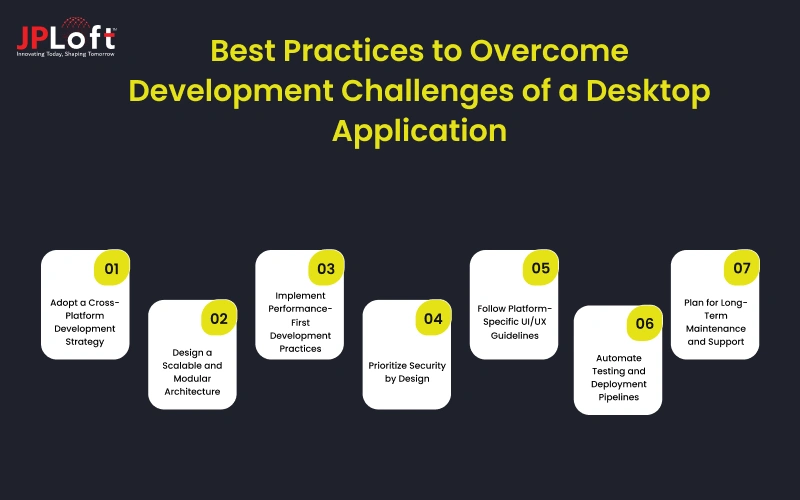
1. Adopt a Cross-Platform Development Strategy
Choosing robust cross-platform frameworks such as .NET MAUI, Electron, Flutter Desktop, or Qt enables developers to build unified codebases for multiple operating systems.
This approach minimizes duplication, simplifies maintenance, accelerates development cycles, and ensures consistent performance, functionality, and user experience across Windows, macOS, and Linux environments.
2. Design a Scalable and Modular Architecture
Developing applications using modular, service-oriented architecture allows independent components to evolve without disrupting core functionality.
This design strategy simplifies upgrades, supports future feature expansion, minimizes technical debt, and enables long-term scalability, making desktop applications more adaptable to changing business and technology demands.
3. Implement Performance-First Development Practices
Performance-focused engineering ensures efficient memory usage, optimized CPU processing, smooth UI responsiveness, and stable background operations.
Regular profiling, performance testing, and code optimization help identify bottlenecks early, enabling developers to deliver fast, reliable, and consistent user experiences across diverse hardware configurations.
4. Prioritize Security by Design
Embedding security into every development phase reduces cyber challenges in desktop software development and safeguards sensitive data.
Implementing secure authentication, encrypted data storage, protected APIs, and continuous vulnerability assessments ensures compliance, prevents cyber threats, and builds user trust while maintaining long-term application integrity.
5. Follow Platform-Specific UI/UX Guidelines
Designing interfaces aligned with native platform standards, whether Windows, iOS, or Linux, helps improve usability, accessibility, and engagement.
Consistent layouts, intuitive navigation, responsive design, and accessibility compliance ensure seamless interactions, reduce learning curves, and significantly enhance user satisfaction and productivity.
6. Automate Testing and Deployment Pipelines
The modern way to deal with challenges while building a desktop application is by using AI in development to automate testing and streamline the development flow.
Automated testing and CI/CD pipelines streamline quality assurance, detect defects early, and enable faster releases.
This approach minimizes human errors, ensures consistent build quality, simplifies version management, and supports seamless software updates without disrupting user workflows.
7. Implement Robust Monitoring and Logging Systems
Real-time monitoring and advanced logging provide actionable insights into application performance, errors, and user behavior.
This allows faster issue detection, proactive troubleshooting, performance tuning, and continuous system optimization for enhanced reliability and stability.
The businesses can plan to hire dedicated developers to ensure better planning, designing, and deployment of desktop applications aligned with the modern
8. Plan for Long-Term Maintenance and Support
Proactive maintenance strategies, continuous refactoring, framework updates, and security patching help prevent technical debt accumulation.
This ensures long-term system stability, improved security posture, reduced operational costs, and sustained business value over the application lifecycle.
Hence, it is important to plan for continuous monitoring and long-term application, ensuring that the desktop application stays aligned with the changing trends.

Why Choose JPLoft for Developing A Desktop App?
Choosing the right development partner plays a crucial role in determining the performance, scalability, and long-term success of your software.
As a trusted desktop application development company, JPLoft delivers tailored, high-performance desktop solutions that align with business goals, technical requirements, and evolving user expectations.
With deep expertise across Windows, macOS, and Linux ecosystems, JPLoft builds secure, scalable, and future-ready desktop applications using modern frameworks, proven architectures, and performance-driven development strategies.
Our approach combines technical excellence, user-centric design, and agile execution to ensure fast time-to-market without compromising quality.
From enterprise-grade software and workflow automation tools to data-driven business applications and custom platforms, our team ensures seamless system integration, optimized performance, and robust security.
With continuous testing, proactive maintenance, and scalable architecture planning, JPLoft helps businesses reduce operational risks, improve productivity, and achieve long-term digital success.
Conclusion
Desktop application continues to play a vital role in enabling performance-driven, secure, and scalable business solutions.
However, the journey from concept to deployment is filled with technical complexities, platform constraints, security concerns, and long-term maintenance challenges. Understanding the key challenges in desktop application development and adopting the right strategies can significantly reduce risks, control costs, and ensure consistent software performance.
By leveraging modern frameworks, scalable architectures, security-first practices, and structured testing methodologies, businesses can build future-ready desktop applications that adapt seamlessly to evolving market demands.
With the right development partner, organizations can transform these challenges into strategic advantages, delivering powerful desktop solutions that drive productivity, innovation, and long-term growth.
FAQs
The biggest challenges in desktop application development include cross-platform compatibility, performance optimization, security vulnerabilities, UI/UX consistency, system-level integration, complex deployment processes, rigorous testing requirements, long-term maintenance, and managing technical debt.
The development process of a desktop application focuses on system-level access, offline functionality, high performance, and deep hardware integration, whereas web and mobile development primarily rely on browser environments, network connectivity, and device-based operating constraints.
Cross-platform compatibility ensures that desktop applications deliver consistent performance, stability, and user experience across Windows, macOS, and Linux, helping businesses reduce development costs, simplify maintenance, and reach broader user bases.
Businesses can improve desktop application security by implementing strong encryption, secure authentication, role-based access control, regular vulnerability testing, continuous security updates, and compliance-driven development practices throughout the software lifecycle.
Businesses should choose custom development when they require tailored workflows, high-performance processing, advanced system integration, offline functionality, enhanced security controls, and scalable software aligned with specific operational needs.

Savannah Bustos is a technology professional with experience across financial platforms, mobility solutions, and on-demand digital products. Her areas of expertise include FinTech, digital banking, eWallets, lending, BNPL, stock trading, fuel delivery, and taxi-booking platforms. She combines a strong understanding of business requirements with practical technology insight, helping companies evaluate challenges, define product needs, and make informed decisions about scalable digital solutions.




Share this blog