


Key Takeaways
To successfully develop a tutor app, follow a structured approach that includes market research, feature planning, the right tech stack, and continuous updates.
The cost of developing a tutor app typically ranges between $15,000 – $125,000+, depending on complexity, features, and scalability requirements.
Key features like live video classes, chat, scheduling, and progress tracking are essential to create a seamless and engaging learning experience.
Choosing the right tech stack, including React Native, Node.js, MongoDB, and video APIs like WebRTC, is crucial for building a scalable and high-performing tutor app.
A strong monetization strategy such as subscriptions, commissions, freemium models, and in-app purchases ensures consistent revenue generation.
Partnering with JPLoft ensures expert guidance, scalable solutions, and a high-quality tutor app.
The global education technology market is projected to grow from $187.01 billion in 2025 to $437.54 billion by 2033. Additionally, the education software market is witnessing rapid growth, especially with the increasing adoption of AI-powered tutoring platforms.
This massive growth clearly shows how learners are shifting towards flexible, on-demand education platforms. As a result, tutor apps are becoming a key part of this transformation.
So, most entrepreneurs are wondering how to develop a tutor app. The answer lies in understanding your target audience, selecting essential features, choosing the right tech stack, and building a scalable solution step-by-step.
Therefore, in this tutor app development guide, let’s discuss the complete process to build a tutor app.
What is a Tutor App?
A tutor app is a digital platform that connects students with tutors for personalized learning anytime, anywhere. It allows users to access live classes, one-on-one sessions, recorded lectures, and interactive study materials directly from their devices.
These apps are designed to make learning more flexible, accessible, and efficient compared to traditional methods. A mobile app for tutors often includes features like video calling, chat support, progress tracking, and secure payment options, ensuring a smooth learning experience for both students and educators.
For academic subjects, skill development, or competitive exam preparation, an on-demand tutor app simplifies the entire teaching and learning process in a more convenient and scalable way.
Why Should You Develop a Tutor App in 2026?
With the rapid growth of digital education, 2026 presents a perfect opportunity for businesses and startups to invest in tutor apps.
The increasing reliance on online learning platforms is reshaping how students access education globally.
-
According to Grand View Research, the online tutoring market is projected to grow at a CAGR of over 14.5%, driven by demand for personalized and flexible learning.
-
Rising demand for one-on-one and AI-powered learning is creating new opportunities for innovative tutor apps.
-
The shift towards remote and hybrid learning models is further accelerating the adoption of digital tutoring platforms.
-
Tutor apps offer scalable business models with multiple revenue streams like subscriptions, commissions, and ads.
Developing a tutor app in 2026 is not just a trend but a strategic move to tap into a fast-growing and future-ready industry.

Must-Have Features of a Tutor App
When you plan to develop a tutor app, one thing you simply can’t overlook is the features.
They are the backbone of your app and directly impact user experience and engagement. To make a tutor app that stands out in the competitive EdTech market, you should focus on the right set of features.
So, one of the important steps of how to create a tutor app is the app’s features that users love. Here are the must-have mobile app features you should include:
|
Feature |
Description |
|
User Registration & Profiles |
Simple sign-up/login with personalized student and tutor profiles. |
|
Advanced Search & Filters |
Helps students find tutors based on subject, ratings, price, and availability. |
|
Live Video Classes |
Enables real-time one-on-one or group tutoring sessions. |
|
In-App Chat & Messaging |
Allows seamless communication between tutors and students. |
|
Scheduling & Calendar |
Lets users book sessions and manage their learning schedule easily. |
|
Secure Payment Integration |
Supports multiple payment options with safe and smooth transactions. |
|
Ratings & Reviews |
Builds trust by allowing users to share feedback and experiences. |
|
Progress Tracking |
Tracks student performance, learning goals, and improvements. |
|
Notifications & Alerts |
Keeps users updated about classes, reminders, and updates. |
|
Admin Dashboard |
Helps manage users, content, payments, and overall app performance. |
Tutor App Development Process: From Idea to Launch
Trying to figure out how to create a tutor app step by step that performs well in the real world? Then you require the right strategy, features, and execution at every stage.
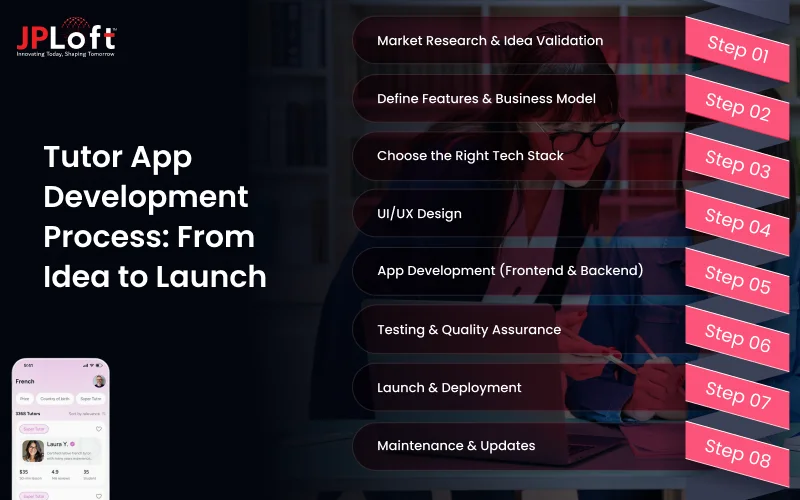
If you want to build a mobile app, following a structured approach is essential. Now, let’s move into this tutor app development guide and understand the complete process step by step.
Step 1: Market Research & Idea Validation
Start by understanding the EdTech market research and validating your idea before you develop a tutor app. This step builds a strong foundation for your app strategy.
► Analyze Target Audience: Identify whether your users are students, tutors, or institutions. Understand their needs, pain points, and expectations from a tutor app.
► Study Competitors: Analyze existing tutor apps, their features, pricing, and user feedback. This helps you identify gaps and opportunities.
► Define Unique Value Proposition: Decide what makes your app unique, such as better pricing or advanced features. This is crucial if you want to build a tutor app that stands out.
Step 2: Define Features & Business Model
A clear feature set and business model are essential to make a tutor app that delivers value and revenue. Validating your mobile app ideas ensures you build something users actually need.
► Select Core Features: Include key features like user registration, tutor profiles, live classes, chat, scheduling, and secure payments. These features ensure a smooth and engaging learning experience.
► Choose Learning Formats: Decide between one-on-one tutoring, group classes, or recorded sessions based on your audience. This helps align your app with user preferences.
► Plan Monetization Strategy: Use models like subscriptions, commissions, or freemium plans to ensure long-term sustainability and consistent revenue.
Step 3: Choose the Right Tech Stack
Choosing the right technology is crucial when you create a tutor app that performs smoothly and scales easily. A strong tech foundation ensures better performance, security, and long-term growth.
► Select Development Approach: Choose between native or cross-platform development depending on your budget and goals. This decision impacts development time, cost, and overall user experience.
► Define Backend & Database: Use reliable technologies like Node.js, Django, MongoDB, or MySQL to manage data efficiently. A strong backend ensures smooth performance and secure data handling.
► Integrate Third-party APIs: Add APIs for video streaming, chat, and notifications to enhance functionality. This ensures smooth communication and a seamless learning experience for users.
Step 4: UI/UX Design
A well-designed interface is key if you want to make a tutor app that users enjoy using. By investing in professional UI/UX design services, a smooth and visually appealing design improves engagement and keeps users coming back.
► Create User Flow: Map how users move from searching tutors to booking sessions. This helps you design a logical and seamless journey, reducing confusion and improving usability.
► Design Wireframes: Plan the layout and structure of each screen clearly. Mobile app wireframing acts as a blueprint, helping you visualize the app before actual design and saving development time.
► Build Interactive Prototypes: Test the design and functionality before moving to development. Mobile app prototyping allows you to gather early feedback and make necessary improvements.
Step 5: App Development (Frontend & Backend)
This is where your idea becomes a real product as you develop a tutor app. Both frontend and backend must work together seamlessly for smooth performance.
► Develop Backend Systems: Build a strong backend to manage users, sessions, and data securely. A reliable backend ensures scalability and smooth handling of multiple users.
► Build Frontend Interface: Create a user-friendly interface for both students and tutors. Focus on responsiveness and easy navigation to enhance the overall user experience.
► Implement Core Features: Integrate features like video calls, chat, scheduling, and payments seamlessly, which supports how to launch a tutor app without performance issues.
Step 6: Testing & Quality Assurance
Mobile app testing is a crucial part of knowing how to create a tutor app step by step to ensure smooth performance and reliability. It helps deliver a bug-free and secure application.
► Run Functional Testing: Check if all features like booking, payments, and chat work properly. This ensures that every function performs as expected without errors.
► Perform Performance Testing: Test the app under real conditions to handle multiple users. This helps you identify performance bottlenecks and improve app speed.
► Fix Bugs & Issues: Identify and resolve errors before launch for a better user experience. Fixing issues early reduces the risk of negative user feedback.
Step 7: Launch & Deployment
After testing, it’s time to launch your app and enter the market. If you're exploring how to launch a tutor app successfully, a well-planned launch strategy helps you gain visibility and attract users quickly.
► Publish on App Stores: Publish your app to Google Play Store and submit an app to Apple App Store with proper details. Optimize your app listing with keywords, images, and descriptions for better reach.
► Plan Marketing Strategy: Use social media, ads, and ASO to promote your app effectively. A strong marketing plan helps you reach your target audience faster.
► Drive Initial Traffic: Attract early users to build visibility and engagement. Early traction is important to establish your app in the competitive market.
Step 8: Maintenance & Updates
Post-launch improvements are essential when you are exploring how to build a tutor app that succeeds long-term. Continuous updates and mobile app maintenance services keep your app relevant and competitive.
► Provide Customer Support: Offer quick support to resolve user issues and build trust. Good support improves user satisfaction and retention.
► Monitor App Performance: Track user behavior and performance using analytics tools. This helps you understand user needs and make better decisions.
► Release Regular Updates: Continuously improve features and fix bugs based on feedback. Regular updates keep users engaged and enhance overall app performance.
This structured process clearly explains how to create a tutor app step by step, helping you develop a tutor app that is scalable, user-friendly, and ready to succeed in the competitive EdTech market.
Powerful Technology Stack Behind a Successful Tutor App
Choosing the right mobile app tech stack is crucial to successfully develop a tutor app with strong performance and scalability.
The tech stack directly impacts your app’s performance, scalability, and overall user experience. Understanding the technologies behind it is essential when you learn how to make a tutor app.
It helps you build a strong and future-ready platform. Here’s a recommended tech stack before starting the tutor app development process:
|
Layer |
Technology |
Description |
|
Frontend (Mobile App) |
React Native / Flutter |
Enables cross-platform app development with a smooth and responsive UI. |
|
Backend |
Node.js / Django |
Handles server-side logic, APIs, and user authentication efficiently. |
|
Database |
MongoDB / MySQL |
Stores user data, sessions, payments, and app-related information securely. |
|
Video Streaming |
WebRTC / Agora / Twilio |
Supports real-time video classes and live tutoring sessions. |
|
Cloud Services |
AWS / Google Cloud |
Ensures scalability, storage, and smooth app performance. |
|
Payment Integration |
Stripe / Razorpay / PayPal |
Enables secure and seamless online transactions. |
|
Notifications |
Firebase Cloud Messaging |
Sends real-time alerts, reminders, and updates to users. |
|
Authentication |
Firebase Auth / OAuth |
Provides secure login and user authentication features. |
Choosing the right tech stack ensures your app is fast, secure, and scalable. A well-planned tech stack not only improves performance but also makes it easier to upgrade and expand your on-demand tutor app in the future.
How Much Does it Cost to Create a Tutor App?
If you are exploring how to make a tutor app, one of the most important factors to consider is the overall mobile app development cost.
The cost typically ranges from $15,000 to $125,000+, depending on multiple factors such as app complexity, features, design quality, tech stack, development team location, and scalability requirements.
A simple mobile app for tutors with basic features will cost significantly less, while an advanced AI-powered or fully scalable platform with real-time video, payment integration, and analytics will fall on the higher end of the budget range.
Here’s a clear breakdown of the estimated cost:
|
App Type |
Features Included |
Estimated Cost |
|
Basic Tutor App |
User login, profile, search, basic booking |
$15,000 – $30,000 |
|
Mid-Level Tutor App |
Live classes, chat, payments, scheduling, ratings |
$30,000 – $70,000 |
|
Advanced Tutor App |
AI features, real-time analytics, video streaming, and advanced UX |
$70,000 – $125,000+ |
To ensure the best results within your budget, it’s important to partner with a top rated mobile app development company that understands your requirements and delivers quality solutions.
Choosing the right development partner not only helps optimize costs but also ensures your tutor app is scalable, secure, and future-ready.
Challenges to Develop a Tutor App & Its Solutions
When you are planning to make a tutor app, you often face several mobile app development challenges that can directly impact performance, scalability, and user satisfaction.
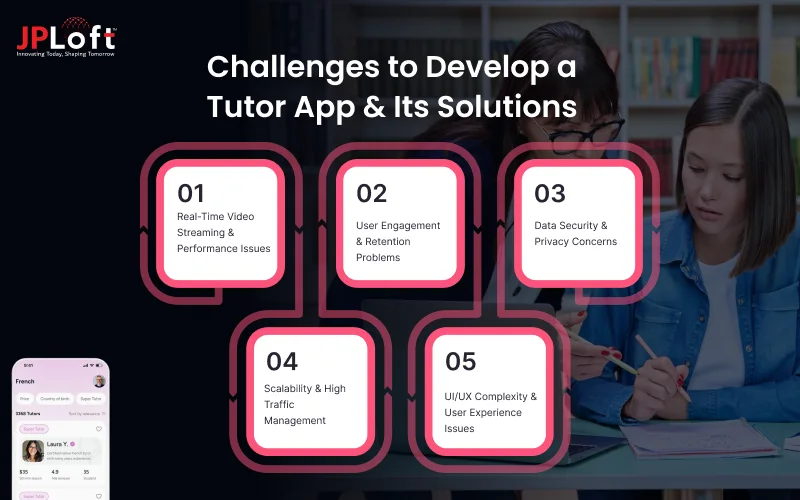
Identifying and solving these issues early is essential to build a stable and successful platform in the competitive EdTech space.
Challenge 1: Real-Time Video Streaming & Performance Issues
One of the biggest challenges is ensuring smooth and uninterrupted live classes. Poor internet connectivity, server overload, or low-quality streaming can affect the learning experience.
Solution: Work with a reliable software development company and use tools like WebRTC or Agora along with adaptive streaming for better performance.
Challenge 2: User Engagement & Retention Problems
Keeping both students and tutors active on the platform for a long time is challenging. Many users drop off after initial usage if the app doesn’t provide continuous value.
Solution: Add gamification elements, personalized learning paths, push notifications, and reward systems to increase engagement and retention.
Challenge 3: Data Security & Privacy Concerns
Since tutor apps handle sensitive data like personal details and payment information, security becomes a major concern. Any breach can damage user trust.
Solution: Implement end-to-end encryption, secure authentication systems, and trusted payment gateways like Razorpay or Stripe. Regular mobile app security audits also help maintain safety.
Challenge 4: Scalability & High Traffic Management
As your platform grows, handling thousands of users simultaneously can cause performance issues or crashes.
Solution: Use cloud platforms like AWS, Google Cloud, or Azure, and consider microservices for better scalability. You can also hire dedicated developers to manage performance efficiently.
Challenge 5: UI/UX Complexity & User Experience Issues
If the app is too complex or confusing, users may abandon it quickly. A poor interface reduces engagement and learning efficiency.
Solution: Focus on simple navigation, clean layouts, and intuitive design. Conduct user testing to continuously improve the experience.
Future Trends to Create a Tutor App
Keeping up with the latest mobile app development trends is crucial if you want to develop a tutor app that stays relevant and competitive in the fast-changing EdTech industry.
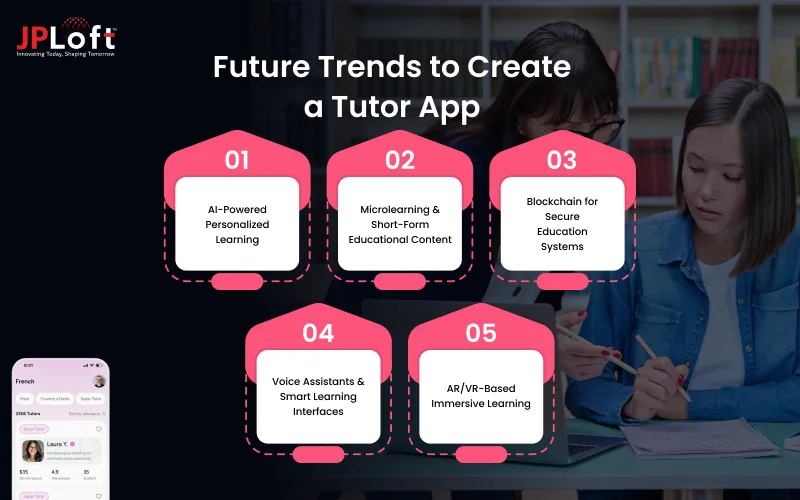
These trends are shaping the future of digital learning and transforming how students interact with educational platforms.
[A] AI-Powered Personalized Learning
AI is reshaping education with personalized learning based on user behavior and performance. AI tutors and smart recommendations improve learning efficiency. With AI app development services, adding intelligent features to a tutor app has become much easier.
[B] Microlearning & Short-Form Educational Content
Modern learners prefer quick and focused lessons. Microlearning modules allow users to learn in small, digestible chunks, making education more flexible and engaging.
[C] Blockchain for Secure Education Systems
Blockchain improves transparency in certificates, payments, and data security, ensuring tamper-proof records and trust. A blockchain app development company helps integrate secure blockchain features into tutor apps.
[D] Voice Assistants & Smart Learning Interfaces
Voice-enabled features and AI assistants will make navigation easier and learning more accessible, especially for younger students and differently-abled users.
[E] AR/VR-Based Immersive Learning
Augmented Reality (AR) and Virtual Reality (VR) make learning more interactive through virtual classrooms and 3D experiences. An AR VR app development company can help integrate these features into tutor apps.
Monetization Models for Tutor App
A strong mobile app monetization strategy is essential when you are asking for how to build a tutor app, as it ensures consistent revenue while maintaining user satisfaction.
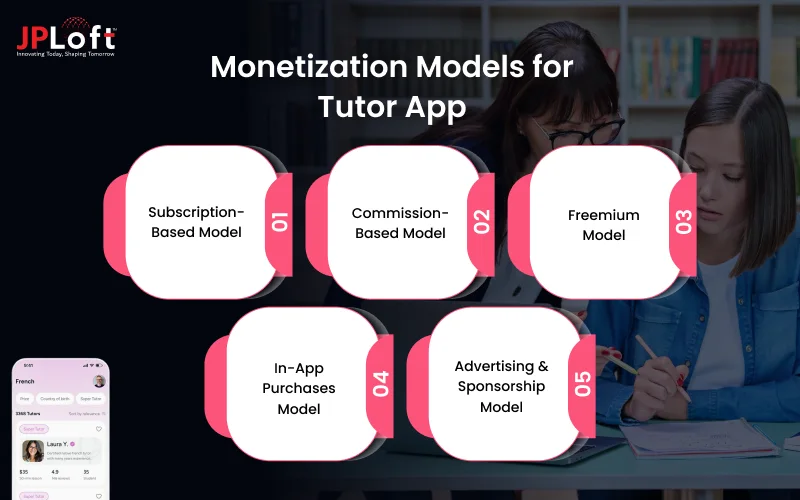
Choosing the right model helps you balance profitability with user experience.
1. Subscription-Based Model
In this model, users pay a recurring fee (monthly or yearly) to access premium content, live classes, or exclusive tutors. It provides predictable and stable income while encouraging long-term user engagement.
2. Commission-Based Model
The platform charges a percentage commission on each tutoring session booked through the app. This model works well for marketplaces connecting multiple tutors and students.
3. Freemium Model
Basic features are offered for free, while advanced features such as personalized learning plans, premium courses, or advanced analytics are paid. This helps attract more users initially.
4. In-App Purchases Model
Users can buy additional resources such as recorded lectures, study materials, certifications, or one-time premium sessions. This model allows flexible earning opportunities.
5. Advertising & Sponsorship Model
Revenue is generated through educational ads or brand collaborations. This works best when the app has a large and active user base.
A well-planned monetization model not only ensures financial growth but also helps you scale your platform sustainably while delivering continuous value to learners and educators.

Why Choose JPLoft for Building a Tutor App?
Building a successful tutor app requires the right mix of expertise, technology, and strategic planning. Choosing the right tutor app development company can make a huge difference in your app’s success, and JPLoft stands out as a reliable technology partner.
With 15+ years of experience and 1100+ successfully completed projects, they bring proven expertise to every project they handle. Their team of skilled developers, designers, and strategists ensures that every stage, from idea validation to deployment, is executed with precision.
JPLoft also powers platforms trusted by 1.5M + users and has helped clients secure over $160M+, reflecting their strong industry credibility.
With a focus on modern technologies, seamless performance, and user-centric design, JPLoft delivers scalable and future-ready tutor app solutions tailored to your business goals.
Conclusion
Nowadays, in this EdTech landscape, choosing to develop a tutor app is a smart and future-ready investment. With the right strategy, features, and technology, you can create a platform that delivers real value to both students and educators.
From understanding market needs to selecting the right tech stack and ensuring continuous improvement, every step plays a crucial role in your app’s success.
Focusing on user experience, scalability, and innovation will help you stay ahead in this competitive market. As digital learning continues to evolve, businesses that invest in well-designed tutor apps will have a strong advantage.
By following a structured approach and partnering with the right experts, you can successfully build a tutor app that drives growth, engagement, and long-term success.
FAQs
To develop a tutor app, start with market research, define features and business model, choose the right tech stack, design an intuitive UI/UX, and proceed with development, testing, and launch.
A tutor app should include features like user registration, tutor profiles, live video classes, chat, scheduling, secure payments, ratings, and progress tracking for a smooth learning experience.
The mobile app development cost for a tutor app typically ranges between $15,000 to $125,000+, depending on features, complexity, and technology used.
Common technologies include React Native or Flutter for frontend, Node.js or Django for backend, MongoDB or MySQL for databases, and APIs like WebRTC for video streaming.
Tutor apps generate revenue through subscription models, commission-based earnings, freemium features, in-app purchases, and advertisements.

Kris Jacobs brings 20+ years of experience solving complex digital product challenges through strategic thinking and user-centric design. With deep exposure to on-demand services, entertainment, travel, and interactive platforms, she collaborates across teams to shape scalable, engaging solutions that align business goals with intuitive user experiences across evolving digital landscapes.




Share this blog