


Key Takeaways:
Choosing the must-have features of an event app improves attendee engagement, management, and overall business success.
Registration and check-in, push notifications, personalized agendas, and analytics are some of the features to include in an event management app.
Advanced features such as AI recommendations, hybrid event support, gamification, and AR/VR help businesses stay competitive.
Prioritize features based on your business goals, audience needs, and budget, rather than adding unnecessary functionality.
Partner with JPLoft to transform your event app idea into a secure, scalable, and future-ready platform.
Imagine attending an event where every session is easy to find, and networking feels effortless.
A well-designed event app brings this experience to life. The features integrated into the app determine how smoothly attendees can navigate event sessions.
Whether you are planning a business conference, meeting, or networking event, the features you choose directly impact overall event success.
The global event management software market is projected to reach $39.6 billion by 2033 at a CAGR of 11.5%.
As competition increases, businesses must prioritize important features for an event app, such as digital ticketing systems, personalized agendas, AI-powered recommendations, and more. It helps to improve the attendee experience and simplify event operations.
In this blog, explore the essential and advanced event app features every business should consider before building a successful app.
Top Features For an Event App
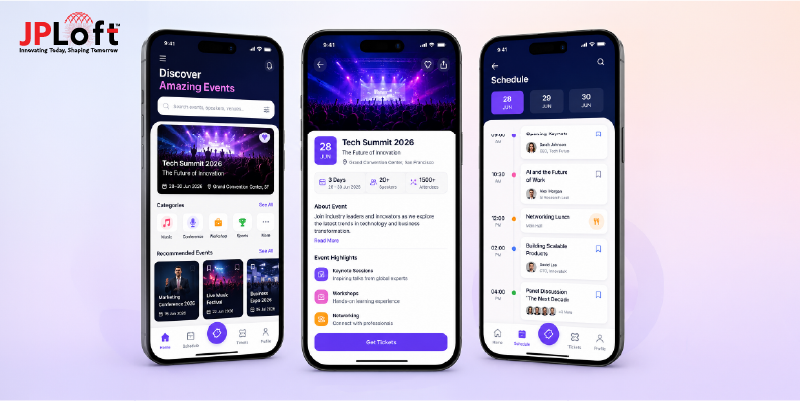
A successful event app depends on choosing the right set of features, such as digital ticketing, event schedule updates, and creating a smooth user experience.
Every feature plays an important role in improving overall app performance. Therefore, to avoid confusion, here is a breakdown of the essential event app features.
1. Event Schedule Updates
Timely event updates and proper schedule management help organizers avoid confusion and streamline internal operations. Further, this feature also helps users navigate the event schedule, book tickets according to event timings, and save personalized schedules.
2. Registration and Check-In
Event planning app features should include a simple and seamless registration process. Organizers should enable quick account creation, easy profile setup, and a hassle-free registration experience to encourage attendees to sign up for the event easily.
3. Digital Ticketing System
Nowadays, with busy schedules, people expect to book and manage event tickets through a mobile app. A digital ticketing system is one of the essential event app features that improves convenience and allows attendees to access their tickets easily during check-in.
4. Push Notifications
A smart and feature-rich event app can send important notifications to attendees. It includes schedule changes and important event announcements. However, while enabling this mobile app feature, organizers must maintain a balance between informative and non-intrusive notifications.
5. Live Polls and Audience Engagement
Implementing live poll features improves audience engagement, increases app ratings, and improves ROI. Organizers can create live polls, allowing attendees to answer questions, share their preferences, and participate in real time.
6. Payment Management
An event management app should support secure digital payments. Integrating multiple payment methods, refund processing, and payment history helps organizers manage transactions efficiently while allowing attendees to make secure payments.
7. Analytics and Reports
You can’t improve what you can’t measure. The analytics dashboard provides insights into attendee behavior and overall event performance. It helps organizers track popular sessions, revenue, and engagement metrics and make better decisions when planning future events.
8. Personalized Agenda
A personalized agenda feature allows attendees to create their own event schedule by selecting sessions, workshops, and keynote speeches. It helps them avoid missing important events. Several popular event apps such as Whova and Swapcard include this feature to improve attendee satisfaction.
9. Live Session Participation
The event app feature list includes live session participation to improve attendee engagement. Organizers should integrate live Q&A and question-voting tools, helping attendees to submit questions and vote for the ones they want answered.
10. Easy Networking
Event networking app features allow attendees to connect with fellow attendees, speakers, and sponsors. This makes it easier to exchange contact details, share event information, and build meaningful professional connections throughout the event.
11. Interactive Event Maps
Large conferences often have multiple halls and meeting rooms, making it difficult for attendees to find a particular location. Integrating event maps helps them find venues without confusion. The map can also link sessions, sponsor booths, and important event areas in one place.
12. Note-Taking
Attendees collect keynote session highlights, pointers, and workshop discussions in the app. But what if by the end of the next morning, all those notes are deleted? To avoid such event app functionality challenges, the platform must allow attendees to download the notes and save them securely.
13. Social Media Integration
Another best feature for an event management app is social media integration. Social media makes it easier to build connections and share memorable event moments. Further, it also helps increase the event's online visibility, brand awareness, and app downloads through organic promotion.
Advanced Features of an Event App
With increasing competition in the event app industry, relying only on the above features can make it difficult for businesses to stay competitive.
To build an event app, businesses should invest in advanced capabilities that enhance the overall app experience. Here are some advanced event planning app features worth considering.
► AI Recommendations
AI recommendations help organizers deliver personalized event experiences instead of showing the same content to every attendee. AI features for event apps analyze user profiles, event history, and schedule, and suggest relevant sessions to attend.
By personalizing real-time recommendations for attendees, organizers can improve engagement percentage and session participation. Collaborating with an experienced AI app development company helps to integrate AI into the event app.
► Digital Business Card Exchange
Digital business card exchange is an advanced event networking app feature that organizers should integrate into their event app to simplify professional connections. Digital business cards are very convenient for live changes and easy sharing.
Attendees can instantly exchange digital contact cards through the app, instead of using traditional cards. These cards can include contact details, professional profiles, company information, and social media links.
► Hybrid Event Support
The hybrid event helps organizers deliver a seamless event experience for both in-person and virtual attendees. Sometimes, some participants attend the event physically, while others prefer joining remotely.
It includes live video streaming and synchronized interactive sessions with live Q&A and surveys. The hybrid event platform market is projected to reach $10.31 billion by 2032, at a CAGR of 6.68%, highlighting the increasing demand for hybrid event app features.
► Reward System and Gamification
Humans enjoy earning rewards and participating in fun challenges. This is one of the advanced features needed in an event planning app. Organizers should integrate gamification into their event app to encourage higher attendee participation.
For example, attendees can scan QR codes at different booths, earn points, complete live polls, or share event photos on the social wall to unlock rewards. This feature also includes live leaderboards, allowing attendees to track rankings, celebrate milestones, and maintain friendly competition.
► AR/VR Event Experience
AR/VR has shown tremendous growth in corporate events and meetings. This is one of the smart conference app features that connects virtual items with real-world scenarios, creating an easy layer of understanding for all the attendees.
Further, virtual reality makes presentations more immersive and engaging, helping capture attendees' attention. It helps exhibitors or speakers to showcase their ideas, products, services, or sponsors more convincingly.
► Metaverse Integration
The metaverse event app features for attendees enhance the virtual experience. The metaverse allows attendees to participate in immersive 3D virtual environments using digital avatars.
Attendees can join sessions from anywhere in the world, explore exhibition halls, enter keynote sessions, and interact with speakers and sponsors. Moreover, for organizers, it helps expand event reach, creates immersive sponsorship opportunities, and differentiates the platform from competitors.
How to Choose the Right Features For Your Event App
Not every event requires the same features. Businesses must prioritise their goals, understand market requirements and their target audience's challenges, and then evaluate, "what features should an event app have?"
Here are the important factors businesses should consider before choosing the mobile event app features.
1. Define Your Business Model
Before choosing the features for an event app, businesses must decide on the business model. Here are some questions that you need to ask.
-
Is this event app built for managing your own events?
-
Is this a model for a marketplace, where different organizers can create, customize, and manage events?
-
How does this app generate revenue?
Getting clarity on the business model will help to define the right set of features for attendees and admins.
2. Understand Users' Expectations
Understanding user expectations is another effective factor in choosing the mobile event app features. Here are some questions that you need to ask to understand user expectations?
-
What are the target audience's expectations with the existing event apps?
-
Which features will be most useful for the audience?
-
What challenges do the features of an event app solve?
A clear understanding of user expectations helps you prioritize features that solve real problems instead of adding unnecessary functionality.
3. Focus On the User Journey
Focus on the user journey when deciding on the right set of features. Map the complete journey in such ways:
-
Attendees discover current events, browse schedules, and then decide on which event to join.
-
A quick registration for check-in, participation in sessions, and networking throughout the event.
-
At the end, attendees can share feedback for organizers to improve future event planning.
Choose features that improve each stage of the journey and deliver a seamless experience for every user.
4. Choose User-Friendly Features
Even the most advanced app can fail if users struggle to navigate the app features. Therefore, before finalizing the event platform features, here are some questions that you need to ask:
-
Can attendees find important features within a few taps?
-
Is the mobile app design and navigation simple and easy to understand?
-
Will users be able to register, book tickets, and access schedules without confusion?
Businesses should keep the interface simple and make essential features easy to access for attendees.
5. Plan Features for Future Growth
When choosing features for an event app, think beyond the current feature list. Here are some questions that you need to ask When planning for the future:
-
Does this app feature support larger events in the future?
-
How to add advanced features without disrupting the existing app features?
-
Can the feature support a hybrid or virtual experience?
Plan your event app feature roadmap clearly by focusing on scalability and user-friendly functionalities.
6. Balancing Cost With Functionality
Balancing event app feature budget with functionality is necessary when planning event app development cost. Here are the important questions to consider:
-
Does the platform include must-have features of an event app to deliver higher business value?
-
How do the advanced features contribute to business requirements and user feedback?
-
Does every feature justify its development cost?
This approach helps balance cost with top-app functionality while delivering long-term business value.
How Can JPLoft Help You Build the Feature-Rich Event App?
Building a successful event app takes more than combining the right features. Every feature must work together to create a seamless experience for organizers, attendees, and administrators.
At JPLoft, an event management app development company, we help businesses, startup founders, and enterprises turn their event app ideas into scalable digital solutions.
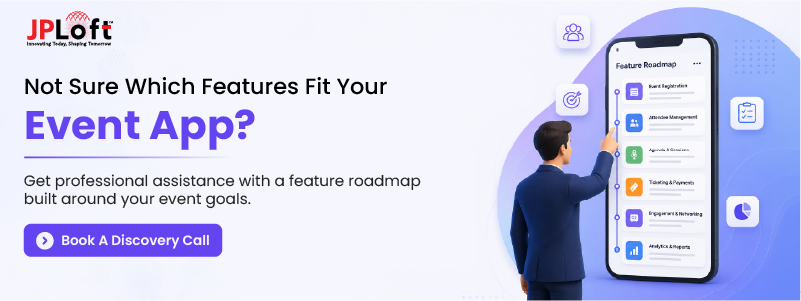
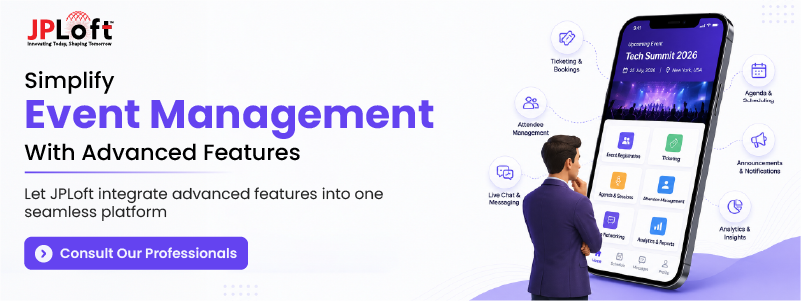
Our team develops custom event apps with essential features, such as registration, ticketing, networking, payment integration, analytics, and push notifications.
We also implement advanced capabilities, including AI-powered recommendations, digital business cards, gamification, and AR/VR experiences.
Using technologies like Flutter, React Native, AI, Machine Learning, and secure APIs, we build high-performance apps for Android, iOS, and the web.
From product strategy and UI/UX design to development, testing, deployment, and ongoing support, JPLoft delivers event apps that improve engagement and support long-term business growth.
Conclusion
The best event apps are not just reference tools for attendees to view schedules and book events; they're part of increasing user engagement and networking hubs.
Therefore, build an event app that integrates smart event app features. It includes event scheduling, a personalized agenda, AI-powered recommendations, and hybrid event support.
Each feature plays an effective role in enhancing engagement, streamlining event management, and driving long-term business value.
However, before choosing the right set of features, identify your business goals, understand your target audience's expectations, and prioritize event app features for organizers and attendees to deliver measurable results.
As your business grows, you can introduce advanced capabilities to keep your event app competitive and future-ready.
With the right feature strategy and experienced development partner support, your event app can become a competitive platform that attracts attendees and strengthens networking.
FAQs
The features of an event management app include check-ins, event registration, attendee engagement tools, analytics and reporting, and hybrid events.
An event app helps organizers plan, schedule, and manage different types of events. It also helps attendees choose sessions, improve networking, create a personalized agenda, and enjoy an interactive event experience.
An event app includes several advanced features, such as AI-powered session recommendation, virtual sessions through AR/VR technology, predictive attendee analytics, and gamification.
To choose the best features for an event management app, identify your business goals, audience challenges, event planners' needs, core feature requirements, and monetization strategy.
Some features work offline by allowing users to access static content stored in the event app. Schedules, event agendas, and speakers' bios are examples of downloadable content that users can access offline.

Kris Jacobs brings 20+ years of experience in digital product strategy, user-focused design, and solving complex product challenges. She has worked across on-demand services, travel, entertainment, sports, insurance, education, and service marketplaces, including handyman, dog-walking, courier, event-management, and equine platforms. Her focus is on shaping practical, scalable digital experiences that align user needs with business goals and long-term product growth.



Share this blog