


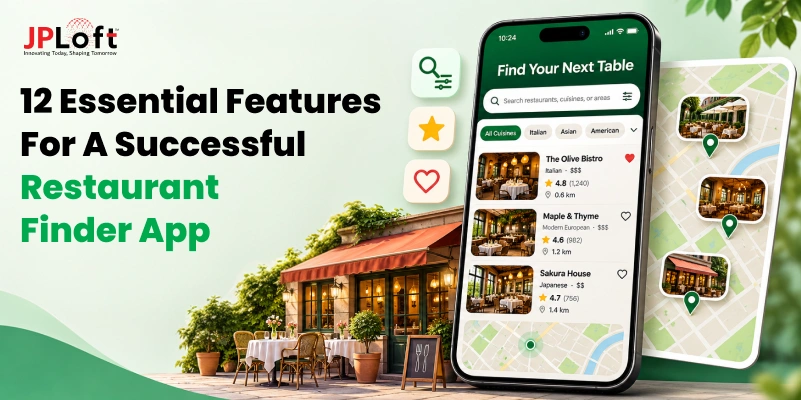
Quick Answer:
The most important restaurant finder app features include GPS-based discovery, advanced search filters, detailed restaurant profiles, digital menus, customer reviews, and contact options. Depending on the business model, apps can also offer table reservations, personalized recommendations, and loyalty features. Advanced capabilities such as AI-powered search, voice assistance, real-time booking, and AR/VR previews can provide additional functionality as user needs grow.
Finding a restaurant that suits your preferences can take more effort than expected. You might find a place with great reviews, only to discover that its menu doesn't fit your budget or that no tables are available when you plan to visit.
Restaurant finder apps simplify these decisions by bringing nearby dining options, menus, reviews, and other useful details into one place. But for businesses looking to build such a platform, the challenge is deciding which features will actually make it useful.
Working with an experienced restaurant app development company can help businesses select and implement features that match their users' needs.
So, which features deserve a place in your app?
This guide explores essential and advanced restaurant finder app features, along with practical considerations for choosing the right ones for your business.
What Makes a Restaurant Finder App Successful?
A restaurant finder app is successful when users can find places seamlessly that match their needs and rely on the information before making plans. Having hundreds of restaurant listings means little if the results are irrelevant or the details are outdated.
Three factors make the biggest difference:
-
Relevant Restaurant Discovery: Search results should reflect what users are looking for, including their preferred cuisine, location, budget, and dining requirements.
-
Reliable Restaurant Information: Accurate menus, prices, opening hours, and genuine reviews help users compare options without encountering surprises.
-
Convenient Dining Planning: Getting directions, contacting restaurants, or checking table availability should be straightforward once users find a suitable place.
When these elements work together, users can move from searching to choosing a restaurant with fewer obstacles.
12 Essential Features of a Successful Restaurant Finder App
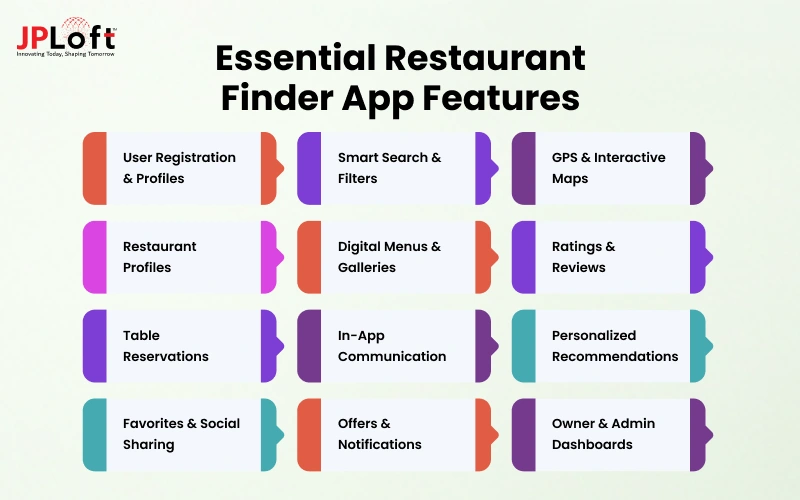
A restaurant finder app needs features that support the entire discovery process, from searching for nearby options to comparing menus, checking reviews, and planning a visit. Each feature should solve a specific problem rather than add unnecessary complexity.
Here are 12 restaurant finder app features worth considering when building a restaurant finder app.
1. Easy Sign-Up and Personalized User Profiles
Start by offering users easy sign-up options through their mobile number or direct social logins, supported by personalized user profiles. Nobody wants to create an account just to check a random list of restaurants.
Once registered, users should be able to save their favorite restaurants, cuisine preferences, locations, and previous searches. This is particularly useful for people who frequently explore similar dining options.
Keep registration optional until someone needs account-specific features, such as managing saved lists or viewing their reservation history.
2. Advanced Restaurant Search and Smart Filters
Someone looking for a vegetarian-friendly restaurant under $30 shouldn't have to scroll through dozens of unrelated results. That's where advanced search and filtering become useful.
Users can search by restaurant name, location, or cuisine, then narrow their options using price range, ratings, opening hours, dietary preferences, and available amenities.
Filters should also work together. For instance, selecting outdoor seating and a specific budget should return restaurants that meet both requirements, rather than treating each preference as a separate search.
3. GPS-Based Restaurant Discovery and Interactive Maps
When users are exploring an unfamiliar neighborhood, knowing which restaurants are nearby can be more useful than browsing a long list of names.
GPS-based discovery identifies dining options around the user's location, while interactive maps show where restaurants are situated. Users can compare distances, explore nearby streets, and open directions to their chosen destination.
The app should also support manual location searches. Someone planning dinner in another city shouldn't need to be physically present there to explore restaurants.
4. Detailed Restaurant Listings and Profiles
A listing should answer the questions people typically have before visiting: Where is it located? When does it open? What food does it serve? How expensive is it?
Alongside these details, profiles can display contact information, available amenities, restaurant photographs, and seating arrangements.
Consistency matters here. When every restaurant profile presents information in a similar format, users can compare options without searching through differently organized pages. Missing or outdated details should also be easy to identify and report.
5. Digital Menus and Food Galleries
A restaurant’s menu often determines whether someone decides to visit. Showing dishes, prices, descriptions, and food photographs within the app helps users check what's available beforehand.
Searchable digital menus are particularly useful when people want to find a specific dish or compare prices across restaurants.
Rather than relying entirely on scanned menu images, apps can offer organized menu categories and readable text. Restaurant owners should also be able to update prices and availability.
6. Customer Ratings and Reviews
A high restaurant rating might attract attention, but written reviews often reveal details that numbers alone cannot explain.
Users may want to know whether a restaurant handles groups dining well, has long weekend waiting times, or consistently receives praise for particular dishes. Customer photographs can offer another perspective beyond promotional images.
Reviews also need appropriate safeguards. Reporting options, moderation, and suspicious activity checks help identify potentially misleading feedback without assuming every negative review is unreliable.
7. Online Table Reservations and Booking Management
Finding a suitable restaurant doesn't always mean a table will be available. Reservation features allow users to select a date, preferred time, and party size before submitting a booking request.
The app can also display confirmations, cancellation options, and upcoming reservations so users can manage their plans in one place.
For a discovery-only platform, built-in reservations may be unnecessary initially. Providing restaurant contact details or links to supported booking services can be a simpler alternative until direct reservations become a business priority.
8. In-App Calling and Restaurant Contact Options
Not every dining question can be answered through a restaurant listing. Someone may need to confirm wheelchair accessibility, ask about private seating, or check arrangements for a large group.
A click-to-call option lets users contact the restaurant directly without copying phone numbers into another application.
Restaurant profiles can also include links to official websites or supported messaging options. Whichever contact methods are available, the details should be verified and easy to find when users need additional information.
9. Personalized Restaurant Recommendations
Two people searching in the same neighborhood may have completely different dining preferences. Personalized recommendations help account for those differences using saved cuisines, favorite restaurants, previous searches, and location preferences.
For example, a user who regularly explores vegetarian cafes could see similar options when searching in another area.
These suggestions don't necessarily require advanced AI in restaurants. Basic preference matching and recommendation rules can provide a useful starting point, especially when users can update or clear their saved preferences.
10. Favorites, Wishlists, and Social Sharing
People don't always visit a restaurant immediately after discovering it. They may want to save a promising brunch spot, collect options for an upcoming trip, or compare places before making weekend plans.
Favorites and wishlists make it easy to revisit these restaurants without repeating the search.
Users can also organize saved places into personal collections and share restaurant listings with friends. This becomes particularly helpful when several people are deciding where to eat together.
11. Special Offers, Rewards, and Push Notifications
A special offer notification, a discount at a saved restaurant, or a reminder about an upcoming reservation can give users a practical reason to return to the app.
Restaurants may share seasonal offers, promotional menus, and loyalty rewards, while push notifications deliver relevant updates to interested users.
However, sending the same promotional notification to everyone can quickly become irritating. Users should be able to choose which notifications they receive, and promotional messages should reflect their preferences rather than interrupting them unnecessarily.
12. Restaurant Owner and Admin Dashboards
Behind every restaurant listing is information that needs regular attention. Restaurant owners should be able to update menus, operating hours, photographs, and other business details without contacting platform support for every change.
Admin dashboards serve a different purpose. They allow platform operators to review listing submissions, verify ownership requests, handle reported content, and manage user permissions.
Businesses using restaurant app development services can request separate dashboards for restaurant owners and platform administrators, with permissions suited to each role.
Which Advanced Features Can Make Your Restaurant Finder App Stand Out?
Once the essential restaurant app features are in place, businesses can explore advanced functionalities that make restaurant discovery more intuitive and personalized. These features are not necessary for every platform, but they can address specific user needs and create opportunities for differentiation.
Here are the advanced features worth considering for your restaurant finder app.
1. AI-Powered Restaurant Recommendations and Conversational Search
Traditional recommendations usually consider saved preferences and past searches. AI-powered systems can also account for dining occasions, user behavior, and more specific requests.
For instance, someone might search for "a quiet rooftop restaurant for an anniversary dinner under $100." Conversational search can interpret these requirements together instead of making users apply several filters manually.
However, even a capable AI system needs accurate restaurant data. Recommendations become less useful when the suggested restaurants don't match the user's actual requirements.
2. Voice Search for Hands-Free Restaurant Discovery
Typing isn't always the easiest way to search, particularly when someone is walking through an unfamiliar area or has difficulty using a touchscreen.
Voice search lets users ask questions such as "Where can I get breakfast nearby?" and receive relevant restaurant suggestions. The app converts spoken requests into searchable terms and matches them against available listings.
Supporting different accents, languages, and natural expressions is important for accurate results. Beyond restaurant discovery, similar voice technology can support AI-powered voice ordering in restaurant apps, although ordering is a separate functionality businesses may consider later.
3. Dietary Preferences and Allergy-Based Search Filters
For someone managing dietary restrictions, a restaurant's menu matters more than its popularity. Advanced filters can help users find places offering vegetarian, vegan, gluten-free, or dairy-free dishes without checking every menu individually.
Restaurants may also provide ingredient lists and allergen information for individual items.
However, an allergy-friendly label should never be treated as a guarantee of safety. Ingredients, preparation methods, and cross-contact risks can change, so users should confirm important dietary information directly with the restaurant.
4. Real-Time Table Availability and Instant Booking
A restaurant may accept reservations but still might require customers to wait for confirmation. Real-time availability removes that uncertainty by showing bookable time slots from the restaurant's current reservation inventory.
Someone planning dinner at short notice can check available times and receive immediate confirmation when a supported booking system permits it.
This requires reliable synchronization with participating restaurants. Without accurate availability updates, users could select unavailable slots or receive conflicting booking information, creating problems for both customers and restaurant staff.
5. AI-Powered Review Summaries
When a restaurant has hundreds of reviews, finding useful details can take longer than expected. AI-generated summaries can group recurring observations about food, service, waiting times, pricing, and ambience.
For example, a summary might reveal that customers frequently praise the seafood but report longer waits on weekends.
The important consideration is how faithfully these summaries represent actual feedback. A handful of negative comments shouldn't become a sweeping judgment, and restaurants with limited reviews may not have enough information for reliable summaries.
6. AR and VR Restaurant Previews
Photographs don't always show what a restaurant feels like, especially when users are planning a special occasion or visiting somewhere unfamiliar.
Virtual reality (VR) tours can let users explore a restaurant's interior, seating arrangements, and ambience before booking. Augmented reality (AR) can display interactive 3D dish previews or additional visual information through a smartphone camera.
These AR/VR features in restaurant apps are most useful when visuals accurately represent the restaurant. Businesses should also consider the cost of creating and maintaining immersive content before introducing it.
How Can You Keep Restaurant Listings Accurate and Build User Trust?
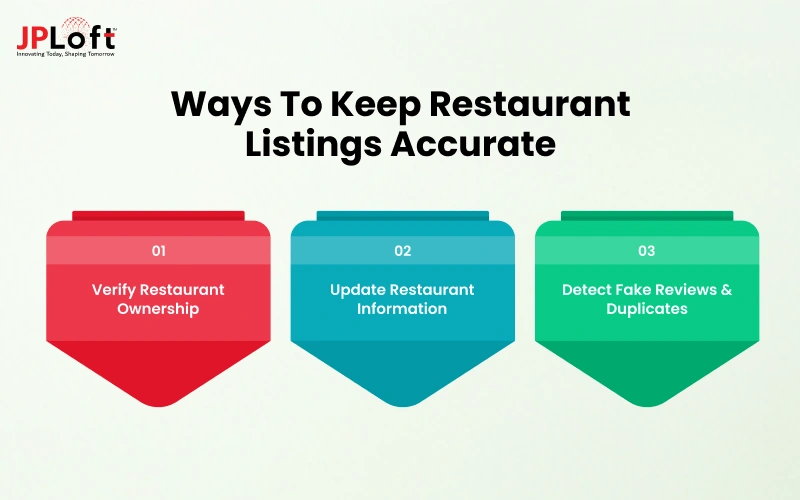
A restaurant finder app loses its usefulness when people arrive at a closed restaurant or discover that the displayed menu is outdated. Keeping listings accurate requires more than collecting business information during registration.
To maintain listing accuracy and build trust, restaurant owners should focus on three key practices.
1. Verify Restaurant Ownership
Restaurant owners should be able to claim their listings through a proper verification process. This may involve confirming business contact details, verifying phone numbers, or submitting relevant ownership documents.
Once verified, owners can manage their restaurant information through dedicated dashboards. Platform administrators should also monitor suspicious changes and resolve ownership disputes.
This creates clear accountability and reduces the risk of unauthorized modifications to restaurant listings.
2. Keep Restaurant Information Updated
Restaurant details frequently change, including menu prices, operating hours, seasonal offerings, and temporary closures. Keeping this information updated helps users make dining decisions based on reliable details.
Restaurant owners should have access to simple editing tools, while automated reminders can encourage regular information checks.
Additionally, allowing users to report incorrect details helps platforms identify outdated information and arrange corrections before it affects more visitors.
3. Prevent Fake Reviews and Duplicate Listings
Fake reviews and duplicate restaurant profiles can mislead users, distort restaurant comparisons, and weaken confidence in search results.
Platforms can introduce review reporting, moderation tools, and suspicious activity detection to identify potentially misleading feedback. Checking business names, addresses, and contact details can also help flag duplicate listings for verification.
Restaurants that have permanently closed should be marked accordingly or removed from active discovery results once their closure is confirmed.
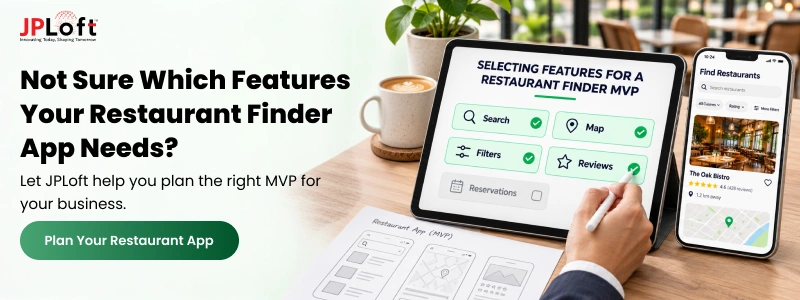
Which Features Should You Include in Your Restaurant Finder App MVP?
Launching with every possible feature can increase restaurant app development costs before you know what users actually need.
Hence, a recommended approach is to start with a minimum viable product (MVP) that covers the complete restaurant discovery journey, allowing people to find suitable restaurants, check essential details, and plan their visits.
Here's how to approach feature selection for your MVP.
|
Feature Category |
Priority |
Recommendation |
|
Restaurant Search and Location Discovery |
Essential |
Include search, basic filters, and nearby restaurant discovery to support the app's primary purpose. |
|
Restaurant Profiles and Business Information |
Essential |
Provide reliable addresses, opening hours, cuisines, contact details, and other useful information. |
|
Digital Menus, Ratings, and Reviews |
High |
Include these where reliable restaurant and customer-generated data is available. |
|
User Accounts and Favorites |
Optional |
Allow guest browsing initially and introduce saved preferences or accounts when needed. |
|
Table Reservations |
Business-dependent |
Prioritize booking functionality if reservations are central to your platform's purpose. |
|
Personalized Recommendations |
Post-MVP |
Introduce personalization as you learn more about user preferences and search behavior. |
|
Loyalty Programs and Advanced AI |
Future expansion |
Consider these features once their demand and practical value are established. |
The best approach is to build around one complete restaurant discovery journey. For example, users should be able to search for restaurants, compare relevant details, and get directions or contact the business without unnecessary steps.
Once the core experience performs reliably, additional features can be introduced based on actual usage patterns, customer feedback, and business priorities.
How Much Do Restaurant Finder App Features Affect Development Cost?
Restaurant finder app development costs largely depend on the complexity of the features, required integrations, and ongoing maintenance.
For instance, a basic restaurant search with standard filters is generally less expensive to implement than AI-powered recommendations or real-time reservation systems.
Here are illustrative estimates of how feature upgrades might increase an otherwise basic app development budget:
-
Search and Maps (5–15%): Advanced location searches, interactive maps, and third-party APIs can increase costs compared with basic search filters.
-
Restaurant Listings (5–10%): Automated data synchronization and verification workflows require more development effort than manually managed profiles.
-
Table Reservations (10–20%): Building real-time availability and booking management can cost more than linking to an existing reservation platform.
-
AI Features (15–30%): Conversational search and personalized recommendations introduce additional development, model integration, testing, and ongoing processing costs.
The practical approach is to launch with app features that support your core discovery experience, then introduce more complex functionality once user demand justifies the investment.
How Can JPLoft Help You Build a Feature-Rich Restaurant Finder App?
Choosing the right features is one thing. Bringing them together into a restaurant finder app that works reliably requires technical expertise, thoughtful design, and a clear understanding of your business goals.
With 16+ years of industry experience, JPLoft delivers a custom restaurant app development solution built around your specific requirements. Our expertise covers GPS-based restaurant discovery, advanced search filters, AI-powered recommendations, table reservations, and restaurant management dashboards.
Beyond individual features, we focus on creating intuitive interfaces, integrating third-party services, and developing scalable applications that can accommodate changing business needs.
Our team supports the entire development process, from initial consultation and feature planning to UI/UX design, development, testing, deployment, and ongoing maintenance.
Ready to bring your restaurant finder app idea to life? Connect with JPLoft to discuss your vision and build a feature-rich platform tailored to your audience and business objectives.
Conclusion
A restaurant finder app becomes useful when its features address the problems people face while choosing where to eat. Accurate listings, relevant search results, and easy access to restaurant information should come before adding more sophisticated functionality.
For businesses, the priority is to understand what their target users need most. A discovery-focused platform may benefit from better search filters and location tools, while a reservation-focused app might require reliable booking integrations.
Features such as AI recommendations and review summaries can follow when there is a clear reason to introduce them.
Start with a reliable discovery experience, observe how people use the app, and let those findings guide future feature decisions. This approach helps you invest in functionality that serves a purpose rather than simply expanding the feature list.
FAQs
A restaurant finder app should include advanced search filters, GPS-based discovery, detailed restaurant profiles, digital menus, customer reviews, and contact options. Additional features such as table reservations, personalized recommendations, and favorites can be included depending on the platform's purpose and target audience.
Not necessarily. A discovery-focused app can help users find restaurants and contact them directly without providing built-in reservations. However, reservation functionality becomes valuable when the platform focuses on helping users find and book available tables.
Restaurant finder apps can obtain information through verified restaurant submissions, authorized data providers, and integrations with supported business listing services. Regular updates, restaurant owner dashboards, and user-reported corrections help maintain data accuracy.
No. A restaurant finder app can initially provide relevant suggestions using location, cuisine preferences, ratings, and basic filtering. AI-powered recommendations become more useful when the platform has sufficient reliable data and a clear need for more personalized discovery.
Yes. Restaurant finder apps can expand into food ordering and delivery by integrating digital ordering, payment processing, order management, and delivery tracking. However, these capabilities introduce additional development and operational requirements, making them more suitable for platforms with validated customer demand.

Conor has 10+ years of experience in software development, application engineering, solution design, and UX/UI. He has worked across digital products in restaurant technology, food and grocery delivery, healthcare, media, streaming, and social platforms, bringing both technical and user-experience perspectives to product development. His experience working with large organizations and growth-focused digital products helps businesses translate complex requirements into practical, user-focused solutions.


Share this blog