


Your restaurant app may be live and accepting orders, but is it delivering the performance your business actually needs?
A slow-loading menu, failed payment, or missing kitchen ticket can disrupt the ordering experience, frustrate customers, and create additional work for restaurant staff. When these problems occur repeatedly, they can affect customer retention, order accuracy, and overall operating costs.
However, adding new features or rebuilding the entire application isn't always the right solution. Sometimes, optimizing backend performance, fixing system integrations, or simplifying the checkout process can deliver more meaningful improvements.
A reliable restaurant app development company can help identify these bottlenecks and recommend practical improvements based on your existing technology and business goals.
So, how can you make your restaurant app faster, smarter, and more profitable?
This guide explores practical optimization strategies, AI-powered improvements, and ways to streamline restaurant operations while measuring their impact on customer experience, business efficiency, and profitability.
Why Does Restaurant App Performance Matter for US Restaurants?
Restaurant app performance affects how easily customers place orders and how efficiently staff fulfill them. A reliable app helps customers complete purchases with fewer interruptions while providing teams with accurate information to prepare and manage orders.
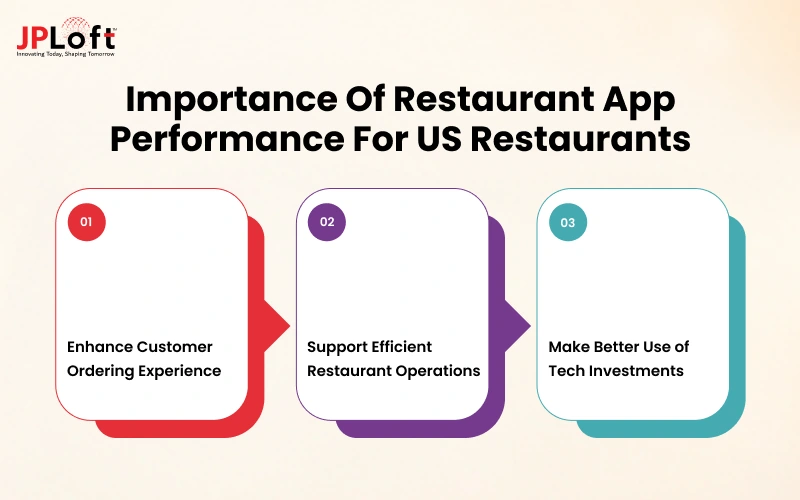
For US restaurants, improving app performance can support three important business priorities.
1. Improve the Customer Ordering Experience
Customers expect restaurant apps to make browsing menus, customizing meals, and placing orders convenient. A responsive interface and dependable checkout reduce unnecessary friction throughout the ordering journey, helping customers complete their purchases with greater confidence.
2. Supports Efficient Restaurant Operations
Restaurant apps often connect customer orders with staff workflows and operational systems. When these processes work reliably, employees spend less time correcting order information, handling avoidable support requests, or manually resolving discrepancies.
3. Make Better Use of Technology Investments
Restaurants need to understand whether their existing apps support business goals before investing in additional features or a complete rebuild. Measuring performance and operational outcomes helps decision-makers prioritize improvements based on customer needs, implementation costs, and potential business value.
What Common Problems Are Affecting Restaurant App Performance?
An underperforming restaurant app can create different problems for customers, staff, and business owners. Customer complaints may reveal where the experience breaks down, but technical monitoring and operational records are needed to identify the underlying causes.
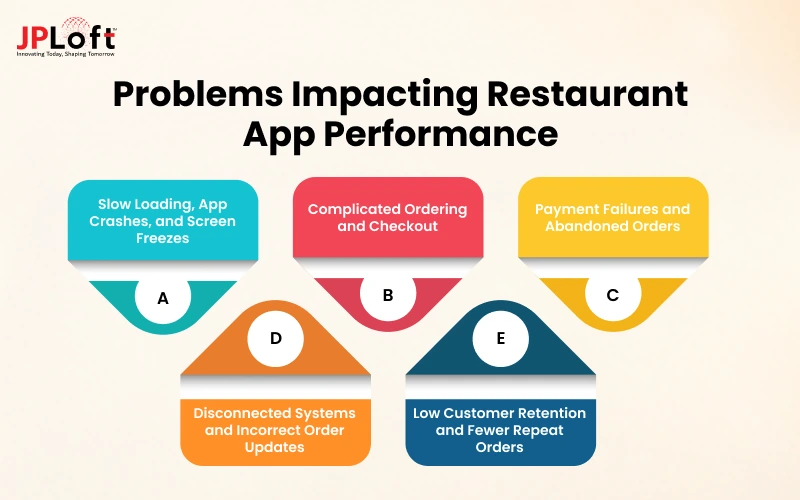
A] Slow Loading Times, App Crashes, and Unresponsive Screens
Long startup times, frozen screens, and repeated crashes can prevent customers from browsing menus or completing orders. These problems may result from inefficient code, resource-heavy images, backend delays, or compatibility issues across devices.
B] Complicated Ordering and Checkout Processes
Unclear menu options, excessive checkout steps, forced account creation, and lost cart information can make ordering unnecessarily difficult. Reviewing customer journeys helps distinguish usability problems from technical failures.
C] Payment Failures and Abandoned Orders
A payment may fail, remain pending, or succeed without the app displaying an order confirmation. These situations require different responses, so restaurants need reliable transaction records and clear communication about order status.
D] Disconnected Systems and Inaccurate Order Updates
POS synchronization errors, missing kitchen tickets, outdated menu availability, and delayed delivery updates can disrupt fulfillment. These issues may arise when integrations fail, data does not update correctly, or connected systems handle errors inconsistently.
E] Low Customer Retention and Repeat Orders
Customers may stop using an app after experiencing repeated errors, poor order accuracy, confusing navigation, or unreliable fulfillment. Reviewing customer feedback, repeat-order behavior, cancellations, and support complaints can help identify which parts of the experience need attention.
How Can Restaurants Improve App Speed and Technical Performance?
Customers do not care which part of your tech stack is causing a delay. They notice that the menu takes too long to appear or that tapping 'Place Order' does nothing.
The challenge for your team is to turn those frustrating moments into a specific, fixable performance problem rather than guessing at the solution.
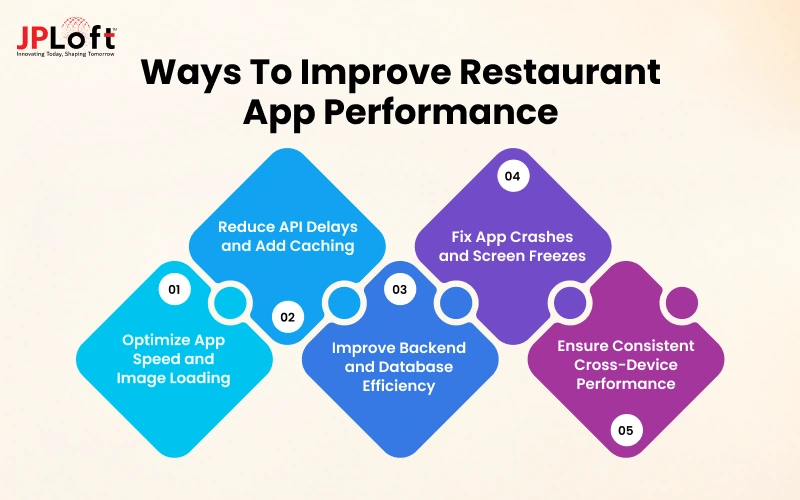
1. Optimize App Loading Time and Menu Images
Compress and resize images for the screens where they appear. Load menu imagery progressively, avoid unnecessary work at launch, and show useful information before secondary content.
For web ordering, monitor relevant web performance measures; for native apps, use platform-specific startup and rendering tools.
2. Implement Caching and Reduce API Response Times
Cache relatively stable content such as restaurant descriptions and images, with sensible expiration rules. Prices, sold-out items, promotions, and order status require timely refresh or explicit validation.
Measure network round trips and remove duplicated requests, but never optimize speed by serving inaccurate ordering information.
3. Improve Backend and Database Performance
Profile slow queries, inspect database indexes, monitor dependencies, and identify services that become overloaded during lunch or dinner peaks.
Load-test complete paths such as menu-to-cart-to-payment-to-POS, including realistic concurrency and error recovery.
4. Fix App Crashes, Freezes, and Memory Issues
Track crashes by version and device model; investigate memory pressure, long-running tasks, and unhandled exceptions.
Roll out fixes gradually, monitor regressions, and retain a safe rollback procedure.
5. Optimize Performance Across Devices and Network Conditions
Test on supported phones and operating systems on slower networks, with intermittent connections, and on older hardware.
Preserve a customer's cart when a connection drops, communicate what happened, and avoid silently resubmitting a purchase.
How Can Restaurants Improve Order Management and Fulfillment?
Imagine a customer placing an order and receiving a confirmation, but the order never reaches the kitchen display. The customer expects their food to be prepared, while the restaurant staff has no record of the order.
Gaps like this reveal why the experience after checkout matters just as much as the ordering screen itself.
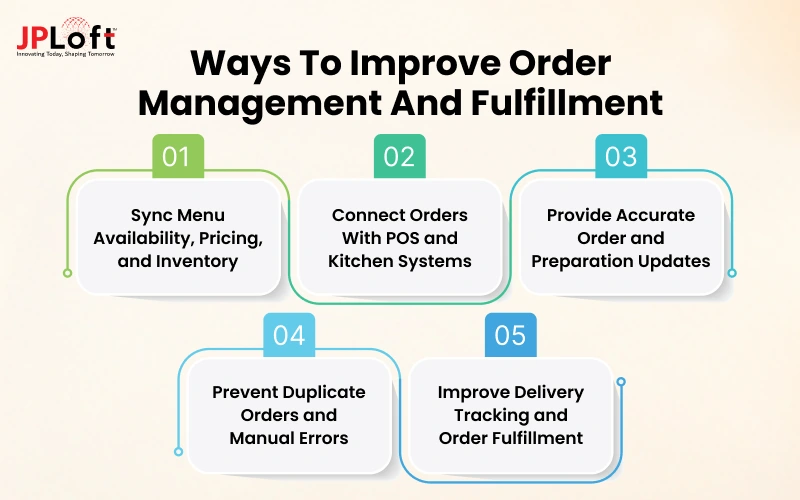
1. Synchronize Menu Availability, Pricing, and Inventory
Maintain a clear system of record for menus, modifiers, prices, and sold-out items. Validate availability at checkout, especially when inventory changes during rush periods. Define how updates propagate across branches and channels.
2. Connect Online Orders With POS and Kitchen Display Systems
Map items, taxes, discounts, modifiers, and fulfillment types carefully. Test failed or delayed integrations, including how staff is alerted and how an order is recovered without re-entering it twice.
3. Provide Reliable Order Confirmation and Preparation Updates
Show a confirmed order only after the system has established the appropriate acceptance state. Distinguish received, accepted, preparing, ready, and completed statuses. Do not promise precise preparation times without reliable operating data.
4. Prevent Duplicate Orders and Reduce Manual Processing
Use unique order identifiers, safe retry rules, and idempotency controls where supported. A customer tapping a button twice or a network retry must not create two kitchen tickets or duplicate charges. Reconcile mismatched payment and order records.
5. Improve Delivery Tracking, Dispatch, and Fulfillment
Connect accurate preparation estimates with dispatch or third-party delivery handoffs. Track late acceptance, courier delays, missed pickup windows, and exceptions separately so teams can fix the right bottleneck.
How Can Restaurants Optimize Payment Processing and Checkout?
A customer taps 'Pay' and sees a spinning icon. Did the payment go through? Should they try again? Will the restaurant receive the order? Uncertainty at this moment can mean an abandoned purchase, an unnecessary support request, or even a duplicate charge.
A dependable checkout needs to give customers and operators confidence about what actually happened.
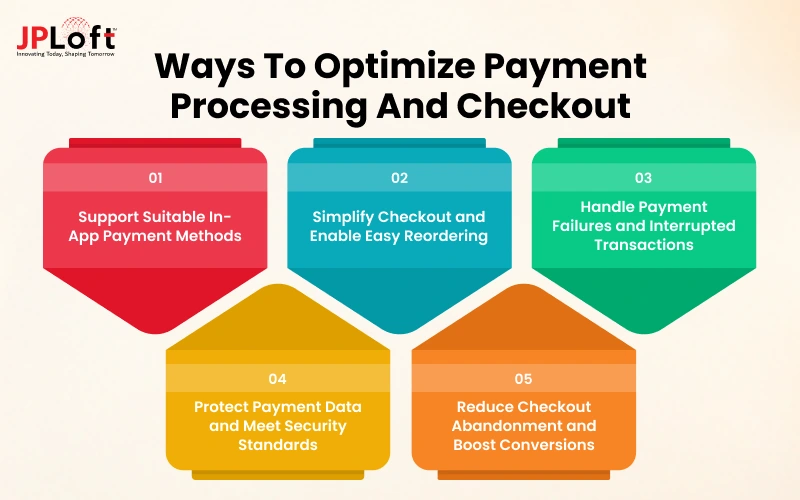
1. Support Suitable In-App Payment Methods
Offer payment methods your customers actually use, based on supported devices and providers. In-app wallets and cards are different from contactless payment at a physical terminal, so evaluate each ordering context separately.
2. Simplify Checkout and Enable Convenient Reordering
Show taxes, fees, tips, and fulfillment charges before final confirmation. Remove unnecessary fields, offer guest checkout where practical, and allow returning customers to reuse preferences without weakening account security.
3. Handle Payment Failures and Interrupted Transactions Safely
Use explicit statuses for pending, authorized, captured, failed, refunded, and canceled transactions as appropriate to the provider. On a timeout, check the provider's actual transaction status before retrying. Employ idempotency keys where available and reconcile charges against order records.
4. Protect Payment Data and Meet Applicable Security Requirements
Use established payment providers and minimize exposure to cardholder data. PCI DSS responsibilities depend on how the application stores, processes, or transmits payment data; outsourcing payment collection may reduce scope, but it does not automatically eliminate all responsibilities. Verify current guidance at https://www.pcisecuritystandards.org/.
5. Reduce Checkout Abandonment and Improve Conversion
Instrument each checkout step, segment by device and payment method, and investigate failures alongside voluntary abandonment. Test one change at a time, comparing successful paid orders rather than relying only on button clicks.
How Can Restaurants Automate Reservations and Table Management?
For full-service restaurants, reservation problems can disrupt seating plans and create unnecessary work for front-of-house staff. An app should keep booking information accurate across customer-facing and staff systems, especially when reservations, cancellations, and walk-ins change throughout service.
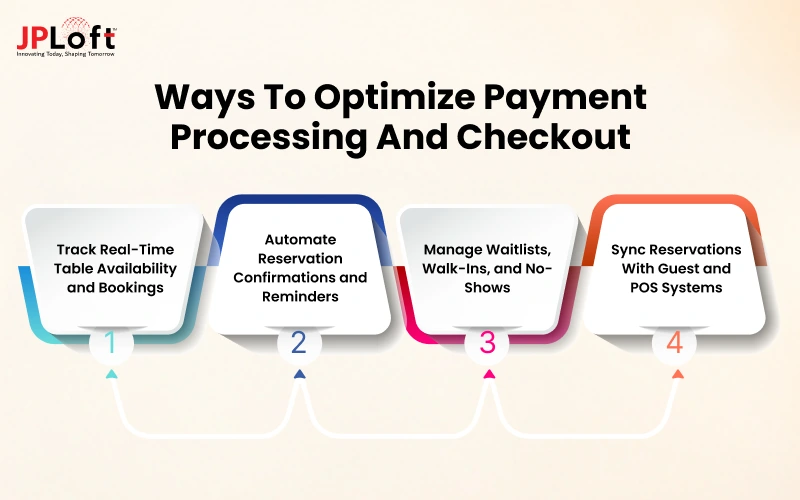
1. Enable Real-Time Table Availability and Online Reservations
Reflect actual party-size rules, seating duration, sections, and blocked tables. Prevent double bookings when customers reserve through multiple channels.
2. Automate Booking Confirmations, Reminders, and Cancellations
Send timely confirmations and useful reminders, with simple methods to modify or cancel a booking. Respect communication permissions and avoid excessive messages.
3. Manage Waitlists, Walk-Ins, and No-Shows
Give hosts a shared view of expected arrivals, walk-ins, and waitlisted guests. Measure wait time, no-show rates, and occupied versus available table time before changing policies.
4. Connect Reservations With Guest and Restaurant Management Systems
Share relevant booking notes and preferences only with staff who need them. Keep profiles accurate and protect customer information; a reservation system should not require collecting unnecessary personal data.
How Can AI and Automation Make Restaurant Apps Smarter?
When a restaurant team is juggling customer questions, changing demand, and a busy kitchen, the promise of smarter restaurant app development services is appealing.
Yet a chatbot or prediction model is only useful if it removes a real burden or helps someone make a better decision. Before investing in AI, ask what staff or customers struggle with today and what a successful improvement would look like.
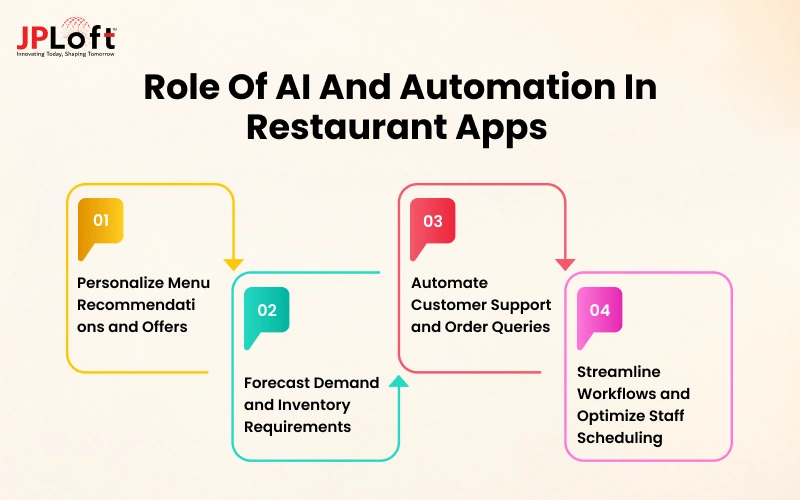
1. Personalize Menu Recommendations and Relevant Offers
Consider purchase history and current menu availability to suggest useful additions, such as a suitable side for a frequently ordered meal. Test whether recommendations improve completed orders and contribution margin without annoying customers.
2. Forecast Demand and Inventory Requirements
Historical orders, promotions, seasonality, local events, and location patterns may support demand estimates. Compare forecasts with actual sales and waste, review unusual events, and let managers override poor predictions.
3. Automate Customer Support and Common Order Queries
A support assistant can answer store-hours questions, explain order status, or route requests. It should not invent delivery promises, refund decisions, or allergen information. Provide a reliable path to staff for exceptions.
4. Combine Workflow Automation With AI-Assisted Staffing
Automated alerts can notify staff about delayed orders or low-stock items. AI-assisted tools can analyze demand patterns to support staffing decisions. Managers should validate these recommendations against actual operating conditions.
How Can Restaurant Apps Increase Customer Retention and Repeat Orders?
Getting someone to download a restaurant app is one achievement. But giving them the reason to come back is another. A customer who had an effortless first order may come back next week; someone who received the wrong meal or waited without updates may not.
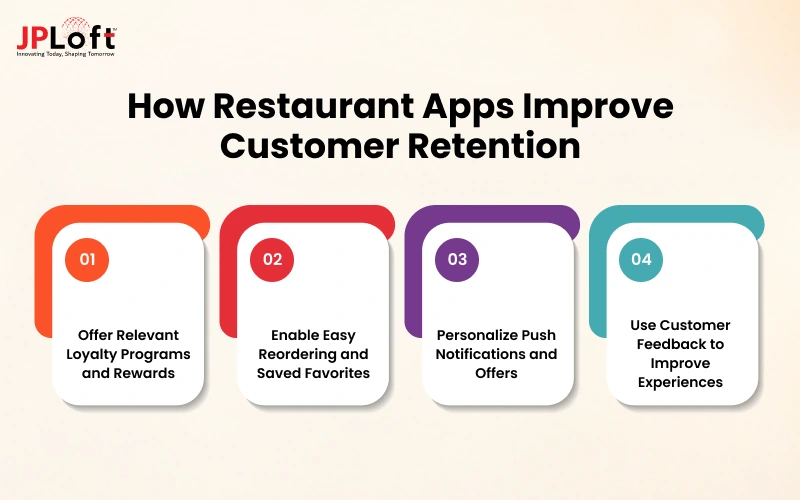
Restaurants can encourage repeat purchases through convenient ordering, relevant rewards, and timely communication. These efforts can improve customer lifetime value while supporting profitable repeat business.
1. Introduce Relevant Loyalty Programs and Rewards
Make rewards easy to earn and redeem. Monitor discount costs and repeat purchases to determine whether the program encourages profitable customer activity.
2. Enable One-Tap Reordering and Favorite Orders
Save previous baskets and favorite items, but validate current item availability, prices, modifiers, and restaurant location before customers pay.
3. Personalize Push Notifications and Customer Offers
Segment messages using relevant behavior and customer permissions. Limit frequency, offer clear opt-outs, and avoid promotions that train frequent customers to wait for discounts.
4. Use Customer Feedback to Identify Experience Problems
Combine support complaints, app reviews, canceled orders, and post-order feedback. Tag issues by root cause so the team can distinguish bad app UX from food quality, packing, or delivery problems.
How Can Restaurant App Optimization Improve Profitability?
A promotion might bring in dozens of extra app orders and still leave the restaurant with less money after discounts, delivery costs, and extra labor. That is why the financial case for app optimization needs more than a sales chart. The meaningful question is how the app changes the cost and value of each order, alongside the work needed to fulfill it.

1. Increase Order Conversion and Average Order Value
Better navigation, reliable checkout, and relevant add-ons can help customers finish purchases. Check whether resulting orders are profitable after discounts, food, labor, payment, and fulfillment costs.
2. Grow Direct Orders While Evaluating Fulfillment Costs
Direct ordering can improve ownership of the customer relationship, but it also brings marketing, acquiring customers, technology, payment, support, and potentially delivery costs. Compare channel economics rather than treating every commission avoided as savings.
3. Reduce Operating Costs, Order Errors, and Food Waste
Accurate kitchen instructions and synced inventory may reduce rework, unnecessary remakes, and waste. Quantify staff time saved and mistakes avoided, using actual operating data rather than assumptions.
4. Identify Revenue Leakage From Failed Transactions and Cancellations
Review mismatched payment/order records, preventable cancellations, missing modifiers, and fulfillment failures. Count only realistically recoverable revenue and subtract refunds, support, and recovery costs.
5. Prioritize Improvements Based on Contribution Margin and ROI
Contribution margin per order is revenue less the variable costs attributable to that order. Estimate the effect of a proposed fix on successful orders and costs, then compare expected incremental contribution with development, maintenance, and operational expense. Revisit the estimate after launch.
Which App Optimization Strategies Work Best for Different US Restaurant Businesses?
The same app change can be valuable for one restaurant and irrelevant for another. A drive-through brand cares deeply about speed and handoff, while a full-service dining room may lose more business through reservation confusion.
Before deciding which improvements deserve funding, consider how your restaurant actually serves customers and where delays cause the greatest disruption.
A] QSR and Fast-Casual Chains
Prioritize quick customization, accurate pickup timing, dependable peak-hour checkout, and kitchen throughput. Measure time from order submission to acceptance and handoff.
B] Cloud Kitchens and Delivery-First Businesses
Focus on multi-channel order aggregation, packaging instructions, courier handoffs, live availability, and realistic ETAs. Watch canceled orders and delays by delivery channel.
C] Full-Service Restaurants
Improve table reservations, waitlists, dine-in ordering, guest communication, and coordination between floor and kitchen teams. Track no-shows and service timing.
D] Multi-Location Restaurant Groups
Standardize core workflows while allowing location-specific menus, taxes, hours, inventory, and fulfillment settings. Monitor problems by branch to isolate local versus platform-wide issues.
E] Independent Restaurants
Start with low-effort fixes that remove obvious friction: menu accuracy, checkout reliability, basic analytics, and dependable POS handoff. Avoid adding complex integrations without a clear operating benefit.
|
Restaurant Business Type |
Key Optimization Priorities |
KPIs to Track |
|
QSR & Fast-Casual Chains |
Faster checkout, quick customization, accurate pickup times, and kitchen efficiency |
Order acceptance and handoff time |
|
Cloud Kitchens & Delivery-First Businesses |
Multi-channel order integration, live availability, and accurate delivery ETAs |
Order cancellations and delivery delays |
|
Full-Service Restaurants |
Smart reservations, digital waitlists, dine-in ordering, and guest communication |
No-show rates and service timing |
|
Multi-Location Restaurant Groups |
Centralized workflows, location-specific menus, inventory, and fulfillment settings |
Branch-level errors and operational issues |
|
Independent Restaurants |
Menu accuracy, reliable checkout, basic analytics, and POS integration |
Checkout reliability and order accuracy |
Which KPIs Should Restaurants Track to Measure App Performance?
Fewer customer complaints after an app update may seem encouraging, but they don't always indicate better performance. Comparing key metrics before and after optimization helps determine what has improved, what still needs attention, and whether the investment is delivering measurable value.
|
KPI Category |
Key Metrics to Track |
What They Help Measure |
|
Technical KPIs |
Startup time, crash rate, API response time, screen-load speed, synchronization errors |
App speed, stability, and reliability, particularly during peak ordering hours. |
|
Ordering KPIs |
Checkout completion rate, payment success rate, cart abandonment, failed orders |
How effectively customers can place and complete orders without interruptions. |
|
Customer KPIs |
Retention rate, repeat orders, reorder frequency, customer lifetime value (CLV) |
Customer engagement, loyalty, and long-term purchasing behavior. |
|
Operational KPIs |
Order processing time, POS/KDS synchronization delays, order accuracy, cancellations |
Efficiency of order handling, kitchen coordination, and fulfillment workflows. |
|
Financial KPIs |
Average order value (AOV), contribution margin, refund costs, return on investment (ROI) |
Financial impact, operational costs, and overall returns from app optimization. |
How to Optimize an Existing Restaurant App: Step-by-Step
It is tempting to begin with the most visible complaint and ask developers to fix it immediately. But a rushed patch may leave the underlying cause untouched or create another problem during the next dinner rush. A more dependable approach starts with understanding the complete experience, then making changes in an order the business can safely support.
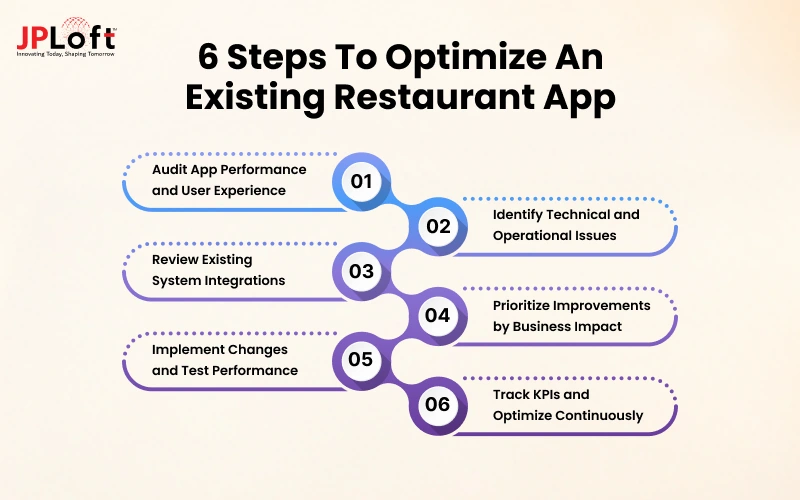
Step 1: Audit Performance and Customer Experience
Map a complete order from menu browsing to kitchen acknowledgment and fulfillment. Include staff observations, support tickets, analytics, and real devices.
Step 2: Identify Technical and Operational Bottlenecks
Reproduce failures, review crash logs and transaction traces, and isolate the underlying issue. Separate slow APIs from sluggish interfaces and faulty integrations.
Step 3: Evaluate System Integrations
Check dependencies among POS, KDS, payment, delivery, reservation, and inventory. Document ownership, failure modes, retry behavior, and reconciliation requirements.
Step 4: Prioritize Improvements by Business Impact
Rank issues using customer harm, frequency, order or margin exposure, implementation effort, and risk. Fix payment duplication and lost orders before cosmetic enhancements.
Step 5: Implement and Test the Improvements
Release fixes in controlled stages. Test busy-hour traffic, network interruptions, refunds, retries, stock changes, and rollback paths. Involve restaurant staff in acceptance testing.
Step 6: Monitor KPIs and Refine the App
Compare results with the original baseline, identify any new issues, and use the findings to prioritize the next improvements.
When Should Restaurants Optimize, Modernize, or Rebuild Their Apps?
Not every restaurant app issue requires a complete rebuild. The right approach depends on the app's technical condition, performance limitations, maintenance costs, and future business requirements.
|
Approach |
When to Choose It |
Recommended Action |
|
Targeted Optimization |
The app has a stable foundation but experiences isolated issues, such as slow loading, inefficient queries, or checkout errors. |
Fix performance bottlenecks, optimize existing features, and test improvements without changing the core architecture. |
|
App Modernization |
Outdated technology, fragile integrations, or legacy systems make updates difficult and limit new capabilities. |
Upgrade backend services, APIs, and selected components while preserving functional parts of the application. |
|
Complete App Rebuild |
The existing architecture cannot reliably support business requirements, and ongoing fixes are no longer cost-effective. |
Redevelop the application with updated technology, a data migration strategy, and a phased rollout to minimize operational disruption. |
|
Cost and Scalability Assessment |
Multiple approaches appear feasible, but their long-term costs, risks, and growth potential differ. |
Compare total ownership costs, maintenance needs, downtime risks, integration complexity, and future scalability before deciding. |

How Can JPLoft Help Improve Your Restaurant App's Performance and Profitability?
Slow loading, recurring app crashes, missed orders, and checkout failures can affect customer satisfaction and restaurant operations. Addressing these challenges requires a clear understanding of how the application works as a whole.
Restaurants need a technology partner who can assess their existing systems, identify areas for improvement, and recommend solutions based on their operational and business requirements.
With 16+ years of experience, 1,250+ projects delivered, and a team of 130+ professionals, JPLoft provides mobile app development and application optimization services. Our work has supported products reaching 1.8M+ users, alongside a 98% client retention rate and a 5.0 Clutch rating.
As a custom restaurant app development company, JPLoft can help businesses with:
-
App Performance and Stability: Address loading delays, crashes, and device compatibility issues.
-
POS and KDS Integrations: Improve communication between ordering applications and restaurant management systems.
-
Payment and Checkout Workflows: Improve transaction handling and order confirmation processes.
-
Restaurant-Specific Functionality: Develop or enhance features for online ordering, menu management, reservations, loyalty programs, and delivery coordination.
-
Backend and API Improvements: Resolve data synchronization issues and limitations affecting connected systems.
-
Ongoing Maintenance and Modernization: Support application updates, security improvements, and changing business requirements.
Discuss your restaurant app's current challenges with our team to identify practical improvements and determine whether optimization, modernization, or redevelopment is the right next step.
FAQs
Measure slow screens, crashes, checkout drop-offs, payment failures, and order synchronization first. Trace the highest-impact problems to their causes, release fixes incrementally, and verify the result during realistic peak-hour traffic.
Typical causes include oversized images, too many requests at startup, slow backend services, inefficient database queries, unstable connections, and overloaded integrations. App-native and backend monitoring help locate the actual delay.
Make totals and fees clear, remove unnecessary steps, protect carts during errors, support suitable payment methods, and provide understandable failure messages. Measure confirmed paid orders, not just taps on the payment button.
Load-test menu browsing, carts, payments, order creation, and POS/KDS handoff together. Monitor queues and service capacity, and rehearse timeouts, retries, and recovery so failures do not create lost or duplicate orders.
AI may help forecast demand, recommend relevant items, answer routine support questions, or flag unusual order delays. Use reliable data, keep people involved in important decisions, and compare measurable benefits with implementation and ongoing costs.
Track startup and screen load times, crash-free sessions, payment success, checkout completion, order errors, POS synchronization, cancellations, repeat orders, average order value, and contribution margin. Segment results by device, channel, and location.
There is no dependable fixed price without evaluating the application. Costs depend on platforms, code quality, integrations, issue severity, testing, and the amount of modernization required. Request a scoped audit and separate one-time implementation from recurring support and hosting costs.
Optimize if the core system remains maintainable and problems can be fixed individually. Modernize if aging components create recurring integration or security problems. Consider rebuilding only if essential requirements cannot be met safely and economically, after reviewing migration and continuity risks.

Conor has 10+ years of experience in software development, application engineering, solution design, and UX/UI. He has worked across digital products in restaurant technology, food and grocery delivery, healthcare, media, streaming, and social platforms, bringing both technical and user-experience perspectives to product development. His experience working with large organizations and growth-focused digital products helps businesses translate complex requirements into practical, user-focused solutions.


Share this blog