


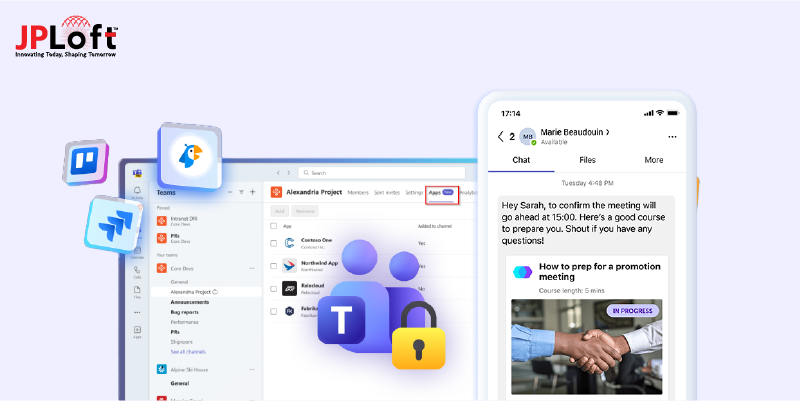
Key Takeaway:
To develop an app like Microsoft Teams, follow a structured process covering research, feature planning, UI/UX design, security, and ongoing maintenance.
The cost to develop a Microsoft Teams-like app ranges from $30,000 to $150,000+, depending on features, platforms, AI, and security requirements.
Essential features include real-time chat, video/audio calls, team channels, file sharing, meeting scheduling, and enterprise-grade security.
Monetize through subscriptions, freemium plans, enterprise licensing, in-app purchases, and optional ads for recurring revenue.
AI-driven collaboration, hybrid work support, deeper integrations, and enhanced security will shape next-gen collaboration platforms.
JPLoft is an app development company, delivering secure, scalable, and future-ready collaboration solutions.
If you’re planning to build an app like Microsoft Teams, it’s important to understand how modern collaboration platforms are rapidly evolving and Microsoft Teams is leading this transformation.
One of the biggest recent updates is the enhanced AI and Microsoft 365 Copilot integration, where smart AI agents now help users plan meetings, summarize conversations, manage tasks, and communicate more efficiently, right inside Teams.
Before starting the development process, you might be wondering, how can you develop an app like Microsoft Teams?
The process begins with market research, defining key features, designing intuitive UI/UX, selecting the right tech stack, integrating real-time communication and AI, and thorough testing.
This guide covers the essential features, tech choices, development steps, and costs to build a future-ready collaboration app.
What is the Microsoft Teams App?
Microsoft Teams is a cloud-based collaboration and communication app designed to help teams work together more efficiently from anywhere.
It brings multiple workplace tools into one unified platform, allowing users to chat in real time, conduct audio and video meetings, share files, collaborate on documents, and manage tasks without switching between different apps.
Built as part of the Microsoft 365 ecosystem, Teams seamlessly integrates with tools like Outlook, Word, Excel, SharePoint, and OneDrive, making daily workflows smoother and more connected.
It supports one-on-one conversations, group chats, large virtual meetings, and organized team channels for structured communication.
-
The mobile application landscape continues to expand rapidly. According to Mordor Intelligence, United States mobile app market expected to reach about $80.92 billion in 2025 and grow to $141.54 billion by 2030, driven by increasing demand for rich, high‑engagement apps across industries.
-
Meanwhile, Grand View Research reported that the global progressive web apps (PWA) market, an increasingly important segment of app development, is projected to leap from around $2.08 billion in 2024 to $21.24 billion by 2033.
With enterprise-grade security, scalability, and cross-platform support, Microsoft Teams is widely used by startups, enterprises, educational institutions, and remote teams to streamline communication, improve productivity, and support modern work environments.
Now, let’s check out the reasons behind building an app like Microsoft Teams, in the given section.
Why Build an App Like Microsoft Teams?
As remote work, hybrid teams, and digital collaboration continue to grow, businesses are actively looking for smarter ways to connect their teams. Building a modern collaboration solution is no longer optional, it’s a strategic move for long-term growth.
If you’re planning to create an app that supports seamless communication and productivity, here’s why choosing this path makes sense.
-
Rising Demand for Remote Collaboration Tools: The PWA market alone is projected to grow nearly 10x by 2033, highlighting huge opportunities for productivity-focused platforms like Microsoft teams.
-
Opportunity to Offer Industry-Specific Solutions: You can build a collaboration app like Microsoft Teams tailored for specific industries such as healthcare, education, or enterprise teams.
-
High Scalability and Long-Term Revenue Potential: Collaboration apps support subscriptions, enterprise licensing, and add-on features, creating sustainable business models.
-
AI-Powered Productivity Advantage: Modern collaboration platforms use AI for smart scheduling, meeting summaries, and workflow automation.
-
Strong Integration Possibilities: You can develop a collaboration platform like Microsoft Teams that integrates easily with CRMs, project tools, and cloud storage services.
Building a collaboration app also allows you to innovate beyond existing solutions while solving real workplace challenges. With the right strategy, technology stack, and development approach, your app can become a powerful productivity hub for modern teams.
Key Features of an App Like Microsoft Teams
Before diving into development, it’s important to understand what truly makes a collaboration app successful. When users rely on a single platform for communication, meetings, and productivity, the features must feel seamless, intuitive, and reliable.
If you’re exploring how to build an app like Microsoft Teams, getting the feature set right is the foundation of everything.
So, what features should you focus on first? Simply put the features that make collaboration faster, smarter, and more human.
The table below highlights the most essential mobile app features you’ll need if you plan to create a clone like Microsoft Teams that meets modern business expectations.
|
Feature |
Description |
|
Real-Time Chat & Messaging |
Enable one-on-one and group chats with emojis, mentions, message reactions, and read receipts. |
|
Audio & Video Calling |
Support high-quality voice and video calls with screen sharing and call recording options. |
|
Team Channels |
Create dedicated channels for teams, projects, or departments to keep conversations organized. |
|
File Sharing & Collaboration |
Allow users to share files, co-edit documents, and access cloud storage seamlessly. |
|
Meeting Scheduling |
Integrate calendars for scheduling, joining, and managing meetings with reminders. |
|
Screen Sharing |
Let users share their screens during meetings for presentations, demos, or training sessions. |
|
Notifications & Alerts |
Deliver smart notifications so users never miss important messages or meetings. |
|
Cross-Platform Support |
Ensure smooth performance across mobile, desktop, and web platforms. |
|
Security & Access Control |
Implement role-based access, data encryption, and enterprise-grade security measures. |
Choosing the right feature mix helps you deliver real value to users while standing out in a competitive market. With thoughtful planning and execution, you can build a powerful collaboration solution that feels familiar, yet better, for your target audience.
Step-by-Step Process on How to Develop an App Like Microsoft Teams
So, how do successful collaboration platforms come to life and more importantly, how to develop an app like Microsoft Teams without missing critical details?
The answer lies in following a structured, well-planned development journey that balances user needs, technology, security, and scalability.
Before diving deep, here’s a quick look at the development steps involved:
-
Market Research & Idea Validation
-
Feature Planning & App Strategy
-
UI/UX Design (Wireframing & Prototyping)
-
Choosing the Right Tech Stack
-
Backend & Frontend Development
-
AI & Smart Feature Integration
-
Security & Compliance Implementation
-
Testing, Deployment & Post-Launch Support
Now, let’s walk through the complete process to develop an app like Microsoft Teams, step by step.
Step 1: Market Research & Idea Validation
The journey to develop an app like Microsoft Teams starts with thorough market research. You need to understand user pain points, collaboration challenges, and how existing platforms are performing in real-world business environments.
This step helps you define your unique value proposition and identify whether your concept aligns with the best mobile app ideas in today’s market. It ensures you’re not just copying features but solving real problems in smarter, more meaningful ways that users are actually willing to adopt.
Step 2: Feature Planning & App Strategy
Once the idea is validated, it’s time to define what your app will offer. Decide on core features like chat, meetings, and file sharing, along with advanced capabilities for future updates.
This planning phase is critical if you want to make an app like Microsoft Teams that feels intuitive yet powerful. A well-defined roadmap also helps teams prioritize development efforts and control costs effectively.
Step 3: UI/UX Design: Wireframing & Prototyping
Design plays a huge role in user adoption. Using app wireframing, designers create basic layouts that define user journeys and navigation flow. Next comes app prototyping, where interactive models are built to simulate real usage.
These steps help refine the experience early and ensure users find the app simple, familiar, and easy to use, especially important when you make a custom app like Microsoft Teams. A well-designed UI/UX also reduces user onboarding time and increases long-term engagement across teams.
Step 4: Choosing the Right Tech Stack
Selecting the right technology stack is a backbone decision in Microsoft Teams like app development. It directly impacts performance, scalability, security, and future expansion as your user base grows. The right tech stack ensures smooth real-time communication, stable video calls, and seamless integrations across platforms.
To implement this effectively, especially for Apple ecosystems, many businesses choose to hire iOS app developers who have experience building high-performance, real-time collaboration apps. Making smart choices here helps you confidently build a clone like Microsoft Teams that performs well even under heavy workloads.
Step 5: Backend & Frontend Development
This is where your app starts becoming real. Frontend development focuses on building responsive interfaces for mobile, web, and desktop users. Backend development handles real-time messaging, video streaming, user authentication, and data storage.
A scalable architecture is essential when learning how to build an app like Microsoft Teams, as collaboration apps often grow rapidly. Well-structured development also ensures faster feature updates, better system stability, and long-term maintainability.
Step 6: AI & Smart Feature Integration
AI-powered features are now a core expectation. Integrating smart capabilities like automated meeting summaries, intelligent notifications, and workflow suggestions improves productivity significantly.
Understanding the role of AI in mobile app development helps you create smarter user experiences that reduce manual effort and enhance engagement across teams. Over time, these AI-driven enhancements also help personalize workflows and deliver more meaningful collaboration insights for users.
Step 7: Security & Compliance Implementation
Security is a top priority when you make an app like Microsoft Teams for businesses. Implement strong encryption, secure authentication, and role-based access controls from the start. Focusing on mobile app security also helps protect sensitive conversations and shared data.
In addition, compliance with global data protection regulations builds trust with enterprise users and large organizations. Regular security audits and updates further ensure your collaboration platform remains safe against evolving cyber threats.
Step 8: Testing: Ensuring a Smooth & Reliable Experience
Before launch, comprehensive mobile app testing ensures your app performs flawlessly across different devices, operating systems, and network conditions. This stage focuses on identifying bugs, performance bottlenecks, usability issues, and security vulnerabilities early.
Thorough testing helps deliver a stable, high-quality user experience and prevents costly issues after release, especially critical for real-time collaboration apps. It also gives your team confidence that the app is ready to scale and handle heavy user traffic from day one.
Step 9: Deployment & Optimization
Once testing is complete, the app is deployed to cloud servers and app stores with proper configuration and monitoring tools in place. For Apple devices, you’ll need to submit an iOS app to App Store following Apple’s guidelines and review process.
For Android devices, it’s important to publish an app to Google Play Store with optimized descriptions, screenshots, and performance checks to ensure smooth installation and usage. Post-launch, continuous performance tracking, updates, and optimization become essential.
By implementing these steps carefully, you can build a collaboration app like Microsoft Teams that addresses the real needs of remote and hybrid teams, supports seamless communication, and scales effortlessly as your user base grows.
Tech Stack for Developing an App Like Microsoft Teams
Choosing the right mobile app tech stack is crucial to ensure your app performs smoothly, scales effectively, and supports all the essential collaboration features.
If you’re planning to create a collaboration app like Microsoft Teams, selecting the right technologies for frontend, backend, database, and integrations makes a huge difference in the final product.
The table below outlines the recommended tech stack for building a robust, real-time collaboration app:
|
Layer |
Technology/Tools |
Purpose |
|
Frontend (Mobile) |
Swift (iOS), Kotlin (Android), React Native |
Build responsive, cross-platform mobile interfaces |
|
Frontend (Web/Desktop) |
React.js, Angular, Electron |
Create smooth, interactive web and desktop experiences |
|
Backend |
Node.js, Python (Django/Flask), Java (Spring Boot) |
Handle real-time messaging, video calls, authentication |
|
Database |
MongoDB, PostgreSQL, Firebase Realtime DB |
Store structured and unstructured user data |
|
Cloud Services |
AWS, Microsoft Azure, Google Cloud |
Provide scalable infrastructure, real-time communication, and file storage |
|
Real-Time Communication |
WebRTC, Socket.io, SignalR |
Enable video/audio calls, screen sharing, and instant messaging |
|
Push Notifications |
Firebase Cloud Messaging, OneSignal |
Deliver alerts and notifications to users |
|
Security & Authentication |
OAuth 2.0, JWT, SSL/TLS |
Ensure secure access and protect sensitive data |
Choosing the right tech stack not only ensures your collaboration app like Microsoft Teams is fast and reliable but also lays a strong foundation for future upgrades and feature expansions.
By leveraging cloud services and real-time communication frameworks, your cloud-based collaboration platform like Microsoft Teams can provide seamless, scalable, and secure experiences for teams across the globe.
Cost to Develop a Collaboration App Like Microsoft Teams
The cost for a collaboration app like Microsoft Teams typically ranges between $30,000 - $150,000+, depending on features, platform, and complexity.
This estimated cost can vary based on expertise and project requirements. Core factors influencing the cost include real-time messaging, video conferencing, AI integration, cloud infrastructure, and robust security measures.
Additional expenses may include UI/UX design, third-party integrations, testing, and post-launch maintenance. Understanding these costs upfront helps businesses plan budgets and timelines effectively while building a high-quality, scalable collaboration platform.
Below is the estimated cost breakdown:
|
Feature/Component |
Estimated Cost (USD) |
Description |
|
UI/UX Design |
$5,000 - $15,000 |
Wireframing, prototyping, and designing a user-friendly interface |
|
Frontend Development |
$8,000 - $25,000 |
Mobile and web interface for iOS, Android, and web platforms |
|
Backend Development |
$10,000 - $40,000 |
Servers, databases, APIs, real-time messaging, video calls |
|
AI & Smart Features |
$5,000 - $20,000 |
Meeting summaries, notifications, chatbots, productivity insights |
|
Security & Authentication |
$3,000 - $10,000 |
Role-based access, encryption, data protection |
|
Testing & QA |
$3,000 - $10,000 |
Functional, performance, and security testing |
|
Deployment & Launch |
$1,000 - $5,000 |
App store submissions, cloud setup, initial monitoring |
These cost estimates give a clear idea of the investment required to develop a collaboration app like Microsoft Teams.
By carefully planning and factoring in the cost to hire mobile app developers in the USA, businesses can choose the right team to build a high-quality app that ensures excellent performance, robust security, and an exceptional user experience, all while staying within budget.
Monetization Models for Apps Like Microsoft Teams
When you plan to make a custom app like Microsoft Teams, selecting the right mobile app monetization strategy is crucial for long-term success.
A well-planned monetization model ensures your app generates revenue while keeping users engaged and loyal. The strategy should align with your target audience, app complexity, and business goals, whether you’re catering to small startups or large enterprises.
Here are the most effective monetization models:
1. Subscription-Based Model
Users pay a recurring fee, monthly or annually, for access to premium features. This includes advanced collaboration tools, higher participant limits in meetings, AI-powered productivity assistants, and additional cloud storage.
Subscriptions are particularly suitable for enterprise clients who value reliability and consistent service.
2. Freemium Model
Offering basic features for free while charging for premium functionality is a popular approach.
For example, standard chat, video calls, and file sharing can remain free, while advanced analytics, AI-driven summaries, and enhanced security require a paid plan. This allows users to experience the app before committing financially.
3. In-App Purchases
Users can purchase add-ons such as extra cloud storage, integration with third-party tools, or custom themes.
This model works well if you develop a clone like Microsoft Teams, providing flexibility and customization options without forcing everyone to pay upfront.
4. Enterprise Licensing
Businesses can buy team-wide licenses to unlock all premium features, priority support, and administrative controls. Enterprise licensing is ideal for large organizations that require secure, scalable, and feature-rich collaboration solutions.
This model also allows businesses to manage multiple teams efficiently, track usage analytics, and customize features based on organizational needs.
5. Advertisement Model (Optional)
Targeted, non-intrusive ads can generate revenue in freemium versions, though most enterprise-focused apps avoid ads in premium tiers.
When implemented carefully, ads can provide an additional revenue stream without interrupting the user experience, making it suitable for smaller teams or educational institutions using free versions.
Choosing the right combination of these models helps maximize revenue while maintaining a seamless user experience.
When planning to make a custom app like Microsoft Teams, it’s important to analyze user behavior, target audience, and market demand to implement the most effective monetization approach.
Challenges in Developing a Collaboration App Like Microsoft Teams
Creating a secure, scalable, and user-friendly platform comes with several technical and operational challenges. Here’s a detailed look:
Challenge 1: Real-Time Communication Complexity
Ensuring instant messaging, high-quality video/audio calls, and smooth screen sharing across multiple platforms is technically demanding.
Latency, packet loss, or poor connectivity can easily impact the user experience, especially if you make a clone like Microsoft Teams.
Challenge 2: Platform Compatibility
Choosing between web app vs mobile app requires careful consideration. Mobile apps need optimization for iOS and Android devices, while web apps must work across multiple browsers without performance issues.
Achieving feature parity and consistent UI across platforms can be challenging.
Challenge 3: Scalability & Performance
Handling thousands of concurrent users and growing teams requires a highly scalable backend architecture.
Proper database management, load balancing, and server optimization are critical to prevent downtime or lag during peak usage.
Challenge 4: Security & Compliance
Protecting sensitive business communications and files is non-negotiable.
Encryption, secure authentication, and adherence to global data protection standards are essential when you build a collaboration app like Microsoft Teams.
Challenge 5: Feature-Rich Integrations
Integrating third-party apps, file storage, AI assistants, and calendar systems can create dependency issues and increase complexity if not planned carefully.
Proper planning and using standardized APIs can help streamline integrations and ensure that all features work seamlessly together without affecting app performance.
By anticipating these challenges early, development teams can design a robust roadmap, select the right technology stack, and implement best practices that make Microsoft Teams-like app development more manageable and successful.
Future Trends to Create an App Like Microsoft Teams
To stay ahead in the collaboration app market, understanding emerging trends is crucial. These trends shape how to create an app like Microsoft Teams that remains innovative, user-friendly, and scalable.
A] AI-Powered Collaboration
Artificial intelligence is transforming the way teams work together. Features like automated meeting summaries, smart task suggestions, and predictive notifications improve productivity and reduce manual effort.
Partnering with an experienced AI app development company can help businesses implement intelligent collaboration features that enhance user efficiency and engagement.
B] Enhanced Hybrid Work Support
The hybrid work model continues to expand, requiring advanced video conferencing, multi-window support, and seamless collaboration across devices.
Future apps will need to provide smooth cross-platform experiences to keep remote and in-office teams connected.
C] Integration with Other Tools
Users expect a unified workflow. Collaboration apps of the future will offer seamless integration with CRMs, project management platforms, cloud storage, and productivity tools, allowing teams to manage everything from a single platform.
This level of integration reduces app switching, improves efficiency, and helps teams stay focused by keeping all essential tools connected within one ecosystem.
D] Stronger Security & Data Privacy
With increasing cyber threats, secure end-to-end encryption, role-based access, and compliance with international privacy regulations will be standard. Prioritizing data protection builds trust and ensures long-term adoption.
Future-ready collaboration platforms will also invest in proactive threat detection and regular security audits to stay ahead of evolving risks.
E] Customization & Scalable Architecture
Modern businesses demand collaboration platforms that adapt to their unique workflows. Future-ready apps will offer customizable dashboards, flexible communication channels, and modular feature sets that scale as organizations grow.
A scalable architecture ensures the platform can handle increasing users, data loads, and feature expansions without performance issues, making it easier to evolve alongside changing business needs.
By focusing on these trends, businesses can develop an app like Microsoft Teams that not only meets current user needs but also stays relevant and competitive as technology and workplace dynamics evolve.
Partner with JPLoft for Microsoft Teams-Like Collaboration App Development
Nowadays, businesses need collaboration solutions that are reliable, scalable, and built for long-term success. JPLoft is a trusted mobile app development company in USA, known for delivering scalable, secure, and high-performance digital solutions for modern businesses.
With extensive experience in building enterprise-grade collaboration platforms, JPLoft helps organizations transform complex communication needs into intuitive, feature-rich applications.
From UI/UX design and real-time communication to cloud deployment and security compliance, the team focuses on creating apps that are reliable, user-friendly, and future-ready.
JPLoft follows a client-centric approach, ensuring transparency, timely delivery, and tailored solutions aligned with business goals.
Whether you’re building a new collaboration platform or upgrading an existing one, JPLoft combines technical expertise with strategic thinking to deliver solutions that drive productivity, engagement, and long-term growth.
Final Wrap-Up
Building a modern collaboration platform requires the right balance of technology, user experience, security, and scalability. This guide clearly outlines everything you need to know to develop an app like Microsoft Teams, from planning and tech stack selection to monetization, challenges, and future trends.
By following a structured development approach and partnering with an experienced development team, businesses can create a collaboration solution that meets evolving workplace demands, enhances productivity, and stays competitive in a fast-changing digital landscape.
FAQs
To develop an app like Microsoft Teams, start with market research and idea validation, followed by UI/UX design, tech stack selection, and scalable backend development.
The cost usually starts from $30,000 and can go up to $150,000+, based on features, scalability, and development location.
Key features include real-time chat, audio and video conferencing, file sharing, team channels, third-party integrations, admin dashboards, and enterprise-grade security controls.
Popular monetization models include subscription-based plans, freemium access with premium upgrades, enterprise licensing, and paid integrations or advanced collaboration features.
Future trends focus on AI-powered collaboration, smarter automation, hybrid work support, enhanced security, and seamless integration with business and productivity tools.

Priyanka Sukhwal is the Managing Director and Business Head of JPLoft, a results-driven leader with 10+ years of experience steering technology ventures and business growth. Her strategic acumen and deep understanding of digital markets and on-demand solutions have consistently translated into innovations that help businesses scale, evolve, and lead in competitive landscapes.




Share this blog