


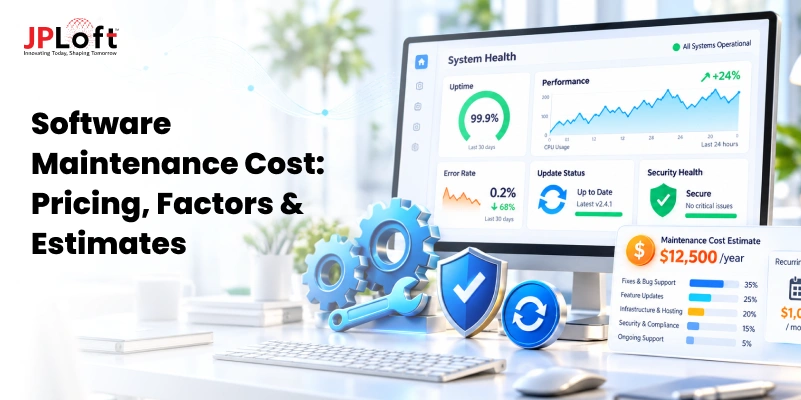
You have built the software, launched it, and watched users sign up. The hard part is over, right? Not quite.
Every app needs ongoing care to stay secure, fast, and compatible with the devices people use. That care has a price, and the software maintenance cost is the one that most businesses underestimate until the first big invoice arrives.
Over a product's lifetime, upkeep often costs more than the original build.
In this guide, we explain what maintenance includes, how it compares with development spend, and how much you should budget each year.
You will also learn what drives the numbers up, so you can plan with confidence.
What Are Software Maintenance Costs?
Software maintenance costs are everything you spend to keep an application working, secure, and useful after it goes live.
Launch day is not the finish line. It is the day real users, real devices, and real problems arrive.
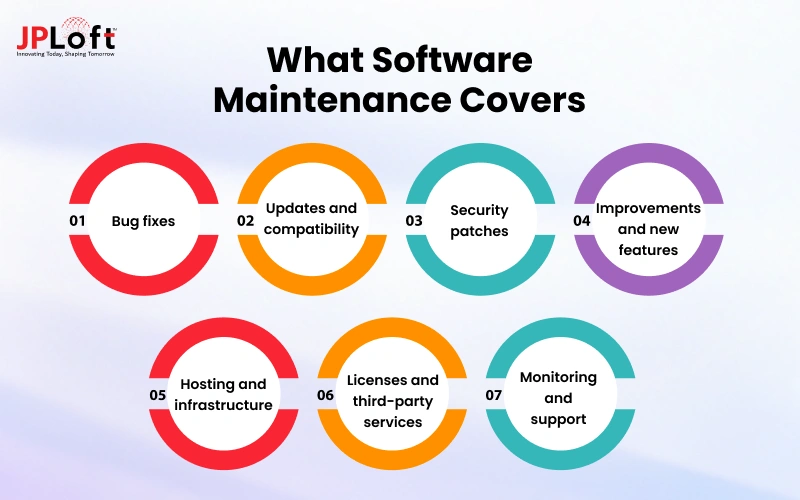
What the Cost Includes
-
Bug fixes: Resolving crashes and errors that only show up once people use the product.
-
Updates and compatibility: Keeping the software working as operating systems, browsers, and devices change.
-
Security patches: Closing newly discovered vulnerabilities before they are exploited.
-
Improvements and new features: Changes driven by user feedback and market needs.
-
Hosting and infrastructure: Servers, cloud storage, databases, and backups.
-
Licenses and third-party services: Software licenses, plugins, API fees, and developer accounts.
-
Monitoring and support: Tracking performance and responding when something breaks.
Why It Is Not a One-Time Expense
Software lives in a world that never stands still. Platforms release updates, libraries change, new threats appear, and customers expect more every year.
Each change creates work, and that work has a price. Think of it like owning a home: building it is one payment, but roofing, repairs, and utilities continue for as long as you live there.
Software Maintenance Cost vs. Development Cost
Development is a one-time investment with a clear start and end. Maintenance runs for as long as the product stays in use, so over time it usually becomes the larger expense.
Maintenance as a Share of Total Cost of Ownership
Industry research commonly estimates that maintenance makes up around 60% of a product's lifetime cost, and some studies put it as high as 80%.
Complex on-premise enterprise systems can reach even higher shares, while cloud-based apps tend to sit lower. Across the whole life of a product, upkeep often adds up to two to four times the original build price.
For example, an app that cost $150,000 to build and stays in service for eight years could need roughly $300,000 to $600,000 in upkeep.
That is why the cost of software maintenance deserves a place in the buying decision from day one, not an afterthought once the invoices start arriving.
Year-by-Year Cost Curve:
|
Phase |
Typical yearly spend (share of build cost) |
What is happening |
|
Early (Years 1–3) |
15–25% |
Fixing issues found by real users, OS updates, small improvements |
|
Mid (Years 4–7) |
20–30% |
Technical debt builds up, dependencies start to age |
|
Legacy (Year 8+) |
30–50% |
Older code is harder to change; specialist skills are needed |
The takeaway: a cheaper build with messy code can end up costing far more over the years than a well-built product with clean architecture and good documentation.
How Much Does Software Maintenance Cost?
When deciding the cost of maintaining software, one thing is sure: there is no fixed price for the overall cost, which is why there are several plans usually offered based on your app’s size and platform type.
Here is how much it costs to maintain software:
The 15–25% of Development Cost Rule
The most widely used rule of thumb says you should budget 15% to 25% of the original software development cost for upkeep every year.
Your annual software maintenance cost for an app that cost $200,000+ to build would therefore sit around $30,000 to $50,000.
For a smaller $30,000 app, expect roughly $4,500 to $7,500 per year. Treat it as a starting point for planning, not an exact formula.
Monthly Cost Ranges
The average software maintenance cost for custom business software generally falls between $5,000 and $50,000 per month, depending on size, users, and the kind of work needed.
|
Project size |
Typical monthly range |
Examples |
|
Small |
$5,000 – $12,000 |
Simple business apps with a limited user base |
|
Mid-size |
$12,000 – $30,000 |
Customer-facing products with regular releases |
|
Enterprise |
$30,000 – $50,000+ |
Large systems with many users and integrations |
Very light apps that only need basic upkeep can cost less than these ranges, sometimes a few hundred to a few thousand dollars per month.
When the Rule Does Not Apply
The 15–25% range assumes reasonably clean code and decent documentation. Your spend can land outside it when:
-
The Software Is Old: Legacy systems with heavy technical debt can need 30–40% of the build cost each year.
-
You Work In A Regulated Industry: Healthcare, finance, and data privacy rules add required updates.
-
Documentation Is Weak: Developers spend extra time just understanding the code before changing it.
-
You Need Round-The-Clock Support: 24×7 coverage costs much more than business-hours support.
-
You Rely On Many Integrations: Every third-party API or service is another thing that can change without warning.
-
The Product Is New and Well Built: Strong architecture and good test coverage can bring spend below 15%.
Types of Software Maintenance (and What Each Costs)
Software maintenance is not one activity. It is four different kinds of work, and each one has its own purpose, its own urgency, and its own share of the budget.
Knowing which type you are paying for makes it much easier to see where your money goes and where it can be trimmed.
.webp)
Let’s explore the different types:
Type 1: Corrective Maintenance
Corrective maintenance covers fixing bugs, crashes, and errors that show up after the software is live.
These issues are usually reported by users or caught by monitoring, and the work is reactive by nature.
A broken checkout flow or a report that calculates the wrong totals are typical examples. Because it is driven by problems that already exist, corrective work tends to be unpredictable.
It often takes up 20% of the maintenance budget in a healthy system and far more in a neglected one.
Type 2: Adaptive Maintenance
Adaptive maintenance keeps your software working as the world around it changes.
This includes supporting a new operating system version, moving to a new database, updating a payment gateway after the provider changes its API, or meeting a new regulation.
Nothing is wrong with your code, but the environment shifted, so the code has to shift with it. This category usually accounts for around 20% to 25% of the budget.
Type 3: Perfective (Enhancement) Maintenance
Perfective maintenance improves software that already works. It covers new features, interface refinements, performance tuning, and anything users ask for to make the product more useful.
It is usually the largest slice, often 40% to 50% of total maintenance spend, because it is where most of the business value comes from.
It is also the easiest category to control, since you decide which enhancements are worth funding.
Type 4: Preventive Maintenance
Preventive maintenance means fixing problems before they cause damage.
Refactoring messy code, upgrading aging libraries, improving test coverage, and cleaning up documentation all fall here. It rarely feels urgent, which is why it gets postponed, but it is the category that lowers the cost of every other type over time.
A typical allocation is 5% to 10% of the budget, though teams with a lot of technical debt may need more for a while.
Cost Table by Type
The figures below are common industry ranges rather than fixed prices, and your own split will depend on the age and condition of your software.
|
Maintenance Type |
What It Covers |
Typical Share of Budget |
Predictability |
|
Corrective |
Bug fixes, crashes, data errors |
15% to 25% |
Low |
|
Adaptive |
OS, API, database, and regulatory changes |
20% to 25% |
Medium |
|
Perfective |
New features, UX and performance improvements |
40% to 50% |
High (you choose) |
|
Preventive |
Refactoring, upgrades, test coverage, documentation |
5% to 15% |
High |
As a general rule of thumb, total yearly maintenance tends to land between 15% and 25% of the original development cost, and we will use that range in the budgeting section further down.

Factors That Affect Software Maintenance Cost
When looking to build software, it's important to understand that two systems of the same size can have wildly different maintenance costs.
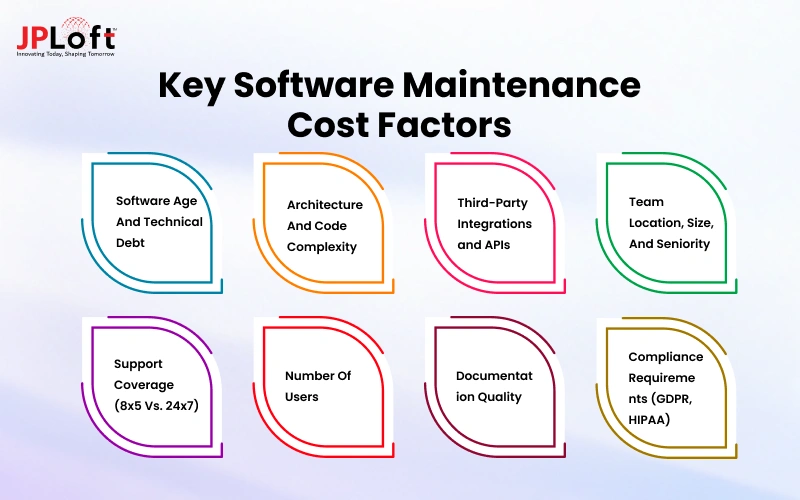
The factors below explain most of that gap, and it helps to look at each one honestly before you set a budget:
Factor 1: Software Age And Technical Debt
Older software accumulates shortcuts, outdated libraries, and workarounds that nobody remembers the reason for.
Every change takes longer because developers have to work around those issues, so costs climb each year unless the debt is paid down deliberately.
Factor 2: Architecture And Code Complexity
A modular system where each part has a clear job is far cheaper to change than a tightly coupled monolith where touching one feature breaks three others.
Complex code also takes new developers longer to understand, which adds to the cost whenever the team changes.
Factor 3: Third-Party Integrations and APIs
Every integration is a dependency you do not control. Payment providers, CRMs, mapping services, and analytics tools all update their APIs, deprecate versions, and change pricing, and each of those events can create unplanned work on your side.
Factor 4: Team Location, Size, And Seniority
Rates vary widely by region, and senior engineers cost more per hour but often resolve problems faster and introduce fewer new ones.
A small team of experienced software developers can end up cheaper than a larger junior team that needs constant supervision.
Factor 5: Support Coverage (8x5 Vs. 24x7)
Business-hours support is far less expensive than round-the-clock coverage, which requires on-call rotations or a team across time zones.
Choose the level your business actually needs, because paying for 24x7 on an internal tool that is only used during office hours is wasted money.
Factor 6: Number Of Users
More users mean more support requests, more edge cases, higher infrastructure load, and more pressure to fix problems quickly.
Growth is good news for the business, but it should be reflected in the maintenance budget as well.
Factor 7: Documentation Quality
Good documentation is one of the cheapest ways to reduce long-term costs.
When setup steps, architecture decisions, and business rules are written down, a new engineer can become productive in days rather than weeks.
Factor 8: Compliance Requirements (GDPR, HIPAA)
Regulatory compliance is one of the often-overlooked software development challenges that can increase costs long after launch.
Regular audits, security reviews, access logging, and rule-based updates add ongoing expenses for healthcare, finance, and products handling personal data.
Hidden and Recurring Costs Most Budgets Miss
Most maintenance budgets focus on developer hours, but a surprising amount of spending happens outside the engineering team.
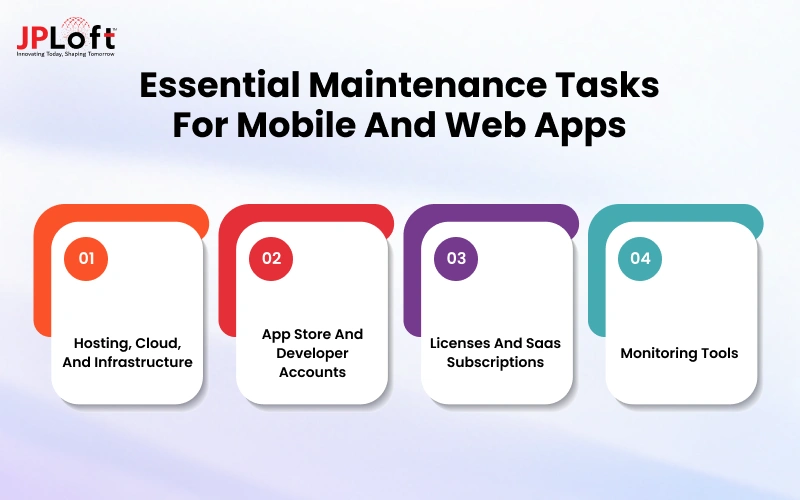
These costs are small individually and easy to forget, yet together they can add several thousand dollars a year, or far more for larger products.
1. Hosting, Cloud, And Infrastructure
Servers, databases, storage, bandwidth, backups, and staging environments all bill monthly, and usage-based pricing means the bill grows as your product does.
Unused or oversized resources are a common source of waste.
2. App Store And Developer Accounts
Apple charges an annual developer program fee, and Google charges a one-time registration fee, and both platforms may require extra work when policies change.
3. Licenses And Saas Subscriptions
Design tools, CI/CD services, error trackers, email and SMS providers, and commercial libraries usually renew every year, and prices tend to rise at renewal.
4. Monitoring Tools
Uptime checks, application performance monitoring, log management, and security scanning are what let you catch problems early, and they typically charge by data volume or number of hosts.
A useful habit is to list every recurring invoice connected to the product once a year and ask who uses it and whether it is still needed.
Mobile and Web App Maintenance Costs
Apps carry a few maintenance obligations that traditional business software does not, mostly because Apple, Google, and browser vendors change their platforms on a fixed schedule.
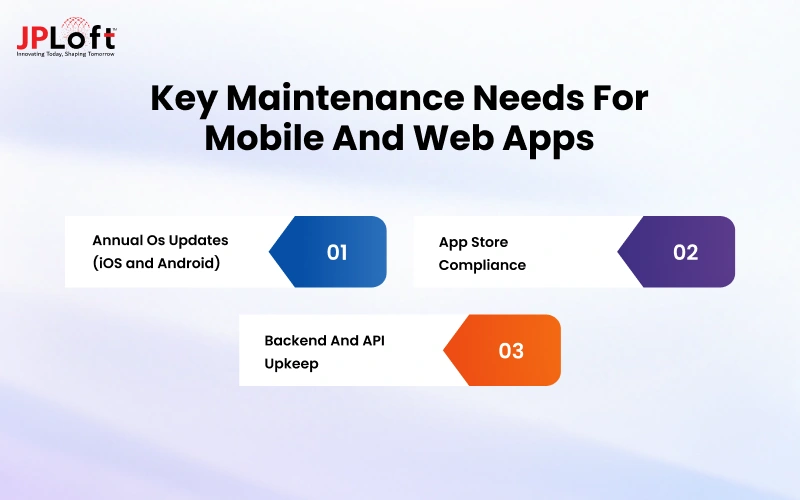
Let’s explore them:
1. Annual OS Updates (iOS and Android)
Every year a new major version of iOS and Android arrives, and each one can deprecate APIs, change permission behavior, or alter how the interface renders.
Apps usually need testing and adjustments before or shortly after each release, and ignoring it leads to crashes and poor reviews on the newest devices.
2. App Store Compliance
Both stores update their review guidelines regularly, with new rules around privacy labels, data collection, payments, and target API levels.
An app that does not meet them can be rejected or even removed, so someone needs to track these changes and update the app in time.
3. Backend And API Upkeep
The visible app is only part of the system.
The servers, databases, and APIs behind it need security patches, version upgrades, performance tuning, and scaling work, and a backend change often has to be coordinated with new app releases so older versions in the wild do not break.
Because of these cycles, mobile apps often sit at the higher end of the 15% to 25% annual range, while a simple web app with a stable backend can come in lower.
How to Estimate Your Maintenance Budget?
Getting software maintenance pricing right is less about finding one perfect number and more about building a range you can defend.
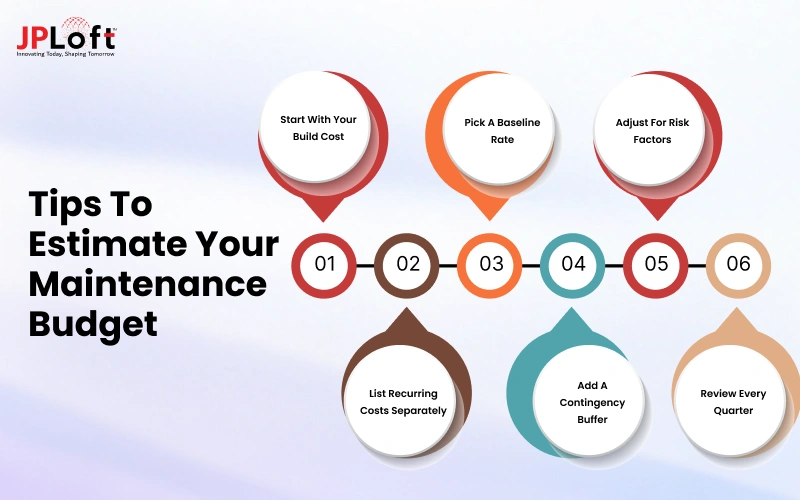
Work through the six steps below, and you will end up with a budget that finance can understand and your team can adjust as the product grows.
1. Start With Your Build Cost
Software maintenance pricing usually starts as a percentage of what the product cost to build, so use the real figure or today's rebuild cost.
2. Pick A Baseline Rate
Use roughly 15% a year for stable, well-built systems and 20% to 25% for complex or fast-growing products, treating that as your starting point.
3. Adjust For Risk Factors
Add a few percentage points for compliance duties, many integrations, or 24x7 support, and subtract some when your code is clean and well-documented.
4. List Recurring Costs Separately
Write hosting, licenses, store fees, and monitoring tools as their own lines, because burying them inside a percentage is how budgets drift off course.
5. Add A Contingency Buffer
Reserve 10% to 15% for surprises like a security incident or a sudden API change, so one bad month never becomes a budget crisis.
6. Review Every Quarter
Compare actual spending against your estimate each quarter and adjust the percentage, since your first year is usually the least accurate estimate of all.
A Quick Example to Understand the Software Maintenance Cost
Imagine a customer-facing mobile app that cost $200,000 to build, with a moderate number of integrations and business-hours support.
|
Line Item |
Annual Estimate |
|
Core maintenance at 18% of build cost |
$36,000 |
|
Hosting and cloud infrastructure |
$9,600 |
|
Licenses, SaaS tools, and store fees |
$4,800 |
|
Monitoring and security tools |
$3,600 |
|
Contingency (10% of the above) |
$5,400 |
|
Total |
$59,400 |
That works out to about $4,950 a month, or roughly 30% of the original build cost once everything is counted, which is higher than the headline percentage suggests and is exactly why the hidden costs deserve their own lines.
Sample Estimates for Two Different Systems
| Basis |
Stable Internal System |
Growing Customer-Facing Product |
|
Original build cost |
$120,000 |
$300,000 |
|
Maintenance rate |
12% to 15% |
20% to 25% |
|
Core maintenance per year |
$14,400 to $18,000 |
$60,000 to $75,000 |
|
Infrastructure and tools per year |
$6,000 to $10,000 |
$20,000 to $40,000 |
|
Support level |
8x5 |
Extended or 24x7 |
|
Main spending driver |
Bug fixes and small updates |
Features, scaling, and OS or API changes |
The internal system changes slowly and has a known set of users, so its costs stay flat.
The customer-facing product is always being pushed by competitors, user growth, and platform updates, which is why it needs a much larger and more flexible budget.
Pricing Models for Maintenance Services
If you outsource maintenance, the way you pay matters almost as much as how much you pay.
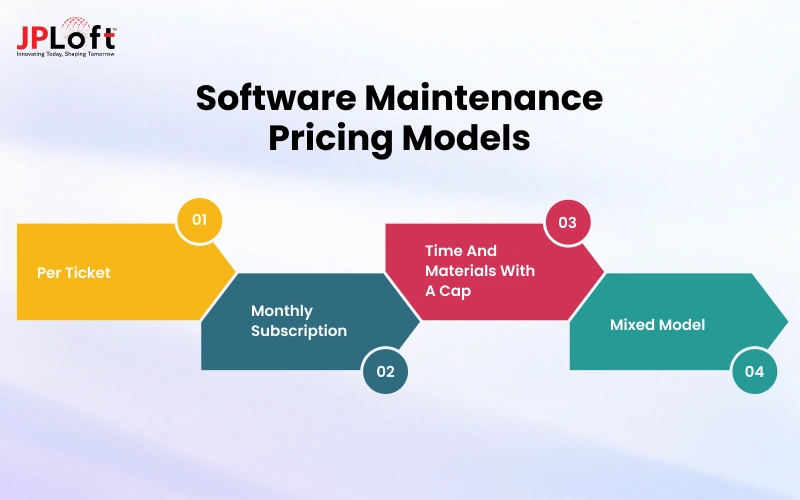
Each model suits a different kind of workload.
1. Per Ticket
You pay a fixed price for each bug fix or small change.
It works well for low-volume systems with occasional issues, and it keeps you from paying for idle time
But costs can spike during busy months, and the per-ticket rate is usually higher than other models.
2. Monthly Subscription
You pay a fixed monthly fee for a defined scope, such as a set number of hours, response times, and regular updates.
It gives you predictable costs and a team that already knows your product, although you may pay for unused hours in quiet months.
3. Time And Materials With A Cap
You pay for the actual hours worked, up to an agreed maximum.
This keeps the flexibility of hourly billing while protecting you from runaway costs, and it suits work that is hard to scope in advance.
4. Mixed Model
Many businesses combine approaches, for example, a small monthly retainer for monitoring and urgent fixes plus time and materials for larger enhancements
This tends to fit growing products best, because the routine work stays predictable while new development remains flexible.
Whichever model you choose, make sure the contract spells out what counts as a bug versus a new feature, since that distinction is the most common source of billing disputes.
In-House vs. Outsourced vs. Hybrid Maintenance
|
Basis |
In-House |
Outsourced |
Hybrid |
|
Typical cost structure |
Salaries, benefits, tools, management |
Monthly retainer or hourly rates |
Smaller internal team plus vendor support |
|
Relative cost |
Highest fixed cost |
Lower and more flexible |
Moderate |
|
Speed to start |
Slow (hiring takes months) |
Fast (days to weeks) |
Medium |
|
Product knowledge |
Deepest |
Builds over time |
Strong where it matters |
|
Scalability |
Limited by headcount |
High |
High |
Pros and Cons of Each
In-house gives you full control and deep product knowledge, and your team is always available for urgent issues.
The downsides are high fixed costs, the difficulty of hiring and retaining good engineers, and the risk that critical knowledge walks out the door when someone leaves.
Outsourcing converts a fixed cost into a flexible one and gives you access to a wider range of skills without recruiting.
The tradeoffs are a learning curve at the start, less day-to-day control, and the need to manage the vendor relationship carefully.
Hybrid keeps product ownership and architecture decisions inside your company while the vendor handles routine maintenance, after-hours coverage, or specialized work.
It requires clear communication between the two teams, but it often gives the best balance of cost and control.
Which Fits Which Business
-
Large companies with several core products usually do well with in-house teams, since the workload justifies the permanent headcount.
-
Startups and small businesses generally get better value from outsourcing, because they cannot afford a full maintenance team and their needs vary from month to month.
-
Mid-sized growing companies often land on a hybrid model, with one or two internal engineers owning the product and a partner covering capacity and specialist skills.
How to Reduce Software Maintenance Costs?
Maintenance costs cannot be eliminated, but they can be kept from growing faster than they need to.
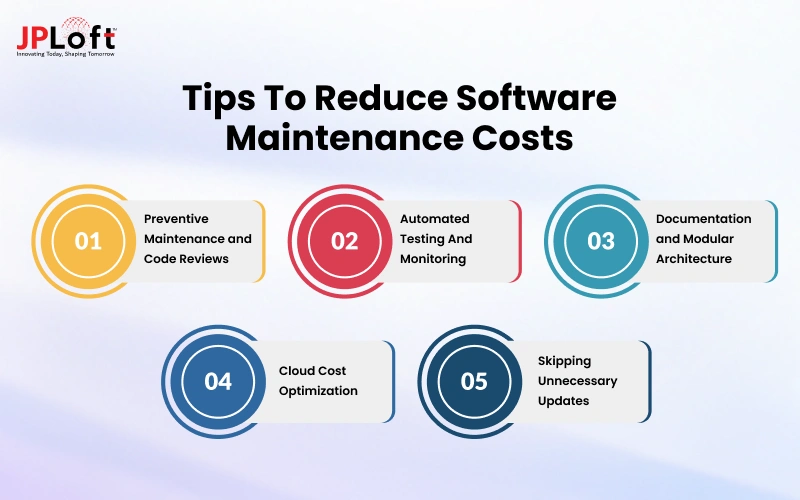
The most effective savings come from investing a little earlier so that problems stay small.
1. Preventive Maintenance and Code Reviews
Reviewing code before it ships catches defects when they are cheapest to fix, and scheduled refactoring prevents technical debt from piling up.
2. Automated Testing And Monitoring
Automated tests let developers change the code with confidence, and monitoring alerts your team to a problem before customers report it, which shortens fixes and protects your reputation.
3. Documentation and Modular Architecture
Clear documentation and well-separated modules make each change smaller and each new team member faster to onboard.
4. Cloud Cost Optimization
Right-size servers, shut down unused environments, use reserved or committed pricing for steady workloads, and review the monthly bill for services nobody remembers launching.
5. Skipping Unnecessary Updates
Not every new framework version or trendy feature deserves an immediate upgrade. Stay current on security patches and anything that affects compatibility, and be selective about the rest.
Teams that follow these habits often see their maintenance spending flatten or decline after the first year, while teams that skip them usually see costs rise every year.
Signs You Need to Invest in Maintenance Now
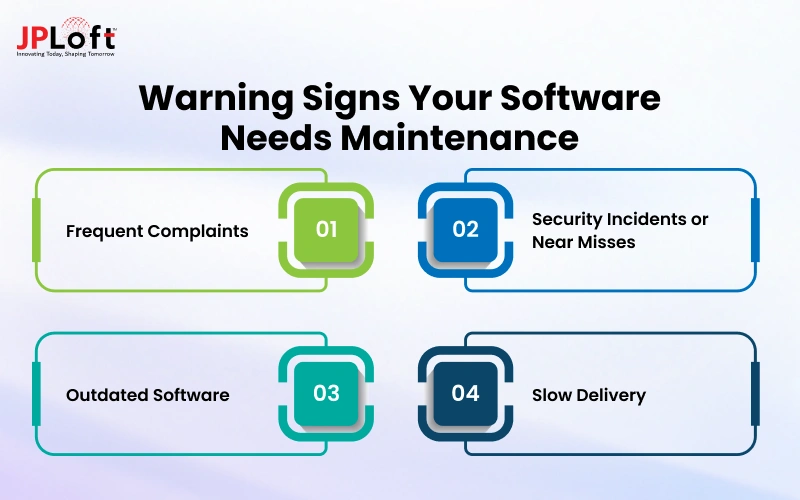
Software rarely fails all at once. It usually sends warning signals first, and the earlier you act on them, the cheaper the fix will be.
-
Frequent Complaints: Users keep reporting the same slow screens, crashes, or confusing behavior, and support tickets are growing faster than your user base.
-
Security Incidents or Near Misses: A breach, a failed audit, or a vulnerability warning that nobody has addressed is a strong sign that patching has fallen behind.
-
Outdated Software: Your framework, language version, or operating system support has reached end of life, which means no more security fixes from the vendor.
-
Slow Delivery: Simple changes now take weeks because developers are afraid of breaking something.
It is also worth checking whether you are overpaying.
Your costs may be higher than they should be if the same bugs keep returning after being fixed. This can also happen when only one person understands the system.
Rising hosting bills without matching traffic growth can add to the cost. Another warning sign is when a large share of your budget goes toward urgent fixes instead of planned improvements.
How to Choose a Maintenance Partner?
If you are looking for a software maintenance partner, you should look for some things to ensure the right selection:
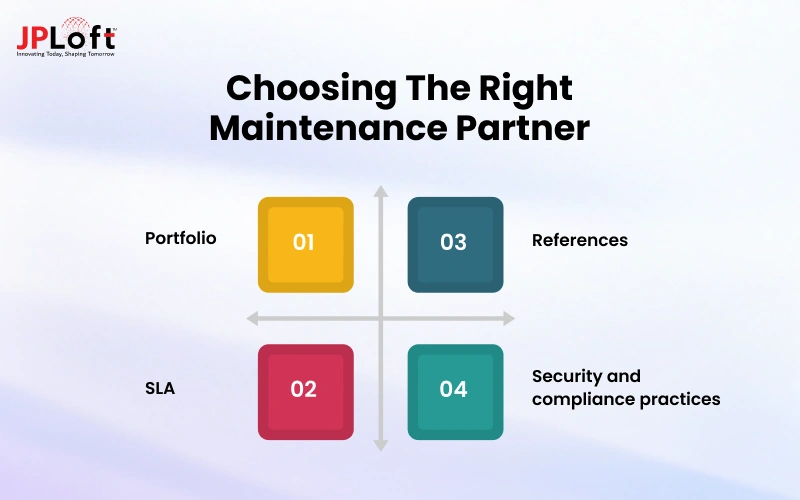
What to Check:
-
Portfolio: Check their experience in software product development, including projects similar to yours in technology, scale, and industry. Prioritize teams with long-term maintenance experience, not just new builds.
-
SLA: Read the service level agreement closely for response times, resolution times, uptime commitments, support hours, and what happens when the vendor misses them.
-
References: Speak to at least two current or past clients, ideally ones who have worked with the vendor for more than a year, and ask what happened when something went wrong.
-
Security and compliance practices: Confirm how they handle access to your code and data, and whether they have experience with the regulations that apply to you.
Questions to Ask Before Getting a Quote
-
How do you take over a system that another team built, and how long does onboarding usually take?
-
What is included in the monthly fee, and what is billed separately?
-
How do you classify a bug versus a new feature request?
-
Who will actually work on our product, and what happens if they leave your team?
-
What are your response and resolution times for critical, high, and low priority issues?
-
How do you report on work done and money spent?
-
What does the exit process look like, and will we receive full documentation and code access if we leave?

Real Results: 30% Operational Improvement Through JPLoft's Software Maintenance
Choosing a top software development company like JPLoft as a long-term maintenance partner changes how a product performs day-to-day.
Instead of reacting to outages and urgent bug reports, our clients work with a dedicated team that monitors their systems, fixes issues early, and plans updates around real business priorities.
Across projects, this approach helped companies improve operations by 30% through faster issue resolution, fewer disruptions, and cleaner, easier-to-manage code.
We also clean up technical debt, automate testing, and keep integrations current, so teams spend less time firefighting and more time growing.
If you are looking for a software development company like JPLoft to take ownership of your software and keep it dependable, our team is always ready to help.
Conclusion
Software maintenance cost is not a single line item to guess at once and forget.
It is an ongoing investment that usually lands between 15% and 25% of your original build cost each year, and it changes with the age of your code, the number of integrations, your support coverage, and your compliance needs.
Businesses that budget for hidden costs, plan for yearly OS and store updates, and invest in preventive work early tend to spend less over time than those who wait for something to break.
Review your numbers every quarter, choose a pricing model that fits your workload, and pick a partner you can trust to keep your software dependable and ready to grow.
FAQs
Most businesses spend between 15% and 25% of the original development cost each year. For a product that cost $100,000 to build, that is roughly $15,000 to $25,000 a year, or about $1,250 to $2,100 a month, before infrastructure and tool costs are added. Complex, regulated, or fast-growing products can go above this range, and simple, stable systems can come in below it.
In most cases, routine maintenance such as bug fixes, security patches, and hosting is treated as an operating expense because it keeps the software running as it is. Major enhancements that add significant new functionality or extend the useful life of the software may be capitalized under some accounting rules. The treatment varies by country and accounting standard, so confirm with your accountant before deciding.
The two overlap heavily, but mobile and web apps usually carry extra recurring work that traditional software does not, including yearly iOS and Android updates, app store compliance changes, developer account fees, and coordination between the app and its backend. For that reason, app maintenance tends to sit toward the upper end of the 15% to 25% range, while internal or desktop software with a stable environment often costs less to maintain.

Rahul Sukhwal is the CEO and Founder of JPLoft, with 18+ years of experience in software engineering, emerging technologies, and digital product development. His expertise spans artificial intelligence, including AI agents, generative AI, LLMs, chatbots, computer vision, and machine learning, as well as blockchain, IoT, AR/VR, mobile, web, and enterprise software. He focuses on applying these technologies to real business challenges across industries such as healthcare, education, mobility, finance, real estate, and on-demand services.




Share this blog