



Key Takeaways:
Flutter’s single codebase, hot reload, and rich widget ecosystem make it one of the fastest frameworks for building high-performance cross-platform apps.
Understanding essential components like widgets, state management, architecture, and API integration is crucial for mastering the Flutter app development lifecycle.
Knowing how to develop a Flutter app, from setting up the environment to writing your first UI and connecting backend services, greatly simplifies your development journey.
The right tools, testing strategies, and deployment workflows help ensure your Flutter app remains stable, scalable, and future-ready across platforms.
Partnering with an experienced team like JPLoft ensures smoother planning, faster delivery, and expert execution throughout your Flutter app development journey.
Did you know that around 2 million developers use Flutter worldwide? Its blend of speed, flexibility, and visually rich UI makes it a favorite among businesses and developers.
But here’s the real question: how to develop a Flutter app that truly stands out among the competition?
By following a focused workflow, clear planning, intuitive UI/UX, efficient coding, and thorough testing to ensure consistency across platforms.
Flutter 3.19 strengthens this further with faster rendering, smoother animations, and improved stability, helping teams ship better apps with less effort. This updated Flutter app development guide walks you through the latest features, essential components, development steps, examples, and cost insights.
By the end, you’ll know exactly how to build a performance-driven Flutter app that meets modern user expectations with confidence.
What’s New in Flutter 3.19?
Flutter 3.19 brings exciting updates that make mobile app development faster, smoother, and more versatile.
If you’re looking to create a mobile app or upgrade your existing one, understanding these improvements is essential for building high-quality applications.
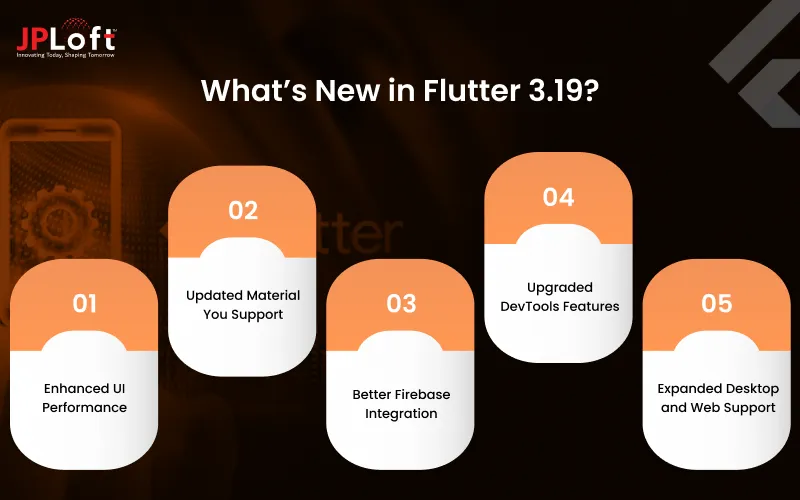
The following are the key updates in Flutter 3.1
1. Enhanced UI Performance
Flutter 3.19 significantly improves rendering speed, allowing smoother animations and faster load times. This ensures a seamless user experience across both iOS and Android platforms.
2. Updated Material You Support
With native Material You components, developers can build dynamic, customizable UIs that adapt to device themes automatically, making your app visually appealing.
3. Better Firebase Integration
The framework now offers improved Firebase support, simplifying authentication, analytics, and real-time database management, key aspects when you learn how to create a Flutter app efficiently.
4. Upgraded DevTools Features
Flutter’s DevTools now provides enhanced debugging, performance tracking, and visual inspection capabilities, helping developers optimize apps faster.
5. Expanded Desktop and Web Support
Flutter continues its cross-platform evolution, enabling developers to deliver consistent experiences not only on mobile but also on desktop and web platforms.
By following this Flutter app development guide, developers can leverage the latest updates on how to develop a Flutter app that’s both high-performing and visually stunning, making Flutter 3.19 a smart choice for modern app development.
Why Choose Flutter for App Development?
Choosing the right framework is critical for the success of any mobile app, and Flutter has quickly emerged as a top choice for developers and businesses alike. One of the main reasons is its ability to streamline the development process.
With Flutter, you can learn how to build a Flutter app efficiently, creating visually rich, high-performance apps for both iOS and Android from a single codebase.
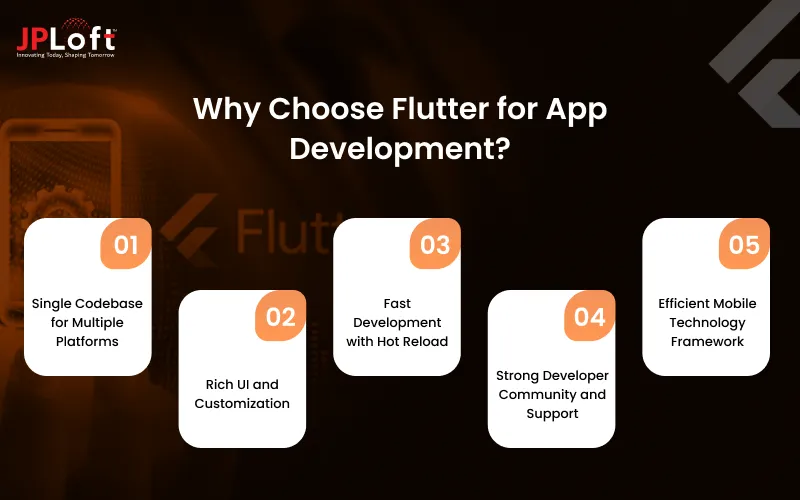
These are the key benefits of using Flutter for app development.
1] Single Codebase for Multiple Platforms
Flutter allows developers to write one codebase that runs across multiple platforms. This reduces development time, cuts costs, and ensures consistency in app performance and design.
2] Rich UI and Customization
Flutter’s widget-based architecture makes it easy to implement complex and beautiful designs. By understanding how to develop a Flutter app, developers can create apps that match brand identity and provide engaging user experiences.
3] Fast Development with Hot Reload
Flutter’s Hot Reload feature lets developers see changes instantly, speeding up the development cycle and making it easier to iterate on features.
4] Strong Developer Community and Support
A growing community and extensive documentation mean solutions to problems are often just a click away. This support network is invaluable when building scalable, robust applications.
5] Efficient Mobile Technology Framework
Flutter’s framework integrates seamlessly with popular tools, libraries, and backends, forming a powerful mobile app tech stack. This makes managing data, analytics, and third-party services straightforward, allowing developers to focus on innovation and performance.
By leveraging these advantages, businesses can reduce costs, enhance app quality, and speed up time-to-market, making Flutter an excellent choice for both startups and enterprises.

Types of Applications Built Using Flutter
Flutter’s versatility allows developers to build a wide range of applications, making it a popular choice for businesses across industries. Whether you want to develop a Flutter app from scratch or revamp an existing solution, Flutter’s robust framework makes it possible to deliver high-quality apps with stunning designs.
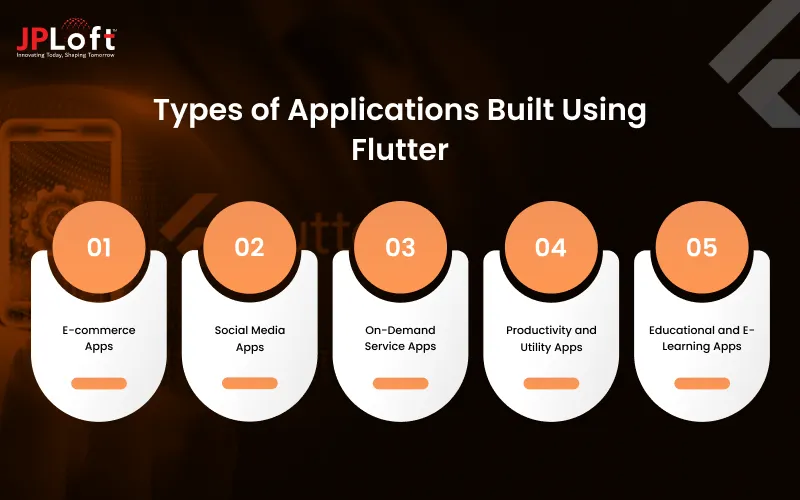
Type 1: E-commerce Apps
E-commerce platforms benefit greatly from Flutter’s smooth UI and cross-platform capabilities. Developers can build apps that offer a seamless shopping experience, with features like product catalogs, secure payment gateways, and personalized recommendations.
Type 2: Social Media Apps
Flutter’s fast rendering and rich widget library make it ideal for social media app development. From real-time messaging to interactive feeds, businesses can make a Flutter app that keeps users engaged while maintaining consistent performance across devices.
Type 3: On-Demand Service Apps
Apps for ride-sharing, food delivery, and home services can leverage Flutter to deliver reliable, high-performance experiences. Developers can build apps that integrate GPS, push notifications, and smooth booking workflows effortlessly.
Type 4: Productivity and Utility Apps
Flutter works well for productivity tools like calendars, task managers, and note-taking apps. By combining intuitive navigation with responsive design, developers can build apps that enhance user efficiency and engagement.
Type 5: Educational and E-Learning Apps
An education app development company can easily implement interactive quizzes, video lessons, and gamified learning experiences using Flutter. Schools, universities, and training platforms can build apps that are visually appealing and functional across mobile platforms.
Flutter’s flexibility ensures that, regardless of the type of app you are building, attention to mobile app design remains paramount. A well-designed interface not only attracts users but also enhances retention and satisfaction, making Flutter a go-to choice for modern app development.
Essential Features to Include in a Flutter App
When developing a Flutter app, including the right features is critical to ensure usability, engagement, and overall success.
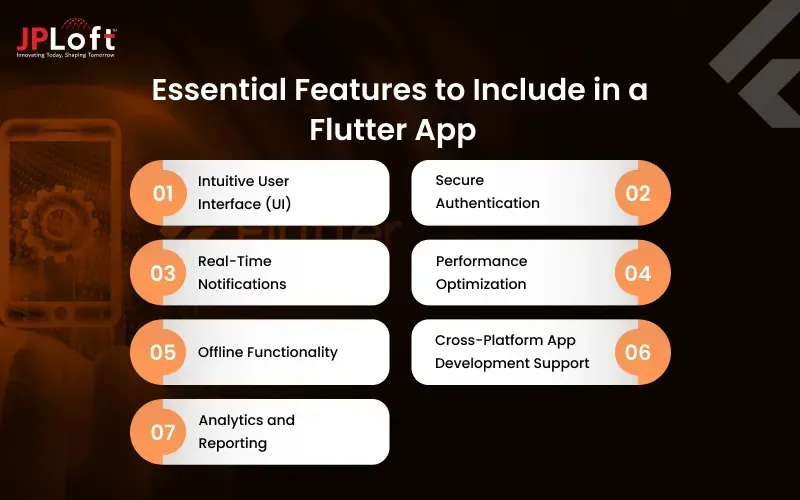
Whether you’re building a consumer-facing app or an enterprise solution, understanding these essential elements helps you deliver a seamless user experience. This section will guide you through the steps to build a Flutter app with must-have functionalities.
1. Intuitive User Interface (UI)
A clean, responsive UI is the backbone of any successful app. Flutter’s widget-based system allows developers to design interactive and visually appealing screens. By focusing on intuitive navigation and consistent layouts, you can build a Flutter app in simple steps that keeps users engaged from the moment they open it.
2. Secure Authentication
Security is paramount. Implementing robust authentication methods such as email/password login, social logins, or biometric verification ensures that user data is protected and fosters trust.
3. Real-Time Notifications
Push notifications keep users informed about updates, offers, or reminders. Integrating real-time notifications ensures your app maintains active user engagement and improves retention rates.
4. Performance Optimization
Flutter’s high-performance engine enables fast load times and smooth animations. Optimizing memory usage and network calls ensures that your app runs efficiently across devices.
5. Offline Functionality
Apps that allow offline access to certain features provide a better user experience, especially in regions with unstable internet connectivity. Flutter’s local storage and caching solutions make this feasible.
6. Cross-Platform App Development Support
One of Flutter’s key advantages is its ability to support multiple platforms from a single codebase. By leveraging cross-platform app development, you can reach both iOS and Android users efficiently, reducing time and development costs.
7. Analytics and Reporting
Integrating analytics tools helps track user behavior, measure engagement, and inform future updates. This data-driven approach ensures your app continues to evolve with user needs.
By incorporating these features, developers can create a robust, user-friendly, and high-performing Flutter app. Following these steps to create a Flutter app ensures that your application meets modern standards and delivers a seamless experience to its users.
Flutter App Development Process
Building a successful Flutter app requires a structured approach that balances design, functionality, and performance. A well-defined Flutter app development process ensures efficiency, reduces errors, and delivers a robust, scalable product.
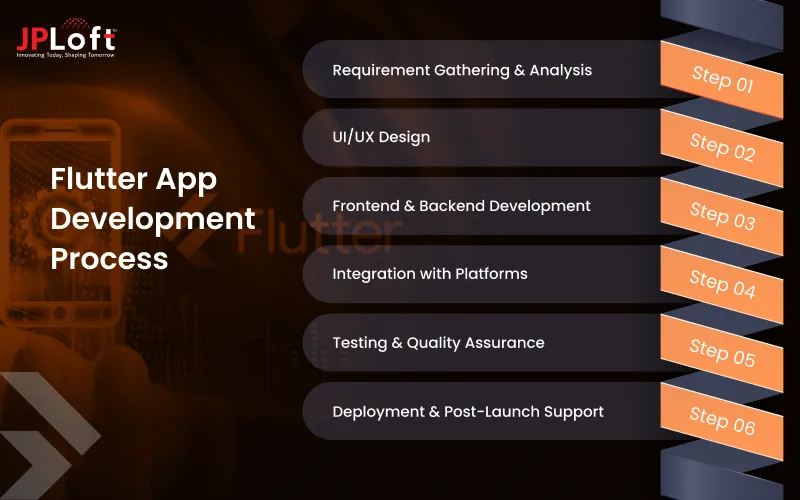
Let’s explore each stage in detail.
Step 1: Requirement Gathering & Analysis
Before writing a single line of code, it’s crucial to understand the app’s purpose, target audience, and goals. Careful planning in this phase reduces the chances of costly revisions later.
► Market Research & Competitor Analysis
Identify similar apps in the market and analyze their features, strengths, and weaknesses. This helps in determining unique value propositions and setting clear objectives for your app.
► Defining App Objectives & Features
Outline the key functionalities, user flows, and business goals. This step ensures that the app development aligns with user needs and market expectations.
► Technical Requirements & Wireframes
Document all technical specifications, platform requirements, and create wireframes to visualize the app’s structure. Clear wireframes simplify development and streamline communication with stakeholders.
Step 2: UI/UX Design
Design is critical for user engagement and retention. Flutter’s widget-based system enables highly interactive and responsive UI across platforms.
► Clean Navigation & Layout
Focus on intuitive navigation and logical screen flow. Well-structured layouts enhance usability and minimize friction.
► Consistent Branding
Maintain brand colors, typography, and style across all screens. Consistency strengthens brand identity and builds user trust.
► Interactive Elements & Animations
Leverage Flutter’s rich widget library to create smooth animations and interactive elements. Engaging experiences improve retention and user satisfaction.
► Prototype Testing
Test early designs with stakeholders or small user groups using a mobile app prototype. Collect feedback to refine UI/UX before full-scale development.
Step 3: Frontend & Backend Development
Flutter allows a single codebase for both iOS and Android, reducing time and resources.
► Frontend Development
Implement screens, widgets, and animations. Ensure responsive layouts that work seamlessly on different devices.
► Backend Development
Set up databases, APIs, authentication, and server-side logic as part of your mobile app tech stack. The backend should support scalability, performance, and secure data management.
► Seamless Integration
By following how to develop a Flutter app, developers ensure smooth communication between frontend and backend systems.
► Code Reviews & Optimization
Regularly review code for maintainability, performance, and bug prevention. Optimized code leads to faster load times and better app stability.
Step 4: Integration with Platforms
Deploying an app involves handling platform-specific requirements to ensure smooth release.
► iOS Platform
Prepare the app and submit iOS app on App Store after proper signing and compliance with Apple’s guidelines. Testing across devices ensures smooth performance.
► Android Platform
Configure your app for Android and publish your app on Google Play Store following all Google requirements, ensuring it meets quality and security standards.
► Cross-Platform Considerations
Ensure features and UI remain consistent across both platforms. Flutter simplifies this with a single codebase, but careful testing is essential.
► Platform-Specific Optimization
Optimize for device-specific features like notifications, background tasks, or hardware integration to enhance performance.
Step 5: Testing & Quality Assurance
Comprehensive QA and mobile app testing ensure a bug-free, high-performance app with smooth functionality and reliable user experience.
► Functional Testing
Verify each feature works as intended across devices and operating systems.
► UI/UX Testing
Ensure screens, buttons, animations, and user interactions are smooth, consistent, and visually appealing.
► Performance & Security Testing
Test app speed, responsiveness, and security compliance. Stress test for high user load and validate data protection measures.
► Automated Testing
Leverage Flutter’s testing framework to run unit, integration, and widget tests efficiently.
Step 6: Deployment & Post-Launch Support
Successful deployment is just the beginning. Continuous monitoring, updates, and optimizations are crucial for long-term success.
► App Store & Play Store Launch
Submit the final build to iOS and Android platforms. Ensure all assets, descriptions, and metadata are properly prepared.
► Monitoring & Analytics
Track app performance, crashes, and user behavior using analytics tools. Data-driven insights guide updates and improvements.
► Continuous Updates & Bug Fixes
Release regular updates to fix bugs, improve performance, and add new features. Post-launch support keeps users satisfied and engaged.
► Scalability Planning
Plan infrastructure to handle increasing users and data load efficiently, ensuring smooth app growth over time.

Real-World Examples of Flutter App
Understanding real-world applications of Flutter helps businesses and developers visualize what’s possible with this framework.
.webp)
From startups to large enterprises, Flutter has powered numerous successful apps, providing speed, performance, and an engaging user experience.
1. Google Ads
The Google Ads mobile app, built with Flutter, demonstrates how complex enterprise-level functionality can be delivered across platforms efficiently.
Users can manage campaigns, track ad performance, and receive notifications, all in a seamless, fast-loading interface.
This app is a prime example of a comprehensive guide to Flutter app development for enterprise needs.
2. Alibaba
Alibaba’s Xianyu app leverages Flutter to provide a smooth shopping experience for millions of users.
The cross-platform approach allows Alibaba to maintain feature parity across iOS and Android, reducing development effort and streamlining the overall development process.
Businesses can learn from this efficient approach to building scalable, high-performance apps.
3. Reflectly
Reflectly, a personal journaling app, uses Flutter for its visually appealing and interactive interface.
The app’s rich animations and smooth transitions showcase how Flutter can help developers create apps that are both functional and aesthetically pleasing, following the guide to Flutter app development principles.
4. Grab
Grab, a leading ride-hailing and delivery app, utilizes Flutter for parts of its platform to ensure consistent performance across devices.
Features like booking, real-time tracking, and push notifications are implemented efficiently, demonstrating Flutter’s versatility for service-based applications.
5. Hamilton Musical App
The Hamilton app is an excellent example of how Flutter supports entertainment and lifestyle apps.
From interactive content to ticket booking, the app delivers a rich user experience while maintaining high performance on multiple platforms.
These real-world examples prove that with proper planning and execution, developers can create a Flutter app that meets high standards of functionality, design, and user engagement.
They also highlight how businesses can optimize costs and streamline development by choosing Flutter as their framework.
Flutter vs React Native: Which is Better?
Choosing the right framework is one of the most important decisions in the app development journey. Both Flutter and React Native dominate the cross-platform ecosystem, but they differ in architecture, performance, learning curve, and ecosystem maturity.
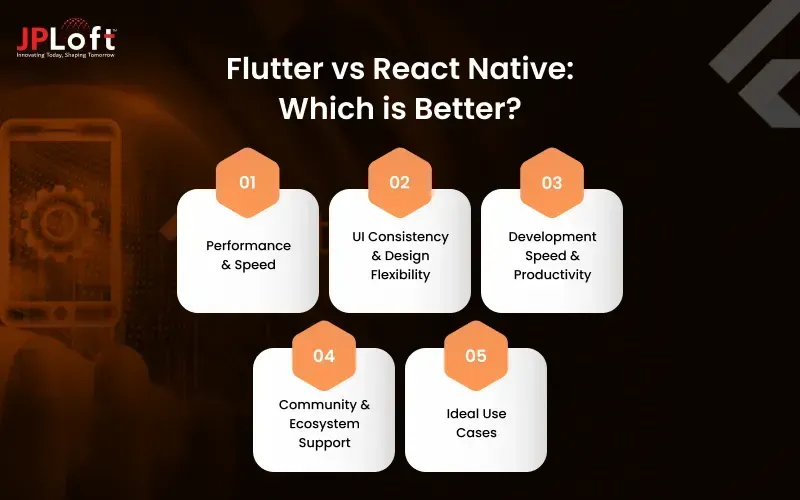
Understanding these differences will help you determine what aligns best with your business goals and technical requirements.
► Performance & Speed
Flutter delivers near-native performance because it uses the Skia rendering engine, allowing the UI to run smoothly without relying on OEM widgets.
React Native, on the other hand, depends on JavaScript bridges to communicate with native components, which may lead to performance limitations in animation-heavy or complex apps.
► UI Consistency & Design Flexibility
Flutter offers a rich, unified widget library for both iOS and Android, giving developers pixel-perfect control over UI.
This makes it easier for teams exploring how to make a Flutter app that looks consistent across devices.
React Native provides flexibility as well, but the UI rendering is more dependent on native components, creating slight variations between platforms.
► Development Speed & Productivity
Hot reload, intuitive widgets, and a structured development environment make Flutter faster for building scalable, visually appealing apps. Its layered architecture ensures predictable behavior.
React Native offers vast JavaScript ecosystem support, but dependency fragmentation can sometimes slow down development cycles, especially for large applications.
► Community & Ecosystem Support
React Native has a longer history and a large JavaScript-based developer community.
Flutter, though younger, has grown rapidly with Google-backed updates, extensive documentation, and a strong package ecosystem.
Many teams refer to Flutter as an overall guide to Flutter app development due to its documentation quality and developer-friendly tooling.
► Ideal Use Cases
-
Choose Flutter if you need high-performance animations, consistent UI, faster development, or plan to scale across multiple platforms (iOS, Android, web, desktop).
-
Choose React Native if your team has JavaScript expertise or your project requires deeper integration with existing native modules.
Conclusion: Which is Better?
Both frameworks are powerful, but Flutter stands out when performance, UI precision, and fast development cycles are priorities.
React Native remains a strong contender for teams deeply invested in JavaScript. Your choice should be based on project complexity, desired performance, team skill set, and long-term scalability.
Comparison Table: Flutter Vs React Native
|
Feature / Aspect |
Flutter |
React Native |
|
Performance & Speed |
Near-native performance with Skia rendering engine; smooth animations |
Relies on JavaScript bridge; may lag in complex, animation-heavy apps |
|
UI Consistency & Design |
Unified widget library; pixel-perfect UI across iOS & Android |
Depends on native components; slight platform variations |
|
Development Speed |
Hot reload, structured environment; faster scalable app development |
Vast JavaScript ecosystem; dependency fragmentation can slow large projects |
|
Community & Ecosystem |
Rapidly growing, Google-backed, strong packages & docs |
Longer history, large JS-based developer community |
|
Ideal Use Cases |
High-performance animations, consistent UI, multi-platform scaling |
Projects needing deep JS integration or existing native modules |
When to Select Flutter for Your App Development?
Selecting the right framework can significantly impact your app’s performance, scalability, and long-term maintenance.
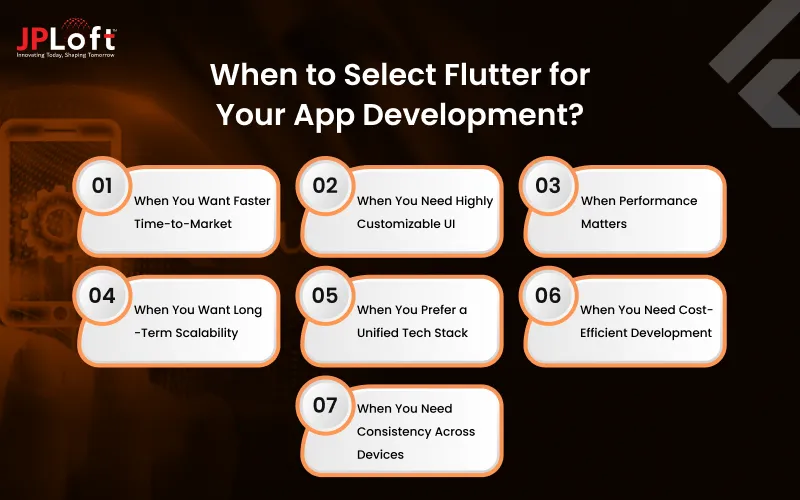
Flutter is known for its speed, UI consistency, and efficiency, but it’s not a one-size-fits-all solution. Understanding when it’s the ideal choice can help businesses and developers make informed decisions, especially when planning how to build a Flutter app strategically.
1. When You Want Faster Time-to-Market
Flutter enables developers to build once and deploy across iOS and Android. This makes it perfect for startups or businesses aiming to deliver a fully functional MVP quickly without sacrificing quality.
2. When You Need Highly Customizable UI
If your app requires expressive visuals, advanced animations, or pixel-perfect design, Flutter’s widget ecosystem offers unmatched flexibility. Brands seeking strong design identity benefit the most here.
3. When Performance Matters
Flutter apps compile to native ARM code, providing smooth performance even in graphics-heavy applications. If your goal is to understand how to develop a Flutter app with near-native speed, Flutter provides the right tools from the start.
4. When You Want Long-Term Scalability
Flutter isn’t just for mobile apps; its multi-platform capability extends to web, desktop, and even embedded devices. Businesses planning long-term product expansion find this incredibly valuable.
5. When You Prefer a Unified Tech Stack
Flutter reduces dependency on separate iOS and Android teams. A single codebase means unified development, testing, and updates, saving time, effort, and resources.
6. When You Need Cost-Efficient Development
Because Flutter accelerates development cycles and reduces team overhead, it is ideal for businesses wanting both efficiency and quality without overspending.
7. When You Need Consistency Across Devices
Apps that must look, feel, and function the same on different devices benefit greatly from Flutter’s rendering engine and predictable UI behavior.
Challenges with Flutter App Development
While Flutter is a powerful and versatile framework, it’s important to understand the challenges it may present. A clear view of these limitations helps businesses make informed choices, especially when planning how to create a Flutter app efficiently and sustainably.
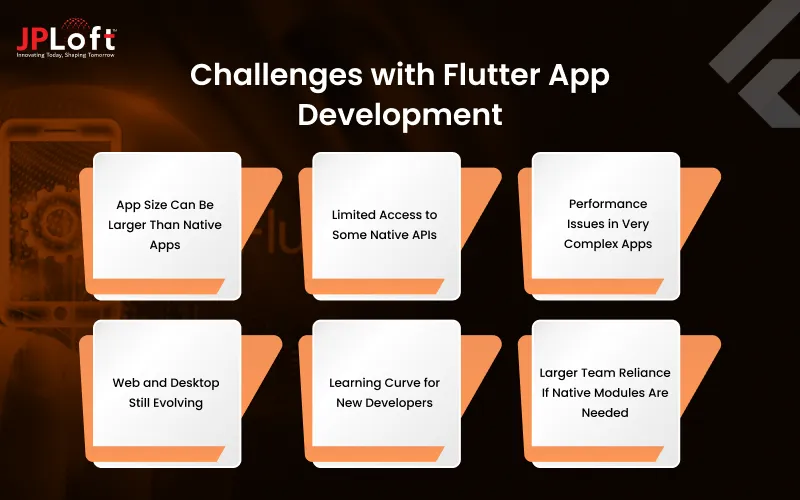
Challenge 1: App Size Can Be Larger Than Native Apps
Flutter apps often have larger file sizes due to the bundled engine and framework components. For apps where size is critical, such as lightweight tools or regions with low bandwidth, this can be a drawback.
Challenge 2: Limited Access to Some Native APIs
Although Flutter continues to expand its plugin ecosystem, certain advanced or device-specific APIs may require custom native development. This means developers may need expertise in Swift, Kotlin, or Java to bridge the gap.
Challenge 3: Performance Issues in Very Complex Apps
For extremely heavy 3D rendering, advanced graphics, or continuous background processing, native development may still outperform Flutter. Understanding the steps to create a Flutter app efficiently helps mitigate these issues in most standard use cases.
Challenge 4: Web and Desktop Still Evolving
Flutter supports web and desktop platforms, but these environments aren’t as stable or mature as mobile. Apps built for these platforms may face issues related to browser compatibility, rendering, or performance.
Challenge 5: Learning Curve for New Developers
Flutter’s widget-based architecture is powerful but different from traditional development patterns. Teams unfamiliar with reactive UI principles may initially find the learning curve steep.
Challenge 6: Larger Team Reliance If Native Modules Are Needed
Apps that heavily depend on native modules may require parallel skills: Dart for Flutter and native languages for platform-specific functionality. This increases development complexity.
Despite these challenges, Flutter remains one of the most efficient frameworks for building cross-platform apps. The key is understanding limitations early and planning development accordingly.
What’s the Cost to Build a Flutter App?
The cost to build a Flutter app typically ranges from $20,000 to $100,000+, depending on multiple development factors such as complexity, features, design, integrations, and platform requirements.
Businesses often ask how to build a Flutter app? within a defined budget, but the final pricing varies greatly based on project goals and functionality.
Below is a detailed breakdown of all cost components with realistic pricing ranges.
1. App Complexity
-
Basic Flutter App — $20,000 to $35,000
Features: Simple UI, basic screens, no third-party integrations, minimal backend.
Best for: MVPs, simple calculators, basic utilities.
-
Medium Complexity App — $35,000 to $60,000
Features: Custom UI, API integrations, authentication, dashboards, moderate animations.
Best for: E-commerce apps, booking apps, social networking MVPs.
-
Advanced Flutter App — $60,000 to $100,000+
Features: Real-time updates, advanced animations, AI/ML modules, offline mode, robust backend.
Best for: On-demand apps, marketplace apps, enterprise apps.
2. Features & Functional Modules
Each feature contributes to the total mobile app development cost, depending on development hours.
|
Feature |
Price Range |
|
User Authentication |
$2,000 – $6,000 |
|
Chat & Messaging |
$4,000 – $12,000 |
|
Payment Gateway Integration |
$3,000 – $8,000 |
|
Push Notifications |
$1,500 – $4,000 |
|
Geolocation & Maps |
$2,000 – $10,000 |
|
Real-time Syncing |
$4,000 – $15,000 |
|
AI/ML Recommendations |
$8,000 – $25,000+ |
3. UI/UX Design
Design complexity highly impacts cost.
-
Basic design: $2,000 – $6,000
-
Custom UI components: $6,000 – $15,000
-
Highly animated or branded design: $10,000 – $25,000+
4. Backend Development
The backend can be simple or enterprise-grade.
-
Basic backend: $5,000 – $15,000
-
Intermediate backend: $15,000 – $30,000
-
Scalable enterprise backend: $30,000 – $50,000+
5. Third-Party Integrations
Every integration adds development hours.
-
APIs (payment, SMS, maps): $1,500 – $8,000
-
CRM or ERP integration: $8,000 – $25,000
-
Analytics tools: $1,000 – $5,000
6. Testing & Quality Assurance
Scrutinizing app performance across devices has its own cost range.
-
Manual + automated testing: $5,000 – $20,000
-
Enterprise-grade QA cycles: $20,000 – $40,000+
7. Deployment & Maintenance Costs
Launching the app is just the beginning.
-
App Store & Play Store deployment: $800 – $2,000
-
Annual maintenance: 15–25% of total development cost
(Approx. $3,000 – $20,000 yearly depending on complexity)
8. Team Location & Expertise
Developer hourly rates vary globally:
-
India: $20 – $40/hr
-
Eastern Europe: $30 – $60/hr
-
USA/Canada: $80 – $150/hr
Choosing a region aligned with your budget helps streamline the steps to create a Flutter app affordably and efficiently.
Final Cost Summary
|
App Type |
Estimated Cost |
|
Basic App |
$20,000 – $35,000 |
|
Medium Complexity App |
$35,000 – $60,000 |
|
Advanced/Enterprise App |
$60,000 – $100,000+ |
Future of Flutter App Development
The future of Flutter app development looks extremely promising. With Google’s continuous support, expanding ecosystem, and cross-platform capabilities, businesses can efficiently build a Flutter app that delivers consistent performance across mobile, web, and desktop.
Innovations like Flutter 3.19 enhance UI/UX, speed, and stability, making it easier for developers to implement advanced features.
This guide to Flutter app development demonstrates how structured workflows, robust frameworks, and a growing library of packages enable faster, scalable, and visually appealing apps. As adoption grows, Flutter is set to remain a top choice for modern app development.

Connect with JPLoft and Build Your Flutter App
Ready to develop a Flutter app that delivers exceptional performance, seamless user experience, and long-term scalability?
Partner with JPLoft, a leading Flutter app development company, trusted for building high-quality digital products across industries.
Our expert team specializes in creating pixel-perfect designs, efficient architectures, and cross-platform apps that feel truly native. Whether you're launching an MVP or scaling a full enterprise solution, we guide you through strategy, development, testing, and deployment with complete transparency.
At JPLoft, our goal is to turn your app idea into a reliable, future-ready Flutter product that helps you stand out in a competitive market. Let’s collaborate and build something extraordinary together.
Conclusion
Flutter has become one of the most reliable frameworks for building fast, visually appealing, and scalable mobile applications.
Whether you’re exploring a Flutter app development guide to understand the basics or looking for a guide to Flutter app development for long-term business growth, Flutter offers the flexibility, performance, and cross-platform consistency modern apps demand.
Its rich widget ecosystem, rapid development cycle, and strong community support make it a top choice for startups and enterprises alike.
With the right development strategy and expert guidance, you can transform your idea into a powerful digital product that delivers real value to users. Flutter is future-ready, and so is your app.
FAQs
Flutter is an open-source UI framework by Google that allows developers to build high-performance apps for iOS, Android, web, and desktop using a single codebase. It’s popular because of its fast development cycle, expressive UI, and native-like performance.
The Flutter app development process includes planning, UI/UX design, development, testing, deployment, and ongoing updates. Teams often follow structured steps to create a Flutter app for smooth delivery.
A basic Flutter app may take 4–8 weeks, while medium or advanced apps can take 3–6 months depending on features, complexity, design, and backend needs.
Yes. Flutter’s architecture, scalability, and support for multiple platforms make it suitable for enterprise-grade apps with complex features and large user bases.
Flutter apps often achieve near-native performance thanks to the Skia rendering engine and compiled ARM code, making them smooth and responsive.
Absolutely. Flutter now supports web and desktop platforms, enabling developers to build cross-platform applications with a shared codebase.
Yes. Flutter’s rapid development capabilities, hot reload, and cost efficiency make it ideal for building MVPs quickly without compromising on quality.

Meet Yashwant, the CTO of JPLoft. With 18+ years of industry experience, he brings deep technical expertise and visionary leadership to complex digital challenges. From scalable software architectures to emerging technology implementations, Yashwant drives innovation that empowers businesses across diverse industries to build future-ready, secure, and high-performing digital solutions.



Share this blog