


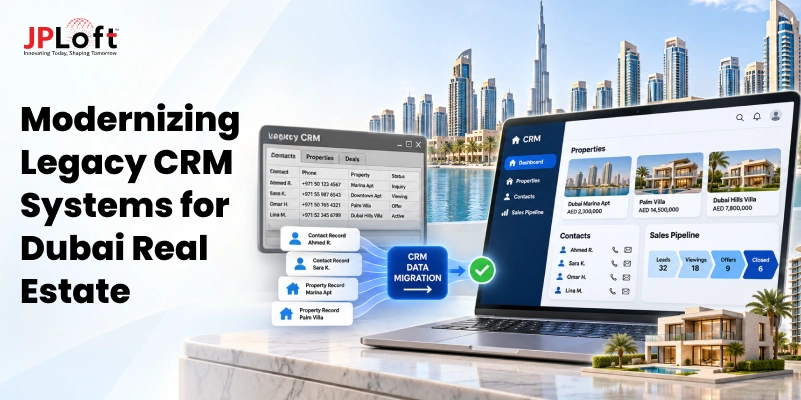
It is 11 PM. A hot lead lands from Property Finder.
Your agent sees it at 9 AM. By then, a rival brokerage has already called.
Sound familiar?
For manDubai brokerages, the old CRM is the quiet reason deals slip away. It is slow, cluttered, and it does not talk to the tools your team uses every day.
That is why real estate CRM migration Dubai owners are planning right now is no longer a "nice to have." It is a growth move.
This blog gives you the full picture:
-
Why the switch matters
-
What can go wrong
-
What to look for in a new system
-
How to move your data safely
-
What it all costs
A well-planned CRM migration that Dubai real estate teams can trust will protect your leads. It will also speed up every sale that follows.
Let's start with the why.
Why Do Dubai Real Estate Brokerages Need a CRM Migration?
As you know, Dubai moves fast; buyers compare, call, and decide in days. Your CRM has to keep up.
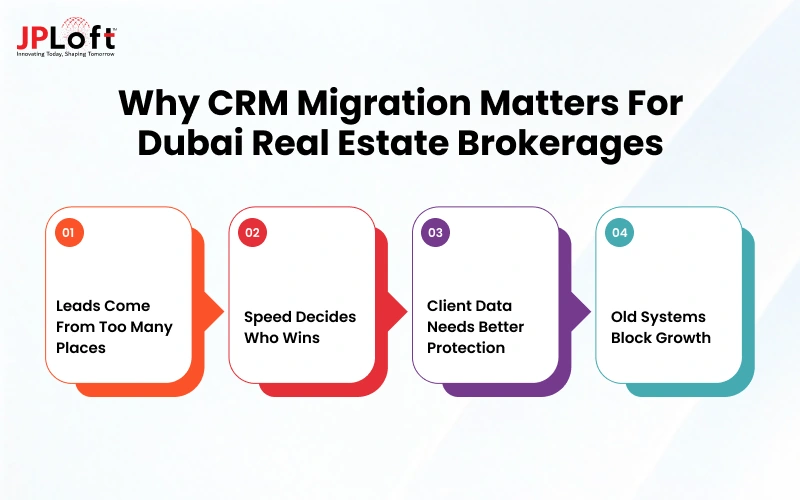
Here is why staying on an old system gets expensive:
►Leads Come From Too Many Places
A single buyer can reach you through many doors:
-
Property Finder, Bayut, and Dubizzle
-
Meta and Google ads
-
Your website forms
-
WhatsApp chats
-
Referrals and walk-ins
Each portal has its own inbox. Without one clean pipeline, agents juggle several logins and see the same buyer twice. Duplicates pile up fast.
Old systems were never built for this mix. They rely on copy and paste. And every manual step is a chance to lose a lead.
►Speed Decides Who Wins
In this market, the first call often wins the meeting.
A modern real estate CRM Dubai teams rely on can fix this:
-
Route each lead to the right agent in seconds
-
Send alerts when a lead sits untouched
-
Show managers who is slow to respond
A legacy system rarely does any of this well.
►Client Data Needs Better Protection
Your CRM holds phone numbers, passport copies, and Emirates ID details. That is sensitive data.
The UAE's Federal Decree-Law No. 45 of 2021 (the PDPL) governs how personal data is collected and handled.
Older systems often lack the basics:
-
Consent tracking
-
Access controls by role
-
Audit trails
-
Secure backups
One weak system can turn into a legal and trust problem.
►Old Systems Block Growth
As your team grows, the cracks show up:
-
New agents take weeks to set up
-
Reports are slow or wrong
-
Mobile access is poor
-
Every small change needs a costly patch
So the need is clear. But the move itself has traps. Let's look at them.
Common Challenges When Moving From a Legacy CRM
Most failed solutions share the same few problems.
Know them early, and you can plan around them. A legacy CRM migration is rarely a simple copy-and-paste job.
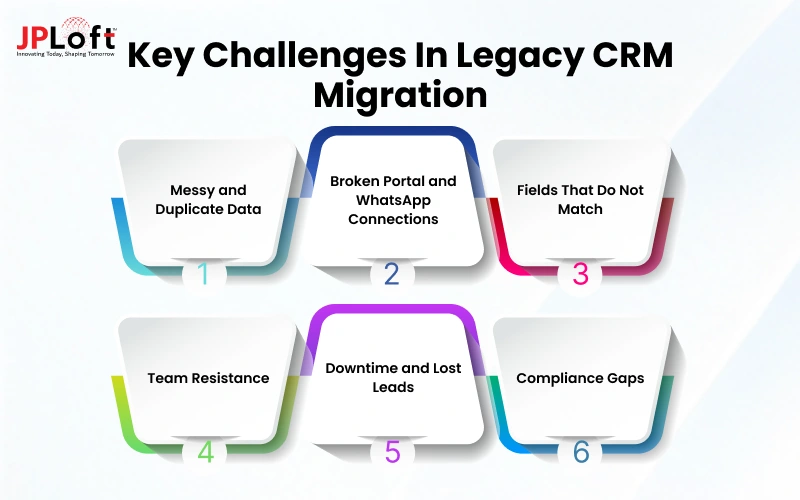
Here are the common challenges and ways to overcome them:
-
Messy and Duplicate Data
This is the number one headache.
Years of manual entry leave a trail:
-
Same client saved three times
-
Phone numbers in five different formats
-
Old leads nobody has touched in years
-
Missing emails and budgets
Many teams find that 10 to 30 percent of their records are duplicates. Move them as they are, and you simply recreate the mess in a new home.
-
Broken Portal and WhatsApp Connections
Your old CRM may be tied to portals through custom scripts or email parsing.
These links often break during a move. Portals also do not offer a simple bulk real-time feed for every use case. That makes lead capture tricky to rebuild.
The result?
-
Leads stop flowing for a day or two
-
Agents do not notice
-
Buyers go cold
-
Fields That Do Not Match
Your old system might store a buyer's budget as free text. The new one wants a number.
Other common mismatches:
-
Lead source names ("PF" versus "Property Finder")
-
Property types and unit status
-
Off-plan payment plans
-
Agent ownership and commission splits
Without proper mapping, data lands in the wrong fields or gets dropped.
-
Team Resistance
Agents are busy. Many keep their own Excel sheets and WhatsApp notes.
A new tool feels like extra work. If they do not buy in, they will keep using the old habits. Your fresh CRM then stays half empty.
-
Downtime and Lost Leads
If the cutover is rushed, leads that arrive mid-move can fall through the gap.
This is the fear every owner has. And it is a fair one.
-
Compliance Gaps
Moving personal data is still processing personal data.
You need to know who can see it. You need to know where it is stored. You also need a record of consent. Local guidance suggests brokerages should handle client data in line with both the PDPL and RERA expectations.
Now that you know the risks, let's talk about what a better system looks like.
Key Features to Look for in Your New CRM
Not every CRM suits a brokerage. Generic sales tools miss property-specific needs.
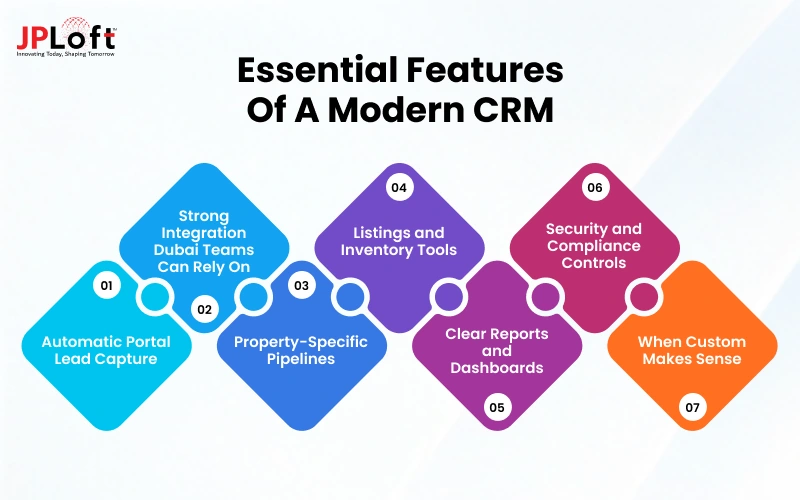
Use this list as your filter when shortlisting a real estate CRM Dubai agents will actually enjoy using.
1. Automatic Portal Lead Capture
An enquiry that waits one hour is often a lost lead. Your CRM should pull every lead from Property Finder, Bayut, and Dubizzle on its own.
It should catch duplicates so two agents never call the same person. It should send each lead to the right agent in seconds.
It should also show which portal brought the lead. Ask the vendor one thing: is each portal included in the plan or sold separately?
2. Strong Integration Dubai Teams Can Rely On
Your CRM should not live on an island. Good real estate CRM integration Dubai brokerages need starts with WhatsApp Business for chats and templates.
Add call tracking, click-to-call, email, and calendar sync. Website forms and Meta or Google ad leads should land in the same place.
Accounting and invoicing tools should connect too. Then ask what happens when a portal changes its setup and a connection breaks.
3. Property-Specific Pipelines
A brokerage does not sell “deals.” It sells units. Your pipeline should follow real stages: new lead, qualified, viewing done, and offer made.
Then comes MOU signed, SPA signed, and DLD registered. For off-plan sales, you also need payment milestone tracking.
Commission tracking matters just as much. Every agent and every split should be clear without a spreadsheet.
4. Listings and Inventory Tools
Updating the same unit in three places is a slow way to work. A good CRM gives you one place to edit units.
Changes then sync to your portals. It should also track permits and details.
Owner and tenant records should sit next to each listing. This saves hours of double entry every week.
5. Clear Reports and Dashboards
Owners need quick answers, not long exports.
-
Which source gives the best deals?
-
Which agent closes the most?
-
How long does a lead take to convert?
-
What is the cost per closed deal?
If reports need a developer to build, move on.
6. Security and Compliance Controls
Your CRM holds client names, numbers, and deal details. That makes security a must-have.
Look for role-based access so agents only see what they should. Check for consent capture, opt-out tools, and audit logs.
Data should be encrypted and backed up regularly. Also ask a simple question: where is our data hosted?
7. When Custom Makes Sense
Sometimes off-the-shelf tools fall short. This is where custom real estate CRM development UAE firms can help.
It is worth a look if you have unique commission rules. It also fits brokerages with many branches or teams.
The same goes for an in-house portal or app, or deep real estate CRM integration with Dubaiportals and internal systems.
The trade-off is time and budget, and we cover both below.
How to Migrate Your CRM Without Losing Data or Leads?
A good plan makes the move boring. And boring is exactly what you want.
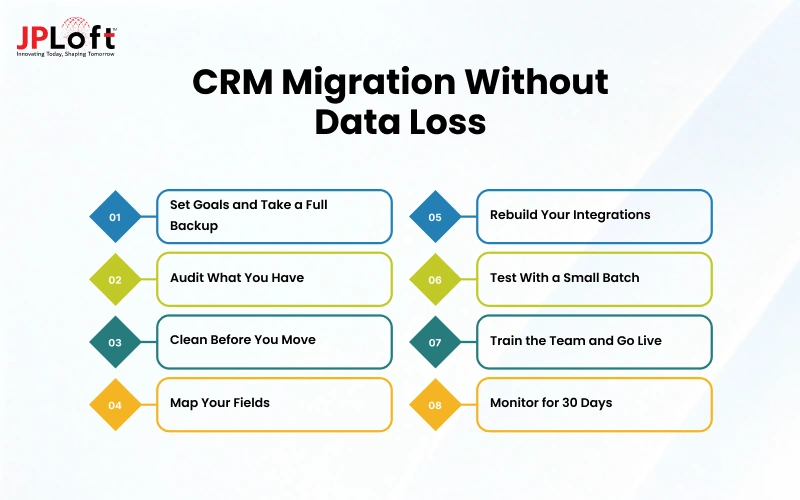
Follow these steps in order. Every serious CRM migration that Dubai real estate firms run follows a similar path:
Step 1: Set Goals and Take a Full Backup
Start with clarity.
-
Write down why you are moving
-
Pick one owner for the project
-
Export everything from the old system
-
Store the backup safely
Even data you plan to leave behind should be backed up.
Step 2: Audit What You Have
Look before you move.
-
How many records do you have?
-
How many are duplicates?
-
Which ones are dead leads?
-
Which fields does your team really use?
This audit shapes everything that follows.
Step 3: Clean Before You Move
This step saves the most money and stress.
Cleaning data before the move is far cheaper than fixing it after. Some guides put post-move cleanup at three to five times the cost.
Do this:
-
Merge duplicates
-
Standardise phone numbers (+971 format)
-
Fix lead source names
-
Archive leads with no activity in years
-
Remove records with no way to contact
Do not move everything. Move what matters.
Step 4: Map Your Fields
Create a simple sheet. List each old field and its new home.
-
Old field name
-
New field name
-
Format rules
-
Who approves it
Include notes, tags, call logs, and deal history. Agents care about these more than you think.
Step 5: Rebuild Your Integrations
Set up portals, WhatsApp, telephony, and website forms in the new CRM.
Keep them in test mode first. Then confirm a test lead from each source lands correctly.
Step 6: Test With a Small Batch
Never move all data in one go on day one.
-
Import a sample of a few hundred records
-
Check that fields, owners, and notes look right
-
Let two or three agents try it for a few days
-
Fix issues, then repeat
If you can, run both systems side by side for a short time.
Step 7: Train the Team and Go Live
People make or break the switch.
-
Run short role-based sessions
-
Share a one-page quick guide
-
Hold daily Q&A in the first week
-
Pick a quiet day for cutover
-
Freeze the old CRM so no new data goes in
-
Keep a rollback plan ready
Step 8: Monitor for 30 Days
After launch, stay alert.
-
Check lead flow every day
-
Compare portal lead counts with CRM counts
-
Collect agent feedback
-
Keep the old system read-only as a safety net
Quick CRM Data Migration Checklist
Pin this before you begin:
-
Full backup done
-
Duplicates merged
-
Stale records archived
-
Fields mapped and approved
-
Consent data preserved
-
Integrations tested
-
Sample import checked
-
Team trained
-
Rollback plan ready
-
Post-launch review booked
Now for the question every owner asks next. What will this cost and how long will it take?
CRM Migration Costs and Timelines
No two brokerages have the same bill. Size, data quality, and integrations all change the number.
Here is a simple way to plan your real estate CRM migration Dubai budget and schedule.
What Drives the Cost
Budget for more than the software licence:
-
Data audit and cleanup
-
Migration scripts and tools
-
Integration setup
-
Custom fields and workflows
-
Testing
-
Training
-
Running two systems for a short while
Cleanup is often the most underestimated item. Teams discover the mess halfway through and costs jump.
Typical Cost Ranges
Public Dubai pricing is limited. Global benchmarks give a rough guide.
-
A simple, standard rollout often falls between $5,000 and $20,000 (roughly AED 18,000 to 73,000)
-
A complex, highly customised build can run from $40,000 to well over $150,000 (roughly AED 147,000 and up)
If you go fully custom, one mobile app development firm in Dubai puts a real estate SaaS MVP at about AED 200,000 to 300,000. That is a full product build and not just a data move.
So custom real estate CRM development UAE projects sit at the top end. They pay off only if your needs are truly unique.
Always get a written quote that splits licence, migration, and integration costs.
Typical Timelines
Time depends mostly on data size and how many systems connect.
-
Small team with clean data: about 4 to 8 weeks
-
Mid-size brokerage with several integrations: about 8 to 16 weeks
-
Large group with many branches and custom needs: several months
Expect a dip in output after go-live. Agents may be slower for four to eight weeks while they adjust. Plan targets with that in mind.
Ways to Keep Costs in Check
-
Clean data first. A proper cleanup phase can cut total project cost by roughly a quarter to a third
-
Move in phases. One team or branch at a time lowers risk and rework
-
Choose a CRM with portals built in
-
Keep the scope tight at launch and add extras later
-
Train early so adoption does not stall

Switch CRMs Without the Stress: Let JPLoft Handle Your Move
Moving off an old system should not feel like a gamble. As a top software development company in Dubai, JPLoft helps brokerages shift their legacy CRM migration without losing leads, listings, or deal history.
First, the team audits your current data. Then it cleans duplicates and maps every field with care. Portal leads, WhatsApp chats, and consent records are tested before go-live.
Need something beyond a standard tool? JPLoft can also build custom features around your commission rules and workflows. Your agents get a CRM that fits how they sell.
You also get a clear rollback plan and post-launch support. So your team keeps closing deals while the data moves safely in the background.
Conclusion
A slow, cluttered CRM costs you more than you think. It costs you leads. It costs you speed. And it puts client data at risk.
A smart switch fixes all three. But only if you plan it well.
Here is what to remember:
-
Dubaileads come from many portals and channels. Your CRM must unite them
-
Messy data is the biggest risk in any legacy CRM migration. Clean it first
-
Pick a system with strong portal and WhatsApp connections
-
Follow a clear step-by-step plan with testing and a rollback option
-
Budget for cleanup, integrations, and training. Not just software
-
Expect a few weeks of adjustment after go-live
Done right, real estate CRM migration Dubai brokerages invest in turns into faster replies, cleaner reports, and more closed deals.
A careful CRM migration Dubai real estate leaders approve today can set the base for years of growth.
FAQs
Most brokerages need between 4 and 16 weeks. Small teams with clean data move faster. Larger firms with many integrations take longer.
Not if you plan well. Take a backup first. Test with a sample. Keep portal connections in test mode until ready. Freeze the old CRM at cutover and check lead counts daily after launch.
No. Move active leads, clients, and deal history. Archive stale records. Moving everything only slows the new system and carries old clutter forward.
Yes. Client data is personal data. Keep consent records. Limit who can access data during the move. Check where your new vendor stores it. For legal certainty, speak to a UAE data protection lawyer.
It depends on how chats were stored. Messages logged inside your old CRM can usually move across. Chats on personal phones often need a manual export. Going forward, use WhatsApp Business tools linked to the CRM.
Most brokerages do well with a ready-made tool built for Dubai. Consider custom only if you have unusual commission rules or many branches. Also consider it if you need deep links to in-house systems.
Skipping data cleanup. It is the step most teams rush. It is also the one that saves the most time and money.

Priyanka Sukhwal is the Managing Director and Business Head of JPLoft, with 10+ years of experience in technology, digital product strategy, and business growth. She has worked closely with businesses building mobile applications, custom software, marketplaces, and on-demand platforms across mobility, automotive, consumer services, and startup ecosystems. At JPLoft, she focuses on understanding business models, identifying product opportunities, and helping companies plan digital solutions that can scale with changing market needs.



Share this blog