


Traditional IT infrastructure requires businesses to manage physical servers, storage, software, and regular maintenance.
But as business requirements grow, these systems can increase operational costs and limit flexibility to handle increasing data volumes and application demands.
To handle these challenges, cloud migration offers businesses an alternative to managing everything through physical infrastructure. It allows businesses to move applications, databases, workloads, and other IT resources to cloud platforms.
The growing adoption of this approach is reflected in the global cloud migration services market, projected to reach $86.06 billion by 2034 at a CAGR of 23.64%.
Now that you are aware of ṭhe growing market value of cloud services, it is important to understand that the path to cloud migration is not as easy as it sounds.
In this blog, we will explore cloud migration meaning, its process, types, business benefits, challenges, and more. But before starting the blog, let's understand the meaning of cloud migration in depth.
What Is Cloud Migration?
Cloud migration is the process of moving business applications, data, databases, and IT workloads from on-premises infrastructure to cloud platforms or between different cloud environments. Some of these platforms include Amazon Web Services (AWS), Microsoft Azure, and Google Cloud.
However, moving your business to the cloud requires careful consideration. Before choosing a migration approach, evaluate these factors:
-
Existing IT Setup: Review your current infrastructure, business applications, and technologies.
-
Workload Requirements: Assess the computing power, storage, and processing capacity your business needs.
-
Application Compatibility: Check whether your existing software can run on your chosen cloud platform without major changes.
How Does Cloud Migration Work?
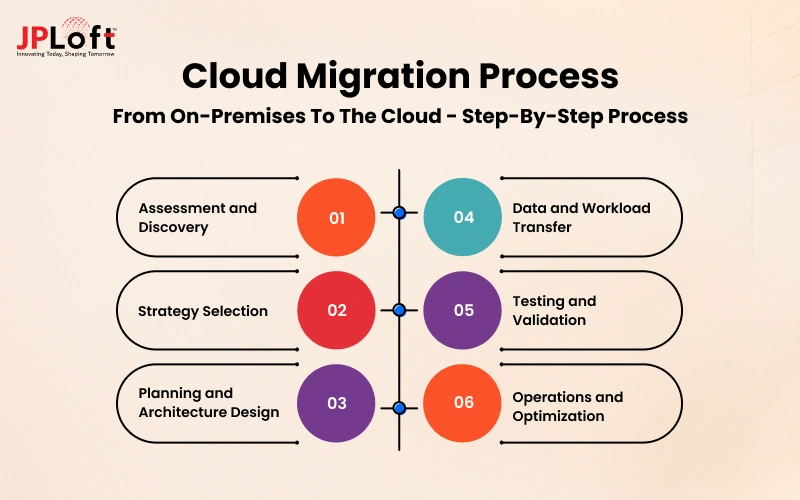
Every business has a different cloud migration journey. Businesses can manage migration internally or work with third-party cloud migration partners. Here is a step-by-step process of how cloud migration works.
1. Assessment and Discovery
Cloud migration begins with reviewing your current business systems, IT portfolio, applications, workloads, and data. Follow these steps to understand what to move and what stays before migration.
-
Define your business goals: Decide what you want to achieve through migration, such as reducing infrastructure costs, improving performance, or supporting business growth.
-
Estimate Migration Costs: Consider migration costs and ongoing cloud subscriptions.
-
Prioritize Applications: Choose the applications that are cloud-eligible and should be migrated first.
-
Map System Dependencies: Identify how applications, databases, APIs, and third-party integrations connect. This helps prevent compatibility issues and disruptions during migration.
2. Strategy Selection
After completing the assessment, the next step is choosing the cloud strategy for how data and applications will move to the cloud. Businesses can make a choice from the following migration strategies.
-
Rehosting: This involves moving to a cloud system without any code changes.
-
Replatforming: This strategy involves making minor application changes to improve cloud compatibility.
-
Refactoring: This involves completely redesigning and recoding applications to make them cloud-ready
-
Retiring: This involves discontinuing an application and choosing a new cloud-native application through a SaaS model.
3. Planning and Architecture Design
Once you select a migration strategy, plan how your applications, data, and business systems will work in the cloud.
-
Choose the Right Cloud Setup: Select a public, private, or hybrid cloud environment based on your business requirements.
-
Define Security Controls: Set up data encryption, access permissions, and security policies to protect business information.
-
Configure Storage: Choose suitable cloud storage options based on your data volume, access needs, and backup requirements.
-
Plan Network Settings: Configure network connections and access routes to ensure smooth communication between applications and cloud systems.
4. Data and Workload Transfer
Next, move your selected applications, databases, and business data to the cloud. The transfer may happen in stages or all at once, depending on your business needs. There are three common approaches to data and workload transfer:
-
Phased Migration: Move applications and workloads in smaller groups instead of transferring everything at once.
-
Pilot Migration: First migrate a small application or workload to test the cloud environment before moving critical systems.
-
Cutover Migration: Switch operations from the existing infrastructure to the new cloud environment at a planned time.
5. Testing and Validation
Before fully switching to the cloud, check that your applications work correctly and your data has transferred accurately.
-
Check Application Performance: Test application speed, system functionality, and resource usage.
-
Verify Security and Access: Review security settings, user permissions, and data protection controls.
-
Validate Integrations: Check database connections, APIs, and third-party integrations to ensure smooth operations.
6. Operations and Optimization
After migration, monitor your cloud environment to ensure everything runs smoothly. Track performance, security, and resource usage to identify problems early.
-
Monitor Cloud Performance: Track system availability, application performance, and resource usage.
-
Optimize Cloud Resources: Adjust storage, computing capacity, and configurations based on actual business requirements.
-
Review Costs and Security: Monitor cloud spending, update security controls, and remove unused resources.
What Are the Different Types of Cloud Migration?
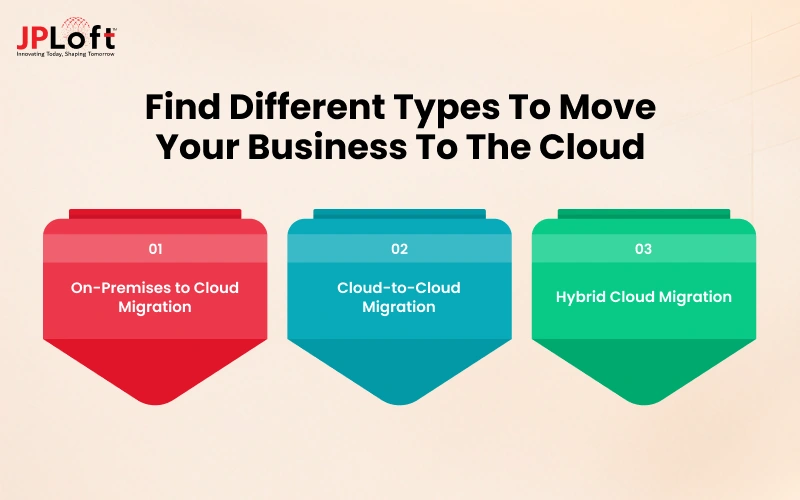
Different cloud providers offer businesses different ways to store data and information and run applications online. However, it depends on each business's needs, which cloud migration is best suited for them. Here are the major types of cloud migration.
1. On-Premises to Cloud Migration
One of the first types is on-premises to cloud migration. It includes moving business data, applications, infrastructure, and important information from physical servers to cloud platforms. Key benefits include:
-
Eliminating the need to buy, replace, and maintain physical servers on-site.
-
Reducing the time spent managing physical infrastructure.
-
Faster Infrastructure Setup without waiting for new hardware purchases and installation.
2. Cloud-to-Cloud Migration
Cloud-to-cloud migration means transferring applications, databases, workloads, or data from one cloud environment or provider to another. Businesses can move workloads between providers such as AWS and Microsoft Azure. It also allows hybrid servers by combining public and private cloud systems. Its benefits include:
-
Better Pricing Options: Reduce costs by switching to more suitable cloud pricing plans.
-
Access to Specialized Services: Use cloud tools that better match business needs.
-
Improved Application Performance: Reduce latency by choosing a provider closer to target users.
3. Hybrid Cloud Migration
Hybrid cloud migration involves moving selected workloads to a public cloud while keeping other applications or data in a private cloud or on-premises environments. This approach allows businesses to balance flexibility, security, and infrastructure control. It includes different environments such as:
-
Private cloud connected to public cloud infrastructure.
-
On-premises infrastructure connected to public cloud services.
-
Applications distributed across private and public cloud environments.
Key Benefits of Cloud Migration for Businesses
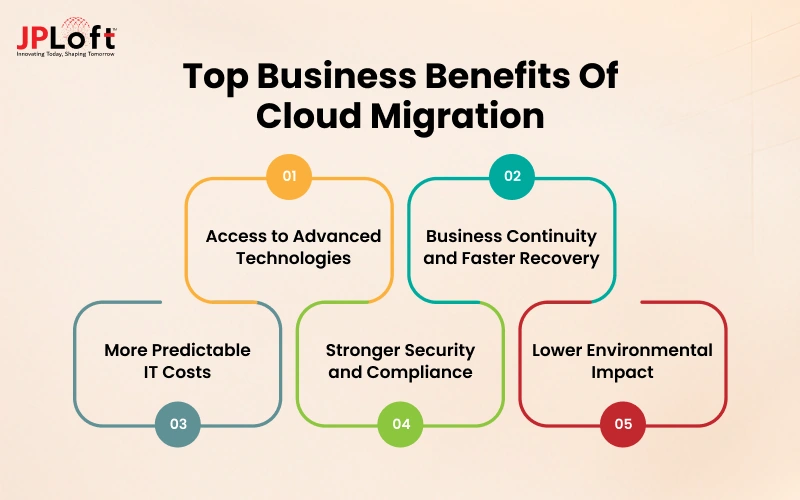
How can cloud migration support your business growth? Netflix and several other platforms use cloud infrastructure to manage growing workloads and scale their operations. Similarly, businesses can use cloud migration to improve efficiency, manage resources, and support growth. Here are some key benefits to explore.
1. Access to Advanced Technologies
Cloud platforms provide access to AI, machine learning, data analytics, and managed databases.
2. Business Continuity and Faster Recovery
Access to faster recovery of your data backups, disaster recovery, and applications from system failures and issues.
3. More Predictable IT Costs
Cloud migration reduces upfront investments in physical servers; businesses can use pay-as-you-go pricing and manage cloud spending.
4. Stronger Security and Compliance
Businesses can improve security with cloud migration, which offers data encryption, identity and access management, and continuous monitoring.
5. Lower Environmental Impact
Cloud platforms use energy-efficient infrastructure and resource management to optimize computing capacity.
What Are Common Cloud Migration Challenges Businesses Face?
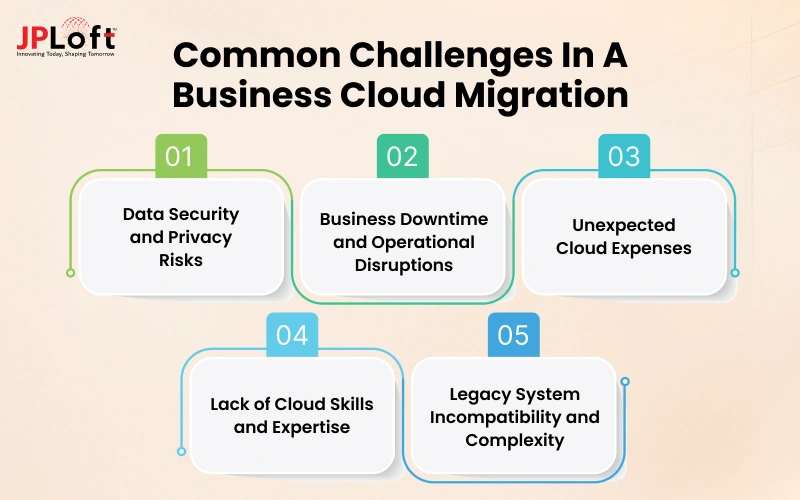
So far, we have explored that moving to the cloud helps businesses grow and scale easily.
But the process is not always easy; cloud migration brings common challenges if a company does not plan properly. We'll explore the common problems businesses face when moving to the cloud.
Challenge 1: Data Security and Privacy Risks
Businesses handling sensitive data face security and privacy risks. Inaccurate security settings can expose confidential information, leading to data breaches and compliance violations, especially risky in the healthcare and finance industries.
Solution: Avoid unencrypted temporary storage, excessive access permissions, and temporary access during cloud migration. This helps to maintain privacy and security.
Challenge 2: Business Downtime and Operational Disruptions
During cloud migration, poor planning can cause downtime, incomplete data transfers, or broken integrations. This can disrupt business operations, affect customer access, and lead to revenue loss.
Solution: Test the new cloud systems and prepare a backup plan when migrating business operations. It helps reduce operational disruptions, protect data, and handle operations.
Challenge 3: Unexpected Cloud Expenses
Businesses may face unexpected cloud expenses due to unused resources, excess storage, inefficient architecture, or multiple cloud providers. These issues make it harder to track spending.
Solution: Connecting with an expert company can help you track spending, plan for the resources your business actually needs, and design cost-efficient architecture.
Challenge 4: Lack of Cloud Skills and Expertise
Cloud migration requires expertise in networking, infrastructure, migration strategies, security, and compliance. However, many businesses lack skilled employees to handle security, technical issues, and migration tasks without disrupting day-to-day operations.
Solution: Train your existing IT team, hire cloud experts to manage complex tasks, and adopt cloud-managed services.
Challenge 5: Legacy System Incompatibility and Complexity
Migrating legacy systems to the cloud can be tricky due to outdated technologies, programming languages, and proprietary protocols. These systems may lack support for modern security standards and encryption mechanisms, making integration more challenging.
Solution: Assess legacy systems and choose suitable modernization approaches, such as cloud-native technologies, microservices, or serverless computing.
What are the Real-World Cloud Migration Examples?
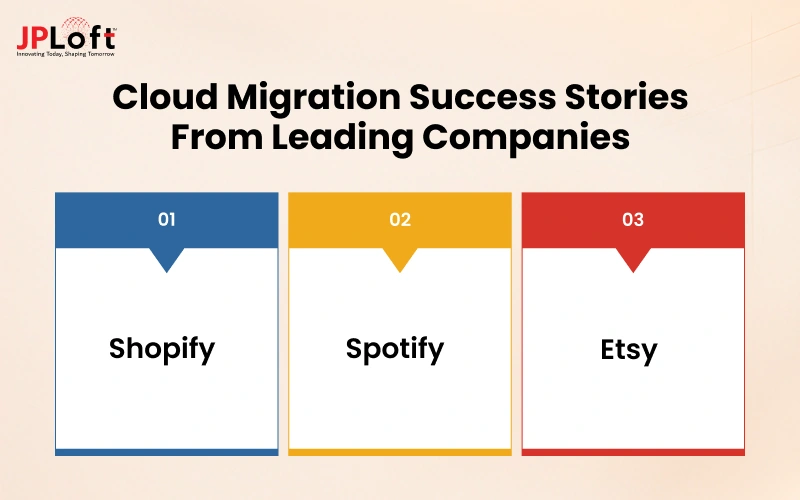
Now you understand the intent behind cloud migration, working, benefits and everything in all. But what happens when cloud migration is put into practice? That’s the secret we are revealing in this section. Here are the top real-world cloud migration examples of how companies approach this concept.
1. Shopify
-
Why Shopify migrated: Shopify wanted to transform its data centers to the cloud to improve customer experience and online websites.
-
What it migrated: Application workloads and shop database data from its data centers and other environments to Google Cloud.
-
Business outcome: A more unified infrastructure helped teams deploy and manage applications with less manual work.
2. Spotify
-
Why Spotify migrated: Spotify was facing challenges in managing its own data centers. It was a time-consuming task and took a lot of resources to improve its music platform.
-
What it migrated: Spotify moved its data-processing workloads and backend services from its own data centers to Google Cloud.
-
Business outcome: Spotify reduced the time spent managing infrastructure, allowing its teams to focus more on music recommendations and improving the listening experience.
3. Etsy
-
Why Etsy migrated: Managing its own data centers became challenging for Etsy, as it was increasing the pressure to increase capacity.
-
What it migrated: Etsy moved 5.5 petabytes of data from approximately 2,000 servers to Google Cloud, completing the migration.
-
Business outcome: Etsy reported 42% lower total costs, over 50% savings in compute energy, and shifted 15% of its team's assistance from infrastructure management to customer experience.
Cloud Migration vs Cloud Modernization
Cloud migration and modernization differ in cost, efficiency, and infrastructure architecture. Basically, cloud migration means relocating, and cloud modernization goes further by improving application architecture. Here is a simple comparison to avoid confusion.
|
Comparison Factor |
Cloud Migration |
Cloud Modernization |
|
Primary Objective |
Move existing workloads to cloud platforms with minimal changes. |
Redesign applications and infrastructure for a cloud-native environment. |
|
Initial Investment |
Lower upfront cost. Mainly covers infrastructure, cloud setup, and migration. |
Higher upfront cost. It covers application redesign and code refactoring changes. |
|
Implementation Timeline |
Faster implementation time due to minimal development effort. |
Longer duration due to updating application architecture. |
|
Long-Term Value |
Infrastructure flexibility and cost efficiency. |
Improved performance and easier adoption of new technologies. |
|
Complexity |
Lower complexity due to fewer changes to existing systems. |
Higher complexity and requires extensive resources. |
|
Outcome |
Reduced infrastructure maintenance and better resource accessibility. |
Improved application performance, faster updates, and better business agility. |
Should Your Business Migrate to the Cloud Now, Later, or Not Yet?
Is cloud migration the right move for your business currently? Should you make the switch, wait for a better time, or stick with your current systems? The answer depends on your IT costs, business goals, system reliability, and budget.
Use This Quick Decision Table
|
Business Factor |
Migrate Now |
Migrate Later |
Not Yet |
|
Server costs |
Maintenance and upgrades are becoming expensive. |
Costs are rising, but you need time to compare options. |
Current costs are manageable. |
|
System reliability |
Downtime is affecting business operations. |
Systems need improvement, but immediate migration isn't practical. |
Systems are stable and reliable. |
|
Business growth |
Current systems struggle to handle growing demand. |
Growth is expected, but requirements need further assessment. |
Existing systems can handle expected demand. |
|
Security and compliance |
Requirements are understood, and the target cloud environment can meet them. |
You need time to review security controls or compliance requirements. |
Migration could introduce unresolved risks that need assessment first. |
|
Available budget |
Funding is available for migration and ongoing cloud costs. |
You need more time to plan and secure funding. |
Migration would put essential business spending at risk. |
How Can JPLoft Help to Plan Cloud Migration?
Planning cloud migration requires more than transferring data. Because it's not just about migration, legacy systems, unexpected expenses, and limited in-house skills can make it challenging.
JPLoft offers cloud migration services that help businesses and startups assess their existing IT systems and choose a migration approach based on their goals, budget, and operational needs.
Here's how our team can support your cloud migration:
-
Modernize Legacy Applications: We assess outdated applications and recommend suitable approaches, such as refactoring, replatforming, or containerization, to make them cloud-compatible.
-
Database Management: Migrate and manage business databases in the cloud.
-
API Management: Connect applications and business systems securely.
-
Serverless Deployment: Run applications without managing the underlying servers.
With 16+ years of experience, we bring expertise in cloud engineering and multi-cloud environments. Our team supports you at every stage, focusing on cost-efficient cloud architecture, secure infrastructure, and compliance requirements.
As businesses increasingly adopt AI to automate operations, we also help prepare cloud environments for AI agents, LLMs, and machine learning workloads.
Whether you are planning a cloud migration or modernizing your existing infrastructure, the JPLoft team can help you plan and migrate successfully.
Conclusion
Cloud migration helps businesses modernize their IT infrastructure, improve operational flexibility, and access cloud-based resources. It can also support business continuity, simplify infrastructure management, and provide access to advanced technologies.
However, migration success depends on selecting the right cloud strategy, preparing applications, managing security risks, and controlling ongoing expenses.
Startups can use cloud infrastructure to support growth without investing heavily in physical servers. Established businesses can use migration to modernize legacy systems and improve operational efficiency.
A well-planned migration helps businesses manage risks and build an IT environment that supports long-term growth.
FAQs
Cloud migration typically ranges from $20,000 to $1 million+ on a standard project basis. It varies depending on data volume, application complexity, infrastructure requirements, and security needs. Small businesses may require a smaller migration budget, while enterprises often need larger investments for legacy systems, integrations, and compliance.
Common cloud migration challenges include data security risks, unexpected expenses, business downtime, application compatibility issues, and lack of cloud expertise.
Yes, cloud migration is suitable for small businesses to reduce server maintenance costs, enable remote access to data, improve storage scalability, and ensure data security.
The cloud migration types include on-premises-to-cloud migration, cloud-to-cloud, hybrid cloud, database migration, application migration, and database and infrastructure workloads.
Cloud migration involves assessing existing infrastructure, selecting a migration strategy, designing the cloud environment, transferring workloads, testing applications, and optimizing performance after deployment.

Yashwant Sharma is the CTO of JPLoft, with 18+ years of experience in software engineering, solution architecture, and digital innovation. His expertise spans scalable application development, AI-powered systems, RAG solutions, cross-platform development, software maintenance, and emerging mobility technologies such as EV and EV-charging platforms. He works across complex technical environments to help businesses build secure, maintainable, and high-performing digital products for industries including education, fitness, aviation, and healthcare.


Share this blog